
System Storage Benchmarks
For the testing today, we are going to focus on the potential performance of the ORICO K20 Mini 1TB Ultra-thin Magnetic Portable SSD by connecting it to a desktop computer via the USB Type-C 20Gbps connector on the rear I/O ports of an MSI MEG X670E ACE motherboard with an AMD Ryzen 9 7950X CPU. We will test the full potential of read and write performance, in sequential and random read and writes, as well as system benchmarks to gauge and compare the ORICO K20 Mini 1TB Ultra-thin Magnetic Portable SSD’s performance to other external SSDs we have tested.
All data in this review is newly and freshly obtained for each drive on the same system and OS version. We are running Windows 11 Pro 25H2 (26200.7309) with default Windows settings, including default Core Isolation (VBS) enabled, and BitLocker disabled. We have manually set the external SSD policy profile from the default Quick Removal to the “Best Performance” mode with “Write Caching” enabled. We have manually formatted each drive to NTFS with a 4096-byte allocation size and performed TRIM before testing. We will include new, refreshed data from the ADATA SC740 1TB External SSD and the MSI DATAMAG 20Gbps Magnetic Portable SSD, which are also both USB Type-C 20Gbps external portable SSDs.
3DMark
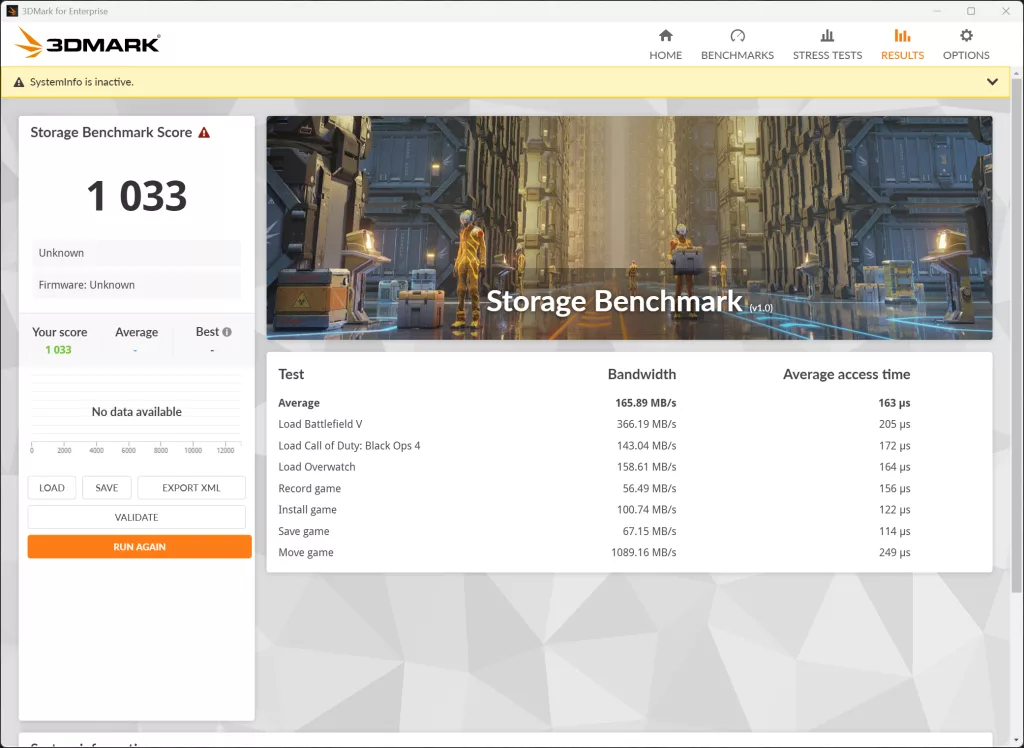
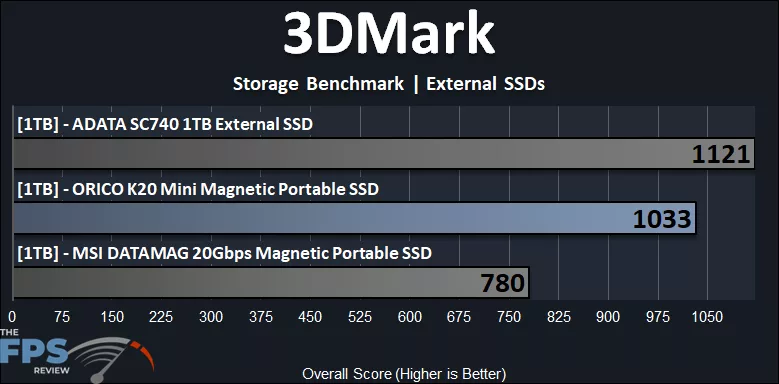
While you would not use the ORICO K20 Mini 1TB Ultra-thin Magnetic Portable SSD to game directly off of, it isn’t designed for that. We did want to see what 3DMark’s Storage Benchmark reveals, as it is game-focused. The ORICO K20 Mini 1TB Ultra-thin Magnetic Portable SSD doesn’t do too badly here, offering a score that is 32% faster than the MSI DATAMAG 20Gbps Magnetic Portable SSD. Though it is 8% slower than the ADATA SC740.
PCMark 10
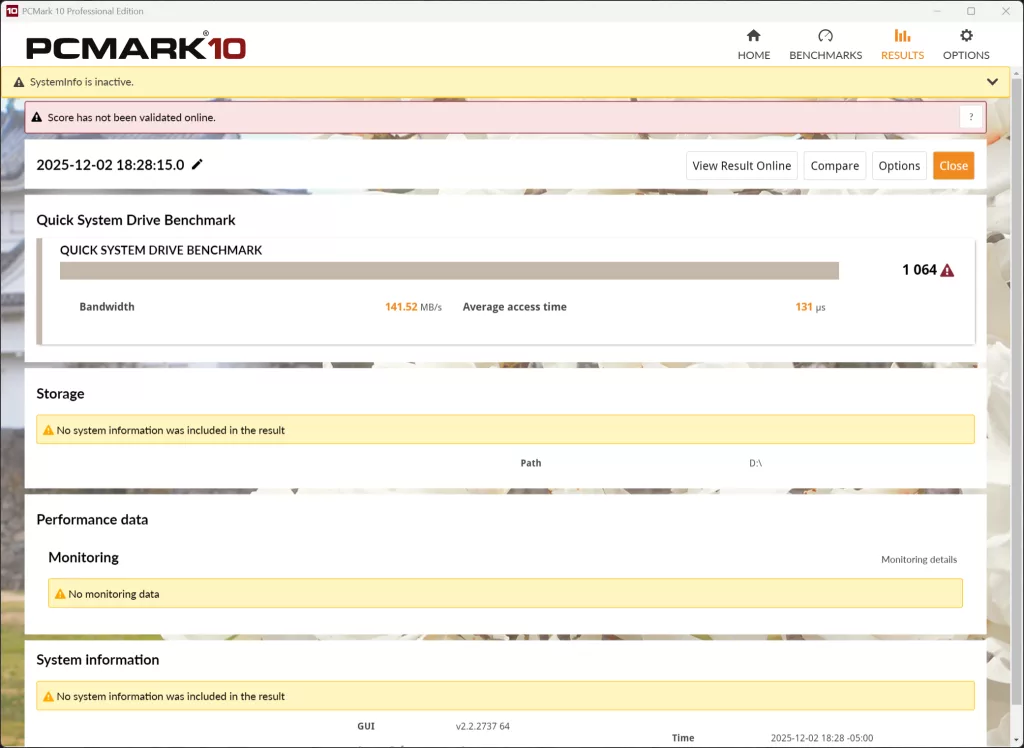
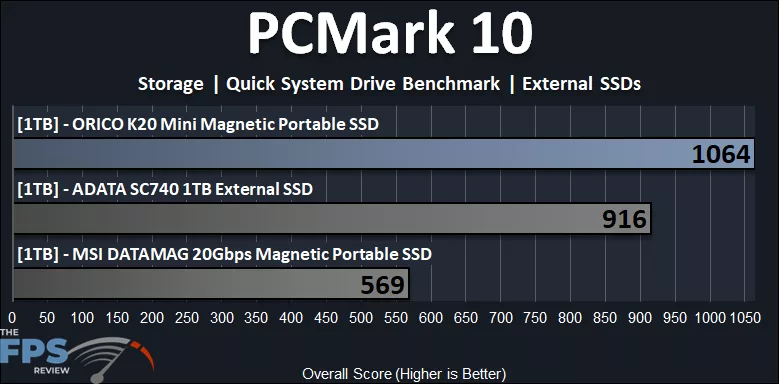
According to the PCMark 10 Quick System Drive Benchmark, which focuses on smaller workloads, the ORICO K20 Mini 1TB Ultra-thin Magnetic Portable SSD does extremely well compared to the other external portable SSDs here. The ORICO K20Mini scores 1064, which is 16% faster than the ADATA SC740 and 87% faster than the MSI DATAMAG 20Gbps!
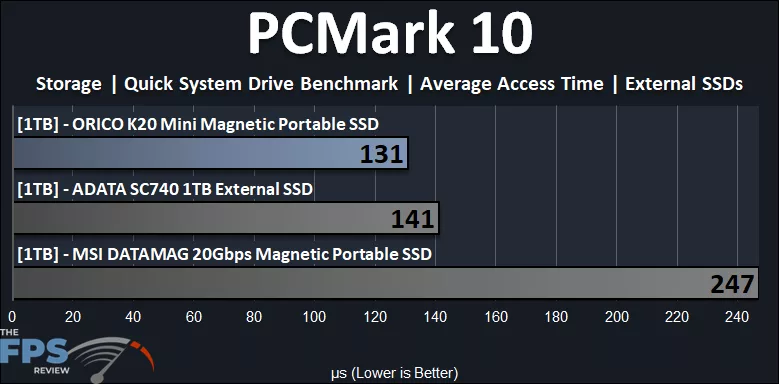
Looking specifically at the access time, the ORICO K20 Mini 1TB Ultra-thin Magnetic Portable SSD has the fastest access time, and beats the other drives, especially the MSI DATAMAG 20Gbps. This is a primary contributing factor in the score being much higher for the ORICO K20 Mini 1TB Ultra-thin Magnetic Portable SSD in this benchmark.
PassMark PerformanceTEST
We are using PassMark’s PerformanceTEST Disk Mark benchmark only. This test benchmarks Disk Sequential Read, Disk Sequential Write, IOPS 32KQD20, IOPS 4KQD1 tests and outputs an overall score (higher is better).
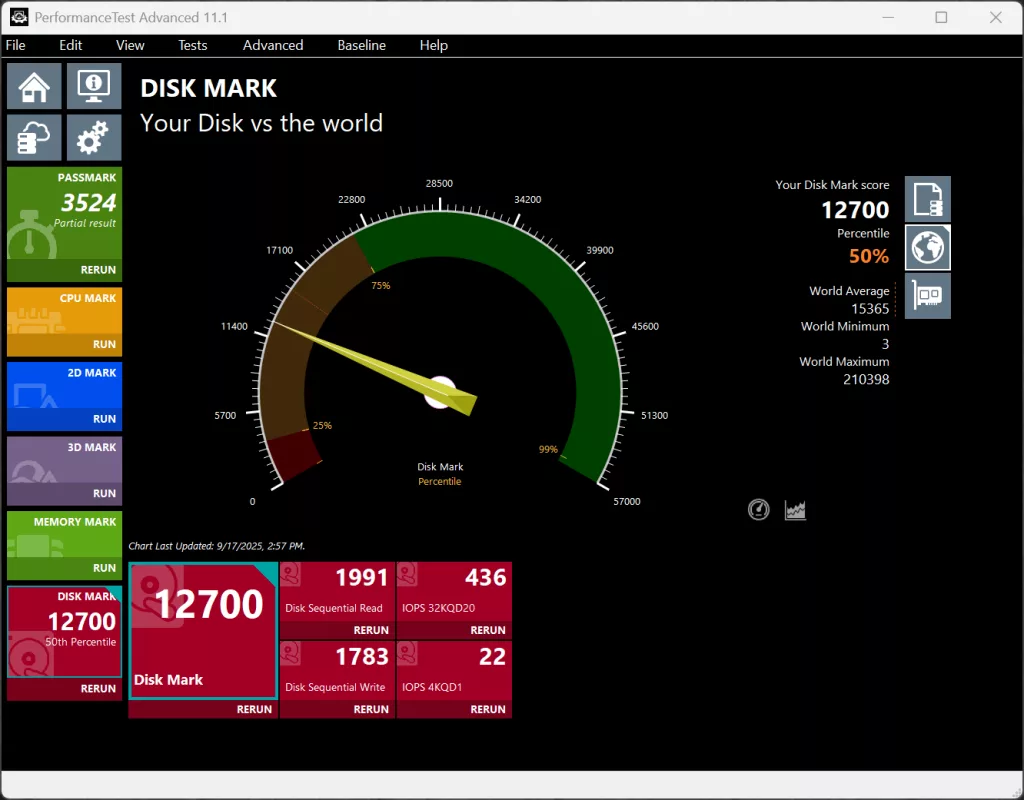
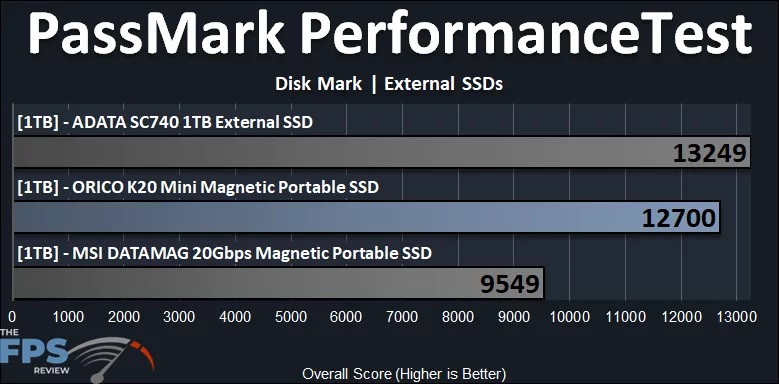
According to PassMark PerformanceTest, the ORICO K20 Mini 1TB Ultra-thin Magnetic Portable SSD does very well in overall testing. The ORICO K20 Mini 1TB Ultra-thin Magnetic Portable SSD scores 12700, which is a large 33% faster than the MSI DATAMAG 20Gbps, and only 4% behind the ADATA SC740.