Conclusion
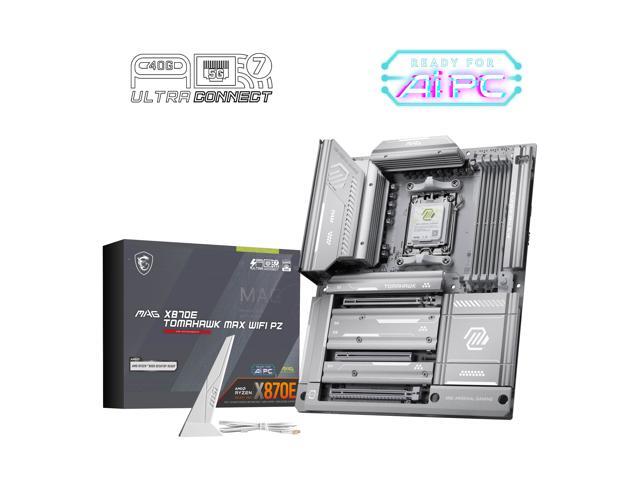
This is our third review of MSI’s Project Zero Back-Connect hardware. We had a chance to evaluate the MSI MAG X870E TOMAHAWK MAX WiFi PZ. We have previously reviewed the MSI MAG X870E TOMAHAWK WiFi and found the two motherboards to be equal in construction, BIOS design and performance. The big distinction, of course, is the Back-Connect, which is a very innovative change in motherboard design. The MSI MAG X870E TOMAHAWK MAX WiFi PZ is a full ATX motherboard outfitted with support for AM5 CPUs, DDR5 RAM to 8400 M/T (OC), PCIe Gen5x16 support and 4 M.2 slots. There is more than ample connectivity and no performance issues.
Installation and Use
The MSI MAG X870E TOMAHAWK MAX WiFi PZ had no issues with set-up or first boot. There was plenty of room for CPU, heatsink and RAM. We could not foresee any installation issues around the CPU socket. The M.2 primary slot heatsink is tool-less. It does use an MSI Frozor platform for the drive to rest on, which was too thick for our MSI Spatium NVMe, interestingly. The drive would not fasten down, as the platform and thermal pad were too thick. We had to remove the platform and apply a thermal pad to the bottom of the Spatium, then it was inserted without issue.
The other three slots use Phillips screws to access the slots and were no issue. The M.2 slots either use an MSI EZ-Clip or a rotating clasp. We don’t see slot number two as being usable unless the NVMe is very thin. This slot is directly under the video card. As described in the features section, M.2_2 runs at half-speed if you want to use USB4. You may disable USB4 in the BIOS to gain full functionality. Video card placement is a snap due to the MSI EZ Release button on the right side. Other than those rather minor issues, everything just worked as it should, with little difference from the standard MAG X870E TOMAHAWK.
First boot, BIOS navigation, and Windows 11 installation were without a single hitch. Since the board came with an outdated BIOS version, we used “M-Flash” to update, which was very simple to use and proceeded without an issue. The BIOS is very similar, if not identical, to the other MSI motherboards we have reviewed in the recent past. The Click X BIOS is very responsive and well-organised. All benchmarks ran without error, cooling of the MOSFETS was about 15 °C higher compared with all the other AM5 motherboards we have reviewed. We have found this to be consistent through all three of the Project Zero motherboard reviews. This did not present any issues. It may be due partially to the testing of the board inside a case and not on an open bench.
Briefly, the MSI MAG PANO 100R PZ case we have been using is well designed for the purpose and easy to work in and around. The Project Zero motherboard is designed to allow easy installation and access to all Back-Connect connectors. As we have stated, a full review is planned for the case.
BIOS Software and Gaming Performance
We have highlighted the BIOS setting of X3D Gaming Mode in this review, although it is available on all three of the Project Zero boards we have reviewed and is available in the BIOS of the MSI X870 and X870E motherboards we have reviewed earlier this year. With the introduction of the 9000 series X3Ds, this mode has been promoted in press releases to increase performance, so we thought it would be something to investigate.
If you review the graphs, you see 5 of 8 games show some gains when running an RTX 5080 at 1080p. The gains will vary from game to game but range from 1 to 8%. Notice how the largest gains are without PBO enabled. At 4K resolution, there is no gain using X3D Gaming Mode. We took things a step further and tested X3D Gaming Mode more realistically by using the GIGABYTE GeForce RTX 5060 GAMING OC, which is targeted for 1080p gaming. The results failed to show any gains in performance with X3D Gaming Mode enabled. What these results seem to indicate is that the X3D Gaming Mode isn’t helpful in real-world gaming scenarios.
Final Points
The MSI MAG X870E TOMAHAWK MAX WiFi PZ is a fresh, capable redesign of the existing X870E TOMAHAWK WiFi. The Project Zero Back-Connect are the most innovative change in motherboard design for a good long time. While this motherboard is no different in performance capabilities, it adds a top-shelf gaming platform to the Project Zero line-up.
We also took a deep dive into the X3D Gaming Mode performance and came up with very similar results as in our GIGABYTE X870E AORUS ELITE X3D review. The X3D Gaming Mode does not add any performance to real-world gaming settings. Overall, if you are planning a new Gaming PC build and like the idea of a clean, uncluttered design coupled with stable performance, the Project Zero MAG X870E TOMAHAWK MAX WiFi PZ would be an excellent start.