
Introduction
AMD‘s FSR “Redstone” is launching now with driver version Adrenalin 25.12.1. FSR Redstone is a suite of FSR technologies, primarily Upscaling, Frame Generation, Ray Regeneration, and Radiance Caching. In fact, part of FSR Redstone had already been released prior to this new driver when FSR 4 Upscaling, an ML-Powered FSR Upscaling method, was released. You’ll find FSR 4 Upscaling support in some new games today, such as Call of Duty 7, Dying Light: The Beast, Mafia: The Old Country, Cyberpunk 2077, Kingdom Come Deliverance II, Black Myth: Wukong, and many others. If the game did not support it directly, you could enable it via the driver if the game supported FSR 3.1.
What’s new with today’s launch of FSR Redstone are the other two technologies, fleshing out the suite. Specifically, ML-Frame Generation and Ray Regeneration. Similar to FSR Upscaling, ML-Frame Gen is also, at this time, forced from the driver control panel, but only if the game in question supports a specific version of FSR 3.1.4 Frame Generation; otherwise, it will default to the lesser FSR 3 Frame Gen. Ray Regeneration is about making Ray Traced denoising look better, and potentially perform better. Finally, there is one more piece to FSR Redstone, and that is FSR Radiance Caching. However, that specific feature isn’t quite ready yet and will be released in 2026.
In this article today, we are going to quickly go over the press presentation and technologies as an overview and preview. We had originally intended to provide you with an in-depth performance benchmark review of these features. However, we had limited time and bungled up some of the testing on our end before the launch, and therefore had to throw our results and data out the window, sadly. Therefore, we do plan to give you a full performance benchmark review in a follow-up, in the future, so stay tuned.
FSR Journey
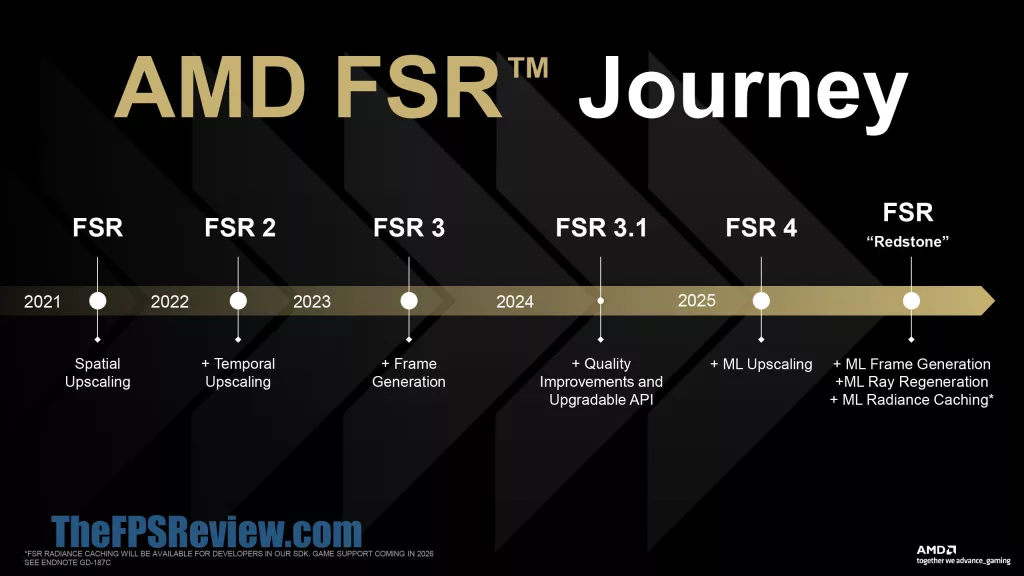
In the first slide, AMD is taking us through the journey of FSR, which formerly stood for FidelityFX Super Resolution. FSR started its journey by being just a spatial upscaler, and at its start, it had a very rough start due to the unusable image quality produced. This was remedied when FSR 2 was launched, which introduced temporal upscaling and further image quality improvements. FSR 2 is when it really became a viable option for gamers, especially at higher resolutions and higher quality modes.
When FSR 3 was launched, Frame Generation was introduced, but it was not utilizing machine learning at this time. FSR 3.1 was a pretty big upgrade for FSR as it introduced an upgradable API, which is what was necessary for the upgrade to FSR 4 and machine learning algorithms in games that we see today. When FSR 4 was launched, finally, AMD had machine learning upscaling, and this brought upscaling to a quality that made it competitive.
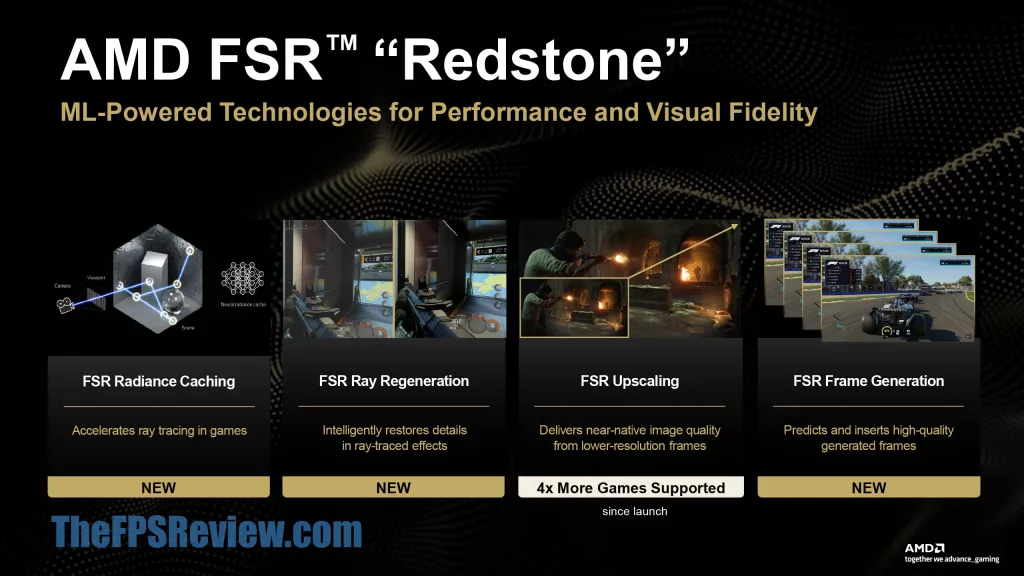
FSR Redstone is therefore a furthering of this by bringing ML-Frame Generation, ML-Ray Regeneration, and ML-Radiance Caching. What’s new today, in what is launching today, is ML-Frame Generation, FSR Ray Regeneration, and an announcement of more games supported in FSR Upscaling. FSR Radiance Caching isn’t quite out yet in games; that will be coming in 2026.
FSR Radiance Caching
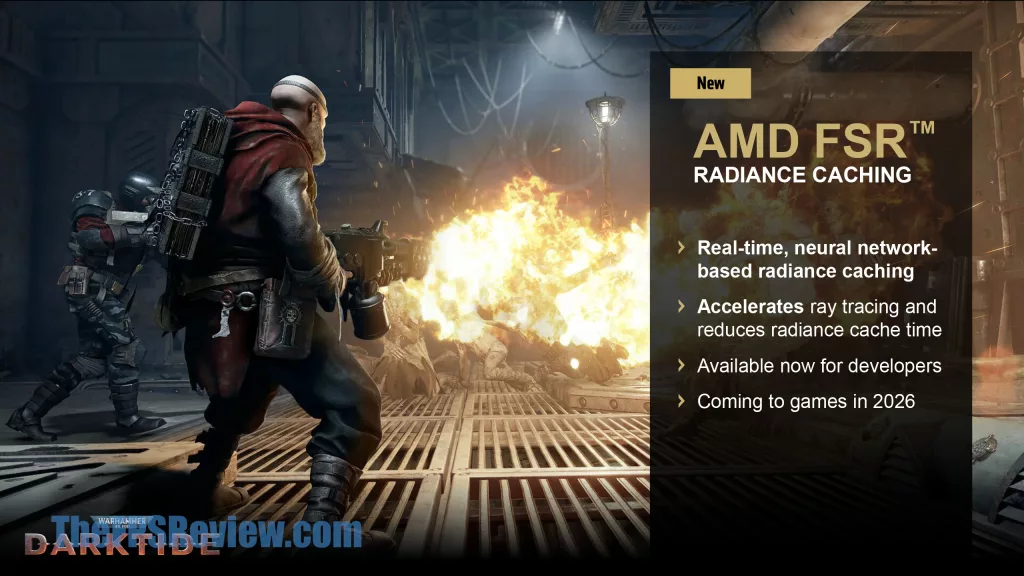
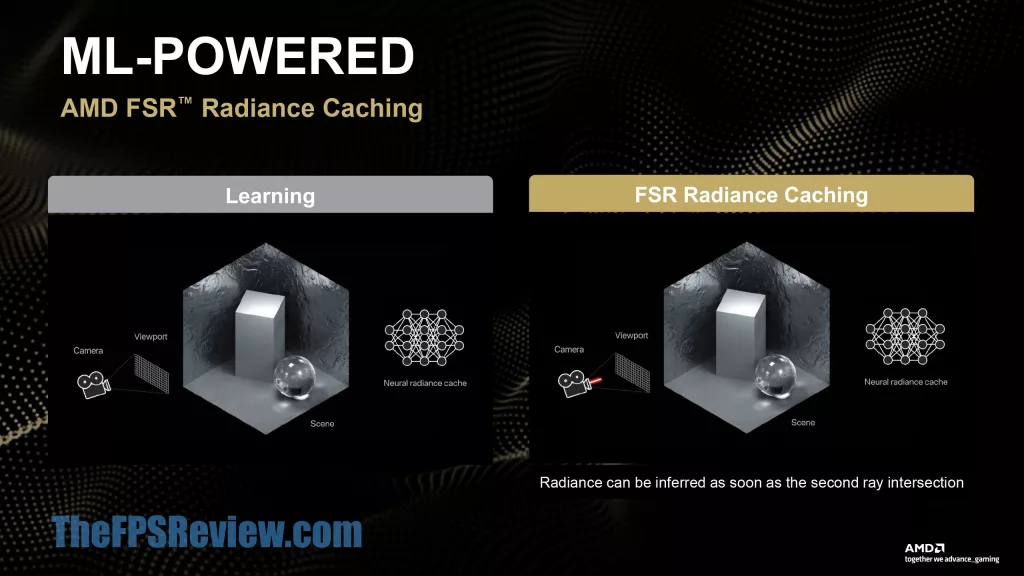
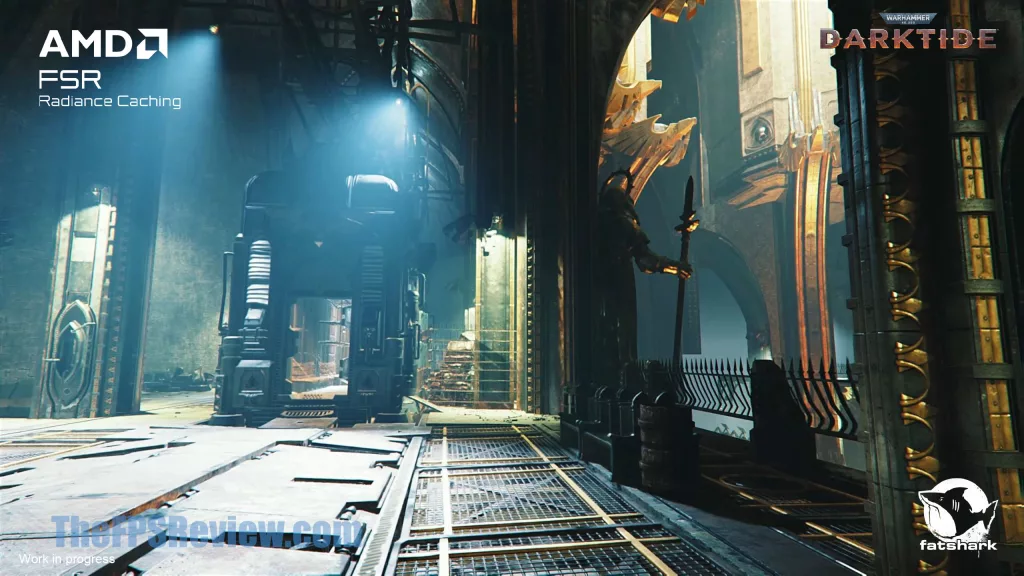
AMD FSR Radiance Caching can be implemented by game developers and allows a real-time neural network-based radiance caching. This accelerates ray tracing and reduces radiance cache time. In essence, as rays are traced by objects, the system learns how they will bounce, and as soon as the second ray intersection, the neural network takes off and computes and infers other intersections, thus reducing the computational workload. This could greatly improve Ray Tracing performance, especially when there are lots of lights in a detailed environment. However, it does require developer support, and therefore, we will have to wait for games to use it. This one is a wait-and-see how it affects performance, and what games will use it to improve RT performance.
FSR Ray Regeneration
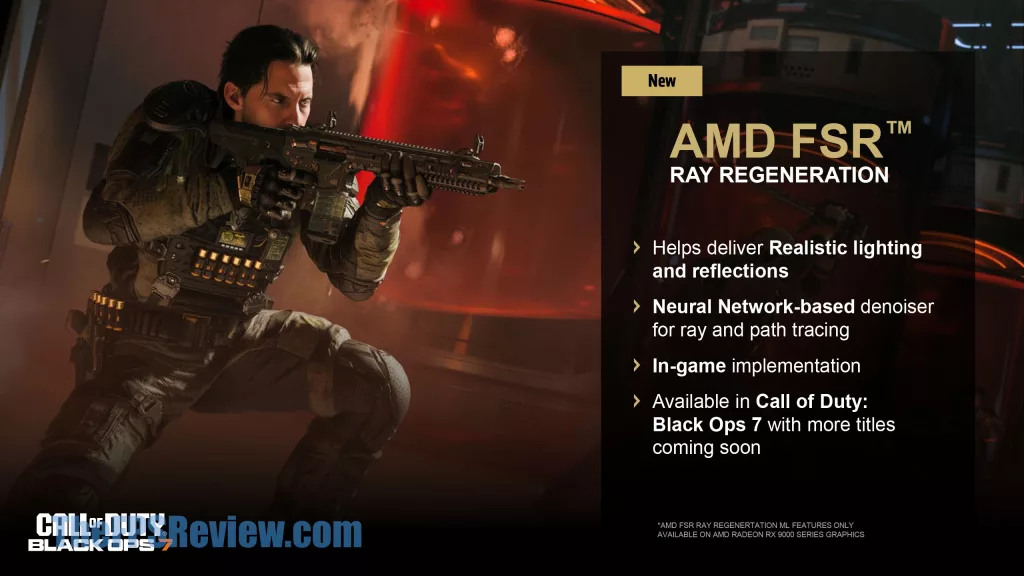
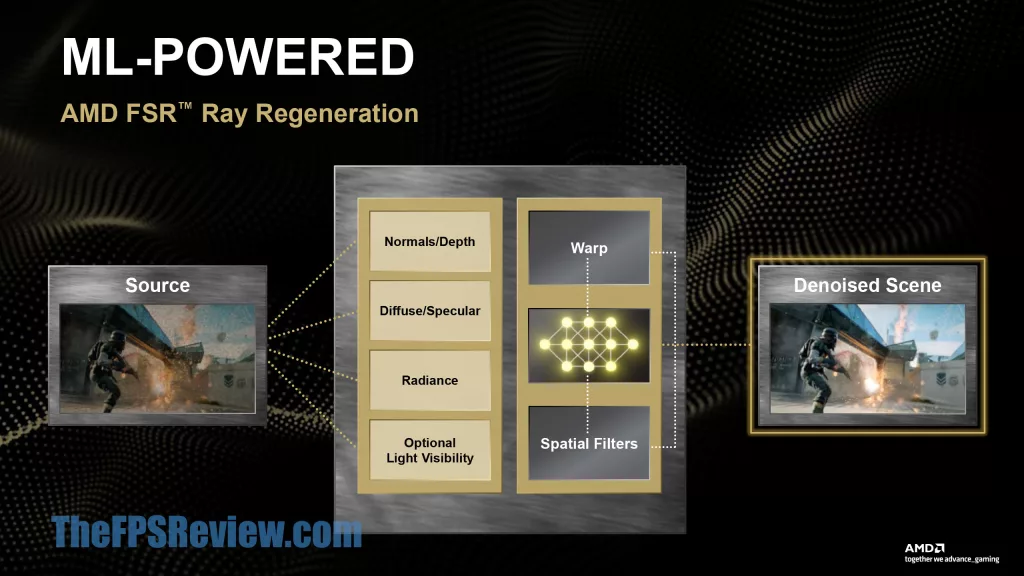
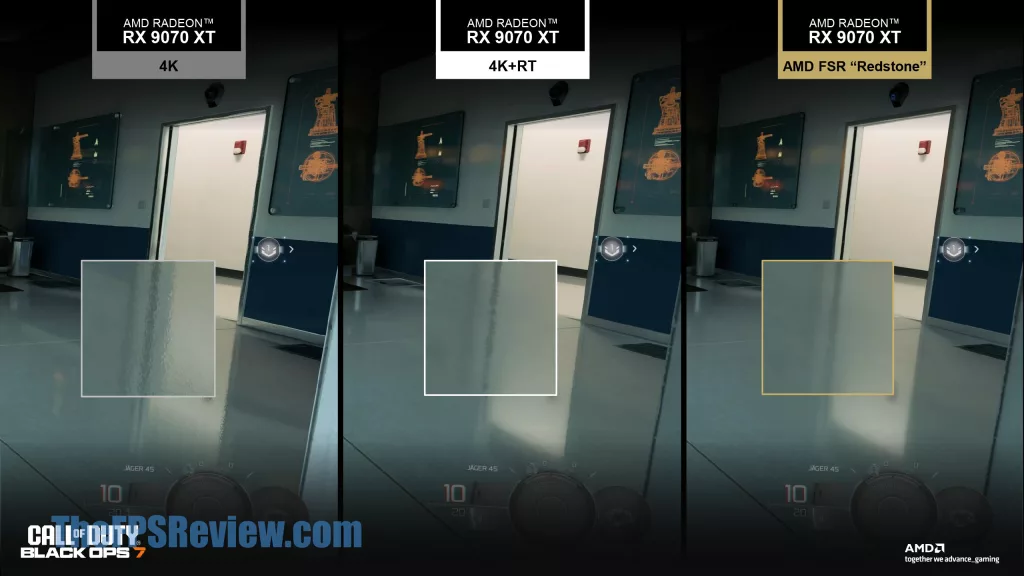
AMD FSR Ray Regeneration is a neural network-based denoiser for ray tracing and path tracing. If this sounds somewhat familiar, you may be thinking of DLSS Ray Reconstruction. AMD now has its own machine learning powered denoiser, which will help improve image quality in games with realistic lighting and reflections. The source image gets divided into normals/depth, diffuse/specular, radiance, and optional light visibility, which are all meshed together in a neural network with a final output. In the image quality comparison provided, notice the improved reflections. This is another technology that requires game support from developers, and right now it is available in Call of Duty Black Ops 7.
FSR Upscaling
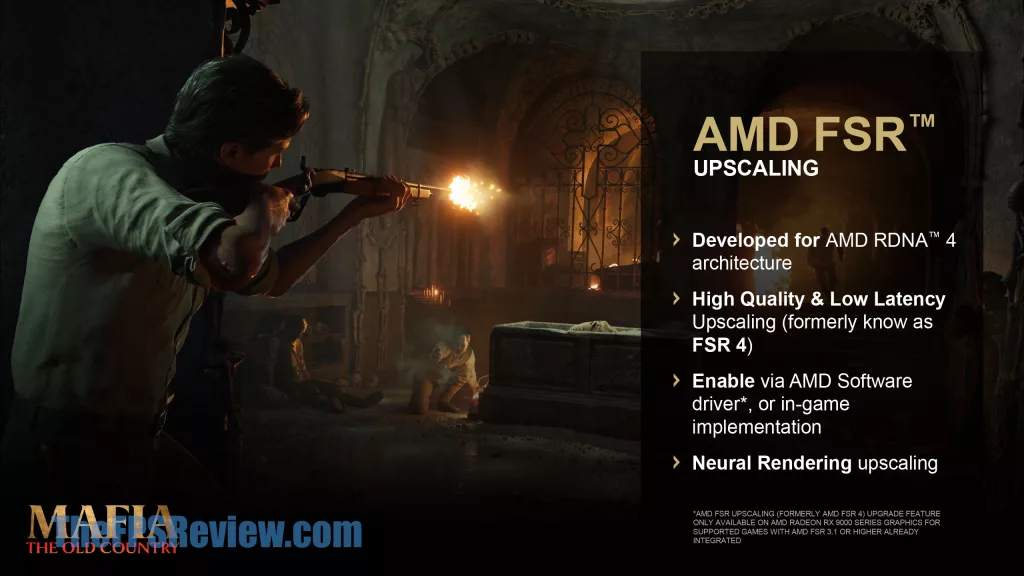
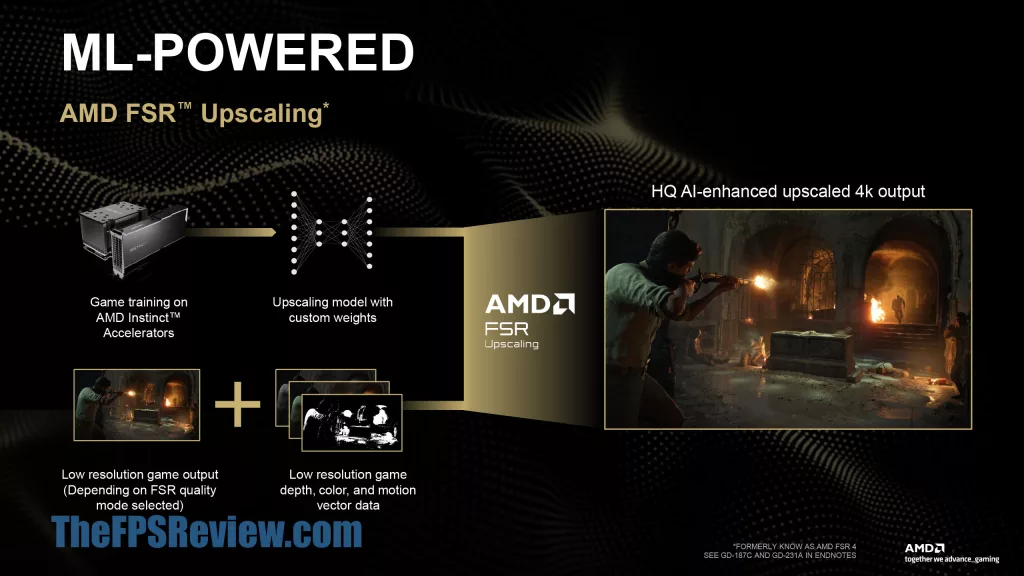
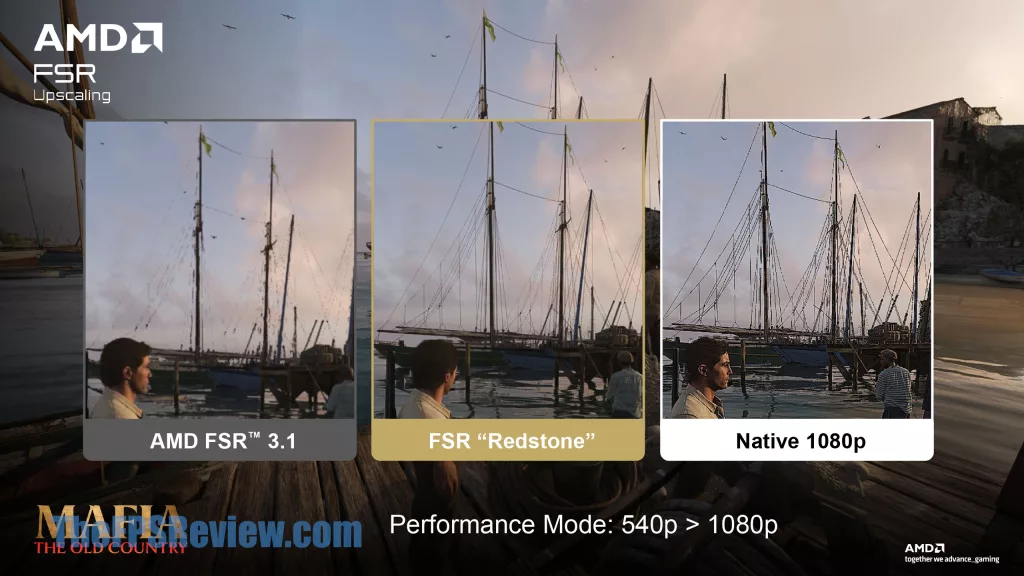
AMD’s FSR 4 Upscaling has been released prior to this driver; now it is simply called FSR Upscaling. This ML-FSR Upscaling method only works on RDNA 4 GPUs. AMD’s FSR Upscaling (ML-Powered) is achieved by way of game training on AMD Instinct Accelerators, which combines locally with the upscaling model, depth, color, and motion vector data to create the final upscaled image. FSR Upscaling (ML-Powered) can be implemented by the game developer, in-game, or can also be implemented from the driver control panel, granted the game supports FSR Upscaling 3.1 version already integrated by the developer.
FSR Frame Generation
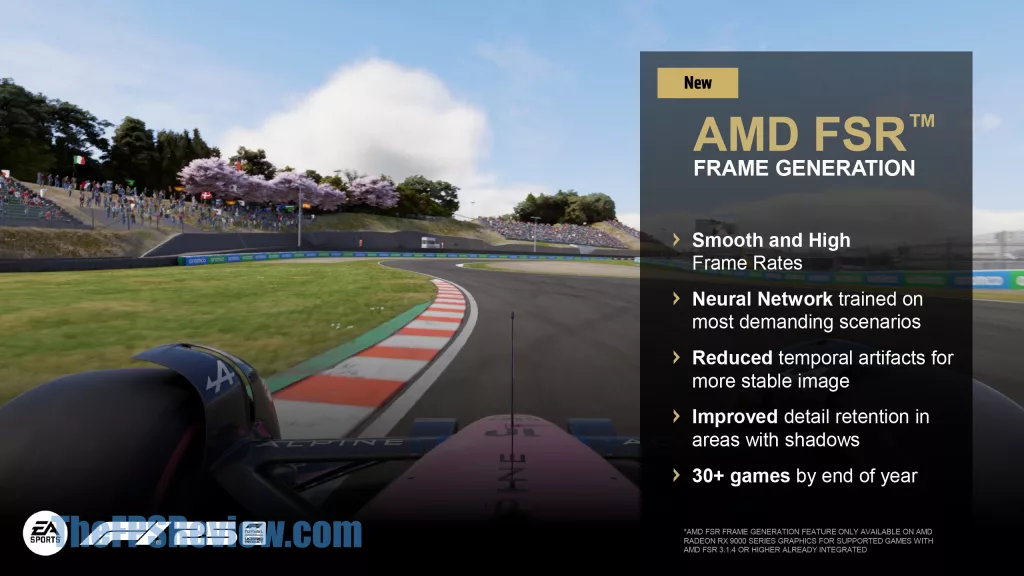
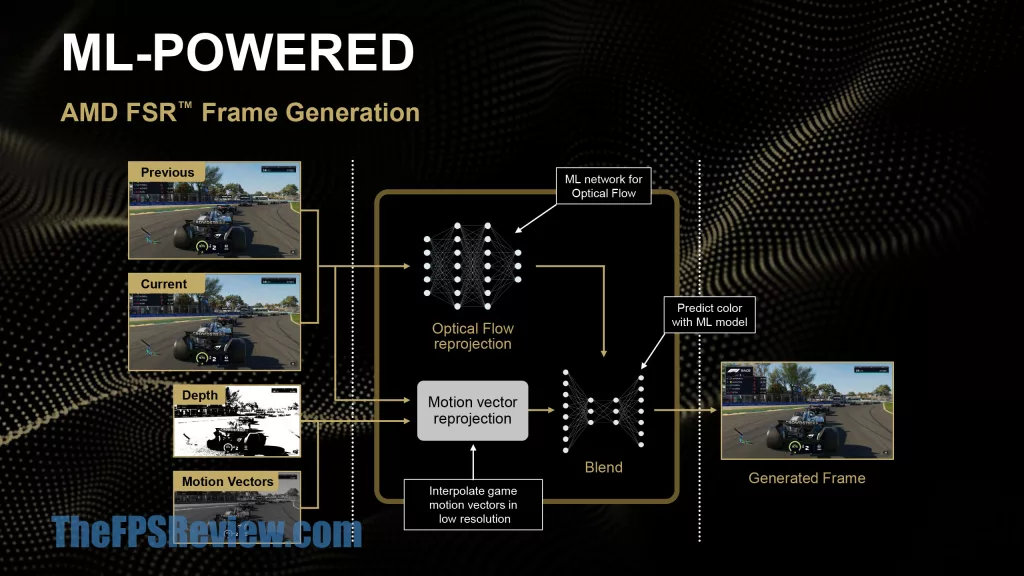
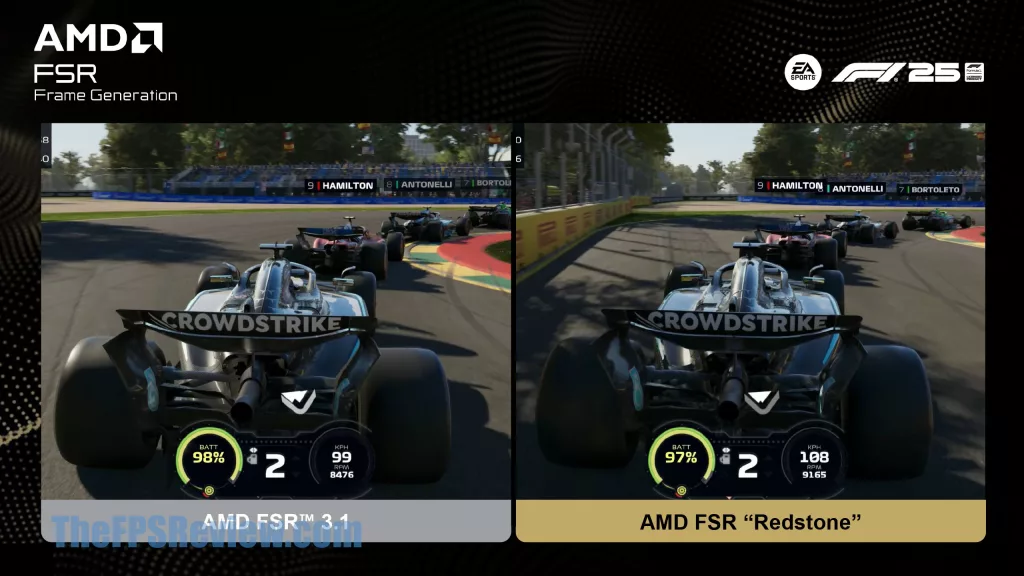
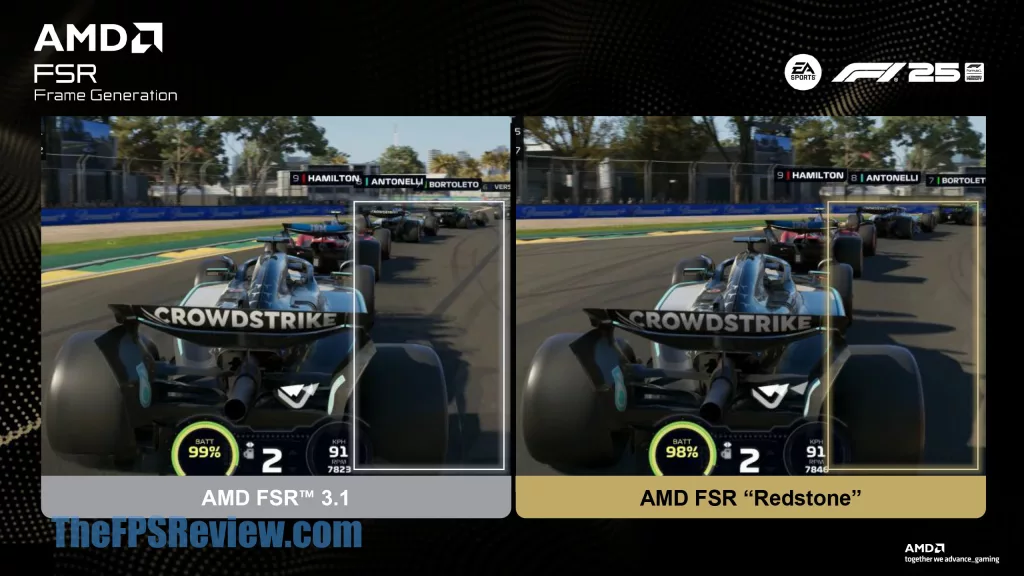
New today is that in this new driver version, ML-FSR Frame Generation is now launched. This is the machine learning, neural network-driven frame generation that will replace FSR 3 Frame Generation. This new ML-Powered version improves upon temporal artifacting for a more stable image, improved detail retention, especially in areas with shadows. Similar to other methods of frame generation, it inserts a generated frame between the previous and current frame. AMD’s FSR Frame Generation does use both depth and motion vectors with optical flow reprojection and motion vector reprojection to interpolate motion vectors.
This does require game support, in the sense that at least FSR 3 Frame Generation must be integrated into the game to work. However, the specific version of FSR 3 Frame Generation must be version AMD FSR 3.1.4 or higher; it cannot be a lower version of FSR. There are different decimal iterations of FSR 3, and if it is anything less than AMD FSR 3.1.4, the new ML-Powered Frame Gen will not work. You can force enable ML-FSR Frame Generation from the Adrenalin driver control panel, as long as the game has AMD FSR 3.1.4 Frame Generation integrated.
Summarizing
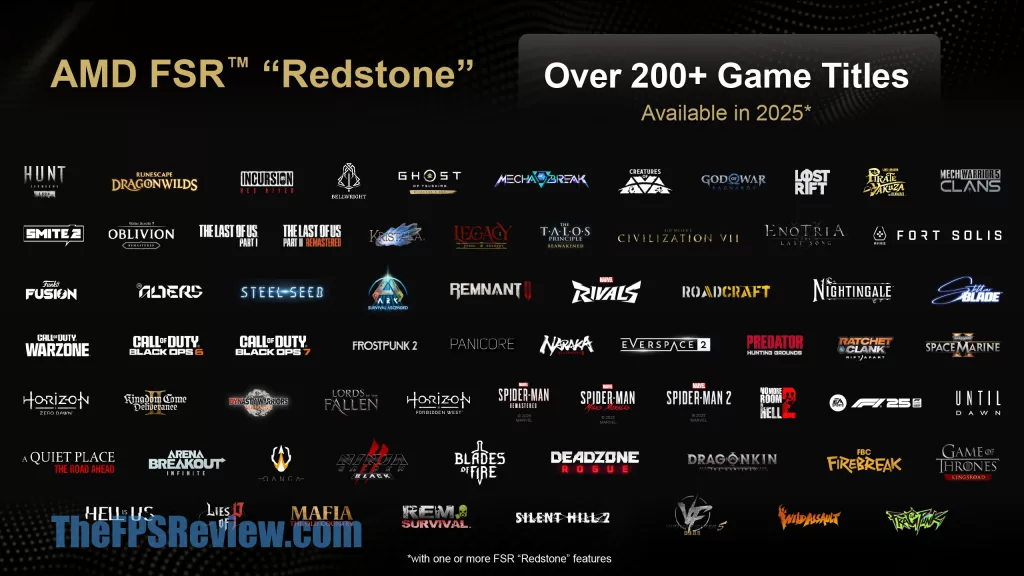
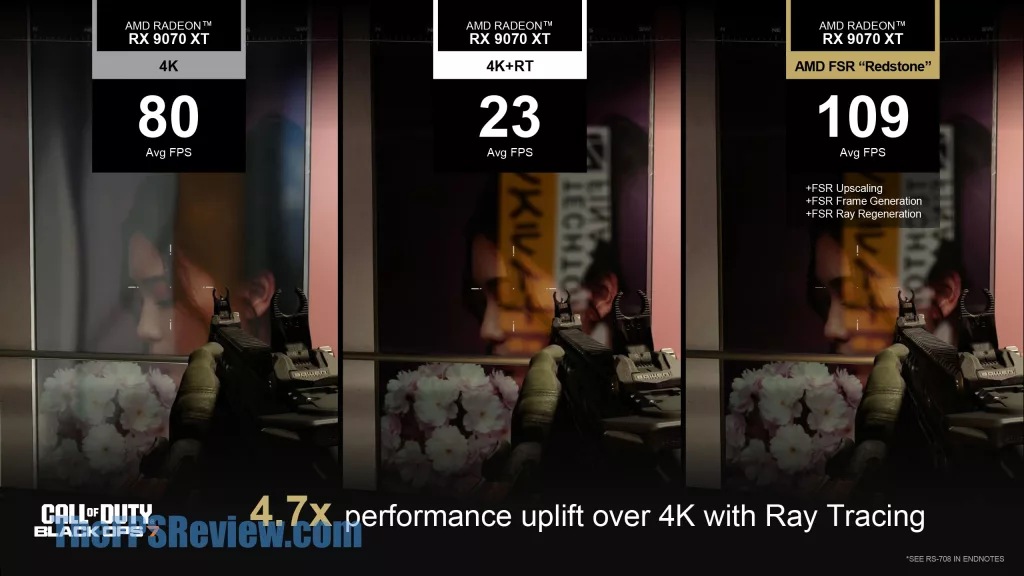
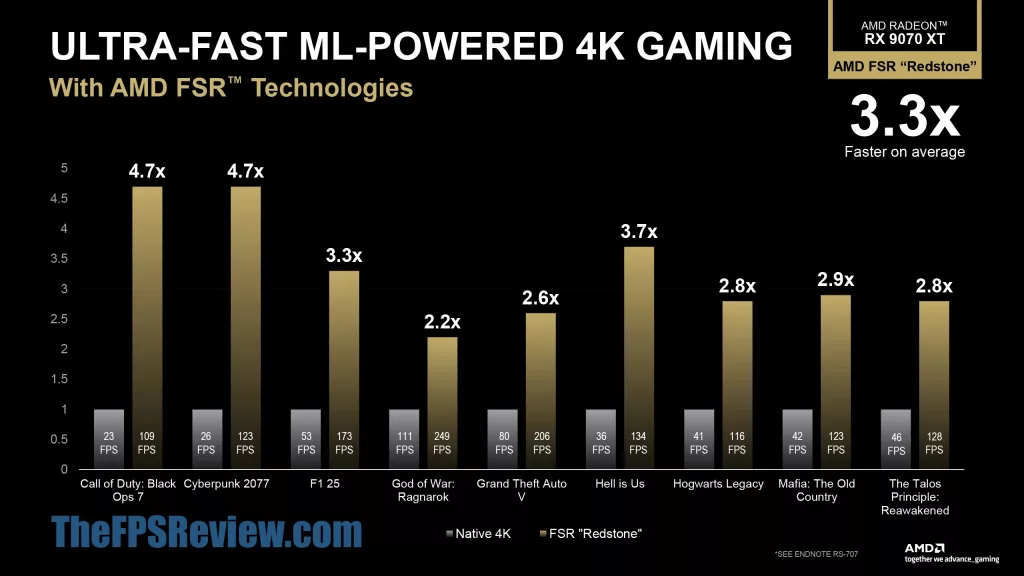
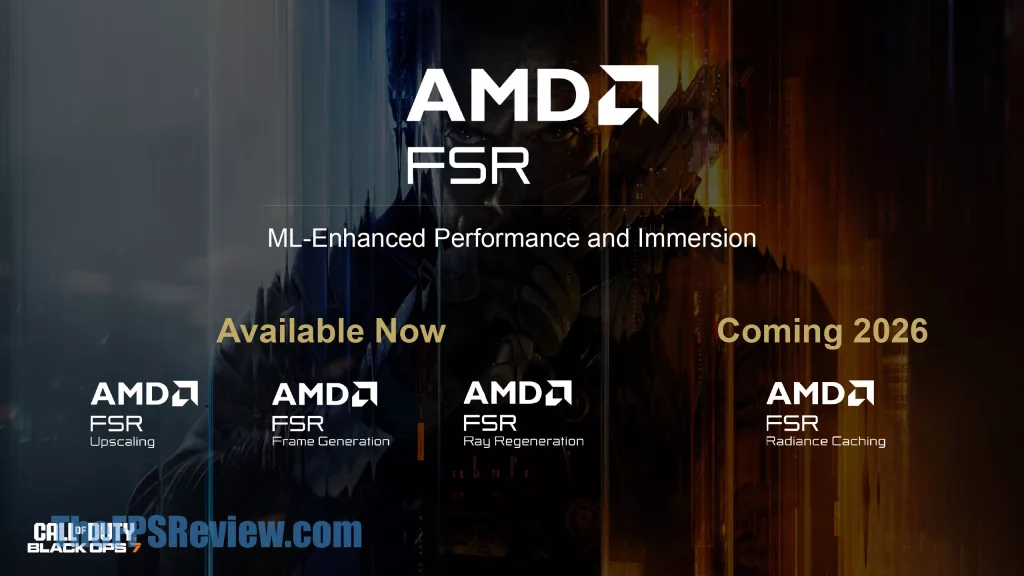
AMD FSR “Redstone” features are present in over 200+ game titles. However, note that this list only indicates games that have at least one or more FSR “Redstone” feature. If any game supports even just “one” Redstone feature, AMD considers it an AMD “Redstone” capable game. Whether that means it supports Frame Generation, or not, or Ray Regeneration, or not, or Radiance Caching, or not. So even if it is just ML-FSR Upscaling, it’s “Redstone.”
Conclusion
It is very important to keep in mind game support, and what versions of FSR Upscaling and FSR Frame Generation are supported in-game, because that determines whether you can enable ML-FSR Upscaling and or ML-FSR Frame Generation in the game. Simply put, if the game natively supports FSR 3.1, then you can turn on AMD FSR Upscaling in the driver, and that will force ML-FSR Upscaling (FSR 4 Upscaling). However, that doesn’t mean it will necessarily support ML-FSR Frame Generation.
In order to go that one step further, to support ML-FSR Frame Generation, the game must have integrated FSR 3 Frame Generation, and the FSR version must now be a higher version number, version FSR 3.1.4 specifically. Only then can you turn on ML-FSR Frame Generation in the control panel and receive ML-FSR Frame Generation. If it isn’t this version, you can still have Frame Generation enabled, but it will be the old Frame Gen, and not the new Frame Gen.
Is it confusing? Yes, entirely. You can hit ALT+R in-game to see what’s enabled. But don’t get confused, sometimes if the game integrates FSR 4, it will show it isn’t enabled in the driver, when it actually is, if you enabled it in-game. Yes, it can get very confusing.
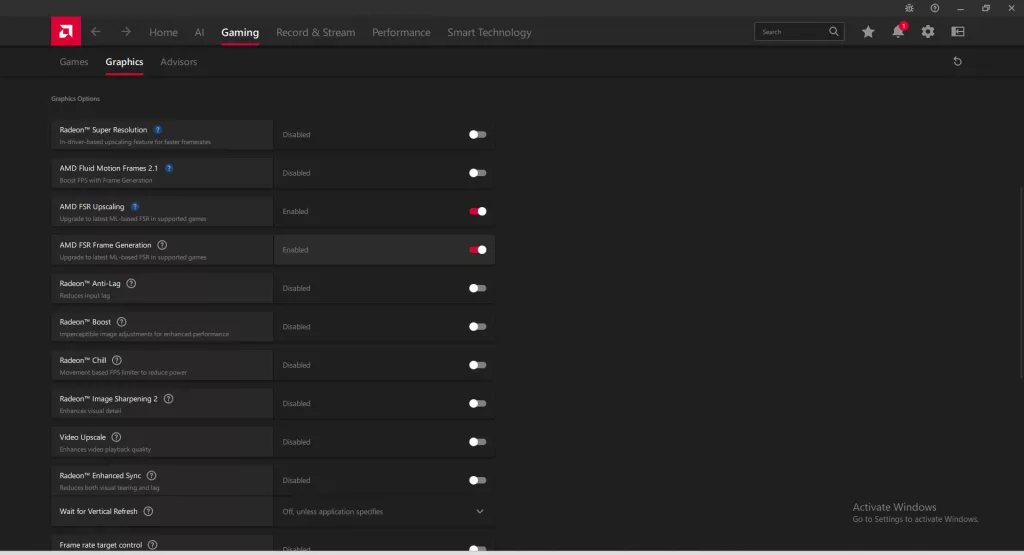
The problem is, AMD has many different FSR versions floating around out there, and developers have integrated different versions in games, both for the Upscaler and the Frame Generation version. The way it is now, only games that either have native FSR 4 support or FSR 3.1 can get FSR 4. Only games that have the most recent FSR 3 version for Frame Gen can get ML-Powered Frame Gen. The easy answer is just to have the game developer integrate it all, but AMD is making things confusing with the driver option, trying to ‘make up’ for a lack of foresight in the evolution of FSR from the get-go. FSR 3.1 fixed that, but it came late, and not every FSR-supported game supports it, sadly.
The driver control panel option is a band-aid solution that results in confusion, and having different games have different FSR versions seeks to confuse gamers. It’s sometimes hard to know which FSR version of Upscaling and Frame Generation is supported in a game. In fact, it caught us off guard, and we managed to think we had ML-Frame Gen enabled, when we really did not, and the same for ML-FSR Upscaling. It got us more than once. There were times when checking with ALT+R showed it actually was not enabled when in fact it was, because we were using the in-game feature, but the control panel thought it still wasn’t supported or active.
AMD’s ML-FSR Upscaling and ML-FSR Frame Generation are both great. We noticed improved image quality with ML-FSR Upscaling right off the bat. We love the technology, we think AMD has made great strides forward, and now offers competitive technologies. The problem is in the execution; it’s messy. AMD needs tighter, native game integration of these features. When you enable FSR Upscaling and FSR Frame Generation in the game, it should just always be the ML-FSR Upscaling and ML-FSR Frame Gen versions, full-stop, that is what gamers want and expect.