
FSR 3 vs FSR Redstone (ML/FSR 4) – Dying Light: The Beast
Dying Light: The Beast was originally not on AMD’s FSR Restone ML-Frame Generation game list, but it was on its FSR Redstone FSR 4 ML-Upscaling game list. Indeed, I have previously been testing in the game and found the option to enable FSR 4 mode. However, recently the game has had some major updates, first to version 1.4 in November, which was a big update, and now version 1.5 in December.
With this latest version of the game, it has now been added officially to AMD’s FSR Redstone ML-Frame Generation game list. However, it received this new update after I had already tested the Radeon RX 9070 and Radeon RX 9060 XT and this new patch changed performance on me mid-testing. Therefore, we only have results for today’s testing on the Radeon RX 9070 XT using the newly patched 1.5.0P version of the game.
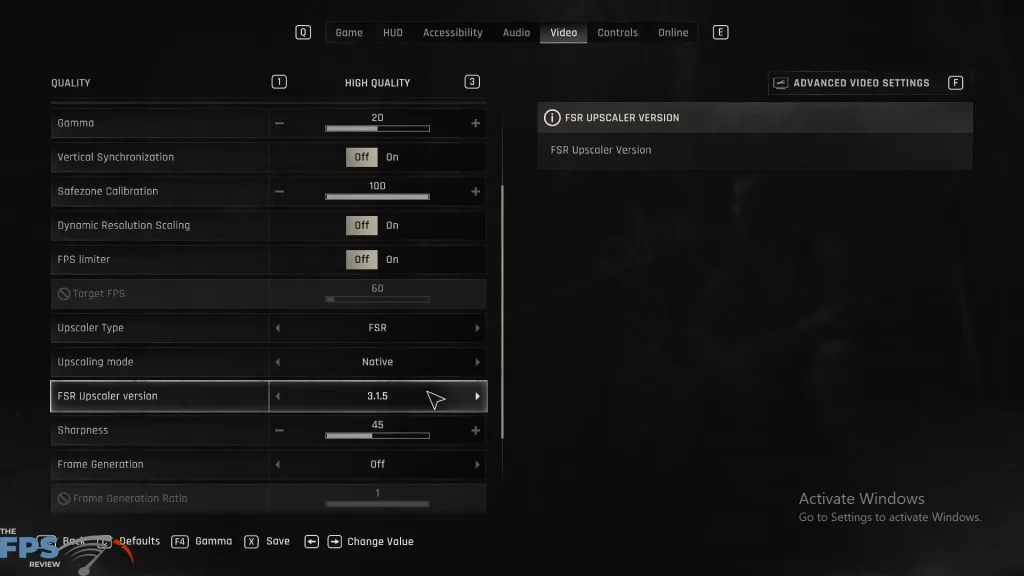
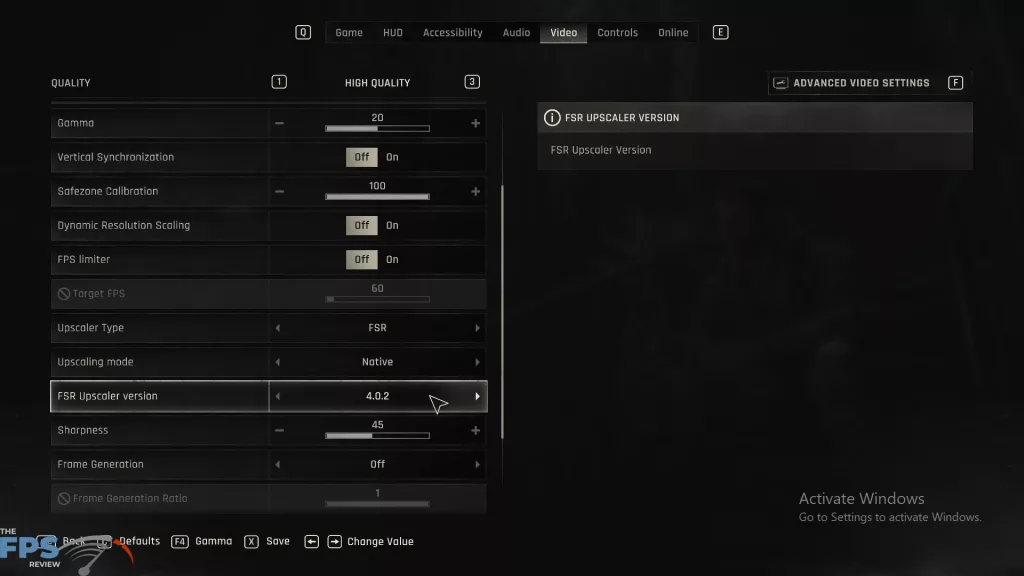

In Dying Light: The Beast, you will find that it has selectable FSR versions once you set the “Upscaler Type” to FSR. You will find a separate selectable option to select “FSR Upscaler Version.” This will be present whether you have ML-Upscaling enabled in the AMD Adrenalin Control Panel or not, meaning you can still run FSR 4 Upscaling with it disabled in the control panel.
When you scroll through the FSR Upscaler Versions, you’ll find version 2.3.4, version 3.1.5, version 4.0.2, and version 4.0.3 with an asterisk. Version 2.3.4 is FSR 2, version 3.1.5 is FSR 3.1, and version 4.0.2 is FSR 4. On the previous patch version, FSR version 4.0.3 had crashing issues when it was selected with Frame Gen. However, since patch 1.5.0P, it seems that 4.0.3 might be the version now running, and the game worked for me with Frame Gen.
In order to get ML-Frame Generation, however, you must have that enabled in the AMD Adrenalin Control Panel software in order for it to override the Frame Gen version and enable ML-Frame Generation, regardless of selecting version 4.0.2 or 4.0.3 in the FSR Upscaler Version option.
For our benchmarking, we are going to do a manual run-through in this game in the open world, in the daytime, with a saved location that we load each time to run at the same in-game time and weather. Our long run-through starts at the Groundkeeper’s House safe zone and does a manual walk around a large portion of the Golden Pine area. We are going to run at the “High Quality” graphics preset, which is the highest in-game settings, but does not enable Ray Tracing.
AMD Radeon RX 9070 XT
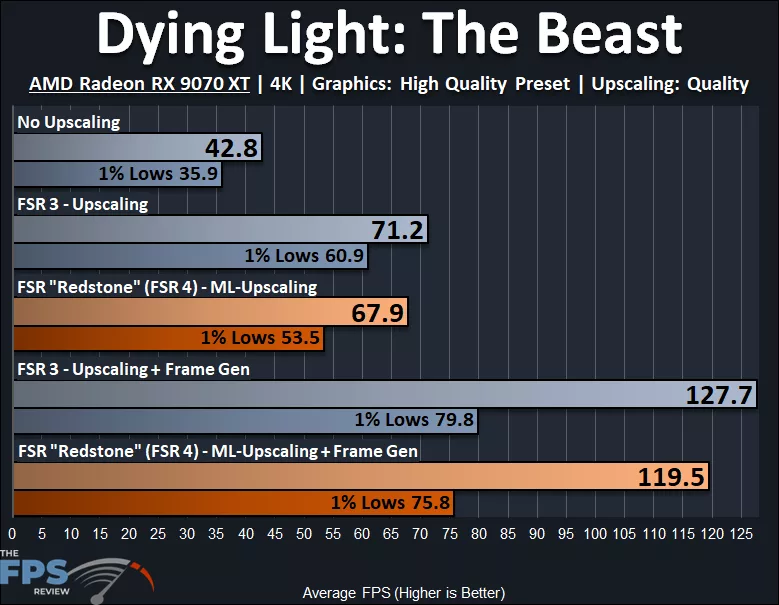
In Dying Light: The Beast, we are running at 4K on the AMD Radeon RX 9070 XT at the “High Quality” preset. We can see that the AMD Radeon RX 9070 XT is not able to provide a playable experience at native resolution, with 42.8FPS AVG and 35.9FPS 1% Lows. When we enable FSR 3, Upscaling performance increases to 71.2FPS AVG, a 66% performance increase, and 1% Lows at 60FPS a 70% increase, making the game playable. When we enable FSR 3 Frame Generation, the smoothness increases by 79%, and 1% Lows also increase by 31%. However, do note that the swing and widening of performance with Frame Gen is 47.9, while it is a closer and much lower 10.3 with just Upscaling.
When we enable AMD FSR Redstone/FSR 4 ML-Upscaling, the performance uplift from native resolution is 59%, and the 1% Lows get a 49% uplift. What’s interesting, though, is that with ML-Upscaling, the 1% Lows cannot reach 60FPS, but stay in the lower 50’s, whereas with FSR 3 Upscaling, it did reach 60FPS, making it more playable. Compared to FSR 3, the ML-Upscaling is 5% slower on AVG and 12% lower on 1% Lows. When we enable ML-Frame Gen, the smoothness improvement is 76%, and the 1% Lows is 42%. Therefore, ML-Frame Gen is 6% slower than FSR 3 Frame Gen, and the 1% Lows are 5% lower.