Conclusion
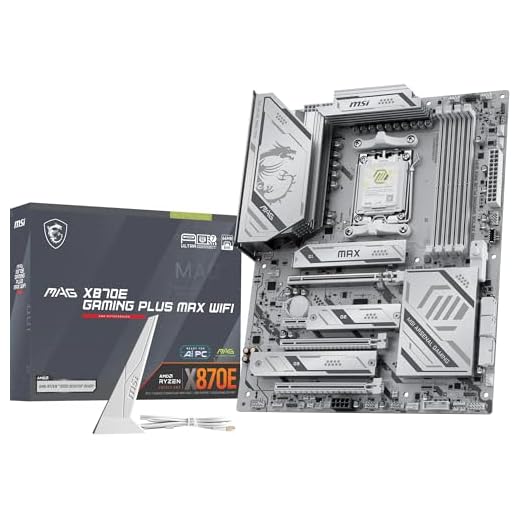
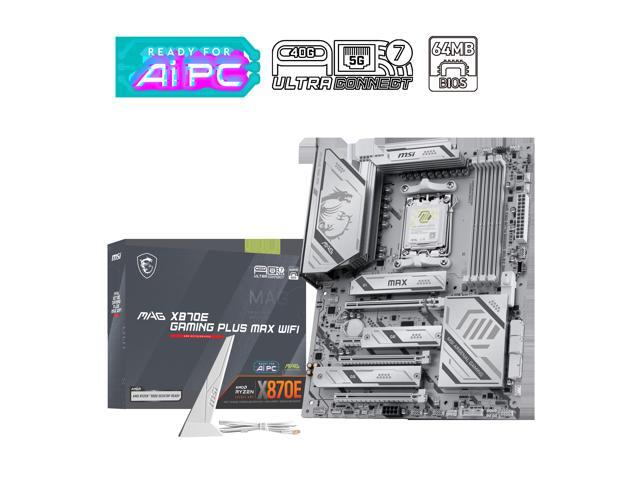
In this review, we put yet another “MAX” motherboard from MSI through our testing suite. The MSI MAG X870E GAMING PLUS MAX WiFi is a rather full-featured ATX entry-level enthusiast motherboard that supports socket AM5 CPUs, DDR5 memory up to 8200MT/s (OC) and Gen5 PCIe and M.2. There is a generous level of connectivity on the rear panel. This board is also outfitted with manual BIOS overclocking, the “MSI OC Engine,” and one-click PBO and EXPO overclocking. The “MAX” moniker signifies that this board has been updated to include all those details mentioned above when compared to the initial X870E GAMING PLUS WiFi release. The color scheme is a welcome change from the usual MAG gray/black-mustard yellow.
Installation and Use
There were no issues with component installation or first boot up. We had no space problems to speak of. The primary M.2 slot was a bit of a challenge due to space constraints, so we opted to swap out the rotary clasp for the MSI EZ Clip II, which did the job nicely. The only issue with the EZ Clip in this case is that if you choose to use it, there is nothing to fasten the motherboard M.2 heatsink to. The board uses an EZ M2 Frozr II heatsink which latches to the top of the rotary clasp…..well if you take the clasp off and use MSI’s own EZ Clip, the heatsink can’t latch down on one end……that’s not EZ then is it?
Aside from that, we couldn’t use the heatsink anyway because our MSI Spatium NVMe drive has a giant passive heatsink. Once again, we see our favourite “EZ PCIe Release” one-button GPU release. Hands down the best quick release for a GPU. It is nice to see this feature on the “MAX” package. While we are on the subject, the tiny PCIe slot directly beside the second M.2 is worthless. Any video card that is 2 slots or better completely covers this space and eliminates the use of the slot. The M.2_2 slot is “probably” usable if it has a minimal height heatsink.
First boot, BIOS navigation, and Windows 11 installation were without a single hitch. Since the board came with an outdated BIOS version, we used “M-Flash” to update, which was very simple to use and proceeded without an issue. The BIOS is very similar, if not identical, to the other MSI MAG motherboards we have reviewed in the recent past. The Click X BIOS is very responsive and well-organized. All benchmarks ran without error. We have noticed that, as of late, the VRM cooling is running a bit higher than we have seen in the past year, but not on this board, which is nice to see. That being said, the results were identical to the MSI MAG X870E TOMAHAWK WiFi; both boards ran all benchmarks and prolonged Cinebench without an issue.
Final Points
The MSI MAG series has a new member in the MAG X870E GAMING PLUS MAX WiFi motherboard. This is a nicely outfitted board in which we found no issues from start to finish. The new color scheme is clean and crisp and more than welcomed. Small add-ons like the EZ PCIe Release are very nice to see.
All that in mind, the performance is exactly the same as the one-year-old MAG X870E TOMAHAWK WiFi and $50 more than the plain old MSI X807E GAMING PLUS WiFi motherboard, which has almost the same components. To be very honest, if I were buying an X870E motherboard today, the MSI X870E GAMING PLUS WiFi is a very good deal and can pretty much go toe to toe with the “MAX” variant we have just reviewed.
It’s up to the buyer to decide if the 64MB BIOS chip, push button GPU release and an “OC Engine” is worth $50 more of your money. Regardless of what you may choose, the MSI MAG X870E lineup is very much worth taking a close look at.