Conclusion
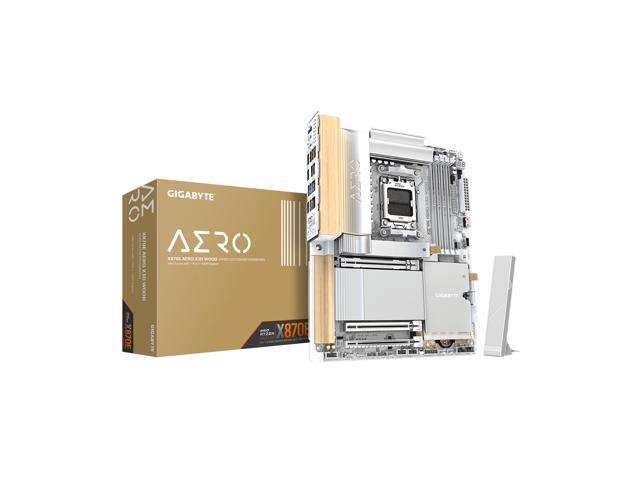
In our review, we took a close look at the GIGABYTE X870E AERO X3D WOOD motherboard. The AERO is quite common across GIGABYTE video cards, but it appears less frequently in motherboards. As a result, we expected something a bit out of the ordinary. This motherboard has a very unique design. The overall look is attempting to convey a natural, Zen sort of appeal.
This certainly is not what you are used to seeing from a gaming-oriented motherboard. The lighting and small leather tabs certainly do represent attention to detail. This full ATX motherboard uses all the design features of AM5 and the X870E chipset. There is more than ample connectivity. Whether it be gaming or professional use, this board certainly has you covered.
Installation and Use
There were no issues with component installation or first boot on this motherboard. The layout is well organized and spacious. The CPU socket and RAM slots gave us no problems. The M.2 heatsinks did challenge manual dexterity, as the clasps holding the sinks down were quite hard to turn fully to pull the sink upward. As you see in our photo gallery, we had to employ our specialized heatsink-lifting-tool. The primary GPU slot has an EZ-Release button, which is very nice.
Once again, the location of the GPU and the placement of M.2 drives are going to be an issue. You will need very flat NVMe drives to be able to use the native motherboard heatsinks. Again, we emphasize that the full function of the second Gen5 M.2 slot depends on going into the BIOS and switching off the USB4 ports. This is not exclusive to this motherboard. We have seen this on a number of like-equipped X870E boards. It is just the nature of what the CPU has in terms of PCIe lanes. If you use the USB4 ports, the speed of the M.2 drive will be halved.
First boot, BIOS navigation, and Windows 11 installation were without a single hitch. Since the board came with an outdated BIOS version, we used “Q-Flash” to update, which was very simple to use and proceeded without an issue. The BIOS is very similar, if not identical, to the other GIGABYTE X3D motherboard we have reviewed in the recent past. The UC 2.0 BIOS is very responsive and well-organised. All benchmarks ran without error. VRM temperatures were very unremarkable on this board during prolonged Cinebench R23. There were no thermal issues.
Final Points
The GIGABYTE X870E AERO X3D WOOD represents a refreshed version of the year-old X870E chipset motherboard. The overall look and design of this board is very appealing; we liked it. The “WOOD” unfortunately can’t keep up with the rest of the board. The attempt is interesting, but the implementation falls short.
The overall build and performance of the motherboard is in keeping with any and all the X870E chipset boards we have reviewed in the past year or so. This is a very stable and well-built, full-featured board with some keen attention to detail. We have quite thoroughly explored the “X3D” and “D5BIONIC Corsa” software highlighted in this motherboard, and do not come away with any strong feelings. That said, they certainly do not penalize the board’s appeal in any way.
All in all, the GIGABYTE X870E AERO X3D WOOD is an interesting design choice, suited for creative-professional users or gamers. The WOOD theme falls a bit short. It seems rather out of place in its current implementation; the look and feel don’t quite match real wood. The overall quality is mismatched compared to the high-quality design of the rest of the motherboard. Perhaps if GIGABYTE were to re-design the next version, more WOOD, smartly placed, to really bring out the aesthetic, would be an improvement to make it more cohesive. The price tag may be an obstacle as well.