
Test Setup
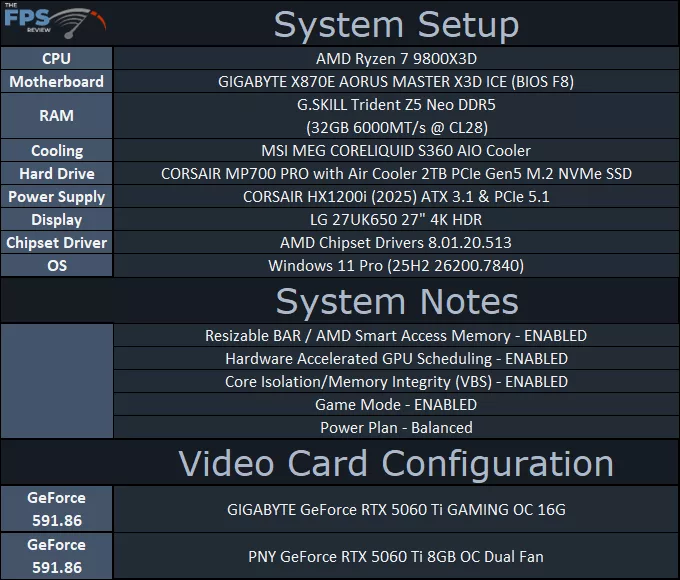
We are using an AMD Ryzen 7 9800X3D for testing. We are using the motherboard’s current default BIOS settings on the latest release BIOS. PCI-Express Resizable BAR is enabled. We have enabled EXPO I in the BIOS for the memory. We are using a fresh install of Windows 11 Pro with the latest Windows Updates. We have the latest drivers installed, including the latest chipset drivers. We are using the “Balanced” power profile in Windows Settings, and Core Isolation/Memory Integrity (VBS) is enabled. For NVIDIA GeForce drivers, we are using 591.86, released January 27, 2026, which avoids recent problematic driver issues, but is still recent enough to have game support in each game being used in this review.
In this review, we have taken two different GeForce RTX 5060 Ti video cards from different vendors, which both had a factory overclock. We have manually clock-locked each one down to the NVIDIA Reference GPU Boost Clock of 2572MHz in order to normalize the clock speed between them for comparison. In this way, both video cards are at the same GPU Boost Clock Speed for testing, making the VRAM capacity the only difference in configuration between these same GPU video cards.