
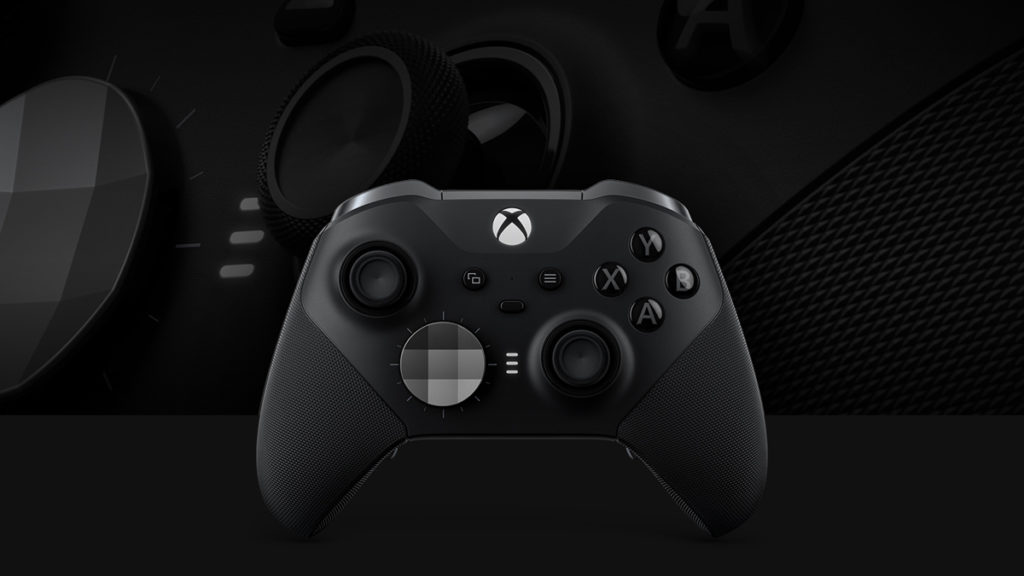
Microsoft has announced that a new Xbox Update Preview has reached the Alpha ring, and one of the headlining features for the new alpha, versioned 2308.230720-2200, is keyboard mapping for Xbox controllers. According to a writeup on Xbox Wire, this new feature only works with the Xbox Elite Wireless Controller Series 2 and Xbox Adaptive Controller at the moment, but it allows owners of these devices to map their controller buttons to any keys that they see fit through the Xbox Accessories app. There doesn’t seem to be any word yet on when the feature will get a wide release, however.
To get started, open the Xbox Accessories app Configure create a new profile or edit an existing one select a button to map choose Primary or Shift then move over to the new Key tab.
You can also find this feature in the Xbox Accessories app on your Windows PC by joining the Windows Gaming preview from the Xbox Insider Hub. Learn more about joining the Windows Gaming preview in the Xbox Insider Program FAQ.
Note:
- You may only map a given controller button to a single key, along with any combination of modifier keys (Win, Shift, Ctrl, Alt). For example, you could map Ctrl+Alt+W, but not Ctrl+Alt+W+E.
- Keyboard input support is game dependent, so you may notice some games will offer full support, partial support, or no support.
- Using or mapping keyboard keys via Bluetooth on PC is not supported. Learn more about the Xbox Accessories app and Bluetooth connections here.
Known Issues
- In the Xbox Accessories app, the “Learn More” button is currently not functional.
- If you change your keyboard language settings while the Xbox Accessories app is open, the change will be reflected after quitting the app or rebooting your console.
Discussion (2 replies)
Join Discussion →They should do this the other way around.
I'll never have any controller on my PC, but if they allow mapping of standard USB keyboards and mice to controller functions on consoles it might actually make consoles usable for low end gaming.
Actually, thinking about it, what is the point of having a separate console OS at all?
It's already x86 hardware. Just make the Xbox a standard form factor compact low end PC intended for gaming, and merge the two ecosystems such that users can choose a gaming centric "big screen" experience much like the Xbox interface, or switch it to PC mode.
Blurring the lines between PC's and consoles could actually make things really interesting.
8th-gen Xbox launched with Win8 and later moved to Win10. I think 9th-gen Xboxes are still on Win10. But they take that PC version of the OS and dumb it waaaaaay the f*ck down, and I think that's what you would like to avoid, yes?
I feel like Microsoft already does this merging of the ecosystems (although in a way we do NOT like) with UWP apps/games via their Xbox/Windows Store, XPA-enabled games, and also GamePass. And with that "big screen experience" you mentioned, you're thinking more along the lines of Steam Big Picture Mode right?
You mean sorta like the Steam Deck and the ASUS ROG Ally, which are still full-blown PCs but can be treated like consoles essentially? Steam Deck lets you choose between the normal KDE Plasma 5 Desktop and a more streamlined, gaming-focused Steam-UI-based experience. Again it's kinda like switching between Steam's normal UI and its Big Picture Mode UI. The ROG Ally just runs regular Win11. Both feel almost like having a soft-modded console, except even more extreme, cuz you got the full freedom of PC.
Cuz the only types of games you play are first-person shooters, and a controller is by far the wroooong input method for that.
Or you know, just natively f*cking support mouse and keyboard to begin with (which Xboxes already do, and some games like Halo MCC and Halo Infinite let you use mouse and keyboard on console to play those games just like on PC, and even going back to systems like PS3 where you could use mouse and keyboard to play UT3, or Dreamcast where you could use mouse and keyboard to play Quake 3).