
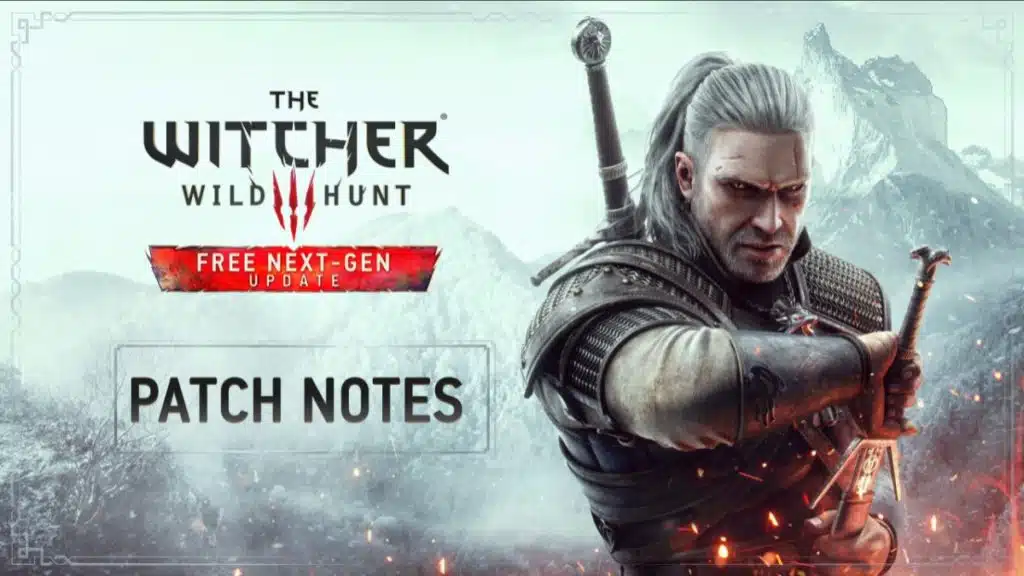
The Witcher 3: Wild Hunt next-gen update patch notes have been published by CD PROJEKT RED ahead of its December 14 release. The well-publicized update sees the game bundled with many mods from the gaming community along with numerous bug fixes and updates for modern PC and console hardware. The patch download size is still unknown but could be quite substantial. It will be free to owners of the game and GOG currently has the GOTY edition on sale for $9.99.
CD PROJEKT RED also recently published a list of mod pre-existing mods that should work with The Witcher 3: Wild Hunt next-gen update, as well as an early hands-on preview video. These notes, although lengthy, do not include everything that has been changed or added and state that they are just the highlights. One such detail that was confirmed in a live stream with the developers is that HDR has been added.
The Witcher 3: Wild Hunt next-gen update – Sights of the Continent
CD PROJEKT RED has also released a video, over 2 hours long, showcasing a relaxing moment for Geralt standing by a lake to take in the sights and relax. It features ray traced lighting and reflections along with changing weather and sunset. The video is available to view in 4K/60 FPS.
“Wouldn’t it be nice to spend a whole day by the water? Watch the reflection of the sky, listen to the sound of the waves. Just let go of everything and take your time. Sometimes even witchers need a moment of peace and quiet.”
The Witcher 3: Wild Hunt next-gen update patch notes
On December 14th the free next-gen update is coming to PC, PlayStation 5, and Xbox Series X|S. The update will go live at 1 AM CET for PC & Xbox Series X|S, and midnight local time for PlayStation 5. It will include various visual, performance, and technical enhancements, as well as fixes and additional content. PlayStation 4, Xbox One, and Nintendo Switch will also receive an update — the specific patch notes and date will be announced at a later time. (NOTE: scope of the updates may vary between the platforms — please read the patch notes for more details)
After the update, your game version will be 4.0. Below you’ll find the list of changes:
PC and Next-Gen Exclusives
- Added ray traced global illumination and ambient occlusion.
- Additionally, PC players with compatible hardware have an additional option to turn on ray traced reflections and shadows.
- Added various mods and mod-inspired content to the game to improve visuals and overall game quality. We’ve included some community-made favorites in addition to our own modifications in areas such as environment and cutscene improvements, realistic pavements, and many decoration upgrades.
- Community-made and community-inspired mods include:
• The Witcher 3 HD Reworked Project by HalkHogan
• HD Monsters Reworked by Denroth
• Immersive Real-time Cutscenes by teiji25
• Nitpicker’s Patch by chuckcash
• World Map Fixes by Terg500
- Upscaled texture to 4K for various characters, including Geralt, Yennefer, Triss, Ciri, Eredin and more.
- All main characters, including Geralt, now cast high-resolution self-shadowing even outside cutscenes. Additionally, hair clipping through armor as well as some other armor-clipping issues have been fixed.
- Environmental improvements:
• Added a new weather type – “Gray Sky”
• Updated sky textures
• Vegetation and water improvements
• Various mesh improvements
• Improved some select VFX
• Updated global environmental lighting
- Added AMD FidelityFX™ Super Resolution (FSR) 2.1
- Added photo mode, allowing players to take stunning pictures within the world of The Witcher 3.
- Added the option to pause the game during cutscenes.
- Added an alternative camera option that’s closer to the player’s character and that reacts more dynamically to combat and movement. You can find this new setting in Options → Gameplay under Exploration, Combat, and Horseback Camera Distance.
PC-Specific
- Added “ULTRA+” graphical settings on PC, which significantly increases the visual fidelity of the game. The graphical settings available on ULTRA+ effect:
• Number of background characters
• Shadow quality
• Grass density
• Texture quality
• Foliage visibility range
• Terrain quality
• Water quality
• Detail level
- Added DLSS 3 support. Available only on compatible hardware.
Next-Gen Console-Specific
- Improved the overall quality of graphics on next-gen consoles. Including enhanced textures, improved fidelity, shadow quality, greater draw distances, and crowd density.
- Ray Tracing Mode — provides ray-traced global illumination and ambient occlusion with dynamic resolution scaling targeting 30 FPS for PlayStation 5 and Xbox Series X.
- Performance Mode — ensures smoother gameplay targeting 60 FPS with dynamic resolution scaling for PlayStation 5 and Xbox Series X.
- The Xbox Series S version has no ray-tracing features. Quality Mode provides increased resolution and better image fidelity targeting 30 FPS, whereas Performance Mode targets 60 FPS and prioritizes smoother gameplay over visual quality.
- Implemented the use of adaptive triggers and haptic feedback on PS5 DualSense controllers.
- Added Activity Cards for PS5.
Online Features
- Added a cross-progression feature between platforms. Your latest saves will be automatically uploaded to the cloud so you can easily pick up where you left off on other platforms. Cross-progression provides the latest save for every save type. This feature becomes available after you log into your account.
- By signing up to MY REWARDS in The Witcher 3: Wild Hunt, players can receive:
• Swords of the Nine-Tailed Vixen
• White Tiger of the West Armor
• Dol Blathanna Armor Set
• Roach Card
Detailed information on how to redeem the rewards will be available from Dec 14th, 1 AM CET at thewitcher.com/my-rewards.
Additional Content
- Added a new side quest, In The Eternal Fire’s Shadow, in Velen. Rewards are inspired by Netflix’s The Witcher series.
- Added an alternative appearance for Dandelion inspired by Netflix’s The Witcher series. You can enable it in Options → Gameplay.
- Added an alternative Nilfgaardian Armor set inspired by Netflix’s The Witcher series. You can enable it in Options → Gameplay.
- Added Chinese and Korean voice-over. Availability on consoles varies by region.
- Various improvements and changes to Russian voice-over, including fixes for accelerated/slowed lines in the vast majority of scenes.
Quality of Life Changes
- Added a Quick Sign Casting option. It allows signs to be switched and cast without opening the radial menu. You can find it in Options → Gameplay.
- Added a new default map filter. The new filter hides some icons such as “?” and boat icons in order to reduce icon clutter on the map. These icons can be turned back on with the “All” map mode toggle.
- Adjusted the minimum height for fall damage, allowing the player to survive falls from higher heights.
- Herbs can now be instantly looted with a single interaction – without the additional loot window.
- Added options that dynamically hide the minimap and quest objectives when not in combat or using Witcher senses. You can find it in Options → Video → HUD Configuration → Hide minimap during Exploration and Hide objectives during Exploration.
- Added the option to slow walk when playing with a controller. You can now slow walk by lightly pushing the left stick forward.
- Added an alternative sprint mode option when playing with a controller. It’s activated by tapping the left stick. You can find it in Options → Control Settings.
- Added an option to make target-lock unaffected by camera inversion. You can find it in Options → Control Settings.
- Improved the radial menu so bombs, bolts, and pocket items can now be switched dynamically without opening the inventory.
- Added the option to scale the font size for subtitles, NPC chatter, and dialogue choices. You can find it in Options → Video → HUD Configuration.
- Added various other small fixes, tweaks, and quality-of-life changes, including a few secrets to be discovered by players.
Gameplay
- Added the mod Full Combat Rebalance 3 by Flash_in_the_flesh which includes balance changes and various fixes to gameplay. We took a curated approach to this mod, with some elements further tweaked from what you’ll find in the mod by default, while other elements were omitted.
- Scavenger Hunt: Wolf School Gear – Fixed an issue where the chest at the Signal Tower couldn’t be opened.
- From Ofier’s Distant Shores – Fixed an issue where the diagram in the chest at the bandit’s hideout could be missing.
- Hard Times – Fixed an issue where Geralt couldn’t talk or give the letter to the blacksmith.
- Swift as the Western Winds – Fixed an issue where the quest could sometimes fail despite winning the horse race.
- Echoes of the Past – Fixed an issue where, after defeating the Foglets, the quest could get stuck and it wouldn’t be possible to talk to Yennefer.
- Wine Wars – Fixed an issue where the quest couldn’t be completed if the player destroyed one of the required monster nests during exploration.
- Fixed an issue where clearing the Ruined Inn Abandoned Site situated on the southern shore of Ard Skellig was not possible in certain scenarios.
- Fixed an issue where the Grandmaster Wolven Set wouldn’t require Mastercrafted items.
- Various small fixes to quests and cutscenes.
Remember – these are just the highlights! There are lots of changes in this update, so check them out for yourself in the game!