
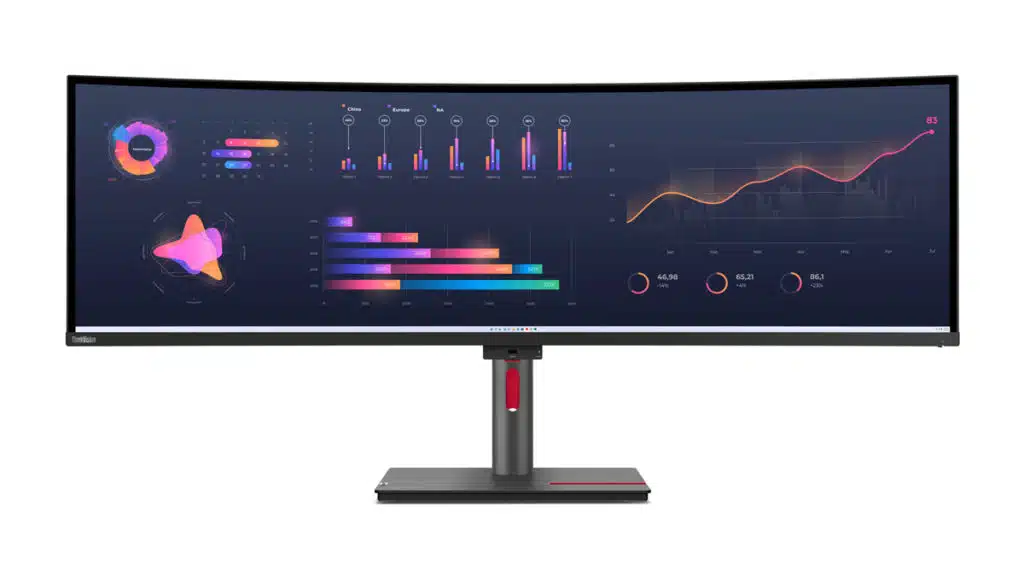
Lenovo has begun teasing its new lineup of ThinkVision products ahead of CES 2023, and one of them is the ThinkVision P49w-30, an ultrawide, 49-inch, double QHD panoramic display that features IPS Black technology, a technology developed by LG Display that enables a 2,000:1 contrast ratio for 35% deeper blacks than conventional IPS panels.
“With up to 13 ports, including docking functionality with two Thunderbolt 4 ports with up to 100W power delivery and a front facing USB-C port with a 15W fast charging capability, the ThinkVision P49w-30 can support a multitude of devices and accessories for an unmatched multitasking experience,” Lenovo said of the monitor, which can additionally function as a dual monitor setup thanks to Lenovo’s eKVM and True Split features.
“When more monitors are needed, the ThinkVision P49w-30 can also be daisy chained to connect up to two other double QHD monitors via the Thunderbolt 4-out connector, reducing cable clutter and enabling an efficient multi-display setup,” Lenovo added. “This monitor also includes two built-in 5W speakers and can support the ThinkVision MC60 modular camera with microphone.”
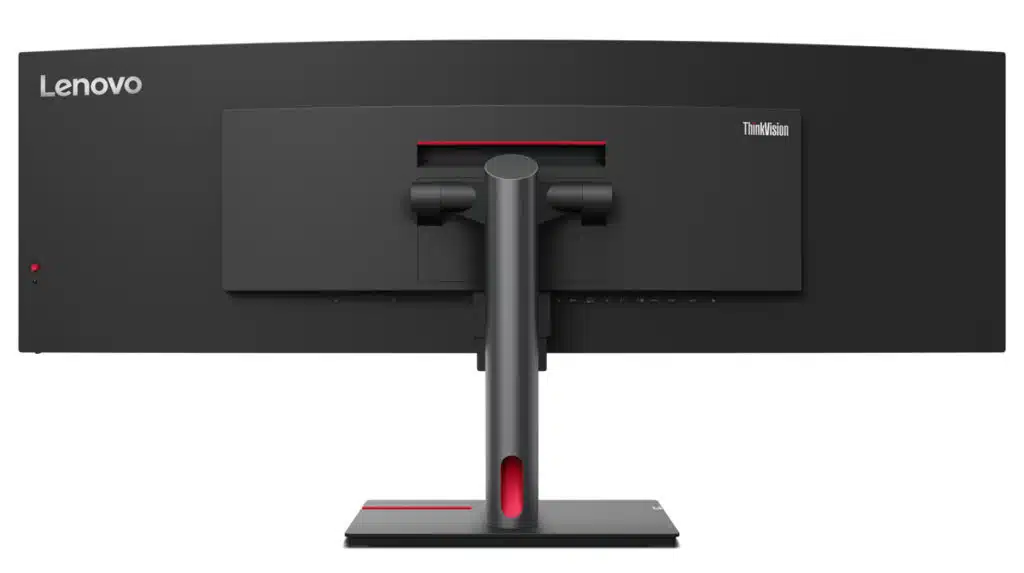
The ThinkVision P49w-30 will be available starting June 2023, according to Lenovo, with pricing expected to start from $1,699.
Other ThinkVision products that Lenovo announced today include the ThinkPad X1 Carbon Gen 11, ThinkPad X1 Yoga Gen 8, and ThinkPad X1 Nano Gen 3, featuring the latest Intel processors and recycled materials in select components (e.g., ThinkPad X1 Carbon Gen 11 featues 90% recycled magnesium in the palm rest and 55% recycled aluminum on its bottom cover).
The ThinkPad X1 Carbon 11th Gen and ThinkPad X1 Yoga 8th Gen will also feature OLED display options.
Discussion (19 replies)
Join Discussion →Sometimes too wide is just too wide. I feel like 49 freaking inches is too wide.
I want one just for racing games. lol
I hear something similar from my wife all the time.
Yea mine tells me to loose weight too. Lol
OK that is a scenario I could see ultra ultra wide being useful for.
Mine too.
I'm mixed when it comes to 49" UW. I recently brought my CRG9 back to use with my old rig and have been playing CB 2077 and the next-gen Witcher 3 with it. Metro Exodus also looks great on it. I agree with @LeRoy_Blanchard that racing games are the best and as @David_Schroth has mentioned before, the extra landscape can be very beneficial with online shooters where you can see people sneaking up long before they appear on a 16:9 or 21:9 display.
I will say for fans of Witcher 3 that roaming the countryside looks even more impressive in 32:9 and there's a hex fix for the cutscenes that removes the cropped sides and doesn't stretch them. Flawless widescreen might work also but I haven't tried it with this game. I spent a good chunk of time playing CB2077 and roaming the badlands was a lot of fun with it.
The downside is that I usually have to sit back around 5-6 feet so that I can see the whole screen and I like to normally be around 3-4 feet from it. My only other complaint is that I'm completely spoiled by the image quality of the LG C2 OLED. I really can't emphasize how much more detail, and pop, that screen has. The other downside for UW is that depending on how a game is designed it can sometimes feel like looking through a visor with so much of the upper (sky-ceiling) cut from the image. The extra content on the sides is nice but only if the game engine provides a good perspective.
One other thing this can be useful is in a business setup where someone might be using dual monitors. Having a single monitor that can stretch out that far can be beneficial especially if the business involves lots of wide spreadsheets. My boss uses a 48" wide screen in his office. He loves that thing. He can even divide the screen up into halves so you can use the windows "snap" features to make two windows full screen on their respective halve. Something he uses a lot with spreadsheets.
This I will admit to having given some thought to. My 4K monitor can do that now - can turn it into 4 1080's if you wanted to, but I never use it that way. A ultrawide though, I would probably use it mostly in that manner.
Back when I had it connected to my main rig I used to use it for work much in the same way. Snap is an awesome feature and it really is nice having such a wide amount of display space that doesn't need weird scaling tricks to fit things into. I've contemplated taking this display to my day job where I currently have 2 monitors (a 23" and 25") since I spend most of my time working with spreadsheets, databases, and multiple email accounts but I still prefer it for an alternate gaming display.
I think you're missing the point of the monitor. You aren't supposed to sit so far back from it that you can see the whole thing. You should sit where you normally sit and focus on the center of the screen. The wide part fills in the overall immersion experience - you can turn your head and look left/right when you need to.
The main downside is that most games dont' have HUDs/stuff that are optimized for the wide angle, so you'll have all your useful stuff off in the middle of nowhere if it happens to be needed...
I sit an armlength away from mine.
I’m with Peter on this one - I can’t stand it when I can’t see the entire monitor at once. It’s why I prefer 27” monitors even though many think it’s too small for 4K. If I have to move my head to see the entire thing it bugs me
Treat the monitor as a normal monitor, all the stuff you want to see ALL the time should remain in the center of the monitor, while anything "extra" that you might have to change tabs for, or switch programs to see, should be on either side so you can just quickly glance at them.
Similar to how a triple monitor setup would be. Middle monitor has all the business, side monitors have the secondary information/stuff that you can't fit on the primary monitor.
Otherwise, you'd just be better off buying a larger 4k monitor that you can split your tabs/software into 4 "1080P" windows on the monitor.
The specs on this monitor are odd (follow the link within the article). The active view area height is a bit over 13.26 inches which is much too short for my preference considering its almost 48 inch width. The stated resolution of 5120x1440 is not my understanding of QHD ... let alone double QHD. And the refresh is only 60 Hz.
If I'm going to invest in a double wide monitor to replace my triple setup, I'd prefer something size-wise equivalent of two adjacent 32" 4k (i.e., double 3840x2160) with an active view area height around 16 inches. I'm too lazy to do the math to figure out what the diagonal on that might be.
QHD == 1440p == 2560x1440. If you take two of those and put them side by side, you get 5120x1440.
Prior to the Samsung CRG9, I was on 3x 24" screens that were 1920x1200 each (5760x1200). The transition was fairly smooth even with losing 600px (and almost a foot) in width. Gaining the extra height pixels was nice add though. I'd absolutely enjoy a 2x4k setup if that ever got made.