
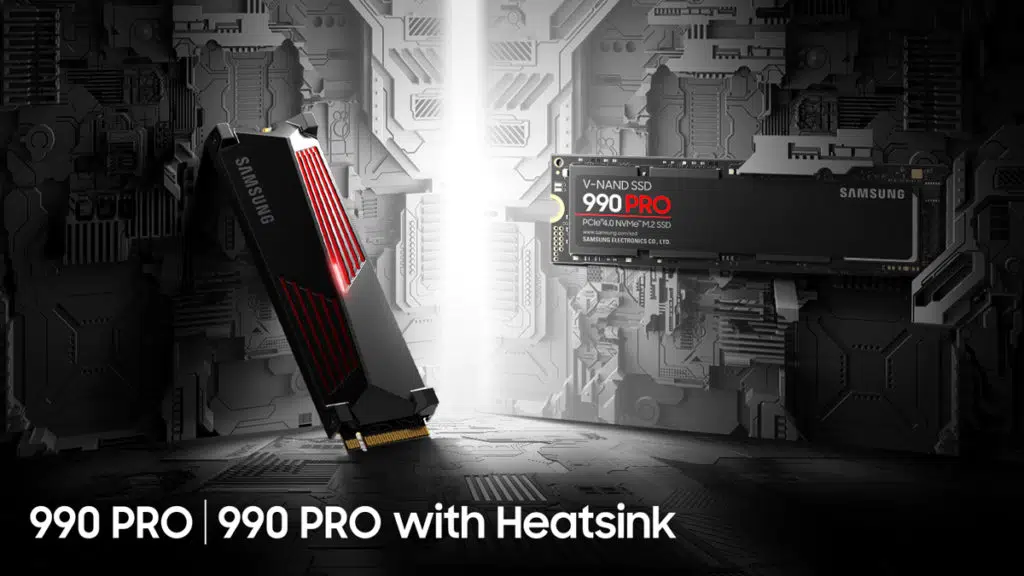
There may be a problem with Samsung’s new 990 PRO SSDs. According to various owners who have shared their experiences online, the drive may suffer from rapid health degradation, with one claiming that they lost 2% health in a week after just 1.8 TB of writes, while another has suggested that the SSD could lose as much as 36% of its health after less than 2 TB of writes. An editor with Neowin who received a bad 990 PRO is claiming that Samsung is refusing to acknowledge and replace the affected SSDs.
From a Neowin report:
Colour me with sadness when within just a couple of days of buying the 990 Pro 2TB, I noticed that the drive health according to SMART data from both Samsung Magician and third party tools had dropped to 99%. For the record I have other Samsung SSDs with over 40TB written and still at 99% health 1.5 years later, so I knew this was not normal.
Around the same time I posted to OcUK and reddit to see if others had seen the same problem, as it turns out, they had, and there is a lengthy thread over at Overclock.net about it. Once my drive had dropped to 94% I filed the RMA with Samsung/Hanaro.
A few days later a shipment was on its way to me from Samsung/Hanaro. I had to email Hanaro to get info on what was found only to be told that the same drive is on its way back because no defect was found.
Samsung announced the 990 PRO, a high-performance PCIe Gen 4 SSD optimized for gaming and creative applications, in August 2022. The SSD is advertised as having sequential read/write speeds of up to 7,450/6,900 MB/s and an endurance rating of up to 1,200 TB written. A 2 TB version with heatsink is available for $309.99.
After reading your article, I thought I'd take a look at mine. The results are horrendous! 36% worn out after writing less than 2TB of data? @SamsungUK what is going on? pic.twitter.com/VdzLoEAarN
— Neil Schofield (@neilaschofield) January 22, 2023
Discussion (19 replies)
Join Discussion →Perhaps shades of the 840 Evo? Maybe it is just bad firmware like that one pro model a few years back.
I had something similar happen to my OCZ drive and a firmware update fixed the issue.
Could it be that the drives are misreporting their health? Or has the premature degradation of the flash memory been measured and confirmed?
As an aside, I was relieved to discover that the health of the drive owners has not been affected, as far as I can tell.
Never know. Between GPU stuff and this, PC building is getting riskier by the day ;)
I just removed an 840 EVO from my mother in laws laptop in which I installed it in 2014, plenty of health left.
Can't remember if I upgraded the firmware on it though.
The evo's problem if I remember right was degrading tlc nand that needed samsung's magician software running fairly regularly to refresh/defrag the drive or the drive would drastically slow down, slower speeds than a hdd.
There are a million ways a firmware bug could cause something like this to happen. Load balancing wrong, etc. etc.
Hopefully they can fix it, and quick. Samsung' Pro drives are my go-to drives. Usually they have quite some endurance to them.
I have two small 128GB Samsung 850 Pro's that were absolutely abused as L2ARC cache drives in my servers ZFS pool for 2.5 years from 2014 to mid 2016 where they saw near constant writes. Then (when I upgraded my L2ARC drives to larger ones) I moved them to video ring buffer (constantly writing and playing back TV) and a swap drive for my KVM/LXC server where both continued to see excessive writes until last year.
They were essentially hammered from early 2014 to late 2021, and I still use them in one of my laptops. They are probably on their last legs now, but damn did they take some abuse. Just look at this SMART output:
=== START OF READ SMART DATA SECTION ===SMART Attributes Data Structure revision number: 1
Vendor Specific SMART Attributes with Thresholds:
ID# ATTRIBUTE_NAME FLAG VALUE WORST THRESH TYPE UPDATED WHEN_FAILED RAW_VALUE
5 Reallocated_Sector_Ct 0x0033 100 100 010 Pre-fail Always - 0
9 Power_On_Hours 0x0032 082 082 000 Old_age Always - 90696
12 Power_Cycle_Count 0x0032 099 099 000 Old_age Always - 370
177 Wear_Leveling_Count 0x0013 084 084 000 Pre-fail Always - 948
179 Used_Rsvd_Blk_Cnt_Tot 0x0013 100 100 010 Pre-fail Always - 0
181 Program_Fail_Cnt_Total 0x0032 100 100 010 Old_age Always - 0
182 Erase_Fail_Count_Total 0x0032 100 100 010 Old_age Always - 0
183 Runtime_Bad_Block 0x0013 100 100 010 Pre-fail Always - 0
187 Uncorrectable_Error_Cnt 0x0032 100 100 000 Old_age Always - 0
190 Airflow_Temperature_Cel 0x0032 079 055 000 Old_age Always - 21
195 ECC_Error_Rate 0x001a 200 200 000 Old_age Always - 0
199 CRC_Error_Count 0x003e 099 099 000 Old_age Always - 62
235 POR_Recovery_Count 0x0012 099 099 000 Old_age Always - 198
241 Total_LBAs_Written 0x0032 099 099 000 Old_age Always - 251363463877
According to my math, using 512 byte sectors, 251363463877 sectors written is ~117TB, which is quite a lot to write to a 128GB SSD, MLC or not.
I just noticed the 90,696 power on hours. That's over 10 years! My 2014 start year must have been off!
@Zarathustra , That's just plain incredible!
Yep, this is why for years I've been replying to concerned comments in threads about SSD write endurance with "it will probably be fine".
Techreport did a very good endurance test starting in 2013 and concluding in 2015.
The originals seem to be broken on their website now, but thanks to the Internet Archive we can still find them:
So, the 256GB Samsung 840 Pro won with 2.4PB written.
Now, these are old enough that they aren't necessarily relevant to current gen SSD's (After all, all the drives in this list are pre 3D NAND which had a huge positive impact on SSD reliability) but what it does prove is that while random failures will still occur on occasion, in most cases unless you are really abusing modern SSD's and really abusing the wrong SSD's (like using a QLC drive in cache duty), you don't have to worry about write endurance.
Actually, there might be some corruption on here.
I totally believe the drive writes, but the 90696 power on hours is impossible.
I verified my amazon order history. Definitely bought both of my 128GB Samsung 850's in 2014.
If I subtract the 90696 up hours from today's date, that brings me to late 2012.
Then I remembered that I removed these drives from my server in October 2021, and since then they have only seen occasional use when I've powered on my old laptop. Subtract 90696 hours from October 2021 and we land in May 2011.
At first I thought maybe I was cheated, and someone sold me used drives and I never even noticed, but then I realized that Samsung didn't even launch the Samsung 850 Pro line until July 1st 2014 :LOL:
So, the smart data is corrupt. (or I have a time traveling SSD) That naturally puts everything in the SMART data table in question, but I still believe the drive writes. In fact I think they might be low. These two drives saw an absolute pounding for 7 years straight.
As a random aside, I just stumbled across my invoice from my first SSD.
SATA II 3Gbit/s :p
And that price!
We have come quite a ways haven't we :p
that MTBF turned out to be a lie. Every OCZ drive I ever had failed to survive 2 years. Evenso, the experience was so transformitive there was no way to go back to a hard drive.
It was not the sequential speeds or writes, they were a little bit faster than hard drives, but not THAT much faster.
It was the random performance / seek times that did it.
Some comparisons I did back then:
Sometimes they do weird things if you roll
the odometer over
Given my luck with SSD's, I'd bet on a Samsung 990 Pro dying on me inside of 90 days.
Good thing is you would get another one for free. Bad thing is you would have to start over with your data. Onedrive perhaps?
I used to work for a freelance game/software testing company (mid 2000s to early 2010s). We tested software on PCs, game consoles, cell phones, whatever. I was part of a team that tested nVidia GPUs and drivers. I was often put in charge of building and setting up the test systems. Those systems would often cause us physical damage. You never knew how or when they were gonna draw blood from your flesh, but it was guaranteed that they would. In fact, we used to say that the systems would not even work properly until they had drawn blood for the day. I guess they required a daily blood sacrifice. An essential tool for working in our hardware lab: band-aids.