
A recent survey has users reporting that the Android OS for Samsung’s latest smartphone has a ravenous appetite for storage. Esper’s senior technical editor Mishaal Rahman conducted a very informal survey asking folks “how much of your phone’s storage is taken up by the system?”
Well, the results of that question took some interesting turns. Many reported the system install size on their phones to be around 8-20 GB, and a few upwards of 40 GB. This was the most common ground among different makes and models but when it came to the Samsung S23 series, and some other Samsung models, the reported system sizes tripled. Mishaal did remind people that a contributing factor can be how much space a user has allowed the system to use and also that there’s a more accurate way to check for this and provided a brief explanation of how Android has changed its partitioning for storage.
Quick follow-up: If you're wondering how Android calculates the storage taken up by the system, it just subtracts the storage attributed to everything else mentioned on that page from the amount of storage that's currently used up.
— Mishaal Rahman (@MishaalRahman) February 6, 2023
The code is here: https://t.co/4ceX3poAwb pic.twitter.com/yoTNbD0cA2
Thread that explains the discrepancy in the "system" size between the same model with different storage capacities:https://t.co/3iZwlNoiUi
— Mishaal Rahman (@MishaalRahman) February 7, 2023
While many of the responses to Mishaal’s survey may not be scientifically accurate they do show a trend of Samsung’s OS taking up increasing amounts of storage ranging from 62 GB up to a whopping 203 GB on a Samsung G22 Ultra 1 TB model but there is a catch as to why some are seeing such huge numbers.
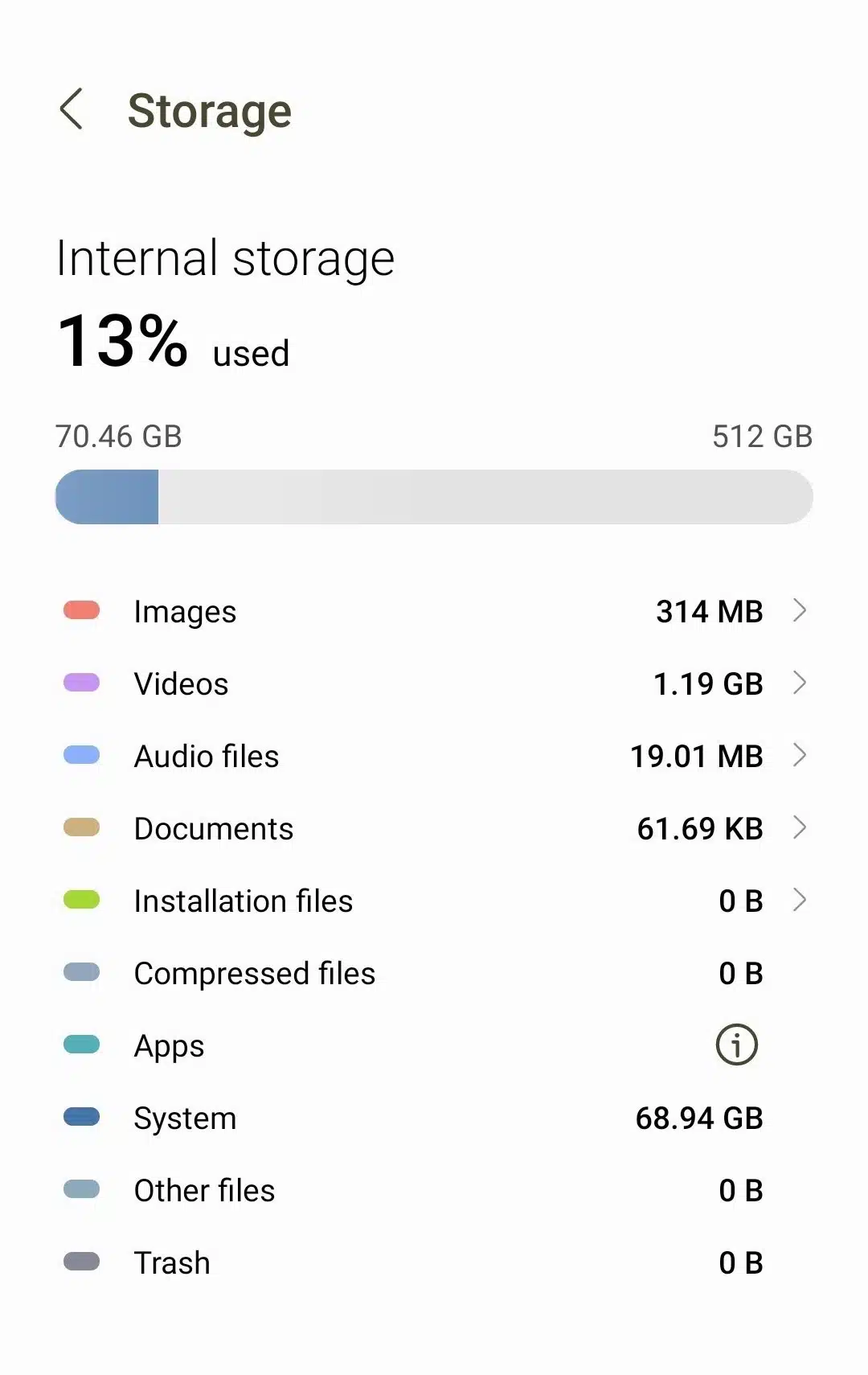
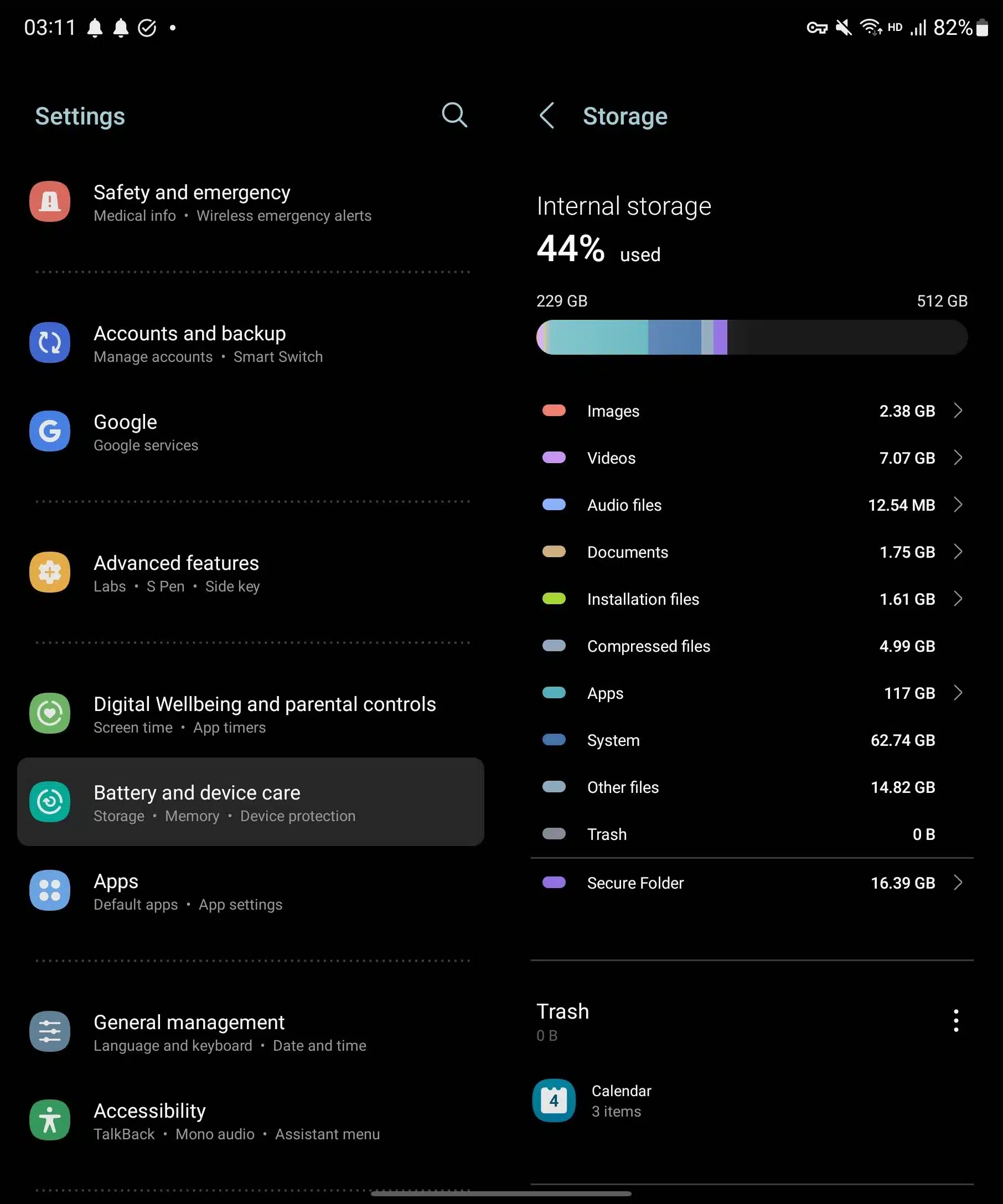
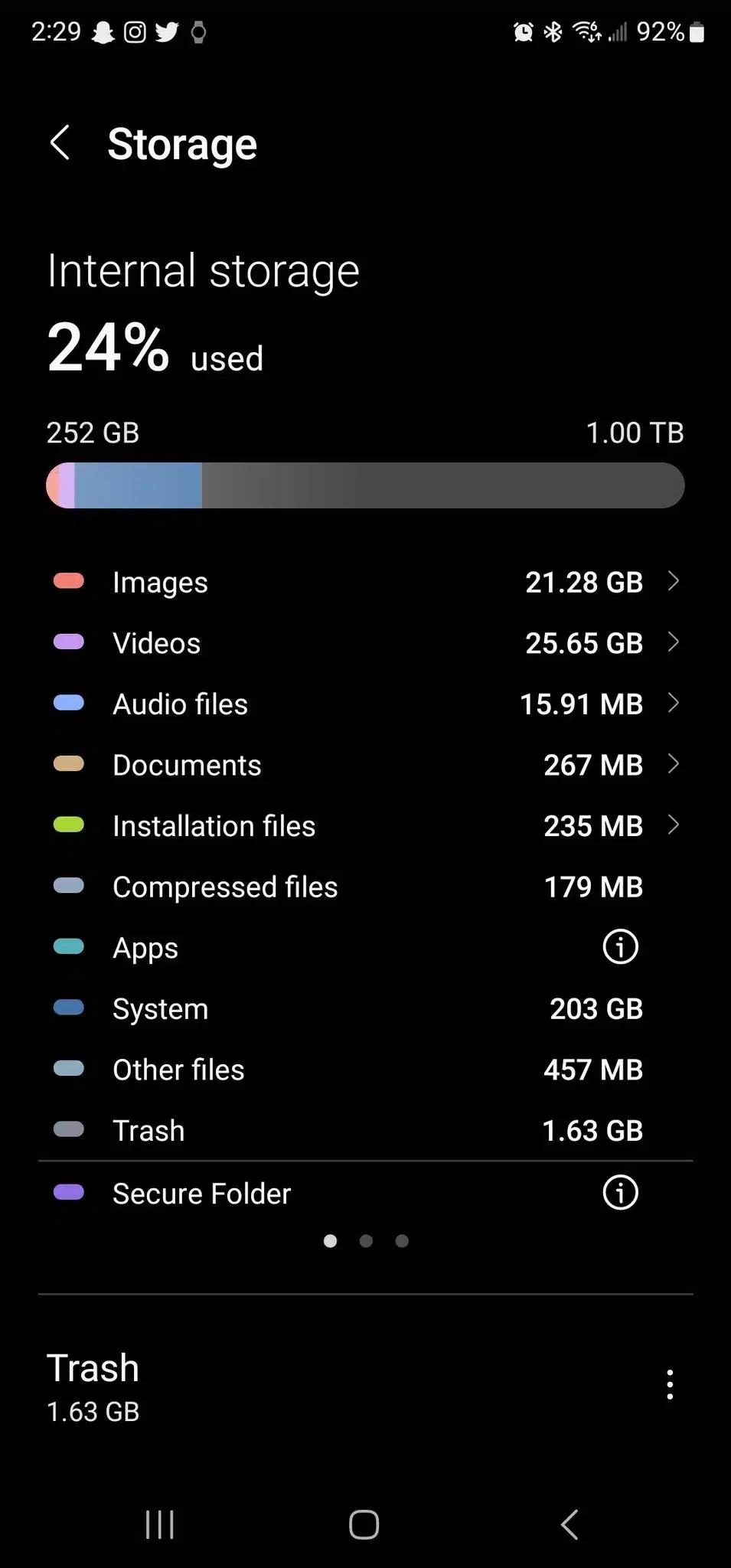
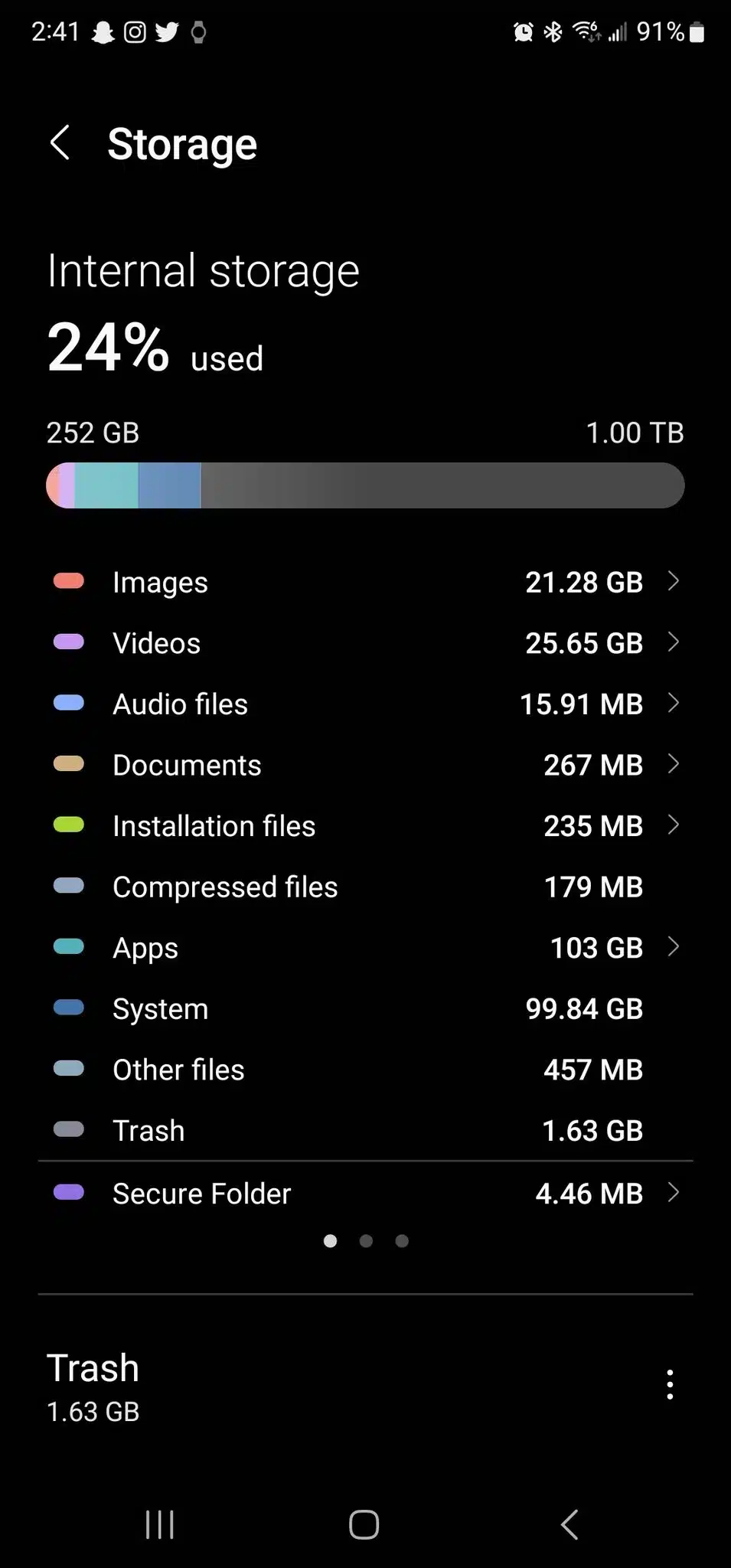
User @AS1F_IQ states that it’s important to give the My Files app access permission so that it will separate user apps from the system category by tapping on the “i” next to apps. This also explains why so many are reporting such incredulous system sizes. However, even after doing this users are still reporting OS sizes in excess of 38 GB. It should also be noted that these reported system sizes do not include media files. User @Jefft1976 posted an updated screenshot of the phone that reported 203 GB after giving access to the My Files app and the system size was reduced to 99.84 GB. It is possible there could be further permissions to separate even more user-installed apps but still, this is greater than a Windows 64-bit OS install.
In regard to why Samsung’s Android OS tends to be larger, it has been explained (via Ars Technica) that Samsung will include its own versions of the very same Google apps Android phone manufacturers are obligated to provide. This, in turn, means that these phones in essence have double the installed apps, not including manufacturer-specific ones that are often referred to as bloatware. Although Ars Technica was called out for not including a disclaimer about the My Files setting, some still agree, including user @AS1F_IQ, that Samsung’s OS install size could use some improvements.
Discussion (18 replies)
Join Discussion →Probably not OS files taking all that space. More likely Samsung collecting an absurd amount of metadata on the users. Wouldn't be surprised if it's audio and photo/video data it's collecting without the phone owner knowing.
Android 13 takes up 19 GB on my Pixel.
Yep, I dug pretty deep into that thread and saw this is about average for most. It looks like the newer Samsung phones are the worst in terms of this but it's all over the map. Ars ran with it a little prematurely because there is some truth about having to set the phone up properly to get even close to an accurate reporting of the system size but even then it still ranks as the largest of them. It also reminds me of that old saying in regard to VRAM that the more you have the more it'll use. It appears that Samsung phones with 1 TB can have much larger OS installs, for whatever reasons.
If windows is any example... It's probably due to some sort of indexing and caching.
Hmm...
For comparison:
iOS 15 is around 2.5G just in terms of file size, however, when running it takes/reserves around 8.5G of storage space (caches, minimum free working space, room to decompress and install updates, etc). So I guess there really are 2 different metrics involved
After discovering when I was still on a 1tb drive that my windows 11 home was using over 150 gig for the drive indexing... I did some cleanup. So just something to keep in mind.
I do that about once a quarter. It always shocks me, with 10, how it'll say that maybe 8 GB can be saved by deleting old update files, which take forever to do, and then usually only frees up around 4-5 GB. Still, though, a good practice to keep. It's been something I've had to do out of necessity's sake for the last few years because my 1st OS SATA SSDs, like other users, were usually around 128 GB, and even with Windows trimmed down it could take upwards of 60 GB. These days I'm happy to have OS drives that are a bit bigger NVMe's at 1 TB (I went with these more so because there are speed differences at the 512 GB level) but still don't want to let things get wasteful.
Goddamn bloat is beyond getting out of control.
I don't care if it is a computer, a tablet or a phone. IMHO, the OS that resides on it is supposed to be an OS, not a full ecosystem with all the applications anyone might want preinstalled.
An operating system should be a kernel, drivers, a window/display manager and a means to install what the user wants, and that's it.
If you want a program or an app YOU install it. NOTHING should come preinstalled.
There are a lot of preinstalled things that we all use... in Windows.
notepad <-- for when we can't use something like notepad++
Task manager
Resource monitor
Explorer (aka file explorer)
mmc and it's many snapin's like control panel applets.
If I broke MMC down it would be a TON.
Command prompt.
Network configuration.
and the list go's on.
Hmm, yeah, we use them, but that's a different question than if they need to be there in the first place - because replacement apps exist for every one of those things, and most of them are better than what's provided "in the box".
That said, I don't have a problem with anything Grim listed as being pre-installed. I think an OS should have enough built-in tools to at least be functional and useful out of the box... and having basic things like control panels and a basic text editor I don't think is too much to accept.
But Edge... hmm. I mean, it's one thing to have a browser included with your system as a basic function, like a text editor. It's another thing to constantly force it upon your users if they choose to use something else. Microsoft crosses the line there I think - much in the same vein that Apple does with Safari on iOS (but oddly enough, does it acceptably and gracefully on OS X).
Oh yea I agree here FULLY. I'm sure the explorer is somehow using the edge back end as well.
Keep in mind that at one time you used to have a choice of what was installed when you installed the OS. In the case of Windows is became fewer and fewer options of what you could choose over time until it was finally decided you no longer had a choice. As the choices became fewer I came to like Windows less.
And at least for a while you could uninstall some of the things you weren't allowed to tell it not to install but that has also disappeared.
I have the same issue with phone OSes. They are too bloated and the footprint is insane for something so limited; especially as a base install.
This is why I buy unlocked Pixel's direct from Google. No carrier or other bloat. Just plain vanilla Android.
If I ever go back to Android for a phone I'll probably do the same. Currently trapped with Apple due to the entire family only wanting to use Facetime for most calls.
Yeah, I still use CC Cleaner and it always shocks me when it tells me that Edge is running and asks to force it to close. I'm like, I wasn't even using the d*** thing. Add the whole AI thing into it and I'm pretty sure I'm going to be looking into hacks to block that thing since basic common sense measures are becoming less effective in managing it.
Makes Linux look better and better all the time.