
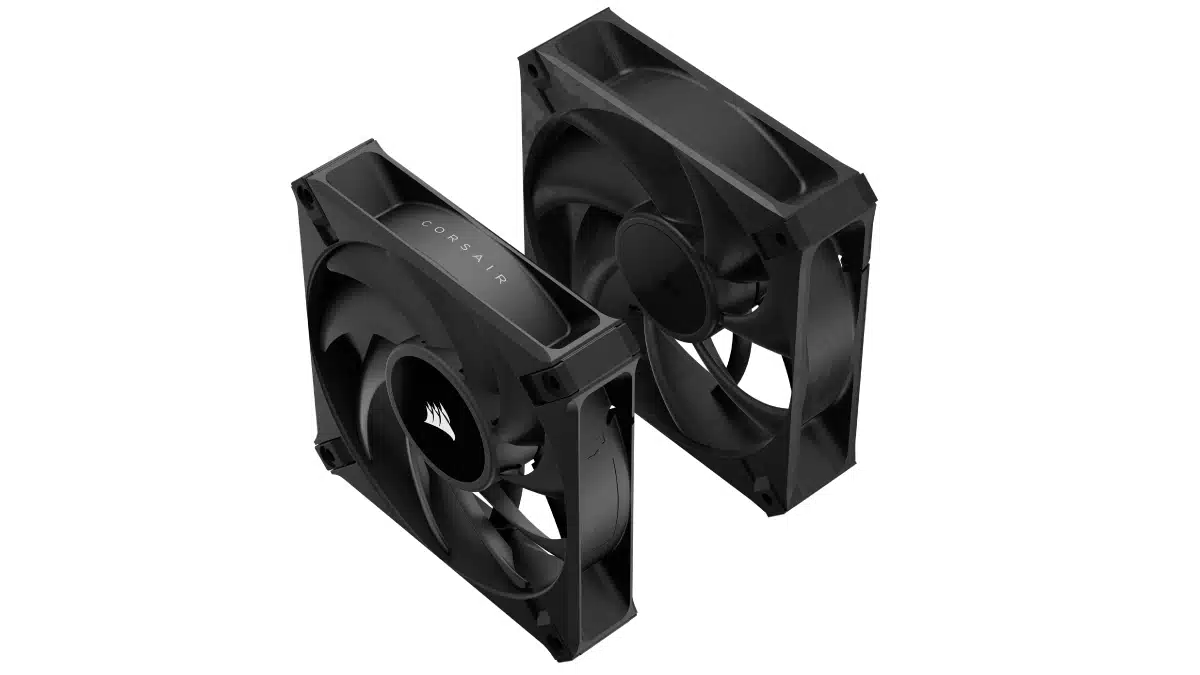
Corsair has launched the RS MAX Series, its first 30-millimeter-thick PC cooling fans, featuring a 20% increase in thickness over standard fans for quieter cooling performance. Combining what Corsair says is extremely durable Liquid Crystal Polymer material with a larger fan blade bolstered by AirGuide technology, the new fans connectswith a simple 4-pin PWM header, enabling precise adjustment over fan speeds without the need for a separate controller.
Product links:
- RS120 MAX 120mm PWM Thick Fan – Single
- RS120 MAX 120mm PWM Thick Fans – Triple Pack
- RS140 MAX 140mm PWM Thick Single Fan – Single
- RS140 MAX 140mm PWM Thick Fans – Dual Pack
Key features:
- 5mm Thicker than standard fans for greater cooling performance
- PWM-controlled speeds up to 2,000 RPM
- Premium Liquid Crystal Polymer construction
- AirGuide technology for concentrated cooling
- Magnetic dome bearing for minimal noise
Corsair on its new fan series:
With a 20% increase in thickness over standard fans, the RS MAX Series can spin at a lower speed to generate the same airflow as its thinner counterparts – translating into lower overall fan noise. For enthusiasts who push their systems to the limit, the high static pressure created by the RS MAX’s larger fan blade helps power airflow through obstructions and dense radiators, making it an ideal choice for high-performance liquid cooling setups.
CORSAIR Magnetic Dome bearings – an evolution of the acclaimed magnetic levitation bearing – significantly reduce friction for both enhanced longevity and quieter operation. For PC builders looking to boost performance without boosting noise, the RS MAX Series will help push your system to the max.
Discussion (7 replies)
Join Discussion →Looks like Corsair is trying to play catchup with Phanteks - though they don't seem to have included any sort of PWM fan cable innovation (such as daisy chaining), and these aren't compatible with their 'link' systems, just straight PWM to a fan header / splitter.
They are not RGB so no need for the link system?
You'd want it for integrating PWM control, presumably. I'm not a fan of Corsair's software (or anyone's really, for RGB), but it's more than just lighting - you'd want to have the fans controlled through iCue regardless, and I'm not sure if there's a way to do that reliably or at all.
Basically, unless iCue can control motherboard fan headers, something that's certainly possible but also variable board to board, or there's a way to add PWM control channels with the appropriate 4-pin connectors for PWM fans to an iCue-controlled 'system', then these fans are going to be controlled separately. Not the end of the world but I'm surprised that Corsair didn't have a single solution put forth for integrating these fans with the rest of their ecosystem.
I'll say that the bigger problem would be in trying to use these for custom loops, which is also something Corsair is knee-deep into. You'd typically want to tie fan speed to water temperature which without an integration option means using a separate temperature sensor for water that can be monitored by the motherboard (usually more expensive boards at that), and then controlling the fans through the board.
I really would have expected Corsair to have had an integration option linked on the fan page. They don't even have pictures for the fan cables themselves at the moment.
I know, you can always get one of these https://www.corsair.com/us/en/p/pc-components-accessories/cl-9011112-ww/corsair-icue-commander-core-xt-smart-rgb-lighting-and-fan-speed-controller-cl-9011112-ww
Or you may already have something similar if you bought a Corsair case (or other cases that come with fan hubs)
Corsair case, or corsair AIO kits come with a 6 port fan/rgb controller that I think would work fine here and let iCUE maintain control.
Outside of the earlier versions iCUE has been just fine for me. Early on it was a bit of a pain but a non issue for the past couple years.
They could teach a thing or two to Asus with their shit tastic Armoury Crate. You basically need to research every board component for driver/firmware updates and NOT use the Armoury Crate if you want to have actual current drivers/bios from ASUS. How sad is that.
Got rid of that crap a while ago. The amount of running background resources it had was just astonishing. I've been using MSI center and it is a thousand times better.
Armory Crate is a bit of a mess. Gigabyte's solution is just as bad. MSI's Center seems to be okay-ish.
But really, I despise software from motherboard makers and I'll happily agree that iCue is a few steps above that!