
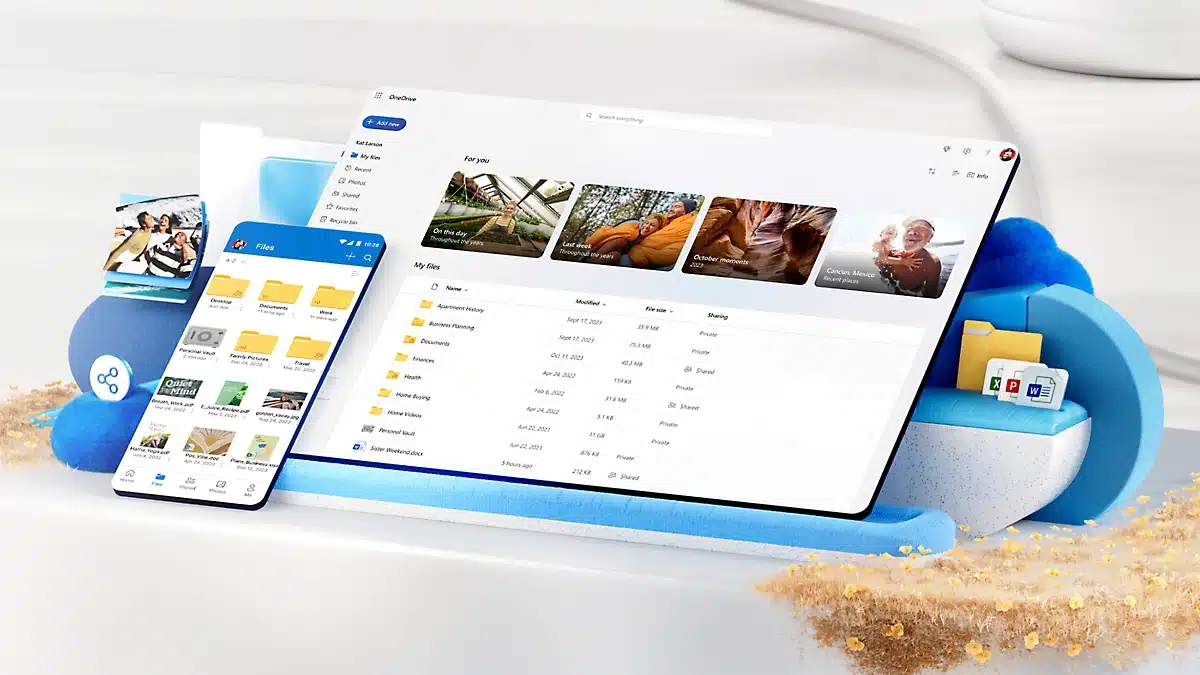
Microsoft 365 Family and Microsoft 365 Personal, two of the cloud storage plans that Microsoft offers to Home customers, will be expanding with 5 TB and 10 TB storage tiers by the end of the year, according to new information that Microsoft has shared during its latest OneDrive event. The former currently offers up to 6 TB of cloud storage (1 TB per person) for $9.99/month, while the latter advertises 1 TB of cloud storage for $6.99/month. Copilot agents, a smarter search experience, and faster performance are some of the new features that Microsoft mentioned during its OneDrive event yesterday, which can be watched below.
Need even more storage for your memories? No problem. We will also be releasing new 5 TB and 10 TB storage tiers beyond the current 2 TB limit for Microsoft 365 Personal and Family customers by the end of the year. OneDrive will continue to lead the way in enabling you to more successfully manage your files, collaborate, and relive memories. At work, at home, and across your devices, we’re committed to making OneDrive the most powerful and intuitive file management solution available.
Discussion (8 replies)
Join Discussion →Hmm.
I'm not usually a fan of Microsofts cloud integration, but if these are affordable enough and I can figure out a way to push pre-encrypted incremental backups (like with Borg or something) to OneDrive without exposing my files and content to Microsoft for analysis, I could totally see myself using this.
I would however never link my desktop to a microsoft account, or sync any unencrypted files from my desktop to their service like with their built in file management, so unless there is another way to access OneDrive (like SSH, SFTP or something like that, where I control completely what gets sent, and can do it from a non-Windows machine) and I can use it to dump incremental encrypted backup blobs onto it, I will never use it.
The key here is for me and only me to be in complete control, and for absolutely nothing to be exposed to Microsoft for data mining.
They data mine EVERYTHING, so just go ahead and use copilot+ to create naked pics of Steve Ballmer, Bill Gates, and Satya Nadella. Let them be exposed to their debauchery. 10 TB of high-resolution pictures should be more than enough.
Yeah, that is why I wanted to do my own custom encryption at the block level locally, before it ever leaving my Linux based NAS, and have the NAS push those backups to OneDrive directly, without installing any Microsoft software on the machine.
If I can do that, I will consider it. Otherwise I won't.
I don’t see why it wouldn’t. An encrypted backup would just be any other file… .tgz up a dd dump of your encrypted drive and stuff it over.
They support Bitlocker to some extent with OneDrive but not sure exactly how that works (wouldn’t trust them not to mine through their own encryption tho)
So here is the part I don't understand (and it is based on ignorance as apart from at work where I was forced to enable OneDrive (because some jerk project manager decided to require syncing project files via onedrive and teams, yuck) I've never really played with it.
On a basic level, other than enabling the OneDrive App (or logging in to the terrible Microsoft 365 web interface) how can you access your OneDrive space?
Is it possible to SFTP or SSH to it somehow to transfer data?
Maybe one could script something that logs on to 365 and uploads backup files automatically every night, but that level of bash scripting and interacting with websites seems maybe a little beyond my abilities. ( <-- Not a software developer )
OneDrive does not have to be off the web interface. It creates a folder called One Drive for you. You can choose what to sync or not sync. You can decide when to sync the backups.
and
Ok, but what if I don't want windows in the picture at all?
I have a Linux-based NAS. What if I want to tell it to present pre-encrypted files and upload them to OneDrive using standard open source protocols (not having to install any Microsoft software)?
Is that even a thing? Or have they thoroughly prioritized it?
Google knows
[URL unfurl="true"]https://answers.microsoft.com/en-us/windows/forum/all/how-can-i-access-onedrive-folders-files-from-linux/dd8be09b-ddad-434c-bdc7-a15cde410231[/URL]
Looks like the two best methods are "rclone" - it's basically rsync, but can also emulate the way Windows connects and looks like a local folder and lets you mount your onedrive like any other drive, or to use the web interface, which works regardless of what operating system you are using