Overclocking XFX Swift Radeon RX 9060 XT OC Gaming Edition 8GB
To overclock the XFX Swift Radeon RX 9060 XT OC Gaming Edition 8GB, we turned to AMD’s Adrenalin Software control panel under Performance and Tuning for Custom manual overclocking. All the functions were present, however we were not able to increase the Voltage Offset. The Power Limit was limited to an increase of just 10%.
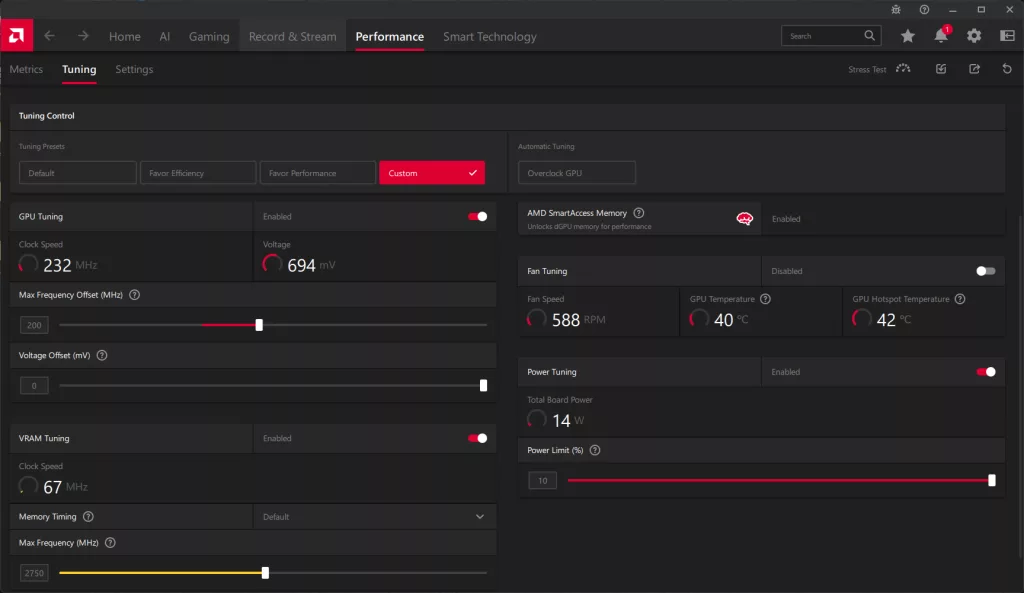
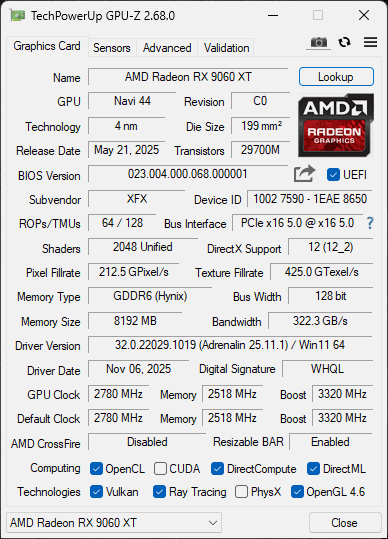
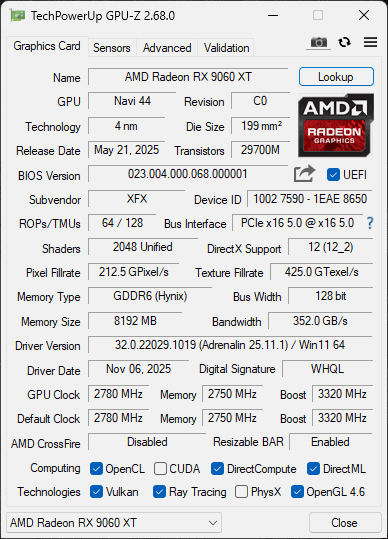
Above you will find the highest overclock. With the way overclocking works on AMD GPUs currently, though we set the Max Frequency Offset to +200MHz, the actual overclock varies, as this is an “Up To” value. This is a rather small overclock value, in the grand scheme, and with just 10% more power, we knew we wouldn’t be able to get much of an overclock. On the memory, we were able to overclock the memory from 20Gbps up to 22Gbps, an increase from 322GB/s of memory bandwidth up to 352GB/s of memory bandwidth, an increase of 9% more memory bandwidth. We did not need to set any custom fan speeds; the GPU remains very cool, and faster fan speeds were not needed or helpful.
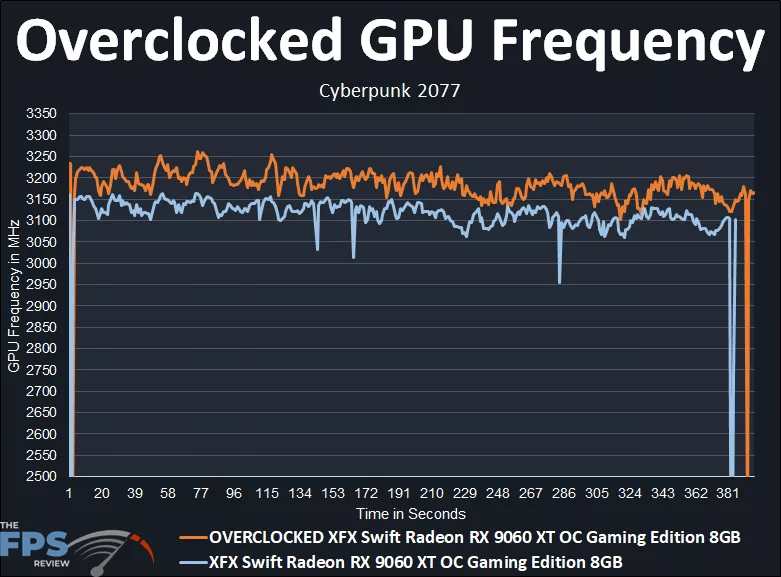
In the above graph, we can first see what the XFX Swift Radeon RX 9060 XT OC Gaming Edition 8GB runs at with the out-of-box OC frequencies. The XFX Swift Radeon RX 9060 XT OC Gaming Edition 8GB has a game clock set at 2780MHz and a boost clock set at 3320MHz. While gaming, the XFX Swift Radeon RX 9060 XT OC Gaming Edition 8GB actually runs between 3100MHz-3150MHz starting out, and settles between 3050MHz and 3100MHz. Therefore, it is hitting in between the Game Clock and the max Boost Clock. If we take the average of the clock speed, the exact average was: 3108MHz for the default clock speed.
When we overclocked the XFX Swift Radeon RX 9060 XT OC Gaming Edition 8GB and took it up to +200MHz on the GPU Offset, that did increase the clock speed slightly. It started out around 3150MHz up to 3250MHz, but then settled between 3150MHz and 3200MHz, certainly higher, but not a lot higher. Taking the exact average of the overclock, the overclocked clock speed is: 3181MHz. In that regard, the overclock we achieved was a small 2.3% GPU clock speed increase, or about 80MHz-100MHz at most over the default. We certainly saw a higher overclock from the memory bandwidth overclock.