
Oh, Windows 11, we barely know thee, but it seems you may know far more about us than we ever wanted you to, and your hunger for more personal data is as insatiable as ever. Perhaps the biggest contribution of cell phone technology isn’t its ability to provide mobile communication, tracking no matter who is using it or where they are, or the countless hours spent crushing candy; it’s actually the ability to help create an unfathomable number of photos. Well, Microsoft is aware of this and has made accessing photos on PCs a top priority, no matter how invasive it may be, or asking users if they want this service or giving them the means to remove it.
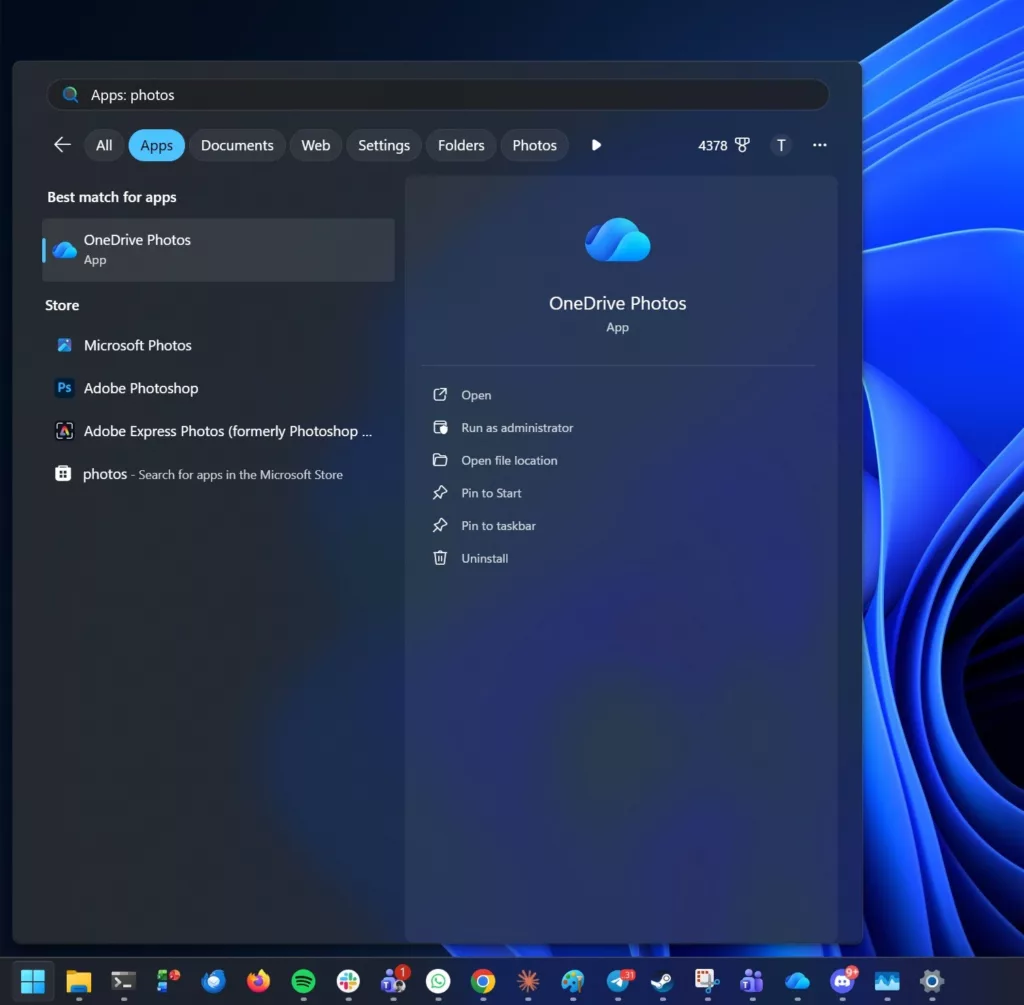
According to testing done by Windows Latest (via Tech Times), there’s a new app that has a confusingly similar name to others already present in Windows 11, called OneDrive Photos. This is not the same Photos app that’s been around forever, nor is it simply a new folder in OneDrive. It’s a separate app that was silently added to the Start Menu last week and has some very concerning behavior.
“The app can read your local photo library before you sign in to a Microsoft account, presents a People section that groups faces using biometric scanning, and cannot be uninstalled on its own — removing it requires uninstalling the OneDrive sync client itself, a core productivity dependency for most Microsoft 365 organizations.”
– Earl Benson, Tech Times
So the only way to technically uninstall this app is to remove the OneDrive client itself, which, for those using MS 365, is a core feature for cloud services. Meanwhile, testing showed that the service will scan the local drive prior to a user account being created, so even if you haven’t agreed to use OneDrive yet, this app is already cataloging photos before the user account has been made. A biometric feature will group pictures into a “People” section by scanning faces and does require user consent, and Microsoft has stated that it will not share any data with 3rd parties.
“OneDrive Photos doesn’t need a Microsoft account to work, as it can also detect your local files.”
– Mayank Parmar, Windows Latest
There are questions regarding if Microsoft’s new app addition has violated EU laws since it has reportedly not provided documentation regarding if the facial analysis feature is running on the local machine or its servers. Furthermore, due to how the app is installed via Windows, organizations using SOC 2, ISO 27001, or other system management solutions, including those used by government organizations, probably have already allowed the app to be installed, so it has likely already found its way to all user endpoints. Oh, such joy for sys-admins!
“The problem is that Microsoft added another photo viewer without asking, and you can’t remove it separately from OneDrive.”
– Mayank Parmar, Windows Latest
Meanwhile, the good news for the common PC user who doesn’t have a care in the world regarding privacy is that OneDrive Photos is a step forward in managing memories. As Windows Latest reminds, it’s not all doom and gloom, and the new app does present some positives in supporting user needs and can utilize AI for searches as well. However, the elephant in the room is how Microsoft chose to incorporate this app into its OS, and there could be fallout from this decision.
Discussion (2 replies)
Join Discussion →OneDrive is one of the first things I uninstall when I do a fresh install of Win10 or Win11, but actually now I don't even have to do that, cuz when I make a Win11 installer on a flash drive using Rufus, one of Rufus' options is to completely remove OneDrive from the get-go, so it's already not there when the OS is installed. Just one of the many handy options Rufus has.
I remember you mentioning this a while back and recently gave it a shot. Cool stuff for sure. Definitely helps streamline the install and takes out a lot of the headaches with all the crap MS keeps adding during install.