
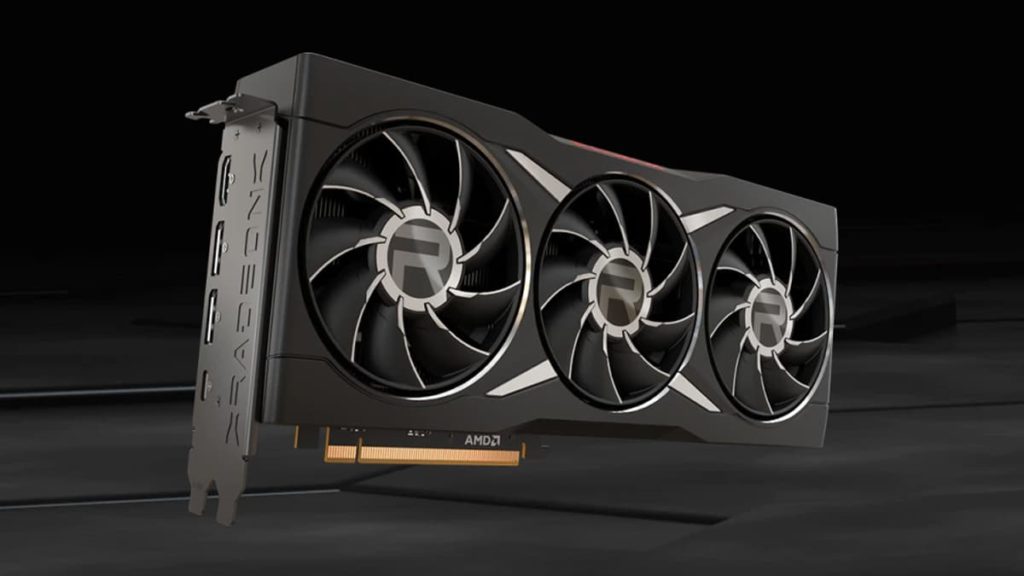
FSR 4.1 on Radeon RX 6000
Written reviews:
- ComputerBase: https://www.computerbase.de/artikel/grafikkarten/fsr-4-1-radeon-rx-6000-rdna-3-test.99922/ (Gear up your translator)
- PCGH: https://www.pcgameshardware.de/FidelityFX-Super-Resolution-Software-277617/Specials/FSR-4-RDNA-2-Release-FSR-412-Test-Benchmarks-1557506/ (Browser translate this too)
Video reviews:
- zWORMz Gaming: https://www.youtube.com/watch?v=_Z3I3YWDAtw
- Benchmarks for Gamers: https://www.youtube.com/watch?v=Lw_mad6Q_jU
Consensus summary: Both German outlets reached the same conclusion: FSR 4.1 on RDNA 2 is a huge image quality upgrade over FSR 3.1. It is more detailed, less grainy, and far more temporally stable, though not quite as clean as it looks on RX 9000. The cost is real but smaller than feared. ComputerBase measured an average 24 percent hit versus FSR 3.1 at 4K on an RX 6950 XT (11 percent at 1440p), which is actually a bit lighter than the hit RX 7000 cards take. PCGH saw losses of up to 15 percent in Ultra Performance mode. Both outlets landed on the same practical advice: if you ran FSR 3.1 Quality, switch to FSR 4.1 Performance, and you’ll get a better image at similar or higher frame rates. The caveats are that RX 6000 owners don’t get the new AI frame generation or Ray Regeneration, and FSR 4.1 is still DirectX 12 only until Vulkan support arrives with the next SDK.
FPS Review take: This is the best thing to happen to RDNA 2 owners since the cards launched, and it arrived well ahead of AMD’s own schedule, as we noted when AMD’s Adrenalin 26.10.1 brought FSR 4.1 to the RX 6000 series. Compare it with what FSR 4.1 cost RX 7000 owners back in August, and the older cards come out of this looking surprisingly good.
Call of Duty: Modern Warfare 4 PC Performance
Written reviews:
- DSOGaming: https://www.dsogaming.com/pc-performance-analyses/call-of-duty-modern-warfare-4-pc-performance-analysis/
- PC Gamer: https://www.pcgamer.com/games/call-of-duty/ive-tested-every-graphics-setting-in-call-of-duty-modern-warfare-4-tweak-these-four-options-for-the-best-performance/
- PC Gamer: https://www.pcgamer.com/games/call-of-duty/call-of-duty-modern-warfare-4-actually-runs-pretty-smoothly-with-activisions-recommended-rtx-3060-ti-graphics-card-and-here-are-the-settings-i-use-to-get-the-best-performance-from-it/
- ComputerBase: https://www.computerbase.de/artikel/gaming/call-of-duty-modern-warfare-4-benchmark-test.99862/
Video reviews:
- Digital Foundry: https://www.youtube.com/watch?v=VVSw3qgy3Nc
Consensus summary: The PC port is in good shape, and it continues Call of Duty’s habit of favoring Radeon. At 1440p on the Extreme preset with Quality upscaling, ComputerBase had the RX 9070 XT at 138 FPS against 125 FPS for the RTX 5080. DSOGaming also saw both the 9070 XT and the RX 7900 XTX beat the RTX 5080, with its top five cards holding 60 FPS at native 4K on Extreme. On the mainstream end, PC Gamer found Activision’s recommended RTX 3060 Ti averaging 64 FPS at 1440p on the Balanced preset. Ray tracing is the sore spot. MW4 now adds RT global illumination and shadows to reflections, but enabling RT with the game’s own denoiser locks you into the flickery in-house SMAA T2X upscaler. DLSS Ray Reconstruction support, present in the beta, is gone; only AMD’s FSR Ray Regeneration survives as an escape hatch. ComputerBase also praised the frame pacing and moderate VRAM demands.
FPS Review take: By our count, this is the seventh mainline Call of Duty with “Modern Warfare” in the title, and the second one with a 4 in it. (Ed: I thought there were more Modern Warfare 4 games than that?) The game itself runs well, but dropping Ray Reconstruction after shipping it in the MW4 beta, where DLSS 4.5 RR got its public test run is a strange call for a franchise that has had seven tries at getting Modern Warfare right.
AMD Ryzen 5 5500F
Written reviews:
Video reviews:
- RandomGaminginHD: https://www.youtube.com/watch?v=cwCvynVkTJ8
Consensus summary: Tom’s Hardware argues the 5500F’s biggest problem is its name, which undersells the chip. It moves from the Cezanne APU silicon of the regular 5500 to Vermeer, picking up PCIe 4.0 and a 200 MHz higher 4.4 GHz boost. That adds up to roughly 8 to 10 percent more gaming performance than the 5500. It is still capped at 16 MB of L3, and Intel’s Core i3-14100F remains about 3 percent faster at 1080p. The suggested $100 price has also drifted toward $120, which eats into the value case. RandomGaminginHD’s launch testing showed the same pattern: the gap over the 5500 is widest in CPU-bound games.
FPS Review take: It is a sensible drop-in for anyone keeping an old AM4 board alive, which is exactly the crowd we wrote about when the 5500F finally hit US shelves alongside fresh BIOS updates for 9-year-old A320 boards. At $120, though, it needs to come back down to list price to be an easy recommendation.
ASUS ROG Strix XG27AQGNV
Written reviews:
- Tom’s Hardware: https://www.tomshardware.com/monitors/gaming-monitors/asus-rog-strix-xg27aqgnv-27-inch-g-sync-pulsar-gaming-monitor-review
Consensus summary: Tom’s Hardware calls this $599, 27-inch 1440p 360 Hz IPS display an excellent all-around monitor and a superlative gaming screen. The credit goes to G-Sync Pulsar, which syncs backlight strobing to the frame rate without the usual brightness penalty. Tom’s says that delivers motion as smooth and responsive as a premium OLED. It is very bright in both SDR and HDR. The trade-offs are no dynamic dimming for extra contrast and slightly less color saturation than other fast screens, though it still beats a typical sRGB monitor.
FPS Review take: G-Sync Pulsar is the best argument left for a fast IPS panel in an OLED world, and this is the second Pulsar screen to impress since Acer’s XB273U F5 got the ball rolling. If burn-in anxiety keeps you off OLED, this is the one to shortlist.
LG UltraGear Evo 52G930B
Written reviews:
Consensus summary: PC Gamer scored LG’s 52-inch 5K2K curved monster 78. It calls the 52G930B just about the most immersive gaming experience imaginable, then lists the catches. It is very expensive at $1,699, enough to buy an awful lot of 4K TV. Its VA panel is also old-school, slow, and lacks true HDR capability.
FPS Review take: A 52-inch 5K2K ultrawide is a spectacle, but VA response times on a $1,700 display are a hard sell when OLED keeps getting cheaper. LG’s 39-inch UltraGear Evo GX9 is the saner way into the same family.
Corsair iCUE LINK TITAN II 360 RX LCD
Written reviews:
- TechPowerUp: https://www.techpowerup.com/review/corsair-icue-link-titan-ii-360-rx-lcd-aio-liquid-cpu-cooler/
- TweakTown: https://www.tweaktown.com/reviews/11604/corsair-icue-link-titan-ii-360-rx-lcd-liquid-cpu-cooler/index.html
Consensus summary: The headline feature is a 5-inch 720 x 1280 IPS screen on the pump head that can even extend your Windows desktop over DisplayPort. TweakTown also liked the easy install, with pre-mounted fans and pre-applied paste, and Corsair’s CapSwap tops for changing out the head unit later. Performance is the complication. Corsair’s iCUE presets prioritize quiet over temperatures, so they land at merely average results, and unlocking the cooler’s full potential means accepting a lot of fan noise. The pump stays virtually silent at any speed. The VRM fan, by contrast, does little unless it runs flat out. It all comes at $239.99, with proprietary iCUE LINK cabling and a six-year warranty.
FPS Review take: You are paying for the screen as much as the cooling. If you want a GIF on your pump and live in iCUE already, it is a polished package; otherwise, the cheaper RX RGB version covers the cooling for $60 less.
HYTE Y50 RGB
Written reviews:
Video reviews:
ECPU: https://www.youtube.com/watch?v=VLcbPbRrEgc
Gear Seekers: https://www.youtube.com/watch?v=NEFWtWOAFUw
Consensus summary: FunkyKit gave the $99 Y50 RGB a 9.6 and struggled to find a single complaint at the price. The case brings HYTE’s three-piece panoramic glass look to a dual-chamber mid-tower with slimmer bezels. It supports rear-connect motherboards, 360 mm GPUs, and 360 mm radiators, and four reverse-blade RGB fans come pre-installed. The early video coverage tells the same story: this is the fishbowl look at a price that undercuts HYTE’s own Y60 and Y70.
FPS Review take: A $99 HYTE with four fans in the box is going to sell a lot of fishbowl builds. Just plan your airflow, because panoramic glass cases always trade some intake for the view.
FSP MEGA PM 1200W
Written reviews:
- TechPowerUp: https://www.techpowerup.com/review/fsp-mega-pm-1200w/
- Cowcotland: https://www.cowcotland.com/articles/5055/fsp-mega-pm-1200-une-nouvelle-reference.html (Ed: en français, classe)
Consensus summary: FSP’s 80 Plus Platinum, ATX 3.1 unit pairs a relatively compact 1200 W design with an aluminum grille and embossed modular cables. Cowcotland found voltage regulation excellent, with a 12 V rail that barely moved across the load range. The semi-passive fan stays off until 50 percent load and remains very quiet after that. The quiet fan curve means slightly warmer internals, with Cowcotland measuring 48°C at full load, which it did not consider a concern. A 10-year warranty rounds out a strong value case for a 1200 W Platinum unit.
FPS Review take: This is the right kind of 1200 W unit for an RTX 5090 build: quiet, well regulated, and not priced like a flagship. We first saw FSP’s MEGA family with the dual 12V-2×6 MEGA TI, and the PM looks like the sensible middle child.
Corsair SABRE v3 PRO PureVector
Written reviews:
Video reviews:
- KitGuru Tech: https://www.youtube.com/watch?v=sOL8yQVkbPc
- Hardware Canucks: https://www.youtube.com/watch?v=cWXYz9IqjlI
Consensus summary: The hardware upgrades land with every reviewer: a new 42K MARKSMAN X sensor, optical switches, and up to double the battery life. PureVector, the Aimlabs-calibrated directional sensitivity that Corsair says can cut aim time by up to 33 percent, is a tougher sell. KitGuru found the setup frictionless, and the profile saves to the mouse’s firmware. Still, the promised aim gains did not materialize in its testing, and it called the carbon fiber model’s clicks mushy at £210. KitGuru suggested the £159 plastic version as the smarter buy.
FPS Review take: Excellent mouse, unproven gimmick. Buy the Sabre v3 for the sensor, switches, and battery life, and treat PureVector as a free experiment rather than a reason to pay extra for carbon fiber.
Creative Sound Blaster AE-X
Written reviews:
- Igor’s Lab: https://www.igorslab.de/en/creative-sound-blaster-ae-x-review-internal-sound-card/
- Igor’s Lab: https://www.igorslab.de/en/sound-blaster-ae-x-gpu-load-additional-shielding/
- Guru3D: https://www.guru3d.com/review/creative-sound-blaster-aex-pcie-sound-card-review/
- Neowin: https://neowin.net/reviews/creative-sound-blaster-ae-x-pcie-review-your-headphones-will-love-it/
Consensus summary: Igor’s Lab framed its review around how much internal sound card a modern PC still needs. It notes that the AE-X is internally a USB audio device behind a PCIe host controller, and that it offers no discrete eight-channel analog outputs. A second piece the next day examined how the card holds up under GPU load and the limits of adding extra shielding. Earlier reviews set the baseline. Guru3D concluded the ESS ES9039Q2M-based card makes a compelling case for buyers with premium wired headphones who want better-than-onboard audio without desk clutter. Neowin found it an excellent headphone upgrade.
FPS Review take: It is a headphone DAC and amp in a PCIe costume, and that is fine; nobody is buying this for 7.1 analog speakers in 2026. We said as much when Creative launched the AE-X for those who know their onboard audio is lying to them.
Discussion
Join Discussion →No replies yet. Be the first to reply on the forum.