
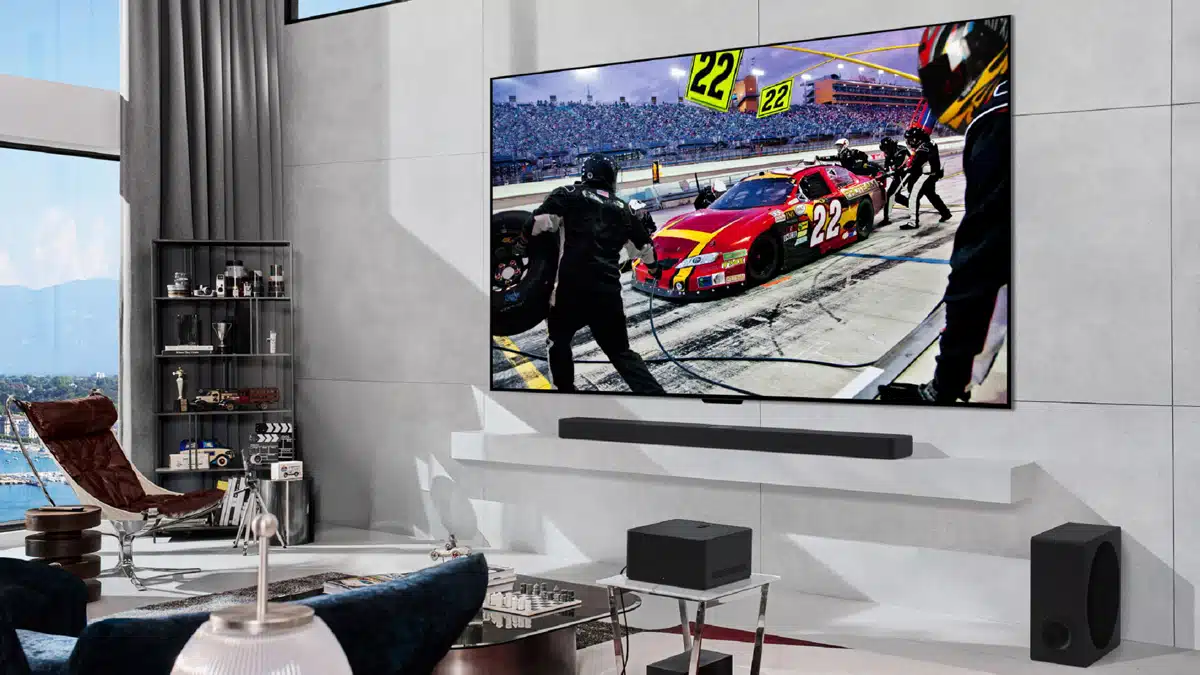
The OLED evo M4, a series of OLED TVs that is advertised as the first and only TVs to be capable of wirelessly transferring video and audio at 4K 144 Hz, will be expanding with a 65-inch model, LG has announced. The new model joins the existing lineup, which comprises 77, 83, and 97-inch options.
Key features:
- “World’s 1st OLED with 4K 120hz wireless connectivity.”
- “Zero Connect Box wirelessly transmits HDMI sources to the TV.”
- “One Wall Design with included wall bracket for virtually seamless wall mounting.”
- “Smart TV with Magic Remote and over 300 LG Channels.”
- “Cinematic picture and sound from Dolby Vision, Dolby Atmos and Filmmaker Mode.”
- “5-year panel warranty.”
A promo for the Zero Connect Box:
LG on its wireless OLED TVs:
LG’s OLED evo M4 is the first-ever TV with the ability to display wirelessly transmitted video and audio at 4K 144Hz. The Zero Connect Box sends signals to the TV’s self-lit OLED screen without any direct wire connections, as there are no cables between the two devices to disconnect and reconnect.
Thanks to its wireless transfer capability, the Zero Connect Box can be placed almost anywhere in the room, letting users enjoy the flexibility to arrange their living space however they want to. Bringing numerous new possibilities to the art of ‘interior curation,’ the Zero Connect Box also enables users to effortlessly move the screen, or the Zero Connect Box itself, whenever necessary.
An additional benefit with the Zero Connect Box is that it becomes a simple solution to achieving a clean, clutter-free living space. Users no longer have to think up creative ways to hide or tolerate the usual tangle of cables around the TV.
Meanwhile, in addition to wireless connectivity, the LG OLED M4 boasts spectacular picture quality with its stunning self-lit screen and the new α (Alpha) 11 AI Processor. Designed exclusively for use in LG’s award-winning OLED TVs, this processor leverages three decades of AI innovations, providing personalized experiences tailored to user preferences and habits.
The M4’s faster AI processing speeds, along with its Neural Processing Unit (NPU), elevate it to the status of the ultimate gaming TV. Supporting 4K content at a blazing 144Hz, it delivers fluid gameplay and lifelike visuals. LG’s powerful processor, combined with the state-of-the-art OLED display, takes gaming enjoyment to the next level.
Discussion (8 replies)
Join Discussion →Yeah, I have zero desire to ever have a "wireless TV" I insist everything be wired. It's much more reliable that way, and also typically supports higher bandwidth. No "convenience", "comfort" or "aesthetic" sacrifices allowed :p
The one and only factor for consideration in my designs is performance/quality. Everything else is a distant runner up.
Anything and everything "Wireless" is just worse. Lower performance, less reliable, more susceptible to interference, less secure, you name it. It's usually also more difficult to set up as you sit there scratching your head wondering why the damn stupid thing won't pair.
The only benefits wireless have are the minor convenience and aesthetics of not having to look at wires, but in order to get that minor convenience and aesthetics benefit you give up WAY too much.
Wha.........WHAAAAAAAAAAAAAAAAAAAAAAAAAAAAAAAAAAAAAT
I didn't even know there was a commercial retail product capable of doing that! I'm like @Zarathustra when it comes to wired vs wireless, but still, that's pretty f*cking neat that it can wirelessly transmit audio and video, at 4K 144Hz no less. That's some crazy-@ss shiznit.
I can see it in my mind already
Naa, clean wiring is a thing, and it's VERY nice when properly configured. speaking of I need to go in the office and wire up some HBA's over fiber. This diagram made me think of crappy fiber runs first. Invariably you end up with SPOOLS. Just a matter of finding a good spot to hide them. ;)
It takes a little extra effort, but you can still conceal cables with good cable management.
My desktop setup requires a surprisingly excessive amount of cabling between the three monitors, their power, the external dac, amp and speaker cabling, headphones, etc. etc, yet I am able to organize it pretty well if I may say so myself:
This is not the latest configuration, but it is the latest I have pictures of at this moment.
Been thinking of ordering some of that cable management stuff from LTT, but knowing them transport costs are probably higher then the goods.
I know, but that's not where my mind went too, actually my first tought was someone almost strangled to death by his phone cord since if you are into wired you deffo would not be using a cellphone ?
I just got some cheap cable raceways from Amazon and stuck them to the bottom of my desk, running cabling through them.
I ran a bunch of them parallel to each-other with some spacing between them in order to separate things like audio from things that might cause noise in audio (data lines, 60hz noise from power, etc.), trying to only cross them at 90 degree angles. Its not perfectly aligned, but I have yet to discover any ill effects or noise this way (though that said, I moved all analog audio to balanced cabling long ago in order to get rid of noise, so I am not sure this is even an issue anymore)
These are the raceways I used:
[URL unfurl="true"]https://a.co/d/0dHj6w4h[/URL]
It was a pretty good experience. I'd probably do it this way again.