

Introduction
AMD’s Ryzen 9 SKUs of the Ryzen 9000 series CPUs based on the new Zen 5 architecture are launching and will be available in retail on August 15th, 2024. We are talking specifically about the top-dog, flagship, 16-core AMD Ryzen 9 9950X as well as the high-end 12-core AMD Ryzen 9 9900X. In this review, we will be reviewing the AMD Ryzen 9 9950X and putting it through system benchmarks, synthetic testing of multi-core and single-core performance, and gaming for a balanced review of what the new CPUs offer for different use cases.
Announced at Computex 2024, the AMD Ryzen 9000 series CPUs and Zen 5 architecture launch a new generation from AMD on the client, desktop PC segment for the AM5 platform. The Zen 5 architecture is a new generation architecture that supersedes the previous Zen 4 architecture found in the current lineup of AMD Ryzen 7000 series desktop CPUs.
The AMD Ryzen 9 9950X will have an MSRP of $649. The AMD Ryzen 9 9950X (Granite Ridge) directly replaces the previous generation Ryzen 9 7950X which was launched in September of 2022. The AMD Ryzen 9 7950X had a launch MSRP of $699 in 2022.
Therefore, the AMD Ryzen 9 9950X has had a 7% price reduction compared to the previous generation, based on the release MSRP. Note that while the Ryzen 9 7950X has an MSRP of $699, the actual available street pricing in 2024 has dropped and is around the $520 mark at the time of writing, but has been as low as $490 over the past few months and typically around $550 over the first half of this year, which changes the perspective on the Ryzen 9 9950X’s value and positioning right now.
We have previously disclosed a lot of information about the AMD Ryzen 9000 CPUs and the Zen 5 architecture, with several different content pieces. We will link all the places you can go to on both our Website, and our YouTube channel to read and watch more information and our thoughts and opinions on the Ryzen 9000 CPU series, we are not going to dive into it too much in this review.
You can start by reading our Computex 2024 announcement coverage article. Then you will want to mosey over to our YouTube channel and catch our detailed Ryzen 9000 CPU coverage with commentary and thoughts. Finally, you will want to check out our YouTube channel for our detailed Ryzen 9000 CPU and Zen 5 architecture coverage with commentary and thoughts as well as our article on our Website on the same topics.

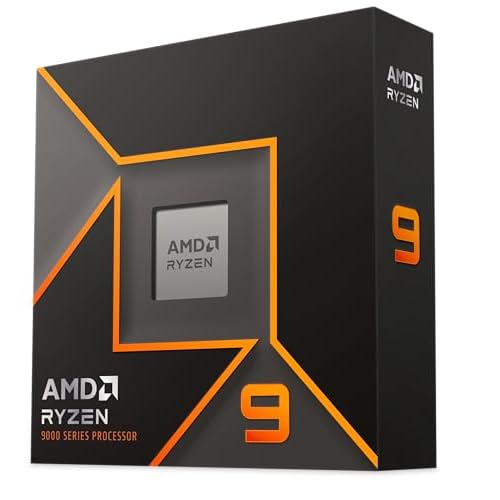

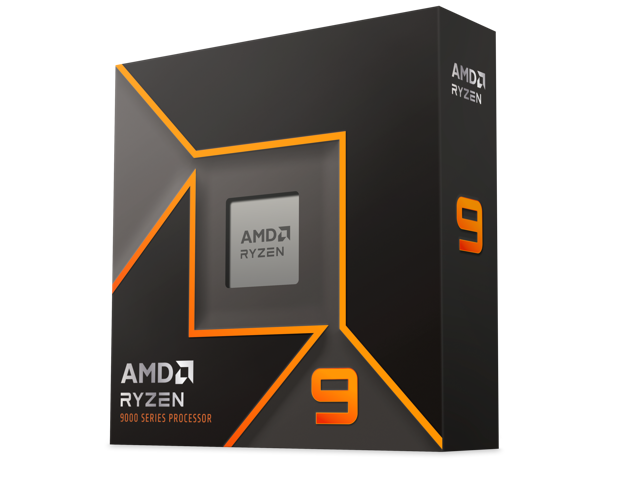
AMD Ryzen 9 9950X


The AMD Ryzen 9 9950X is manufactured from TSMC at 4nm for the CCD and 6nm for the I/O die, and it is on the AM5 socket platform from AMD on the Zen 5 architecture. It is a 16-core/32-thread CPU with a base clock of 4.3GHz and a max boost of 5.7GHz. It has a combined cache of 80MB (64MB L3) and a TDP of 170W with a PPT (Socket Power) of 200W. It officially supports DDR5 5600MT/s JDEC. It supports PCIe 5.0 and has 24 lanes of PCIe.
| Ryzen 9 9950X | Ryzen 9 7950X | |
|---|---|---|
| Architecture | Zen 5 | Zen 4 |
| Process | 4nm CCD/6nm IOD | 5nm CCD/6nm IOD |
| Cores/Threads | 16/32 | 16/32 |
| Cache (L2+L3) | 80MB (64MB L3) | 80MB (64MB L3) |
| Base Clock | 4.3GHz | 4.5GHz |
| Turbo Clock | 5.7GHz | 5.7GHz |
| TDP | 170W | 170W |
| Launch MSRP | $649 | $699 |
The AMD Ryzen 9 9950X has the same core and thread count as the AMD Ryzen 9 7950X, as well as the same cache layout with 80MB combined and 64MB of L3 cache. The base clock has been reduced to 4.3GHz on the new Ryzen 9 9950X compared to 4.5GHz on the Ryzen 9 7950X. The maximum boost clock remains the same at up to 5.7GHz on the Ryzen 9 9950X. While the TDP remains the same at 170W, the PPT or Default Socket Power has actually been decreased to 200W on the AMD Ryzen 9 9950X compared to 230W on the Ryzen 9 7950X. Other specifications include the Max Current (EDC) at 225A and Max Current, Thermally Limited (TDC) at 160A. TjMax is 95c but typical load temperatures are 70-90c. The stock/Auto Voltage Range (Active Core) is 0.650–1.475V.
AMD Ryzen 9 9950X Pictures


The AMD Ryzen 9 9950X looks identical to the AMD Ryzen 9 7950X and all other Ryzen 7000 and Ryzen 9000 CPUs. It has the familiar design and fits the AM5 socket. The Ryzen 9 7950X does not come with a cooler in the box.


Installation went smoothly into our ROG CROSSHAIR X670E HERO motherboard, and we had no issues with this CPU working on our X670E chipset AM5 motherboard. This CPU worked fine on the latest public official BIOS from ASUS’s website. BIOS’s that support AGESA ComboAM5PI_1200a PatchA are recommended for Ryzen 12c and 16c parts.
AMD did provide BIOS (2201) for the motherboard that includes a “PatchA” to use for testing Ryzen 9000 CPUs. The full AGESA used for our Ryzen 9 9950X CPU was: AGESA ComboAM5PI_1200a PatchA that we used. We asked AMD what the PatchA adds, and AMD responded with this information: “Patch A has some tweaks specific to the 12 and 16c 9000 Series. We recommend using the one we provided, with Patch A, to keep the versions consistent with your upcoming 12+16c review.” So that is no problem, the newer PatchA BIOS was used for all Ryzen 9000 CPUs.
Discussion (14 replies)
Join Discussion →@Brent_Justice
Thank you again for a good review worth reading.
But....
Did you realize that picture at the top of the article looks like a bandaid?
Damn you - now I can't unsee this.
Would be better if it were a 90 yr old stripper with a boob job.
ps - I finally found a good use for AI
Damn it totally does...and I kinda want those for the Datacenter for the inevitable nicks and scratches people get handling computers. CPU themed bandaids.
Great review!
Could you delve a little further on this? I find myself not really familiar with what this is, and why one would disable it.
It sounds like it might be an important security feature?
Also....
Memory appears to behave rather interestingly with this release.
If you guys get around to it at some point I'd love to see your breakdown on memory settings and performance.
The settings you used seem like they would be the best easily achievable RAM settings for this platform, and a good choice for the initial review, but I am curious about other settings as well.
How do they - for instance - compare to DDR5-6400 with fabric at 2133 in a 1:1:1 configuration? Is this stable?
And how does the performance of this compare to - say - DDR5-8000 in a non 1:1:1 configuration? Is it better to go for that perfect 1:1:1 or to shoot for higher clock speed?
Also, I understand CL is less important than it once was, but how important are timings?
I think this could make for an interesting follow-up test.
Wendell over at level1techs also has some really interesting remarks in his Zen5 reviews (both on the main channel and the level1techs Linux channel) about how he thinks the current Windows 11 scheduler might be wonky with Zen5 and is holing it back. Unlike with other CPU's he is seeing much better performance under Linux with this architecture. I'll be looking forward to further investigation into this.
Also,
One more thought,
Your review does not have this data, but in other reviews I've seen, the 9950x - while it does well in average frame rate, it has been very impressive in 1% and 0.1% lows compared to other CPU's even beating the 14900k in many benchmarks.
I find this to be very interesting and I can't help but wonder why. What about this CPU specifically makes it so good at minimum frame rates?
I suspect some of it may have to do with Intel's E-cores getting in the way, and Intel's much higher memory bandwidth allowing the CPU to run away with it in some cases, pulling up the average, but keeping the minimums where they are. Not sure though
I've been a long time believer that 1% and 0.1% lows are of much greater importance than average frame-rates. That's what I determine my "playability" on. I want minimums/lows to be 60fps or greater. IN reality this tends to result in averages at or about 90fps, but some CPU/GPU's have a smaller difference between averages and lows than others.
I'm glad I'm at the age where I can truly forget things because I need to forget this. @Dan_D , I think you mentioned something like this in another thread recently.
Yes I did.
Nice my CPU holds up for gaming at least.
Yea that's a solid CPU and I wouldn't go with a 9000 series just yet.
I don't think she'd take no for an answer.
I should probably go to the gym more often.
Ummm.... what?
The 90 year old with a boob job.
Ahhhh ook
Hi guys ! I have a 9950x. BTW, I used to me a moderator for 17 years on Anandtech forums. The main site is dead as of today, so I may be here a lot more.
Sorry to hear about the final shutdown of Anandtech. I used to read the site a lot from founding in the late 90's until 2014 when Anand left and sold the site, and I felt that the quality of the content started to go downhill.
I still miss Anandtechs excellent SSD reviews (from ~2010-2014). They were some of the best.
The more the merrier. Good to have more people in these forums! :)