
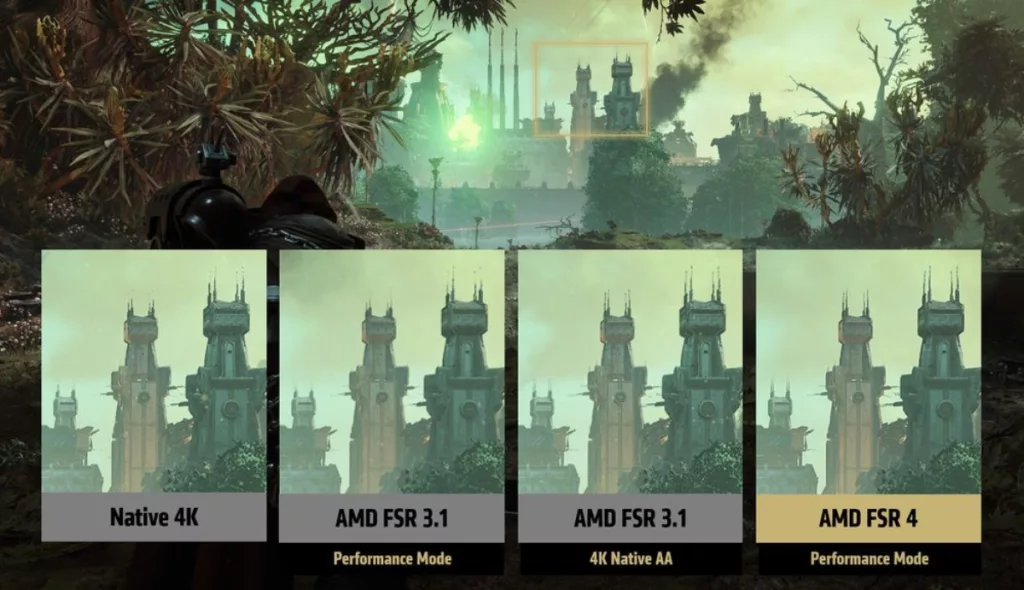
OptiScaler, an application that allows players to replace the upscalers in games that already include support for NVIDIA DLSS 2, AMD FSR 2, and XeSS or higher, now includes experimental support for FSR 4, AMD’s new cutting-edge ML-powered upscaling technology, according to a GitHub post from cdozdil, one of the tool’s developers.
“Tonights nighly build is adding FSR4 support for RDNA4 cards. It’s experimental so expect all kinds of issues. Also you will need to find amdxcffx64.dll in your Windows folder and copy it next to OptiScaler.,” the dev wrote on March 7.
Here’s what OptiScaler and its FSR 4 implementation can do for Cyberpunk 2077, CD PROJEKT RED’s years-old sci-fi RPG, which the tool apparently now supports:
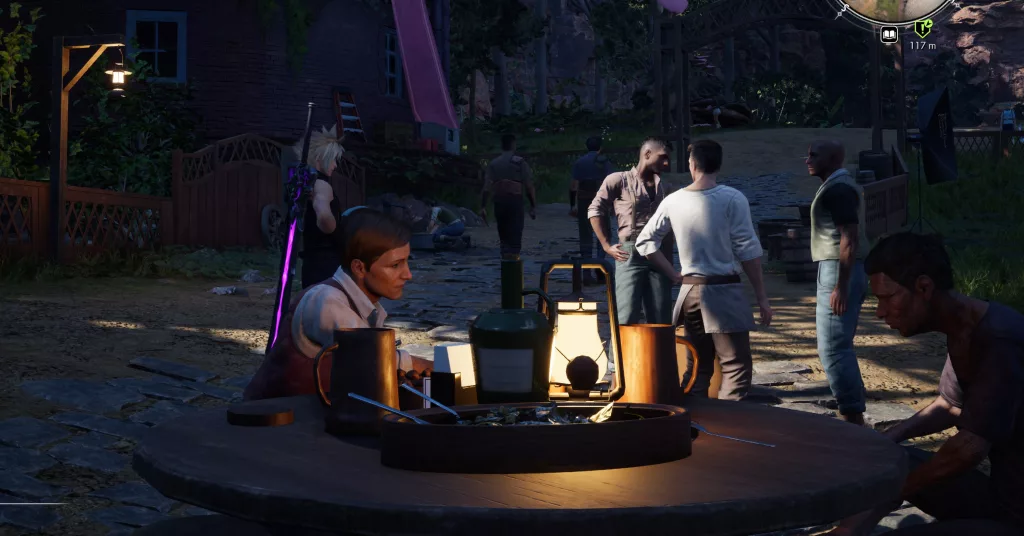
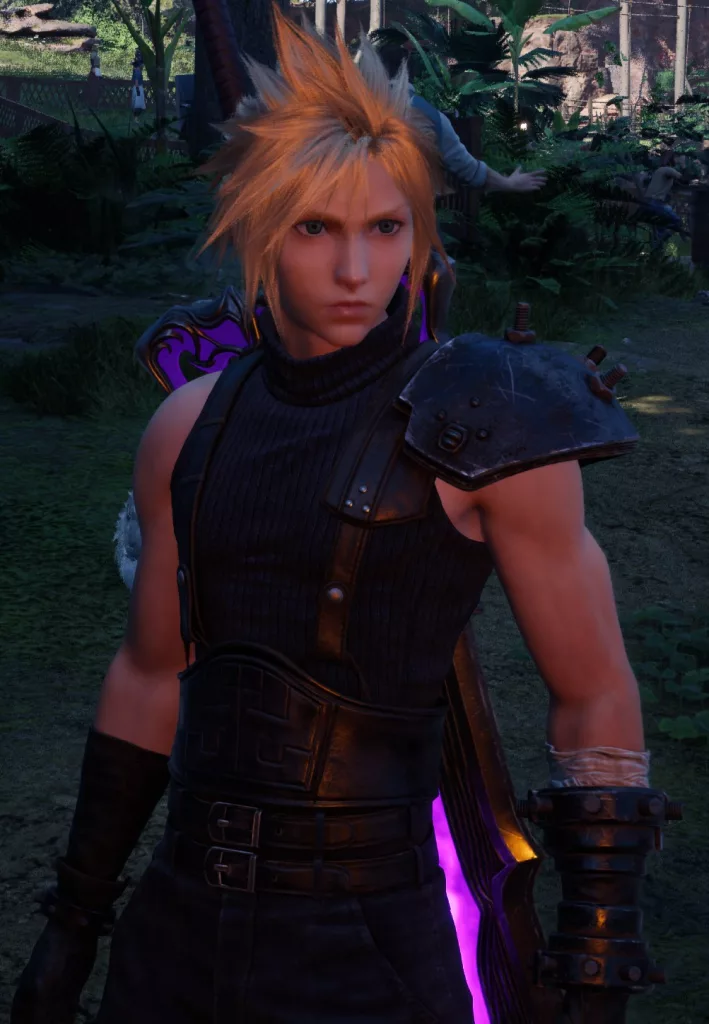
And here are some screenshots that an FFVII REBIRTH player shared, demonstrating FSR 4 running in the Square Enix RPG and how the image looks “way better”:
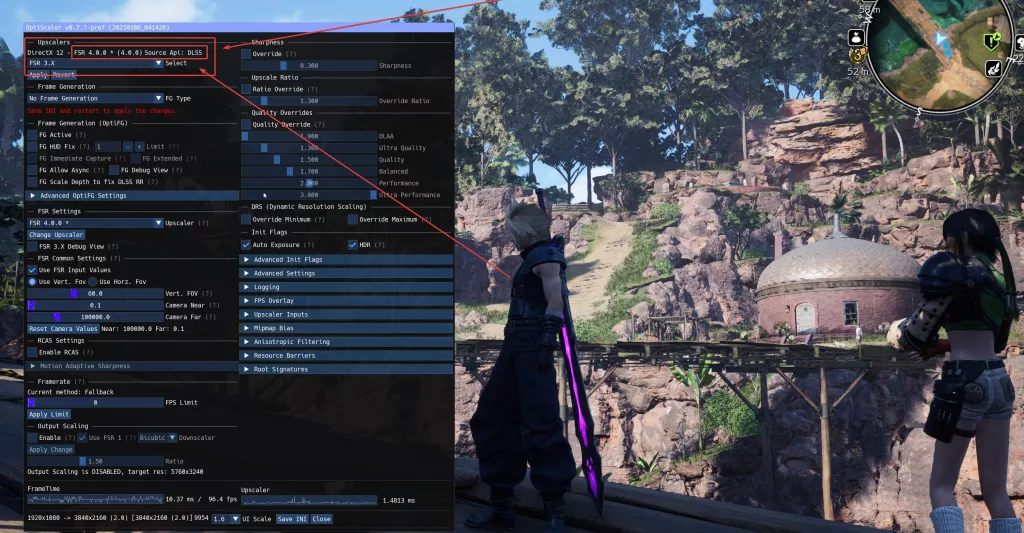
OptiScaler’s installation options include an “automated” method, the steps for which can be found below:
- Extract all of the Optiscaler files by the main game exe (for Unreal Engine games, that’s usually the win_shipping.exe in one of the subfolders, generally \Game-or-Project-name\Binaries\Win64\, ignore the Engine folder)
- Try the OptiScaler Setup.bat script for automating the renaming process.
- If the Bat file wasn’t successful, please check the Manual steps.
And as for OptiScaler’s key features and supported technologies:
- Supports multiple upscaling backends (XeSS, FSR 2.1.2, FSR 2.2.1, FSR 3.1 and DLSS)
- Experimental support for frame generation (OptiFG by FSR) with version 0.7.0 and above
- Supports DLSS 3.7 and above (check installation instructions)
- Supports DLSS-D (Ray Reconstruction) on Nvidia cards (Supports changing presets and using OptiScaler enhancements)
- Ability to modify DLSS/DLSS-D presets on the fly
- Supports XeSS v1.3.x’s Ultra Performance, NativeAA modes (Not using default XeSS 1.3.x scaling ratios, rather the old ones)
- An in-game menu for tuning and saving settings on the fly (Shortcut key is INSERT)
- Full integration with DLSS Enabler for DLSS-FG support
- RCAS support with MAS (Motion Adaptive Sharpening) for all Dx12 & Dx11 upscalers
- Output Scaling option (0.5x to 3.0x) for backends running on Dx12 & Dx11
- Supports DXGI spoofing (when running as
dxgi.dll) as Nvidia GPUs (with XeSS detection to enable XMX on Intel Arc cards) - Supports Vulkan spoofing (needs to be enabled from
nvngi.ini) as Nvidia GPUs (not working for Doom Eternal) - Supports loading specific
nvapi64.dllfile (when running in non-nvngx mode) - Supports loading specific
nvngx_dlss.dllfile (when running in non-nvngx mode) - Supports overriding scaling ratios
- Supports overriding DRS range
- Autofixes for colored lights on Unreal Engine & AMD graphics cards
- Autofixes for missing exposure texture information
- Ability to modify Mipmap Lod Bias game value
- Supports Fakenvapi integration which enables Reflex hooking and injecting Anti-Lag 2 or LatencyFlex (LFX)
- Supports Nukem’s FSR FG mod dlssg-to-fsr3 (since version 0.7.7)
“OptiScaler implements the necessary API methods of DLSS2+ & NVAPI, XeSS and FSR2+ to act as a middleware,” reads a description for the tool. “It interprets calls from the game and redirects them to the chosen upscaling backend, allowing games using one technology to use another one of your choice.”
Discussion (6 replies)
Join Discussion →I didn't realize FSR 3 was that bad...
Apparently it's horrid. Especially if you compare it to DLSS3. (I dunno just what everyone is saying in these threads. Meh... ) I mean really to me it's like asking... "What can upscale lower resolution to higher resolution the best?" And my answer is... "You're dropping 5 grand on associated PC parts to upscale your gaming resolution?
Then again I don't do hard core competitive gaming where you need 400+FPS and the over caffeinated reaction times of a capuchin monkey on 44 Expresso II's and a bag of crack mixed with Meth.
Back in my day people frowned at lowering image quality, and anything that lowered image quality to improve performance was considered a 'cheat'. My, times have changed, where it is accepted now.
Now they use mods to lower image quality lower then the game allows to get the advantage.
Wouldn't people always lower resolution if they needed more performance? At least now if we're playing at 1440p we're not looking at a stretched 1080p resolution on a 1440p native screen but an upscaled 1080p image on a 1440p native screen.
If you needed more performance, you bought better hardware. For example, if your voodoo2 didn’t run quake ii fast enough at your desired resolution, you didn’t back off the resolution, you bought a second voodoo 2 and ran them in SLI.
I let myself be bottlenecked by my screen for too long at 2560x1600. Now that I have a 4k display, I’m feeling the itch for a faster video card, but I’m not 100% sure I want the problems that come along with a 5090 and that doesn’t even count the availability and quality concerns.