
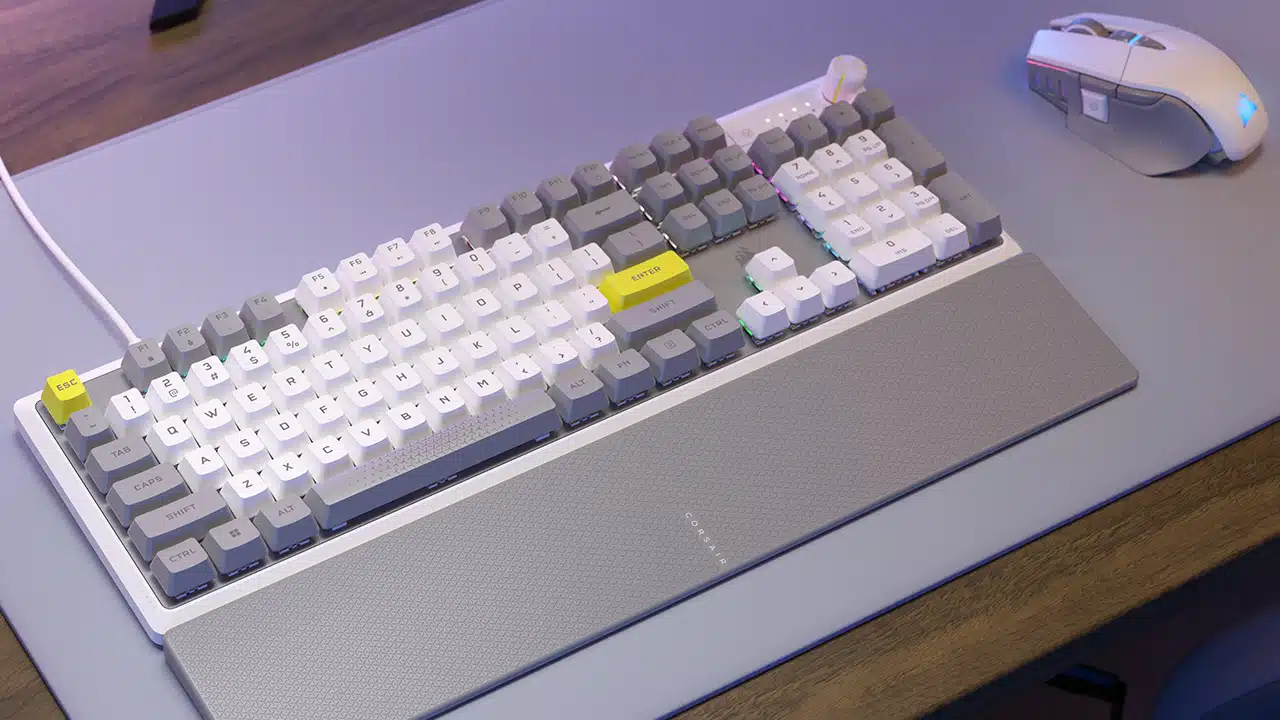
Corsair has announced that the new K70 CORE SE gaming keyboard will be available for purchase from the Corsair webstore and its worldwide network of authorized online retailers and distributors.
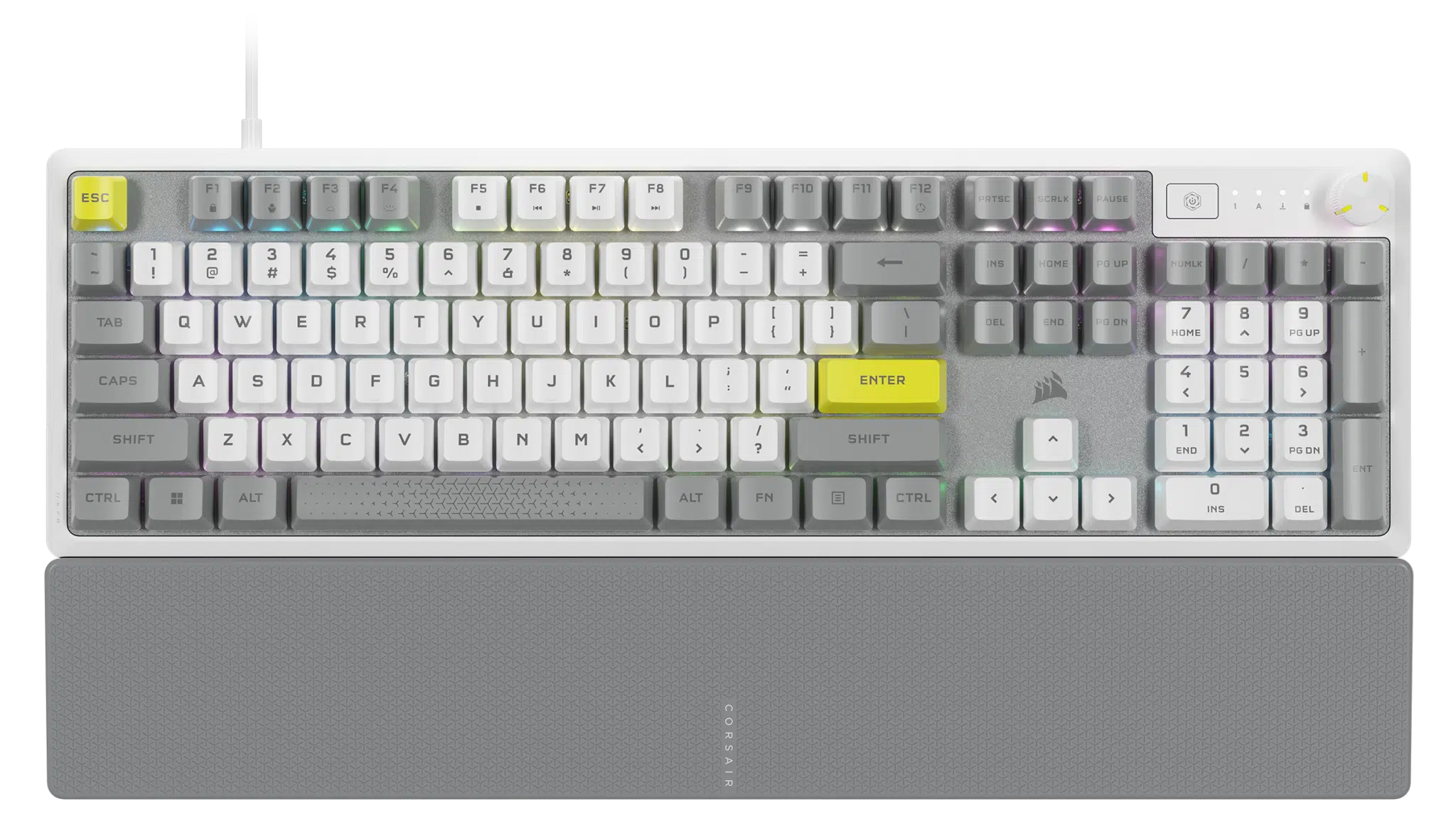
Backed by a two-year warranty, this is a color variant of the company’s existing K70 CORE gaming keyboard that appears to offer all of the same features, including MLX Red linear mechanical switches, but in what Corsair describes as an eye-catching white-silver-yellow color palette.
Here’s what Corsair has to say about the K70 CORE SE’s switches, materials, and other key features, which would include a multi-function dial for quickly adjusting volume and more:
K70 CORE SE comes equipped with CORSAIR MLX Red linear mechanical switches, which offer a finely-tuned typing experience reviewers describe as “absolutely sublime.” These pre-lubricated switches ensure silky smooth key travel, and are tightly constructed to reduce stem wobble. The result is reliable, satisfying actuation for up to an astounding 70 million keystrokes. Two layers of sound dampening foam eliminate annoying clacks, echoes, and pings as well, instead delivering softened, subdued acoustics that pleasantly surprise you every time you type.
The K70 CORE SE is built to be sustainable too – both for the planet and for your setup. The keyboard’s sturdy bottom case is constructed with 85% post-consumer recycled materials, making it the most eco-friendly gaming keyboard CORSAIR has ever produced. The durable aluminum top plate and tough PBT dye-sublimated keycaps ensure the K70 CORE SE will withstand years of gaming without wearing down.
The same premium features that made CORSAIR K70 keyboards world famous are found in the K70 CORE SE. The multi-function dial can be set to adjust volume, RGB brightness, zoom, and more with just a quick turn, and the programmable media button makes it easy to instantly control your music and video. These buttons, as well as RGB lighting, are easily set in CORSAIR iCUE software, with the option to save your custom settings on up to five on-board profiles to always have at the ready, wherever your games take you.
Corsair has also announced that a trio of limited-edition keycap and mouse pad bundles are also launching today, available exclusively via Corsair’s webstore:
These bundles include a specially designed MM350 PRO Extended XL 930mm x 400mm mouse pad with spill-proof stain-resistant micro weave, and PBT dye-sublimated keycaps, in three inspired designs: White Cherry Blossom, Steel Azure, and Steel Crimson.
Discussion (19 replies)
Join Discussion →I'm having a hard time finding keyboards I like these days.
There was a brief moment there when mechanical keyboards were new they made what I like, but now they have moved on from that.
I like the kind where the switches are recessed into the board, not flat with them sticking up above it like this one.
I don't care for RGB, but I do want mild backlighting so I can see the keys at night. Importantly I want to maximize the amount of backlighting that shines THROUGH the doubleshot keycaps and minimize any underglow. Ideally there would be no underglow at all. While I would prefer single color white backlights., I could live with RGB and just set them to a white-ish color.
Most importantly, I want HEAVY switches. Clicky Cherry MX Greens for typing at home. Tactile (non-clickly) Cherry MX Clears for the office where I might bother others.
I should have stocked up on my OG Ducky One's with Green and Clear switches while they still made them :/ I consider them to be pretty much the perfect keyboard.
I have toyed with the idea of doing a hot-swappable Ducky One 3, and while it would work, and I can get both Green and Clear switches to pop in there, the LED's are down in the board underneath the switches now, which would give me WAY too much under-glow, and WAY too little through shine.
On the OG duckies, the LED's were mounted on top of the switches, so they pretty much only shine through the keycaps, the way I like it:
The problem seems to be that I like professional looking designs, but most enterprise buyers don't care about the typing experience. They will just buy the cheapest OEM junk to stay within budget and not get in trouble. Gamers care, but they want flashy RGB lights, crazy designs and light linear switches, things which I don't either care about or actively do not want.
The lesson learned here is, when you find an accessory you like, buy MULTIPLES. They will wear out, and when they do what is "trendy" will likely have moved on, and you won't be able to get them again :'(
This is why I have 5 Logitech MX518's in my closet I picked up when they went on sale. I wish I had thought of this back when the OG Ducky One's were being discontinued.
I did some more searching, and found a keyboard I think I like. It's called "Code"
[URL unfurl="true"]http://codekeyboards.com/[/URL]
They have the LED's on top of the switches like I like, come in basic black, with simple backlighting, and have green switches.
I might buy one. Or five.
Of course the one I want is like $200....
....and is out of stock.
I wonder if it is yet another one of those "permanently out of stock" keyboards, like all the green switch ones on mechanicalkeyboards.com
Try beeing an Azerty user :p
You can always go full DIY, it's probably going to be expensive, but it should be servicable if switches break and would allows you to have it ook and feel like you want.
That's what I like. Clean and elegant.
Can't you just get any ISO layout keyboard you want and swap the keycaps?
Of course, that presumes you can find the right keycaps, but for something as common as MX style switches, that ought to be easy enough?
Of course, I say this knowing that I have failed in finding a set of Brazilian Portuguese keycaps now for several years straight. My better half does translation work on the side, and having the right keyboard would be awesome for her.
I've been told it is because being a (sortof) developing country, not many people have money to spend on optional things like fancy mechanical keyboards when basic keyboards work. Especially if they are imported, as the exchange rate and impoort duties have been really unfavorable for a long time. This means there is a very small market for such things.
French is spoken and used more in more affluent nations though, so I might imagine it would be a little easier.
Well, you could go to CES and wander through the keyboard area of the hall to find a supplier... then buy a container full of what you like :-D.
Some of the bigger brands like Corsair, logitech and steelseries have azerty ones so it's not like a huge problem but you have a lot less brands/models to choose from (Also I'm from Belgium which has a slighly different layout then the French one, but I have used french ones in the past, it's doable)
D4mn straight man.
Many years ago, my younger brother used a keyboard similar to this:
1.) https://www.ebay.com/itm/283024582901
2.) https://www.ebay.com/itm/186151824899
3.) https://upload.wikimedia.org/wikipedia/commons/8/81/DasKeyboardV1.jpg
I remember something about the keys being divided into different weight zones, with different actuation pressures. This was long before the current age of mechanical keyboards or keyboards with backlighting. I recall the keyboard being completely unlabeled was a conversation starter. My brother had no issues using an unlabeled keyboard, and he liked blacked-out design. He was very upset when he spilled a drink on it and killed it. I don't recall the details, as this was many years ago, I think back when I was in college, and he in high school, and CRTs were still the primary type of display for PCs. Neither of us know where that keyboard is, or what happened to it. My brother loved the f*ck outta that keyboard though. Of course back then, we didn't live at night/in the dark. There is no way we are ever buying a keyboard without backlighting today (or a laptop without keyboard backlighting). That sh1t is especially important for laptops, which have cramped and weird non-standard (to me at least) keyboard layouts.
You guys might want to check out the post I'll be getting out in a bit.
oooooOOoooo
This one? https://forums.thefpsreview.com/threads/ducky-unveils-origin-series-full-sized-keyboards-that-blend-classic-and-modern-design-for-the-most-authentic-typing-experience.14361/
I see Corsair keyboards as the go-to brand for those using iCue - and the reverse for those that rather wouldn't.
I do have a rather ancient K70 (I think) with MX Browns that I need to clean up and give another go though. Perhaps some modding is in order, and maybe a burner VM for iCue to set it up again...
I prefer logitech software over icue which is very unintuitive and since they released their new version pretty annoying, 50% of the time I resume from sleep I have to close icue and restart it as otherwise it no longer recognises my hardware and everything defaults to rainbow puke.
I am firmly in camp 'none of the above', myself.
I love my Logitech G710 and G710+ with mx blues and browns, I really need to get another keyboard, so it’s time to start shopping again.