
Conclusion
In today’s CPU gaming performance comparison review, we took the Intel Core i9-14900K and compared it versus the AMD Ryzen 7 7800X3D in 20 games to see who offers the fastest gameplay performance. Has Intel taken back the performance crown in gaming? Well, yes and no, depending on the game.
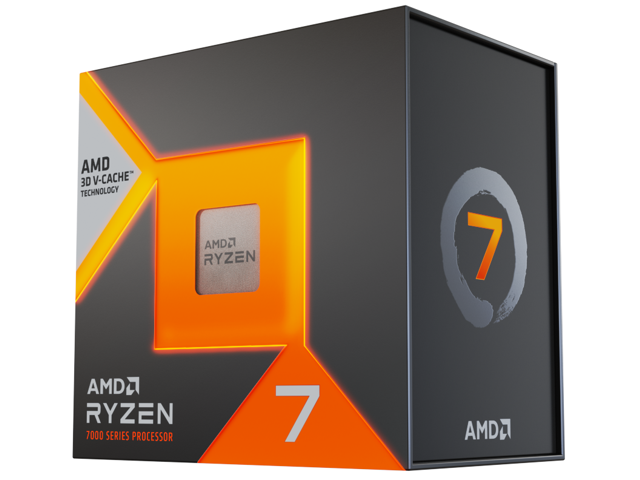
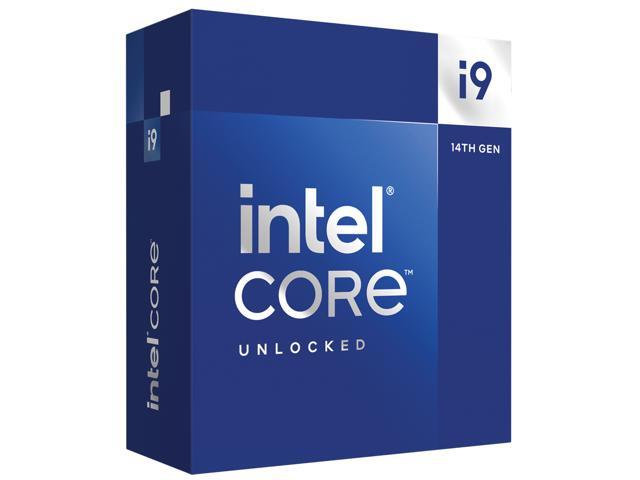
The Intel Core i9-14900K is Intel’s 14th Gen Desktop Processor, sitting in the top flagship position from Intel. Though this Raptor Lake-based CPU is a Refresh, it does have consistently higher clock speeds and DLVR (Digital Linear Voltage Regulator) enabled. The extra clock speed boost helps in-game performance, providing a consistent and expected performance uplift. The AMD Ryzen 7 7800X3D was launched earlier in 2023 and contains AMD’s 3D V-Cache technology to stack a lot of L3 cache onto one CCD providing something games crave. Where Intel has pushed clock speed, AMD has pushed for more L3 cache.
Performance Summary
As we can see from the game testing in this review, out of 20 games tested, the Intel Core i9-14900K was faster than the Ryzen 7 7800X3D in 10 out of those 20 games, technically. However, a couple of games were very close in performance, within 1 or 2 FPS, so it’s hard to count that as that much faster. Overall then, it looks like the games are split right down the middle, with half being faster on the 14900K, and the other half faster on the 7800X3D. Some more recent games, like Starfield do appear to be faster on the 14900K.
The Intel Core i9-14900K’s performance advantage ranged from 1%-15% over the Ryzen 7 7800X3D depending on the game. The AMD Ryzen 7 7800X3D’s performance advantage ranged from 1%-15% over the Intel Core i9-14900K depending on the game. Therefore, both had an equal amount of performance advantage headroom over the other, depending on the game’s sensitivities. When performances were under 10%, the practical advantages were minuscule and undetectable in gameplay. When you start reaching over 10% in a few games, in the 14% or 15% range, then it becomes more meaningful.
Final Points
As we can see from this 20-game benchmark, the advantage that one CPU has over another is specifically game-specific. Every game behaves differently, and some crave extra L3 cache, while others really prefer raw CPU frequency. While frequency will generally allow higher game performance, L3 cache won’t always, and that creates more randomness in regards to possible performance gains with games on the 7800X3D.
If the game doesn’t benefit from the extra L3 cache, then you are completely bound by the frequency for a performance uplift. This is where the Intel Core i9-14900K’s strength lies, as it has the raw boost speeds in frequency that generally are more predictable and reliable as a means to improve game performance in every game compared to just increasing the L3 cache size. In an ideal world, you’d want both frequency and the highest L3 cache, with low latency.
In addition, the uplift usually only occurs in CPU-limited scenarios, such as 1080p with a really fast GPU. If you are playing at 1440p, and especially 4K, you are GPU-bound even with a GeForce RTX 4090. If you prefer to play games at maximum settings, and with Ray Tracing, you are also GPU-bound more often than not, making the differences a bit moot here.
One thing that cannot be denied, however, is the power draw differences between the Intel Core i9-14900K and AMD Ryzen 7 7800X3D. You can read our full Intel Core i9-14900K review for power data, and our Ryzen 7 7800X3D review also for power data. You will find that the Ryzen 7 7800X3D has a much more efficient, and eloquent approach for improving game performance by increasing the L3 cache size, while the Intel Core i9-14900K is a brute-force approach by pushing power and frequency as hard as possible. Both methods have merit for increasing game performance, and in an ideal world, you’d want both frequency and L3 cache size increases.
If we have to put our finger on the best value for gaming, it is easily the AMD Ryzen 7 7800X3D. It uses less power, is cheaper, and is competitively fast for gaming. But it is certainly not the best CPU for productivity, and that is something the Intel Core i9-14900K can provide in addition to being the fastest gaming CPU. It’s going to cost more, and it’s going to demand greater energy and cost, but with the 14900K, you get the fastest gaming CPU and the fastest productivity CPU all-in-one. It all depends on your needs.



Discussion (16 replies)
Join Discussion →Hi... great article btw!
It stood out to me that every test was 1080p (max settings at least!)
Are we yet at a stage where we can include 1440p or 4k in tests like this? Because I just shudder to think of the LOE that went into making this I want to be absolutely clear. I AM NOT COMPLAINING. Just asking. Thanks!! :)
Every CPU review we have done includes 4K, 1440p, and 1080p game testing. I believe in that, and from a CPU review perspective, we do it. It's a lot of work and time to include that.
https://www.thefpsreview.com/2023/10/17/intel-core-i9-14900k-cpu-review/7/#ftoc-heading-18
However, for a 20-game round-up, it was simply too much to get done in a reasonable amount of time, plus what we are testing is purely CPU performance, and wanted to show the biggest differences. I did indicate text in the review, at the top of all the gaming pages, that 4K showed no performance differences, 1440p a little, and 1080p the most, and thus chose to use 1080p for all the benchmarks.
I also touched on the idea that if you are playing games at 4K and 1440p, this CPU performance comparison is moot, because there are small to no differences, in the conclusion. In every CPU review I've done, the data has proven over and over that testing 4K is pointless, you have a better argument with 1440p, but not 4K at this time.
Fair enough. I figured that was the case. the LOE for this review alone is bordering on 40+ hours easily. Adding another resolution to the run could increase that by 33% rather easily.
That was a ton of work to essentially end up with a "tie". Yikes.
I suspect (but don't know for sure) that a lot of what is holding the 7800x3d back is the infinity fabric, and the effective limits it places on RAM bandwidth. Intel's chips are absolutely running away with RAM benchmarks right now.
If revisiting and boosting infinity fabric in order to improve memory performance isn't on AMD's plate for Zen5, it probably should be.
Higher resolution is completely wasted on a CPU benchmark. You'll just add in GPU limitations which taint the result.
I used to be a proponent of low resolution, minimal settings for CPU benchmarks, but I have re-assessed that as of late. Some games add more NPC's and other things that can have a CPU impact when you raise the settings these days, so the best you can do for a CPU comparison is to turn up the settings, but really turn down the resolution.
Then you can look at GPU and CPU reviews independently from each other. Whichever one gets the lowest framerate in title X, that is the performance that combination will get (or at least close to it)
If CPU X gets 78fps and GPU Y gets 99FPS (at a specific resolution) in the same title, then the combination of those two will likely result in 78fps, and you will likely be CPU limited. And vice versa.
Once you start cranking up the resolution you start seeing confounding effects in the data, and then you can no longer do these kind of mix and match comparisons. I very much don't want this to happen, as there are infinite combinations of hardware. Whatever we can do to make the test results independent of each other at least results in a scenario where we can arrive at pretty good guesses how a specific CPU and GPU will perform together.
Otherwise we'd need test data from every single combination, and that's just never going to happen.
This is not entirely accurate. I found out with the second generation Threadrippers that while their benchmark numbers showed they were good enough for 4K gaming, they actually weren't. The had lower lows and higher highs than other CPU's leading to a similar average but actual frametime analysis proved that they were incapable of providing a quality 4K gaming experience. At the time, only the 9900K was capable of maintaining a solid 60FPS+ framerate and none of the AMD CPU's I tested (which included the Ryzen 3000 series and Threadripper 2000 series) could do that.
Granted, these aren't the CPU's being sold today and trying to build a 4K rig out of parts that old would be a waste of time and money today, but I think the point still stands. These types of issues are why I think testing at 4K in CPU articles makes sense because internal latencies with CPU's or other failings could be an issue for gamers or professionals that might also use their workstations for gaming.
But I agree with you in that for the purpose of a 20 game roundup, 1920x1080 is what makes sense. I would tend to think that the best CPU's at 1080P are going to be the best CPU's at 1440 and 4K resolutions as well. (Data over time has usually confirmed this as well.)
I expected the performance gap would favor intel by a much larger margin. I mean it has more cores and a higher clock speed to begin with. Great showing from the 7800X3D
I disagree, since performance difference will pretty much vanish at 4k. So a faster CPU at 1080p even if the performance gap is bigger, won't translate into better performance at 4K.
That said, I prefer a real world scenario. Even though having 1440p and up will probably end up being boring.
This is a possible extrapolation of 4k performance from a 1080p test, but not the only one.
Another is that interruptions in frame delivery - which affect game 'feel' - will be just as pronounced but harder to catch and document, while still affecting end-user experience.
Of course, the real story of 7800X3D vs. the world (meaning Intel, but also other AMD CPUs) is one of pure gaming tuning versus great gaming and better to far better creativity performance.
If gaming is the only concern, there's only one 'best' choice, unless there's a specific scenario that leans one way or the other versus the mean. And if content creation is a significant concern alongside gaming, then there's also really only one choice. Which is why you see folks like J2C switching back to the 14900K.
Things only really get more interesting when a budget is applied.
That's just it. In that scenario at 4k, you are no longer benchmarking the CPU. You are benchmarking the GPU, so it is completely useless data.
Just run all CPU benchmarks at high settings and the lowest resolutions possible to see what the CPU is capable of. Then look at GPU reviews at the resolution you are interested in to see if you will be CPU or GPU limited.
You don't have to get all of your information spoon fed to you in one review. And you can't. It is impossible for reviewers to test every permutations and combinations of CPU, settings and GPU.
You're still benchmarking the system, which is what determines the user experience.
And you do want to have higher-resolution benchmarks to compare to, to make sure that there are no relative deviations from 1080p - though this is more important for GPUs than CPUs, of course.
When you throw DLSS or any other scaling software into the mix you're no longer reviewing the GPU but the driver/software features of a specific line. Might as well only compare that 'chipset's' GPU's against each other to see which is better.
That's why minimum FPS is more important than average.
Again, back in the day the testing I did showed otherwise. While the numbers looked good for Threadripper, it wasn't capable of delivering a consistent and smooth gameplay experience at 4K in some games. The minimum frame rate often fell below 30 with huge spikes well beyond the other CPU's leading to misleading averages.
I have not tried to repeat that testing with the current crop of CPU's. And frankly, I don't think the issues would be as egregious with a modern Threadripper CPU or any other currently available CPU's. We know the modern AMD Ryzen 7000 series isn't as bad at gaming as the 2000 and 3000 series were. All the current Intel and AMD CPU's are a lot better for games. The only thing I would state is that I'd bet there isn't "no difference" at 4K. I just don't know how big a difference there would be between these CPU's.
I know. My take on this is simply that while the difference between CPU's at 4K shrinks considerably over other resolutions, my previous testing leads me to believe there is probably a bigger gap in CPU's at 4K than we might like to think. All the data I've ever seen and gathered myself over several years has always reached that conclusion.
But I could be wrong in regards to all the currently available CPU's.