
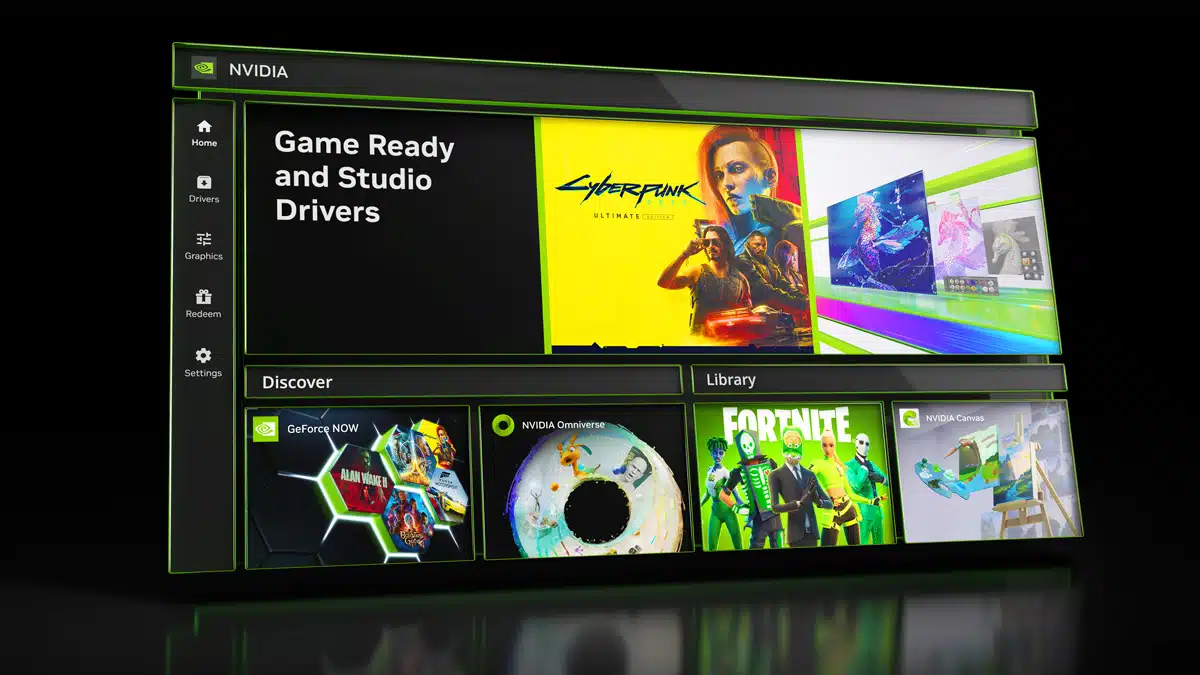
A public beta of the NVIDIA app, a new application that is designed to modernize and unify the NVIDIA Control Panel, GeForce Experience, and RTX Experience apps, is now available for testing, NVIDIA has announced. GeForce Experience and the NVIDIA Control Panel will remain available as NVIDIA continues to test and receive feedback on the NVIDIA app before its official launch.
Features include:
- Unified GPU Control Center
- Improved Driver Information
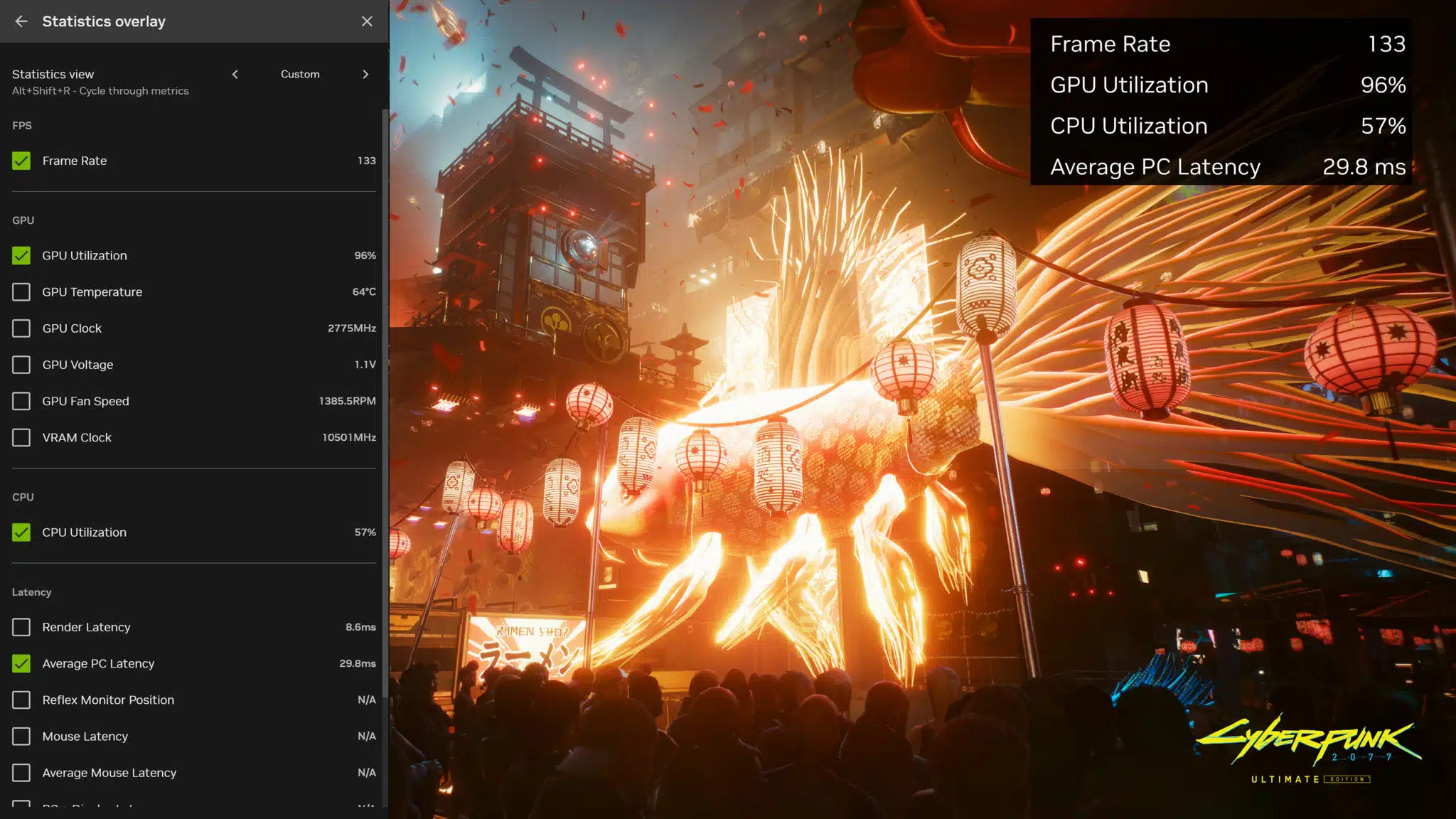
- Redesigned In-Game Overlay
- New AI Freestyle Filters
- Redeem GeForce Bundles & Rewards
- Optional login
A look at the new overlay:
NVIDIA on what NVIDIA App users can expect to see (and lose) in the future:
Moving forward, we’ll be integrating the remaining features from the NVIDIA Control Panel, which will encompass Display and Video settings. Additionally, we’ll be adding several attributes from GeForce Experience and RTX Experience, such as GPU overclocking and driver roll-back.
Not all features will be making the transition, though. … To achieve this, we’ve made the decision to discontinue a few features that were underutilized, especially where good alternatives exist.
Features that are going away:
- Broadcast to Twitch and YouTube
- Share Images and Video to Facebook and YouTube
- Photo Mode 360 & Stereo captures
NVIDIA on why these are being removed:
Streamlining features helps the NVIDIA app install in half the time, deliver a 50% more responsive UI, and occupy 17% less disk space than GeForce Experience.
Discussion (19 replies)
Join Discussion →Bah.....simply added bloat to the control panel.
GeForce Experience is a mess.
Giving it a shot
For those that have complained that the GeForce Experience app required a logon in order to get drivers - this requirement seems to have been removed!
Does this mean you have to have an NV login to access the control panel now?
Even back on my 1080ti I wouldn't log into experience because of it. And that I never agreed with how it would tell me to set the games to be played right.
As of this beta release, it means that you do not need a login for the combined Control Panel / GeForce Experience application.
*shrug* I never had any problems with GeForce Experience app.
I'll give this new one a go though.
I don't use GeForce Experience and won't be using this new app. Just as long as nVidia keeps Sedona (aka nVidia Control Panel) around, I'm fine.
I never used GF Experience, tried it before it started requiring login, but it offered nothing of value.
I'm not a fan of GFE and will also continue to use CP until it's no longer included but I did re-try GFE when Starfield launched as some pointed out that it has some nifty image processing features. I admit that I was impressed by what it could do but not something I have a regular need for and decided to stop playing Starfield and in turn once again stopped using GFE. The first time I tried it was when it launched almost a decade ago and was continually annoyed at what it "thought" optimal settings were for my games and hardware.
The bottom line is that I hate having extra crap running in the background. Sooner or later it ends up being a headache one way or another. I am happy that at least for now NV has removed the login requirement for this.
I've always been pissed that ShadowPlay functionality was locked behind GeForce Experience.
Those were definitely quite silly, and I also stopped using them almost immediately. I do see the utility for less astute / interested users that are looking for a quick quality or performance adjustment -- but for me, it was mostly just to have automatic driver update notices, and the automated updating process. I've also used the overlay function more lately but I'm not married to that, it's just something that's worked well enough for what I want / need to know.
I've not taken the time to get ShadowPlay working well yet. It was something that I was interested in at one point and will probably get back to figuring out again...
Who needs shadowplay when I have afterburner?
So I just tried this as well - it asks 4 questions when you install (2 of which directly relate to the reasons I never ran GFE)
Do you want Game Ready or Creative drivers?
Do you want to enable the Overlay?
Do you want to automatically adjust the settings for your games and apps?
Do you want to log in to see the latest deals?
That's what I'm using too, but it's not on the same level as ShadowPlay, which incurs almost no performance penalty, takes frames right from the same framebuffer that is going from the GPU to the display, and has considerably better image quality (if memory serves correct, I haven't looked into this in years).
Exactly. This is NVIDIA forcing all of us who never installed GeForce Experience to install GeForce Experience.