
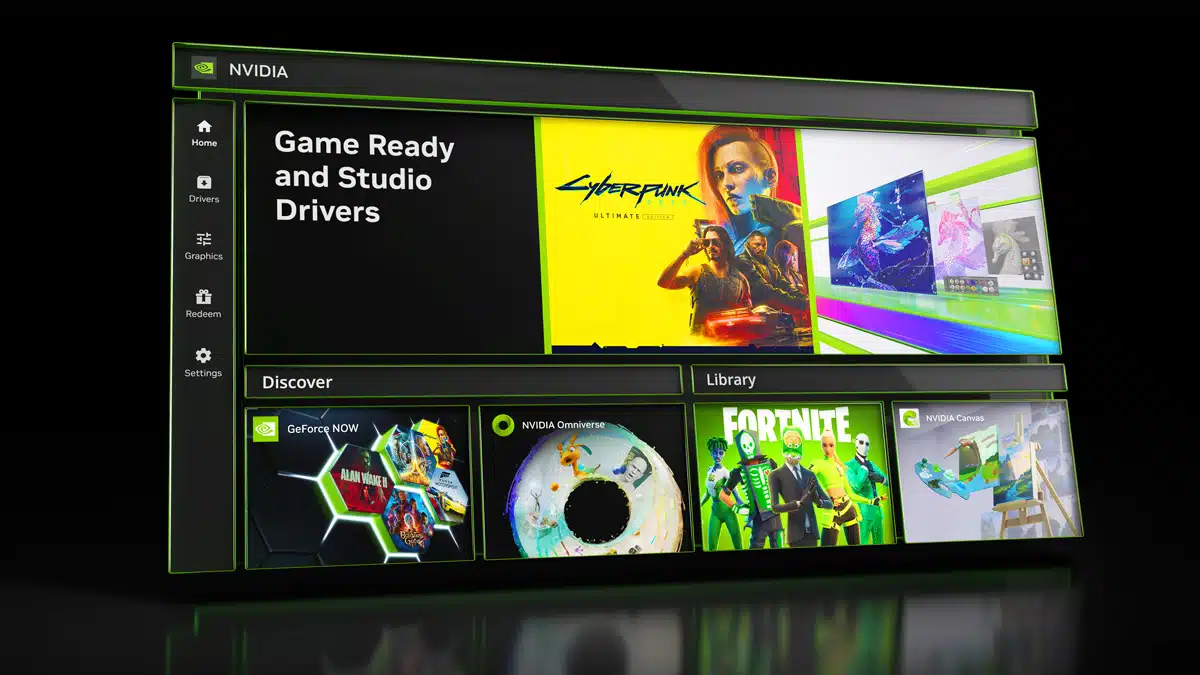
The NVIDIA App, a new application that green team officially rolled out in November to modernize and unify its older Control Panel, GeForce Experience, and RTX Experience apps, may result in significantly reduced performance in some of today’s hottest games, according to new benchmarks that have been shared online. Black Myth: Wukong, Game Science’s critically acclaimed action RPG, can run up to 15% worse, it’s said, while Assassin’s Creed Mirage and Baldur’s Gate 3 have also been highlighted, shown with lesser performance in resolutions that include 1080p at various quality settings. NVIDIA replaced GeForce Experience with the NVIDIA App in the GeForce Game Ready 566.36 WHQL driver, which was rolled out on December 5 with support for Indiana Jones and the Great Circle, Path of Exile 2, and more.
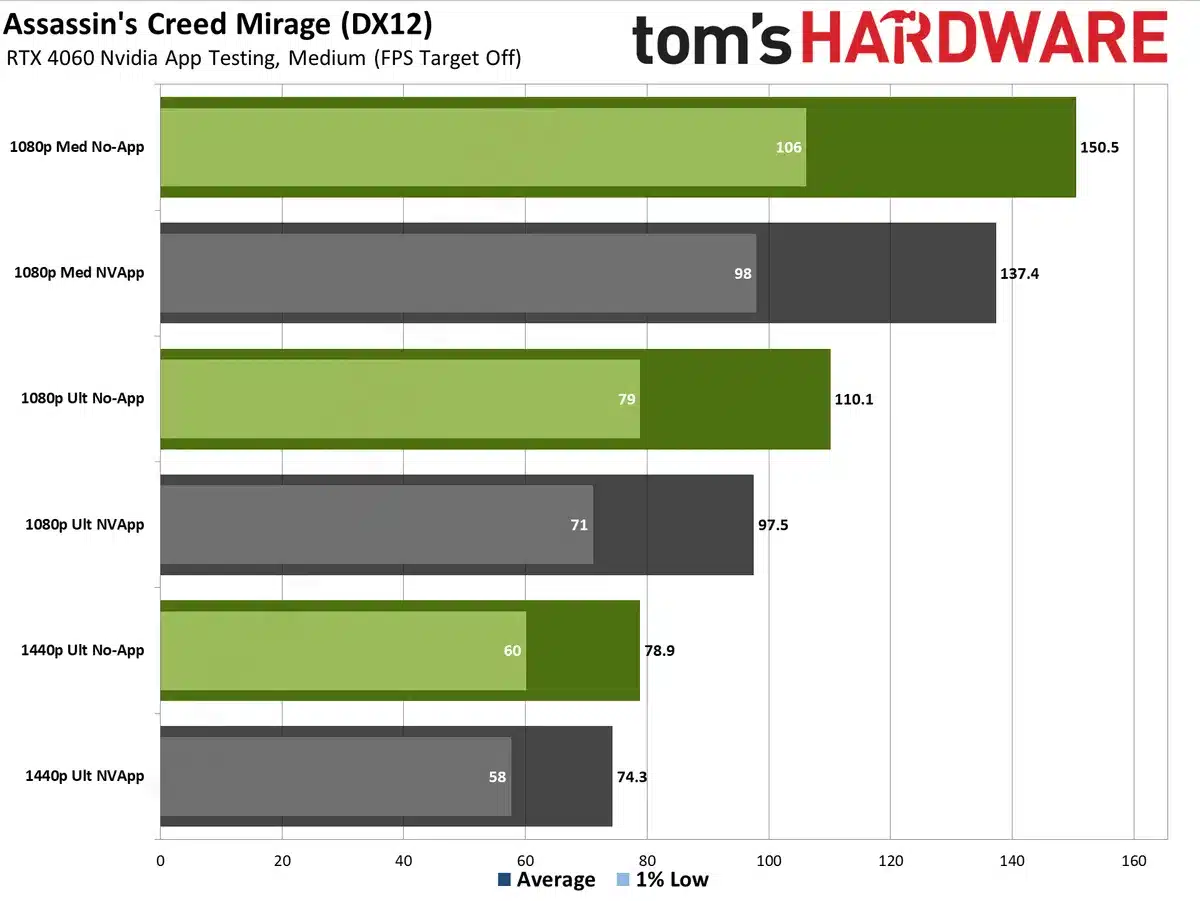
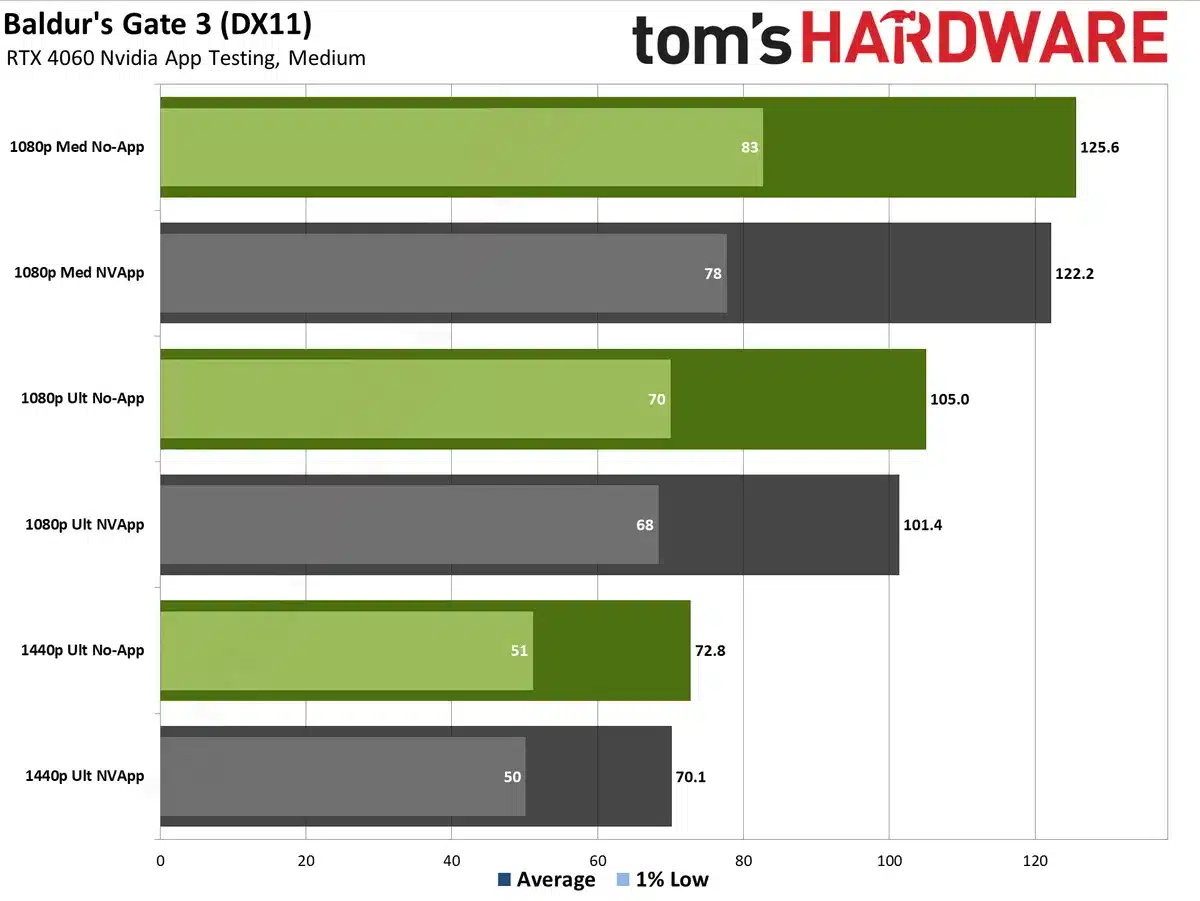
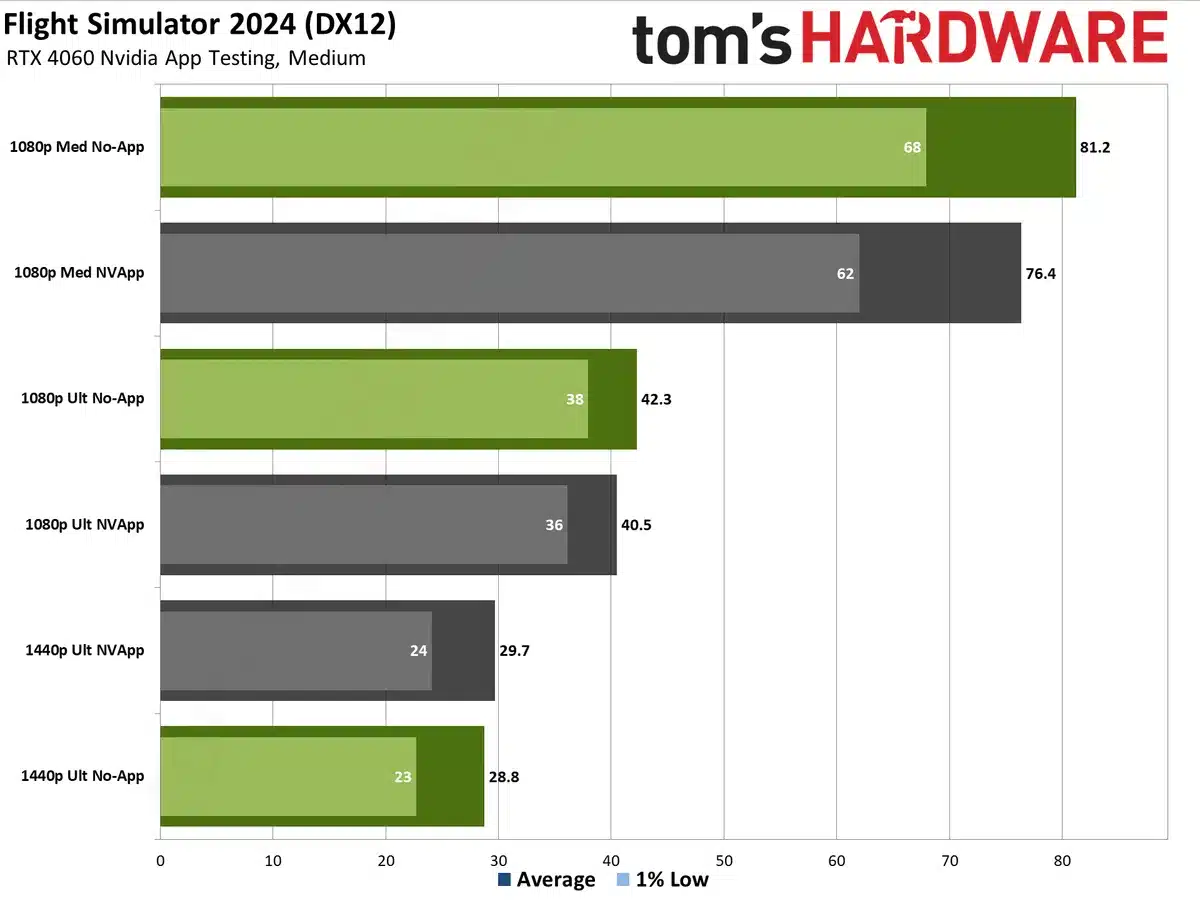
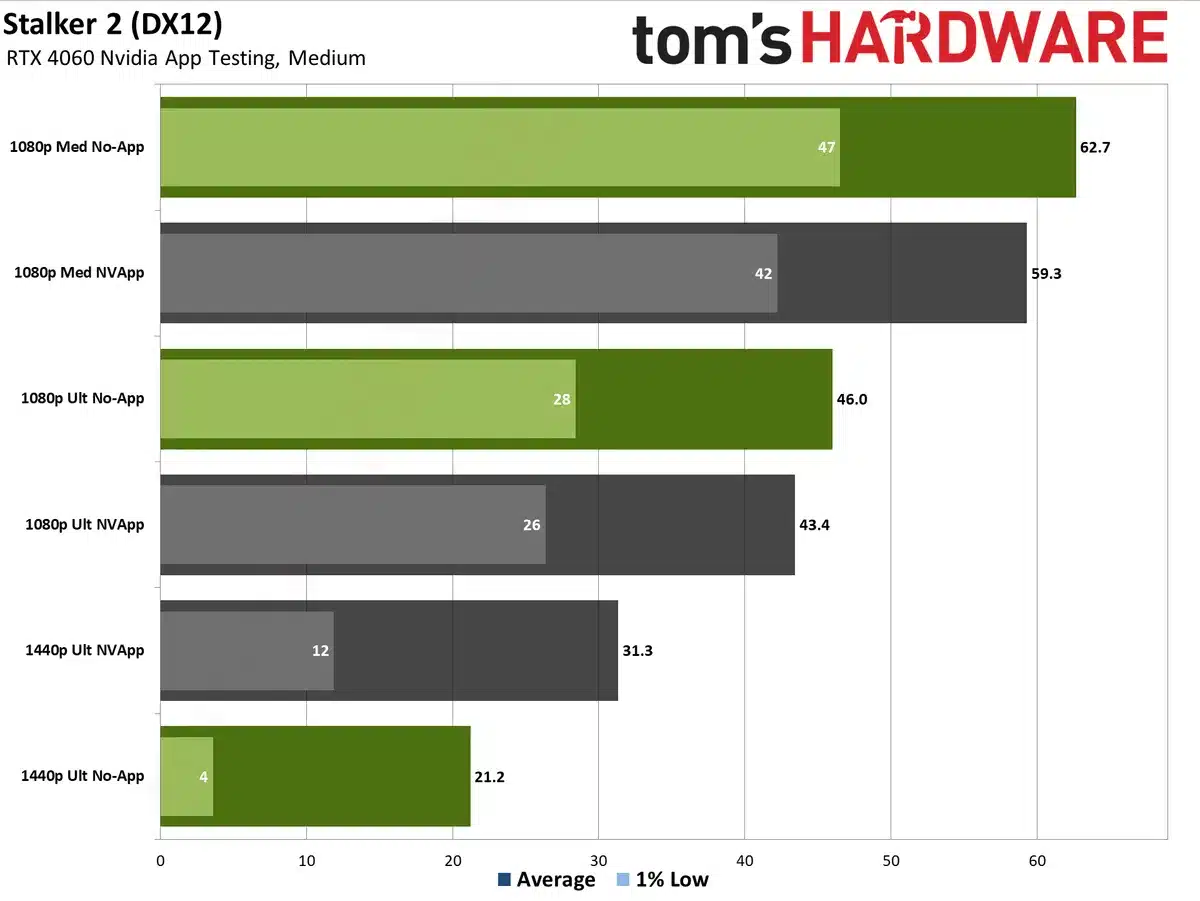
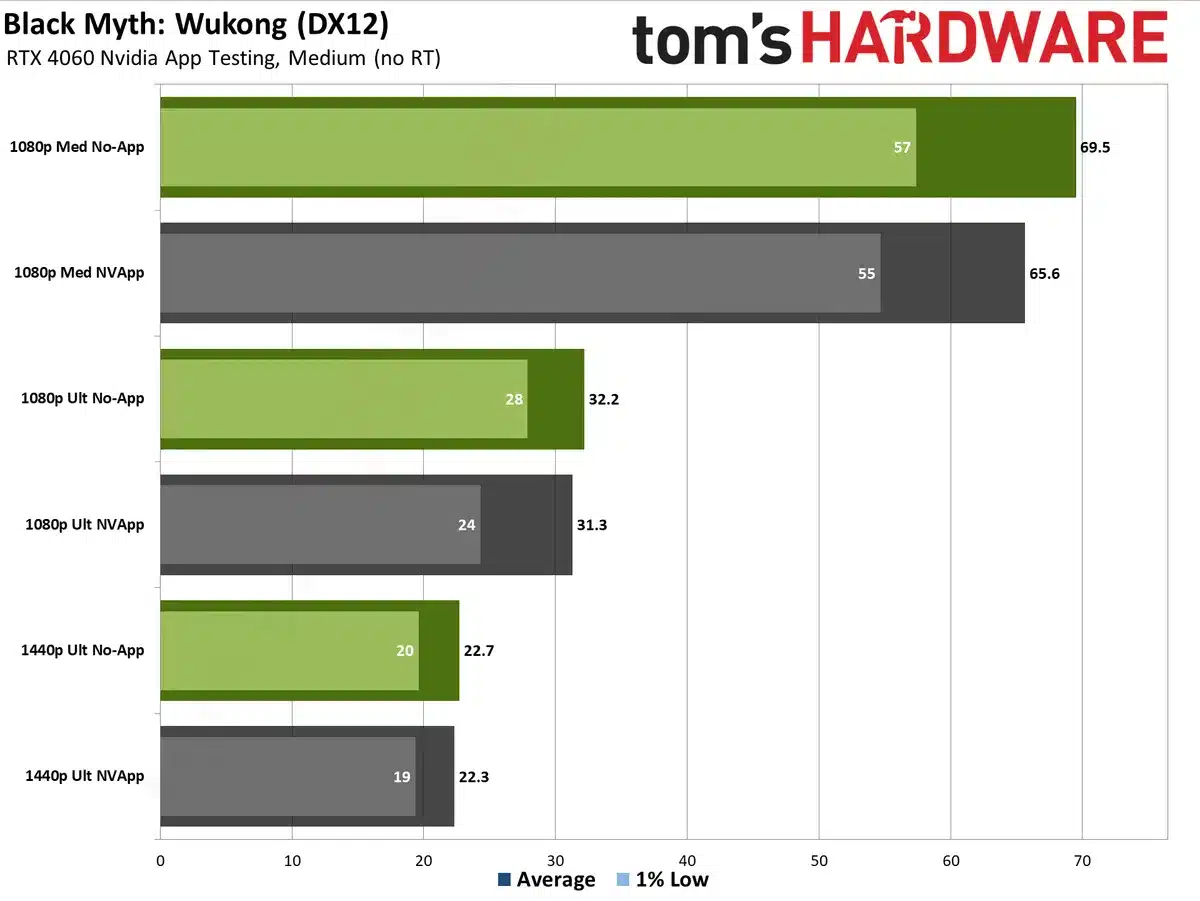
…15% is a massive performance drop caused by a driver or application update. To put it in perspective, the more expensive RTX 4060 Ti is only 18% faster than the base model RTX 4060, according to our GPU benchmarks, running both at 1080p medium settings. Thankfully, the performance decrease isn’t universally 15%, but we tested with the 4060 and saw a 2–12 percent drop in framerates across the five games that we tested.
Discussion (11 replies)
Join Discussion →Yikes, some poor dev's at Nvidia are going to have a busy holiday season. Actually they won't. They probably won't care, and just drop a fix into the next monthly patch release.
Lovely.
Wasn't everyone saying that this was going to be positive for system performance, as the old app was written poorly? :p
Yea clearly the effed up somewhere. For some reason over on the AMD discord people are bitching because having the app installed was messing even with AMD card performance. (WTF would you have both?)
I, honestly, haven't noticed. I keep an FPS counter up in every game and they all run the same. Is this only effecting 4000 series cards?
Haven't really tried it yet so I don't know but a bummer anyhow.
Yep, it was also a reason I got rid of GFE back in the day. No matter how powerful of a setup it consistently, needlessly nerfed game settings. I had a few minor success with an old VAIO but after a couple of app updates it just could never figure things out again.
It's one specific setting that is on by default, causing the issue, you can easily disable it, which regains the performance loss.
[embedded media]
Don't tell us the setting. Make us sit through the chatter and explanation to find it. That's much better. ;) I'll watch it when I'm back at the house.
At least it's only 12 minutes long, and not some 45 minute long rambling number salad.
To save you some time just disable the two options "NVIDIA Overlay" and "Game filters and Photo mode".
I had those options already disabled, so probably why I didn't see any performance issues.
Overlay - amazing how often one can cause performance issues, with or without a computer :)
FIlters- a little bit of a bummer as I did try some back when Starfield came out and I was sort of impressed with it.
Photo mode-one of those things just not interested in but I can when I was a kid I probably would've tinkered with.
skip the video
[URL unfurl="true"]https://arstechnica.com/gaming/2024/12/the-new-nvidia-app-is-probably-hurting-your-pc-gaming-performance/[/URL]
Just saw this today, immediately went into the app and turned off overlay, don't use it anyway
Nvidia App Settings > Features > Overlay > Game Filters and Photo Mode
Well, I have a laptop with a Ryzen APU in it and also a dedicated Nvidia GPU so that would be one example where both might happen.