
It turns out that NVIDIA drivers could be holding back performance for some PC users by leaving Resizable BAR disabled by default. Thanks to reader @Denepe, who saw a recent video by JayzTwoCents, who in turn was clued in by one of his viewers, that there’s something peculiar happening with the feature most would assume is on if any number of apps, or BIOS, report as being enabled. A quick lesson here is to not trust what is being reported by the NVIDIA App or Control Panel, nor GPUz, or even looking at your BIOS settings, as the end of the road for making sure that Resizable Bar is turned on because there can be more to having it used to just enabling in BIOS. It turns out NVIDIA Profile Inspector, yep, that age-old app many used to use for tweaking SLI and other advanced features not available in CP or the NV App, is still useful for modern GPUs. Those wanting to do testing are encouraged to download the latest version from GitHub.
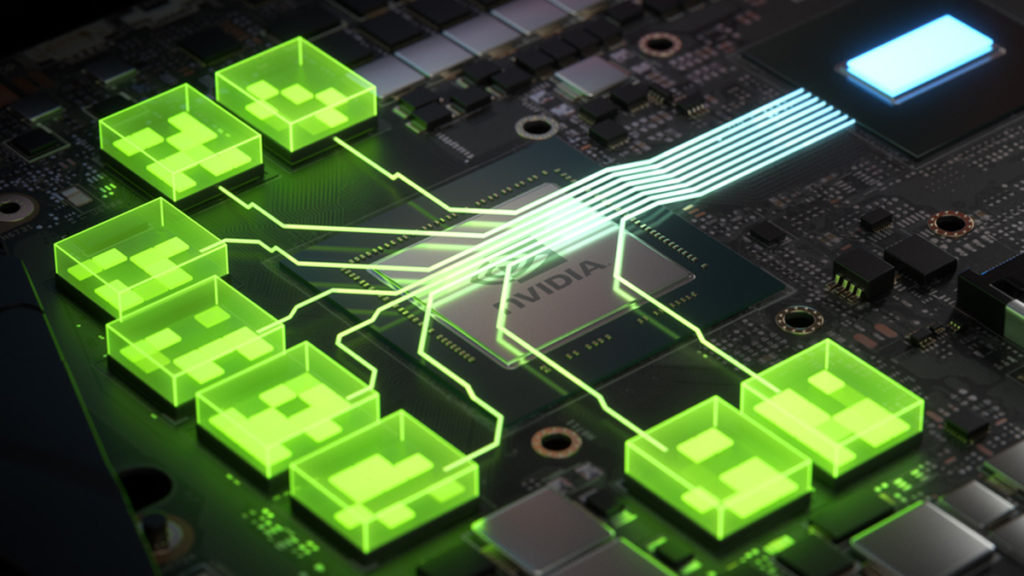
Now, while NVIDIA has had a rough patch in 2025 when it comes to driver issues, there may actually be a deliberate and good reason for why its drivers are leaving this feature turned off by default, but first, let’s do a quick recap of what Resizable BAR, aka ReBAR, aka Smart Access Memory (SAM) for AMD Radeon users, is. NVIDIA first introduced Resizable BAR for its GPUs with the RTX 30 series. The feature, in essence, allows for more direct communication between the GPU and CPU to provide improved performance. A compatible motherboard, CPU, and GPU are required, and at this point in time, most PC users are likely to have already upgraded their hardware to something that is compatible.
Per NVIDIA:
- “Resizable BAR is an optional PCI Express interface technology. As you move through a world in a game, GPU memory (VRAM) constantly transfers textures, shaders and geometry via many small CPU to GPU transfers.”
- “With the ever-growing size of modern game assets, this results in a lot of transfers. Using Resizable BAR, assets can instead be requested as-needed and sent in full, so the CPU can efficiently access the entire frame buffer. And if multiple requests are made, transfers can occur concurrently, rather than queuing.”
Minimum required hardware:
| AMD Chipsets |
| AMD 400 Series (on motherboards with AMD Zen 3 Ryzen 5xxx CPU support) |
| AMD 500 Series |
| AMD CPUs | ||||
| AMD Zen 3 CPUs | Ryzen 3 5xxx | Ryzen 5 5xxx | Ryzen 7 5xxx | Ryzen 9 5xxx |
| Intel Chipsets | ||||
| Intel 10th Gen | Z490 | H470 | B460 | H410 |
| Intel 11th Gen S | All 11th Gen chipsets available as of March 30th, 2021 | |||
| Intel CPUs | |
| Intel 10th Gen | Intel 11th Gen S-Series |
| i9-10xxx CPUs | i9-11xxx CPUs |
| i7-10xxx CPUs | i7-11xxx CPUs |
| i5-10xxx CPUs | i5-11xxx CPUs |
| i3-10xxx CPUs | |
So, back to JayzTwoCents’ video. JTC was tipped off by a PC builder and did his own testing using an Intel 14700K clocked @6.1 GHz, with its E-Cores disabled and paired with an RTX 5090. Using the 3DMark Port Royale benchmark, that rig scored just over 37,109, but when enabling ReBAR via NV Profile Inspector, the score jumped to 40,409. In terms of performance boosts from ReBAR, this is nothing new. Early on, FPS gains were seen for many games. However, as happens when pushing things to their limits, there can be drawbacks as well, and NVIDIA may have good reason for leaving some cards on the table.
Mileage will vary, or worse
Not all games or system configurations will benefit from this feature, and in some cases, having it on will cause stability issues, crashing, and perhaps other unwanted problems, such as increased stuttering. Now, after three generations of GPUs in with it, some folks are forgetting that ReBAR isn’t a one-size-fits-all solution, but that doesn’t mean PC users shouldn’t consider taking things into their own hands. NVIDIA does provide a “White List” of games for the driver to enable, and so it could be working in some titles already, but it’s not a given that your favorite game is getting the better end of the deal, so it might be worth checking in to test and credit to JTC for reminding us of this. The biggest downside to this, even if it works, is that you may need to reset your profile settings after a driver update, something those of us who had to continually do for either SLI or 3D back in the day.
Discussion (10 replies)
Join Discussion →To add, on my 12700K + 3080 12GB machine, the three Resizable BAR settings were indeed off in Nvidia Inspector while all other indicators had them on.
Can't say that it's made a noticeable performance difference (or not) though as I don't race benchmarks on this aging system :)
I did some brief testing with my 5800X3D/4090 rig, which was hardly conclusive, but TW3/Indiana Jones & Hogwarts all seemed to have more frames, but Hogwarts seems to have stutters, but I also seem to remember it being that way before. I try to game at 4K/DLAA with everything maxed these days, plus MFG to smooth things out a bit as long as latency or other issues don't come into play but that does require closer to native 60 FPS to be truly effective. I also tested CP2077 and didn't notice any difference.
I played TW3 for about 1 hour later this morning and noticed it holding 60-80 FPS with the above settings, and it did seem a bit smoother than I remember on this rig. Oh yeah, Rebar was turned off when I checked with NV Profile Inspector, so this is definitely not an Intel-only thing.
Definitely saw some improvement for TW3 and Indiana Jones on the 4090. After enabling, while I was able to see over 70 or 80 FPS I decided to cap it @60 FPS on that rig to minimize power draw/heat/noise/etc. For these games, things are much smoother on that rig now and it's very quiet on top of that, and again playing at 4K DLAA and max settings w/ MFG. Ugh, the problem with age, I knew about this and forgot about it but glad I wasn't the only one. I still plan to test with other games but those are the two I'm playing the most right now.
Well if I'm feeling adventurous I'll try the latest drivers as the settings don't stick with my hotfix ones and see if it makes a difference, did a few benchmarks without rebar already on BL3 and div 2
I'm so out of it I can't even find where to enable it in the current drivers
You have to use NV Profile Inspector and go to the "common settings" section. It's not something you can do via CP or anything else that I'm aware of (odds are there's a regedit somewhere though).
The one thing I will say is totally idiotic of NVIDIA is that this should be a toggle in either the App or Control Panel. No one should have to dig through another app to find this.
Primarily you enable it in the BIOS. The working theory up until (just) now is that the Nvidia Drivers would follow the BIOS setting - and it turns out that this is seemingly not the case.
I expect some kind of statement from Nvidia explaining what's going on, and a new driver revision to fix the issue if it is indeed not working as intended.
So finally spent some time testing on the laptop. Updated the driver to 576.88 and installed the latest Profile Inspector and adjusted the settings. Along the way, I also found yet another toggle for the dGPU (between mux/optimus NV CP and Windows, it's quite the adventure finding all the settings to turn off the iGPU). Once that was done I also updated MSI Afterburner and Riva and then tested with the same 3 games (TW3, Indiana Jones, CB2077) and using the laptop's native resolution of 2500x1600, which the 4070 die is very suited for, but does only have 12 GB GDDR7. One last detail is using the laptop's balanced power mode which allows the GPU to clock in the area of 1700-1900 MHz and the CPU mostly around 3.3 GHz.
That being said, TW3 and CB2077 using RT and MFG, with most settings maxed, a few turned down here and there, it averaged around 60-80 FPS. I had to do more research for Indiana Jones because even with dropping it to 1200x800 and RT off, it was only getting 10-20 FPS with VRAM getting hammered. Turns out the trick for it is to turn down the texture pool, which I set to minimum and while that introduced some pop-in, I was able to have most things at max and even turn on some RT features. The laptop very happily was rendering at 80-90 FPS and it looked fantastic and was super smooth. Ended up playing this for about 2 hours and had a blast.
All that being said, while I don't have concrete #s to go by with before and after, it sure seems like enabling ReBAR does help for at least these 3 titles. From what I've read it can cause stutters with UE-based games but we all know that UE can have the same issues to begin with so that's not saying much.
Is that an official app? I've never heard about it, and searching the net just gave a bunch of suspect sites posing as official sites that I'm not comfortable downloading and running an app from.
I can't remember if it's official or not, but is has been around for at least a decade and widely used. Pretty sure there was something official a very long time ago and then NVIDIA dropped it and but allowed the community to continue with its own version. I first heard about it sometime around 2015 when SLI and 3D were starting to get phased out, and folks recommended it because you can enable driver profiles for games that didn't get direct support. It'll let you tweak way more things as well. It's pretty cool in that it will scan whatever NV driver is installed and pull the profiles from everything in it, allowing you to customize either per global settings or individual game. Always recommended to research before tweaking though. As far as this topic goes, Jay recommended, and what I've been using for my testing is:
Rebar : Enabled
Rebar Size: use the profile that has 0400 in it (Red Dead Redemption 2)
Yeah, there are some imposters out there, and I've seen some of the sketchy sites as well, so be careful looking for it. Here's the link for the latest official version from GitHub. The user, Orbmu2k, is the one I've been downloading from for years now.
[URL unfurl="true"]https://github.com/Orbmu2k/nvidiaProfileInspector/releases[/URL]
Here's a link to an NV Forum talking about an older version from 2019 and I'm pretty sure it was through an NV forum I first heard about it years before.
[URL unfurl="true"]https://www.nvidia.com/en-us/geforce/forums/game-ready-drivers/13/296552/new-nvidia-profile-inspector-2301/[/URL]