
M.2 Storage Performance
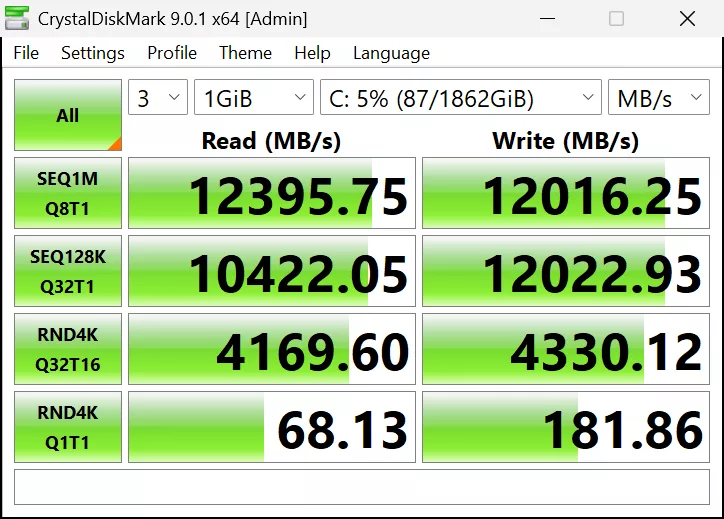
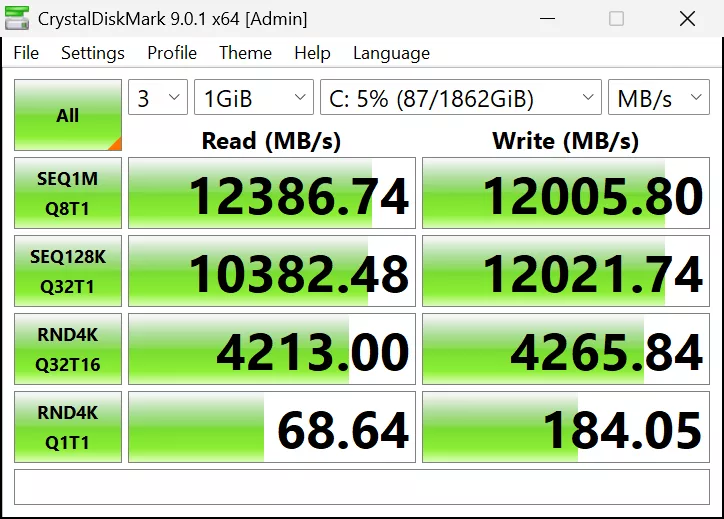
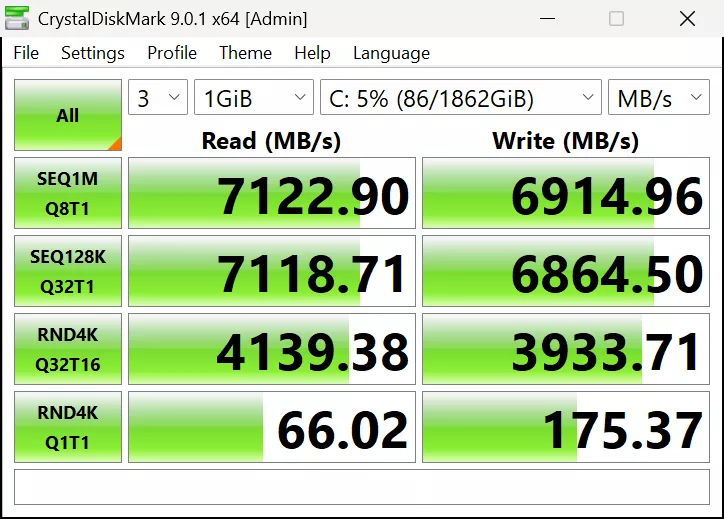
In the above CrystalDiskMark screenshots, we are testing each M.2 slot individually, starting with the primary M.2_1 slot, then M.2_2, and finally M.3_3. Now, remember, technically, M.2_1 (the primary slot) is specified as being PCIe 5.0 x4, while the other two are supposed to be PCIe 4.0 x4. Well, with our PCIe Gen5 NVMe Corsair MP700 PRO 2TB PCIe Gen5 NVMe SSD, we can see that indeed the primary M.2_1 slot is operating correctly and as fast as it should be, maxing out the drive at PCIe Gen5 performance.
However, what was surprising was to find out that the secondary M.2_2 slot can also operate at PCIe 5.0 x4 speeds, as it performed just the same as the primary slot, with full PCIe Gen5 NVMe performance. The third slot, M.2_3, performed at its speed of PCIe 4.0 x4. We did indeed confirm in CrystalDiskInfo that the secondary M.2_2 slot was running in the PCIe 5.0 x4 interface speed.
USB-C Performance
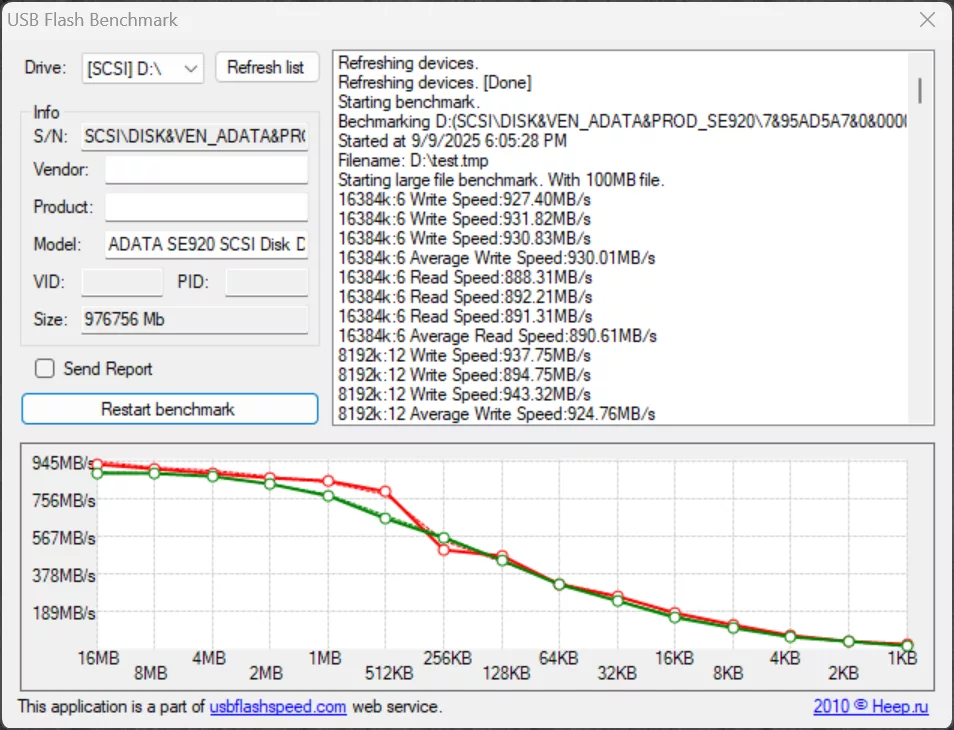
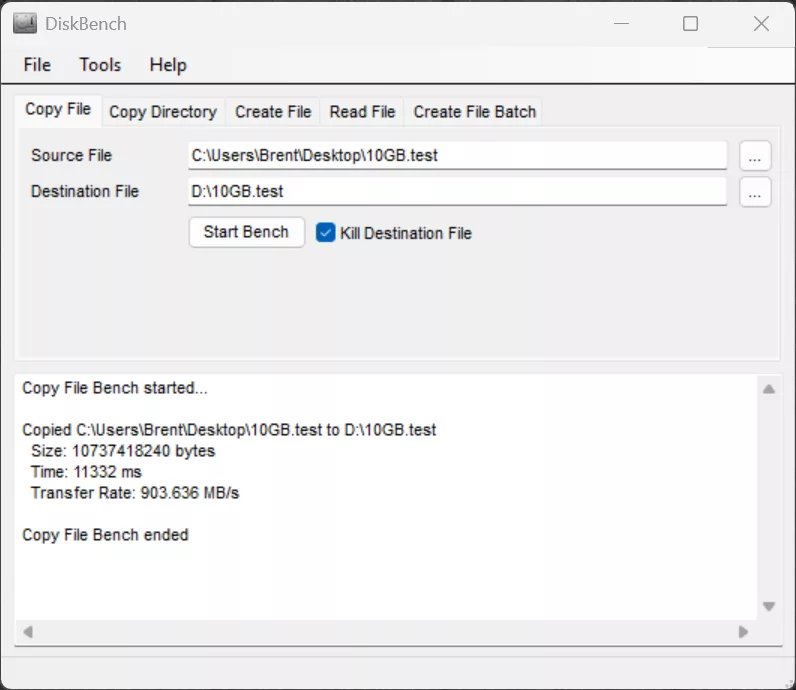
The SAPPHIRE NITRO+ B850A WIFI 7 supports USB 3.2 Gen 2 10Gbps performance on three of its Type-A ports, and on one Type-C port on the rear. We wanted to test the USB-C port and see how well it performs, and confirm it can run up to 10Gbps. We plugged in an ADATA SE920 1TB External SSD Storage drive, which supports up to USB 4 40Gbps over a Type-C connection. In the USB Flash Benchmark test, we can see that it peaked at near 945MB/s transfer rate, and both read and write performance followed a very consistent and linear trajectory, with consistency. Transferring a 10GB file maxed out at 903MB/s and took 11.3 seconds to transfer.
VRM Temperature
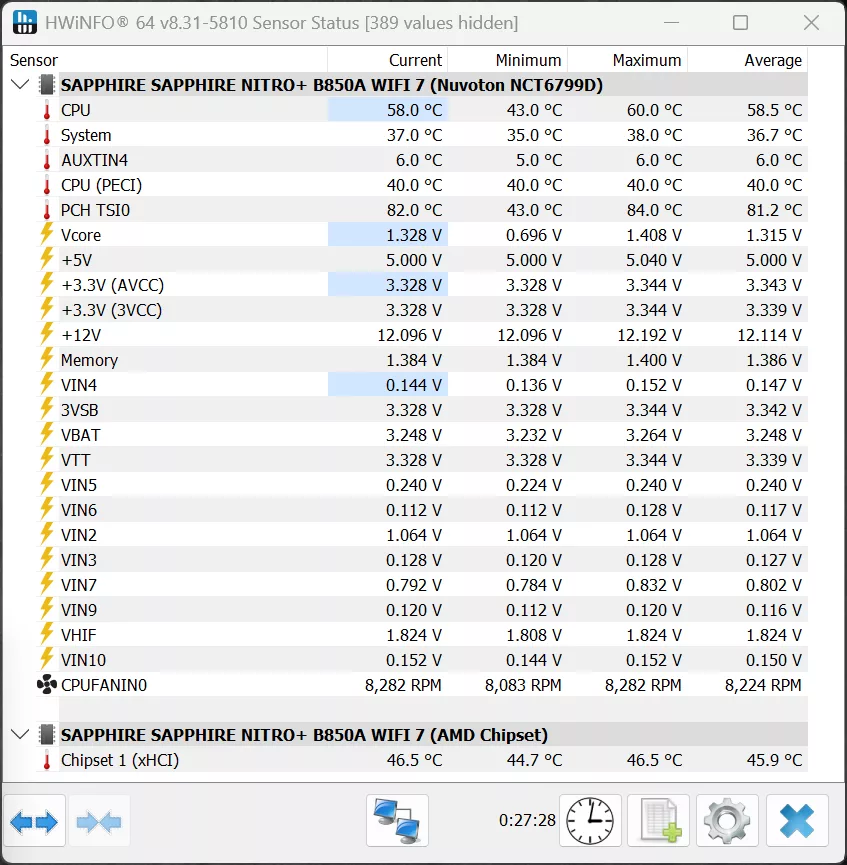
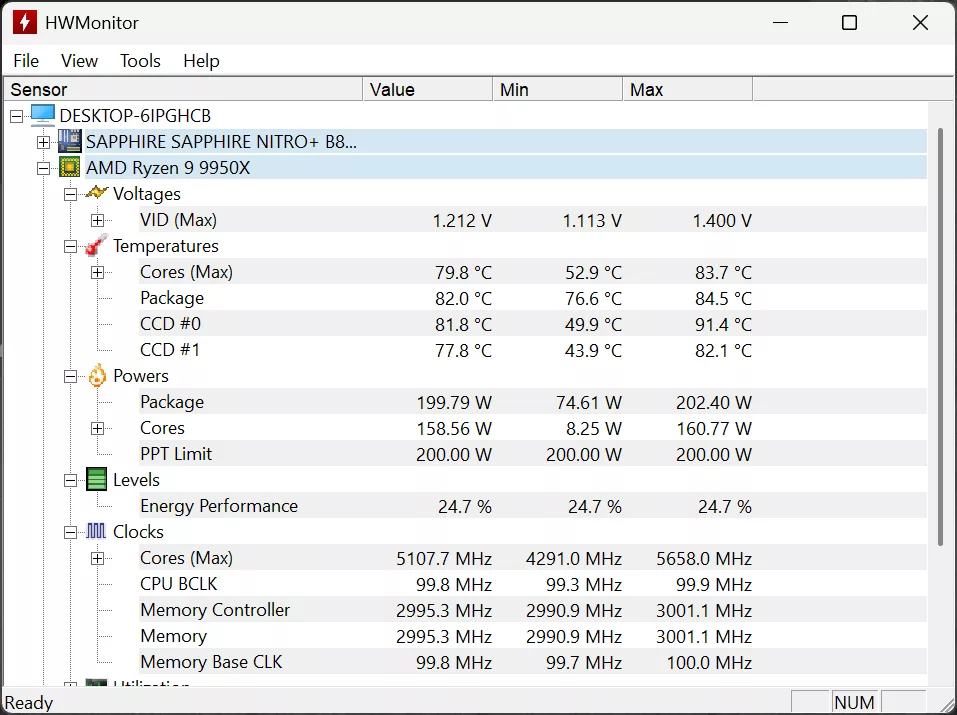
HWINFO64 doesn’t capture any specific VRM temperature sensors on the SAPPHIRE NITRO+ B850A WIFI 7; in the screenshot above, PCH is actually the CPU package temperature, it seems. The CPU temperature is not exactly the core temperature here. The chipset temperature is kept well-cooled, with no issues with temperatures. When running Cinebench for 30-minutes, the VRM heatsinks were only warm to the touch, not hot. Using a laser temperature device, the top heatsink hit a maximum temperature of 49.6c on the surface, and the primary heatsink hit a maximum temperature of 41.4c. We don’t see any problems with cooling or temperatures from what we can gather with what we have, though we have not directly tested the VRM temperatures, and there isn’t a built-in sensor that shows that.
Discussion (7 replies)
Join Discussion →Seems.to me your nvme speed tests were 2 gig a second off from 14... is that the new par for tne course just accept that because Intel can't hit 14 gig a second that nobody else should be expected to?
The max spec of the Corsair MP700 PRO is: up to 12,400MB/sec sequential read and 11,800MB/sec sequential write
Ah ok... then I would suggest using a drive capable of the full fat 14gb per second throughput. Otherwise you might miss under performing slots and just call them good. See Intel Core Ultra chips not able to hit 14gb on full fat NVME PCIE 5x4 drives.
I was eyeing MSI for the next build, but this board is going to get my money instead. They need the money more than MSI does. I have zero use for gen 5 SSDs anyways. I'll pair it with my Pulse 7900XTX.
It is odd having the NITRO+branding on it, but meh. A new TOXIC board would be sick. see what I did there
I am going to have to pass. Looks like bios support is terrible.
In what way? I'm curious what you mean exactly.
Quote from another forum -