
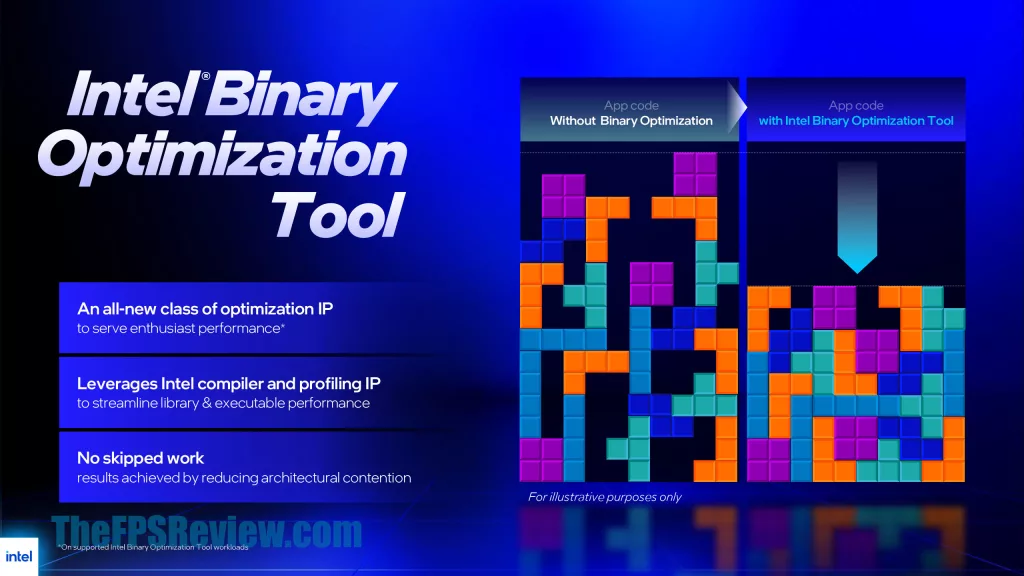
Do you remember the renaming of Quake to Quack benchmarking controversy? We do, but in case you don’t, here’s another one for the pile. Intel’s new Binary Optimization Tool, better known as iBOT, is now doing some benchmark optimization of its own, and Geekbench’s response is worth paying attention to.
Primate Labs, the developer behind Geekbench, announced that it will display a warning on all benchmark results from CPUs that support iBOT, including Intel’s Core Ultra 200S Plus (Arrow Lake Refresh) and select Core Ultra Series 3 (Panther Lake) processors. The warning reads: “This benchmark result may be invalid due to binary modification tools that can run on this system.” The concern isn’t that Intel is skipping work or producing wrong outputs; iBOT doesn’t do that. The problem is that it modifies instruction sequences in executable code at the hardware level to optimize them for Intel’s architecture, and it does so in ways that are not publicly documented. Geekbench can’t detect when iBOT is active, which means it can’t tell whether a submitted result reflects a standard run or an optimized one.
A week after the initial warning, Primate Labs published findings from its own investigation. Using Intel’s Software Development Emulator, the team found that iBOT achieves its gains primarily by vectorizing scalar instructions. On the HDR processing subtest, for example, the tool reduced total instructions by 14% while cutting scalar instructions by 62% and increasing vector instructions by over 1,300%. The overall performance gain in Geekbench 6.3 on a system with the Core Ultra 9 386H came out to about 5.5% across single and multithreaded scores, with individual workloads seeing uplift up to 30%. Some subtests saw no benefit at all, which is part of why Geekbench considers the results non-comparable: the gains are highly workload-dependent and reflect Intel-specific code optimization rather than a general architectural advantage.
Currently, Geekbench 6.3+ is one of only a handful of non-gaming applications that Intel has validated for iBOT support, which Intel itself has described as a “proof of concept.” Supported games include a short list of titles where Intel has profiled the binaries and pushed optimized instruction sequences. The tool is disabled by default and has to be enabled manually through Intel’s Application Performance Optimization interface.
Starting with Geekbench 6.7, Geekbench will be able to detect when iBOT is enabled and will note the status of it in the benchmark results. Versions prior to Geekbench 6.7 will have the warning message on all published benchmarks for the affected chipperies.
When Intel launched its Application Performance Optimization feature with 14th Gen, the community got excited over benchmarks showing large gains, only to find the real-world improvements were largely limited to CPU-bound scenarios. Whether iBOT has a broader future depends entirely on how aggressively Intel expands its supported application list. Right now, the tech is interesting at the architectural level but too narrow to represent a chip’s real-world daily performance.
Discussion (15 replies)
Join Discussion →Yeah. Intel caught with its pants down. No idea why they keep doing that.
When you are behind in the race you do what you can to kneecap whomever is ahead of you.
I mean, as we used to say in the Navy: if you aren't cheating, you aren't trying.
I'm almost sure that I read something to that effect by Wedge Antilles advising a rookie in a Star Wars novel. It went something like, you can complain all you want about the other side being unfair but guess who is still alive at the end?
Question is, do you get the benefit in the " real" world, or this is just for the bench?
I remember reading about quack and quake on way back when I was first getting into the computer hardware scene. My how things have changed, but stayed the same in some regards
Expect it to be magnified at Nova Lake launch. It's overloaded to the gills with extra features (APX, AVX10.2, 12 wide decode) that are unfortunately limiting the max frequency to no better than Arrow Lake. There might be no choice but to use iBOT for optimal performance until maybe Hammer Lake? After hitting 6.2 GHz with 13900KS, Intel really needed to keep boosting the max frequency with successive generations.
I hope we don't see the headline: "Intel, the company that once promised us 10 GHz with Pentium 4, just got eclipsed by the arch rival they have long considered inferior to their world class engineering prowess".
DISCLAIMER: Speculation based on rumors about current Nova Lake engineering samples. Intel could surprise us all, after all. Buy Intel stock NOW!
I mean is shorting still buying? ;)
Radeon 8500 - Year 2001, good times
I recall asking my parents for a new video card for Christmas. I had a Diamond Viper V770 Ultra, and wanted a 8500 however I ended up getting a 7500 as it was I believe around $100 cheaper than the 8500. But i was running it on such a low end system. I saw an improvement just not a huge one. K62 300, but at 336 because I could run a 112fsb and my pc100 ram actually cooperated.
Does this tool permanently alter the code of your installed apps?
How does that work with later patching and the like?
No. It only patches them mid-execution and ONLY if you turn it on.
I think that's why they are using it only with old games that aren't going to be seeing any updates. The tool only works if the file checksum matches. Otherwise, it will not do anything and simply ignore the game after the checksum fails.
Well i think its interesting, its a good tool, but its true, its not really a ' cpu' architecture improvement. Its more of a software optimization process for the specific cpu, like a key and lock.
Be it that intel needs to work on things so.its supported, yeah thats not a thing, if it was a toggle you turn on and the cpu tries to do the optimization in whatever anything and everything, yeah that would be cool. But still these are good things to try in any case.
Sometimes. Maybe.
Are your jeans torn skin showing? ;)
Geekbench 6.7 aka Intel GFY Edition released: https://www.geekbench.com/blog/2026/04/geekbench-67/