
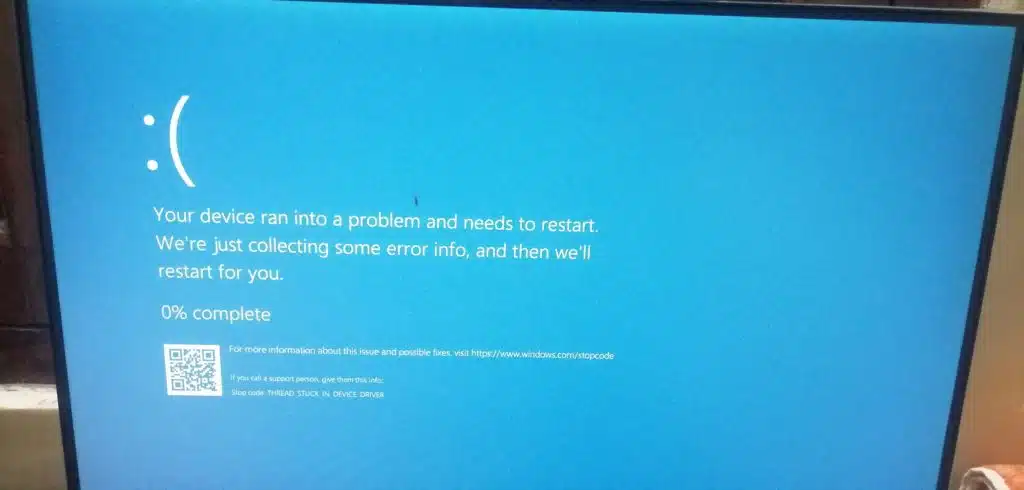
Every Patch Tuesday, there’s a moment where you hover over that “Install” button and wonder what you’re getting into. The April 2026 update for Windows 11, KB5083769, has given plenty of users good reason to hesitate. The update is causing two distinct problems: a confirmed BitLocker recovery key prompt on a subset of machines, and a separate, uglier class of boot loops and BSODs that Microsoft has yet to formally acknowledge.
The confirmed issue is the cleaner of the two. Microsoft’s own support documentation states that devices with a specific non-default BitLocker Group Policy configuration involving PCR7 and Secure Boot may be prompted for their recovery key on the first restart after installing the update. Microsoft says the prompt should only appear once, and the fix is to enter the recovery key and let the system boot normally. The recovery key, for most consumer accounts, can be found at account.microsoft.com/devices. Enterprises have the option to apply a Known Issue Rollback (KIR), though Neowin reported that Microsoft quietly removed that policy workaround as of April 22 without explanation. A permanent fix is promised in a future update.
The second problem is nastier. Multiple reports on Microsoft’s own Q&A forums and tech outlets describe affected machines cycling into automatic repair loops with pixelated screen corruption, never completing startup. HP and Dell systems running Windows 11 24H2 and 25H2 are showing up in reports repeatedly, though the hardware profile isn’t fully established. Microsoft has not formally confirmed this as a second distinct defect in KB5083769. If your system boots normally but you want to rule out the BitLocker problem before a restart, the mitigation is to open Group Policy, navigate to BitLocker Drive Encryption > Operating System Drives, set “Configure TPM platform validation profile for native UEFI firmware configurations” to Not Configured, and re-enable BitLocker on the affected drive.
Windows 11 24H2 has already earned a reputation as one of the more troubled servicing targets in recent memory, and Microsoft is simultaneously pushing mandatory 25H2 upgrades to all unmanaged Home and Pro machines using a machine learning-based rollout with no permanent opt-out. Landing a Patch Tuesday update that breaks boot integrity on some of those machines, right in the middle of a forced major-version transition, is an unfortunate combination.
If you’re not yet on KB5083769, the move is to check whether your setup uses a non-default BitLocker policy before proceeding. If you’re already installed and stuck in a recovery loop, Windows Recovery Environment and a rollback is the current path forward. Let us know in the forums if you’ve been hit.
Discussion
Join Discussion →No replies yet. Be the first to reply on the forum.