
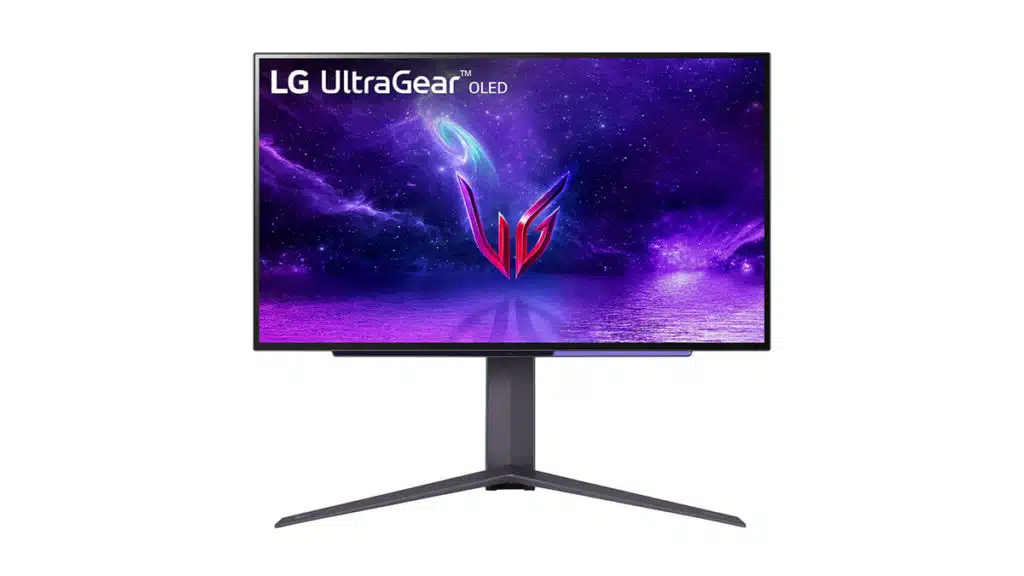
LG has listed the 27GR95QE-B, a new UltraGear OLED gaming monitor from the manufacturer that features a 27-inch OLED panel, making it one of the smaller OLED monitors that will be available on the market.
Specifications shared by LG can confirm that its latest UltraGear OLED gaming monitor will feature a 27-inch QHD (2560 x 1440) OLED panel with a 240 Hz refresh rate, .03 ms (GtG) response time, support for NVIDIA G-SYNC and AMD FreeSync Premium, and anti-glare, low-reflection surface treatment, among other key features.
As for connectivity, the 27GR95QE-B is listed with 2x HDMI ports, 1x DisplayPort, SPDIF out, headphone out, and three USB ports.
LG has priced its 27-inch UltraGear OLED gaming monitor QHD with 240 Hz refresh rate and .03 ms response time at $99.99.
- 27″ QHD (2560 x 1440) OLED Display
- OLED with 240Hz Refresh Rate
- 0.03ms (GtG) Response time
- 1.5M:1 Contrast Ratio
- NVIDIA G-SYNC Compatible
- AMD FreeSync Premium
LG on its new 27-inch UltraGear OLED gaming monitor:
Ascend your game with the 27 inch OLED gaming monitor from LG, complete with the fastest speed and best picture quality. This 16:9 Gaming Monitor (27GR95QE-B) combines the fastest features of LG’s renowned OLED Displays like 240Hz Monitor Refresh Rate and .03ms response time, and the power of UltraGear Gaming Features like NVIDIA G-SYNC Compatibility and AMD FreeSync Premium. Complete your battlestation with fast, reliable performance without sacrificing graphic quality with the 27 Inch OLED Gaming Monitor.
Don’t let a slow monitor hold you back, achieve your personal best with the 1440p monitor that keeps up with your gameplay. The 27 inch OLED Gaming Monitor is the total gaming solution that gives you a competitive advantage. This QHD Gaming Monitor offers the high speed 240Hz refresh rate a .03 ms Response time for fluid gaming motion and stunning graphics. This 16:9 gaming monitor also offers premium picture quality with HDR/DCI-P3 and 1.5M: 1 Contrast Ratio. This QHD Gaming Monitor delivers high resolution, high refresh rate, and low response time for top notch gaming.
This 16:9 gaming monitor is worth the wait! Don’t miss your chance to take home the first-of-its-kind LG 27 Inch OLED Monitor, or browse the new LG OLED Gaming Monitors, including the 45” OLED Curved Gaming Monitor, or browse all cutting edge LG Monitors designed to best suit your lifestyle.
Discussion (16 replies)
Join Discussion →This is almost exactly what I have been looking for. Just missing 4K.
I'd be more interested in this if it was 21:9 in the 30"-34" range since I'm pretty much done with 27" 16:9 and two of these would be too big for me. Someone at LG must be in a rush to promote this because it's odd how brightness and power consumption are both "tbd" in the specs.
I think I'm the one odd duck around here that likes the 27" 4K spot. I run two of them, and it works for my corner setup: computer back in the corner, monitors up front, and I sit about 2 ft away from the monitors. I ~almost~ jumped on a 48" OLED last year, but they are just too big without significantly re-arranging things, and the 42" that came out this year aren't exactly that much smaller. I have a 42" regular LCD down in my den, so I'm familiar with that size. I've been tempted to run my computer over to my 55" OLED in the family room and play around with it, but I don't want to futz with the KBM on the couch.
I totally get it about trying to find that perfect setup with displays and what really sucks is that it's something you'll never really know for sure about until something is set up. The 49" CRG9 was just way too big for the desk I use in the living room for work and gaming and that's where the 42" is now. It's taken a little getting used to but I'm liking it more and found that when I game for long sessions that sitting back a bit more makes it more enjoyable.
Meanwhile, in the cave, I've got the 65" Z9D and that is a pretty nice experience but the couch is against a wall and about 6 feet back from it and I still feel like sitting just a bit closer to it. I thought about setting up the CRG9 in there but there's just no room for both. I've also got that desk I purchased at the beginning of the summer in another room with the laptop and a 21:9 display but I'm pretty sure my old 4930K rig is going in there with the CRG9 once I do the new build this coming summer but I'd love to drop a 34" OLED UW QHD in there to use with the Suprim 3090 I'm still sitting on.
I have dual 27" 4k monitors also. Might be looking to get a third eventually.
I traded 2 x 27" 1440's for a big 43" 4k monitor and I would never go back. It's huge but you'd be shocked how quick you get used to it.
My work rig on the next desk over is a 32" 4k and it almost seems tiny in comparison.
Meanwhile, I gave one of the 27" to wifey to use for WFH and she think's it's huge... which it kind of is compared to the 20" one work gave her.
For competitive gaming, 1440p240 with OLED response times will be just about perfect. Hard to say if it would be the fastest LCD panels in terms of perceived input latency, but it'd be close and hopefully with much better image quality.
Of course, I'm most interested if LG put in a desktop-focused subpixel array. If it's still WOLED, well, hard to recommend. At 4k it'd be better since you'd be using scaling anyway, but 1440p at 27" would need to run native for most work.
27 is good for 1440 but not for 4k. Too small.
See, to my mind, that is the same thing as saying your computer is just too fast.
To small is never a problem, because you can always scale it up. You cannot, however, create more detail than pixels (unless you are DLSS, then .. magic)
That is like using your 4k phone as a computer display for the best experience right? I like desktop space and running at native resolution without scaling from the OS. Only thing I scale on is my old laptop thst does have a 4k display that is utterly wasted on a 15.4 inch form factor.
A grand for a 27" OLED, you gotta be kidding me. I recently saw a 55" LG C1 for $1200 (which is what I paid for my 37" LCD HDTV back in 2009). A 27" monitor should be around $300, even if it's OLED.
Yeah I heard 1440p has just the right pixel density for 27" and the default ~2-ft viewing distance. For 4K you want something bigger, although I don't know what the minimum is supposed to be for that, maybe 32"?
I agree that 27" has great PPI for 1440p but I'd be happy with 32"-34".
For 4K the smallest I've had so far was 31.5" (native 4096x2160) LG MU97 and that actually looked incredible. It was an IPS panel, pre-HDR but true 10-bit, and I was blown away by its clarity, colors, and contrast. I think that although size can play a factor the quality of the panel also plays a large role in the perceivable IQ. I've had just about every combination of TV and monitor tech over the last 10 years and have really seen how size vs resolution doesn't always have the same perceivable results. I've seen 1080p 47"-55" that looked comparable to 4K while also seeing some crappy 4K 65" TVs that are almost indistinguishable from a 1080p panel.
Just plain economy of scale. There is a much bigger market for 55" OLED TVs than their are 27" OLED monitors.
Without scaling, you'd want maybe 35"+ for 4k native. At 27" and 32", you'd want to use 150% scaling on the desktop unless you plan on viewing from 12" to 18" distance.
So, scaling is now at the point of having considerably improved to being a preferred solution over native 1:1 pixel rendering. This is why you've seen such high resolutions on many smaller devices, and you'll note that it works extremely well.
Further, the technologies for ensuring a consistent UI experience across different DPI ranges is also fairly mature. All modern desktop apps and nearly all games do this exceptionally well by default, and some even provide UI scaling options to deal with corner cases.
the future is resolutionless
You mean we've almost caught up with crt technology?
I guess that depends on what you consider 'technology'. CRTs still had an optimal resolution, above which they started to get blurry very quickly. Sometimes this was beyond their available bandwidth, sometimes not.
But I think we've now eclipsed the very best that CRTs can do, and with scaling being so good at the software and hardware level prior to transmission to the display, there really isn't anything left.