
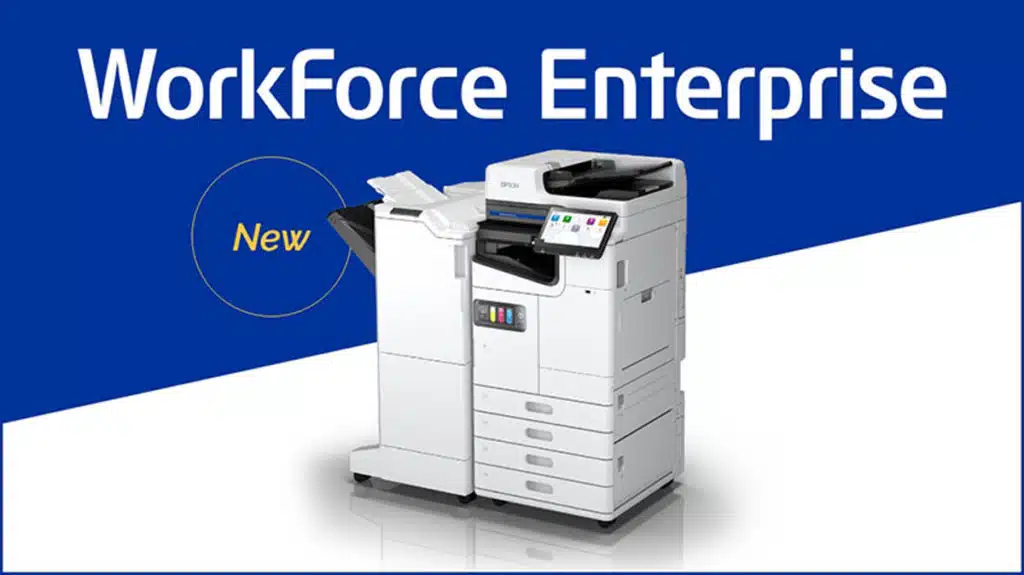
Epson will no longer sell and distribute laser printer hardware by 2026, according to a news release from the company regarding its commitment toward heat-free inkjet technology and how it’ll be investing billions in developing sustainable technologies:
Epson has reaffirmed its significant commitment to Heat-Free inkjet technology and to developing sustainable technologies, backed up by a previously announced ¥100 billion investment over ten years. The move also coincides with the beginning of the rollout of Epson’s new range of business inkjet multi-function printers (MFPs) and by the company announcing it will end the sale and distribution of laser printer hardware in its last remaining Asian and European markets by 2026. Explaining these decisions, the company cites the greater potential of inkjet to make meaningful advances in sustainability. Epson will continue to support customers by supplying consumables and repair parts after it ceases sales of laser printer hardware.
“We’ve long been committed to sustainable inkjet technology and have now decided to phase out sales of laser printer hardware,” said Koichi Kubota, general administrative manager of Epson’s Sales & Marketing Division. “As a company we’re totally committed to sustainable innovation and action, and inkjets simply use less energy and fewer consumable parts. While laser printers work by heating and fusing toner to a page, Epson’s Heat-Free inkjet technology consumes less electricity by using mechanical energy to fire ink onto the page.”
“Our printing business will from now put the focus on inkjet, leveraging our propriety technology to deliver efficient, sustainable print solutions for our partners and end users.”
Epson has been touting the benefits of inkjet over the past few years, with one blog post from 2019 claiming that inkjets consume much less energy than similar-speed laser printers:
As Epson’s inkjet printers do not use heat in the printing process, they consume far less power than laser printers. Epson’s inkjet printers consumes up to 85% less energy than a similar-speed laser printer which means for a typical office that requires frequent printing, this can amount to distinct savings in their annual energy bills.
Epson also mentioned at the time that inkjets produce up to 85% less carbon dioxide than those of comparable laser printers.
Discussion (17 replies)
Join Discussion →I'm sure the fact that an ink cartridge that sits around 6 months without use is basically useless has nothing to do with the switch.
Yea the Recurring revenue with ink jet as opposed to toner refreshes is WAY higher. Like incredibly so.
Consider I had a family member working at Walmart. They had 1 person go in... load up a hand basket with ink for printers. And walk out. Total loss.. 14k. So if you go into a walmart and are surprised to see the ink behind lock and key.... that's why.
My curiosity is about quality. Will the inkjets be able to manage a page with bright colors and sharp clear letters?
If it can do well enough I'd be happy to save energy, not that I print all that often. I can go years on a single toner cartridge.
I never used an Epson laser to my knowledge anyway. All I know them for are the ecotank crap
The problem is with the way inkjet ink expires today you would have to buy new inkjet ink every time you printed at that rate.
That's exactly why I've been Team Laserpants. You can't afford to print all the time on an inkjet, and you can't afford to ~not~ print either.
My last Epson printer was a dot matrix. No regrets for missing out on their newer technology.
I currently have an HP all-in-one but the color prints are fecked up at the moment ... so it is an efficient dust collector.
They weren't really relevant since the dot matrix days to me. Their inkjets were lackluster compared to the competition. And I didn't even know they made laser printers.
I have a 15 year old multi function inkjet and it still works. Replaced the cartridge once in that time.
I don't think laser printers for home are viable, they are mechanically complex and break more often, and the toner is even more expensive than ink. And it runs out surprisingly fast too. My father used to own a laser printer, and it was nothing but trouble. Even when it worked the prints were worse than even the first inkjets of the mid 90s, 20 years later. From the repair bills of that printer I could've bought a new inkjet each time it broke.
Got a Brother laser printer with zero issues at home. Had many hp inkjet, and got rid of then cause the ink was just outrageous. I have epson printers with generic ink they are okay.
I generally have to print something every 3-4 months at home, for random reasons. For years I had a Canon inkjet where you'd print something, it would sit for 4 months, and then when you went to print again it would have to clean and calibrate the heads and use half an ink cartridge if it would print at all. In 2012 I bought a HP color laserjet. I'm still using the toner than came with it and have never had to repair it or otherwise had any other problems.
Yeah I went with a Brother laser years ago after finally getting fed up with an HP inkjet that could not feed paper properly and would take 10mins to align the ink carts every time you tried to print something.
My only regret was not going with a color laser all in one unit.
I've only owned 3 printers in the last 20 years.
The first was a Brother AIO color laser. It lasted for about 10 years. Nice unit, just eventually got to the point that drivers stopped being updated. I think Windows 8 finally killed it.
Went to a Samsung color laser, not AIO (got married, wife had a crappy inkjet AIO that we kept only for the scanner). It was alright. It ate toner though, or rather, the toner carts were tiny but cost full price. Just recently got rid of that last year, when the price of another round of toner carts was more than the price of a new printer. I'd go through a round of toner carts about every year-18 months... coming from the Brother where in 10 years I only ever put in 1 replacement cartridge (I just don't print that all much).
Now I have an HP AIO color laser. Had it about a year, still on the initial toner carts that come with the printer (yes, they are only about 1/3 the capacity of replacements, but still doing ok in there). It had one issue with a firmware update where it went into a reboot loop, but tech support was able to get it squared away and it had nothing to do with printing or anything else. I know toner carts for this are gonna be expensive, but if I can get away with one every few years that won't be so bad. I would have went back to Brother again, but post-covid logistics, I was kinda limited to getting what I could get and this printer appeared to be the best of what I could get my hands on.
Out of all of those printers: the only issue I've ever had with them is the one firmware update. All of them were very reliable and never failed to print when I wanted to print, and still worked just fine when I ended up selling them.
The Brother especially, and to some extent the Samsung - won't lie: when you go to print something and the printer is first warming up it does dim the lights for a moment and all the UPSes in the room will flicker over (takes a lot of power to warm up the fuser when it's cold). The newer HP isn't so bad about that though.
I've had my B&W HP 1320n for at least 15 years I'm on my second toner cartridge.
My Samsung color I've had about 8 years and still on the original toner, no mechanical problems with either.
Win 11 does not like the hp driver but it is fixable.
I can't remember all the printers I've had over the last 40+ years but I can say it's a mixed bag, model to model, regardless of brand.
Atari 400 days: A Brother EP-44 word processor/thermal printer (w/ ribbon for regular paper) that my dad got me for Christmas one year. I loved that thing. It took a while before I completely figured out how to program the Atari and it to communicate with each other (parity and all that other fun stuff of the day), plus a little work in finding the right cable but once I did it was pretty cool.
Some time after that I got an Okimate 10 color thermal printer. Slow as molasses for color printing (it used primary color ribbon to go over each line to create the needed colors. Pretty good quality for the time and the B+W was fast and nice looking as well. They basically had cartridge modules you could swap out to connect it to different computers of the time. I had the one for the Atari 8-bit.
During my Tandy 1000EX days, I had the printer that they made for it at the time. I don't remember much about it except I didn't have any problems with it.
Next up was during the Windows 98 Pentium era. Two bad experiences here. Due to my fond memories of the Brother printer I had before we'd gotten a Brother color inkjet. The quality was nice but it would wake itself up in the middle of the night to clean itself and seriously just consume the ink. I really learned to hate that thing and it only took about a year or so until the jets were clogging up. Next was some kind of Lexmark. The printer was mediocre but what really pissed me off about it was all the spyware crap it installed. No exaggeration, I had to manually go through the registry, and other places to fully extract that crap.
Now onto more modern times and mostly all HP. I got a color HP AIO about 15-16 years and really loved it. It had the ability to color print on CD/DVD's (a special tray for them) or monochrome print on them (there was a name and special type of blanks but I forget what it was called). Something electronic finally gave out on it. It wouldn't POST beyond a certain point and I tried a lot of things but eventually gave up on it. Ended up replacing it with another color inkjet AIO that we still have and it mostly is great except the feed mechanism is failing. Basically have to shove a stack into it to get it to grip.
At work, I inherited a plethora (probably a dozen different models) of HP LaserJet's that have mostly performed like tanks. The only real issues are when Windows gets an update that kicks out the driver and replaces it with junk causing me to have to go to HP to reinstall the right one. Thankfully, that's mostly stopped over the last couple of years but I'm always on the lookout. We got a Canon B+W AIO for one of our smaller offices that uses HP's drum/toner tech and I've had a bit of a love/hate with it. The UI is horrid and the fax scanner has to be constantly cleaned. It will also cease all functions if the toner runs out, you can't even send a fax. At this point, I've switched us over to cloud/e-fax options so we no longer really need it but I've left it there so they can use it as a backup printer or scanner when needed.
Right when the pandemic hit, and just before wfh, we were already in the stages of creating a mobile office setup for our staff who have to go out in the field. I picked out some HP Mobile 250 AIO printers and they've been champs for us. The BT function is about useless but otherwise, they've been great. We don't use the color (at the time I couldn't find something w/o that I was happy with but thankfully they continue to work when the color runs out (something that Brother wouldn't allow).
At this point though, when I do get around to replacing our current inkjet I'll probably get an HP B+W Laserjet AIO.
Ah yes the olden days when I had a state of the art computer:
With
Those were the days!