
Installation and Configuration
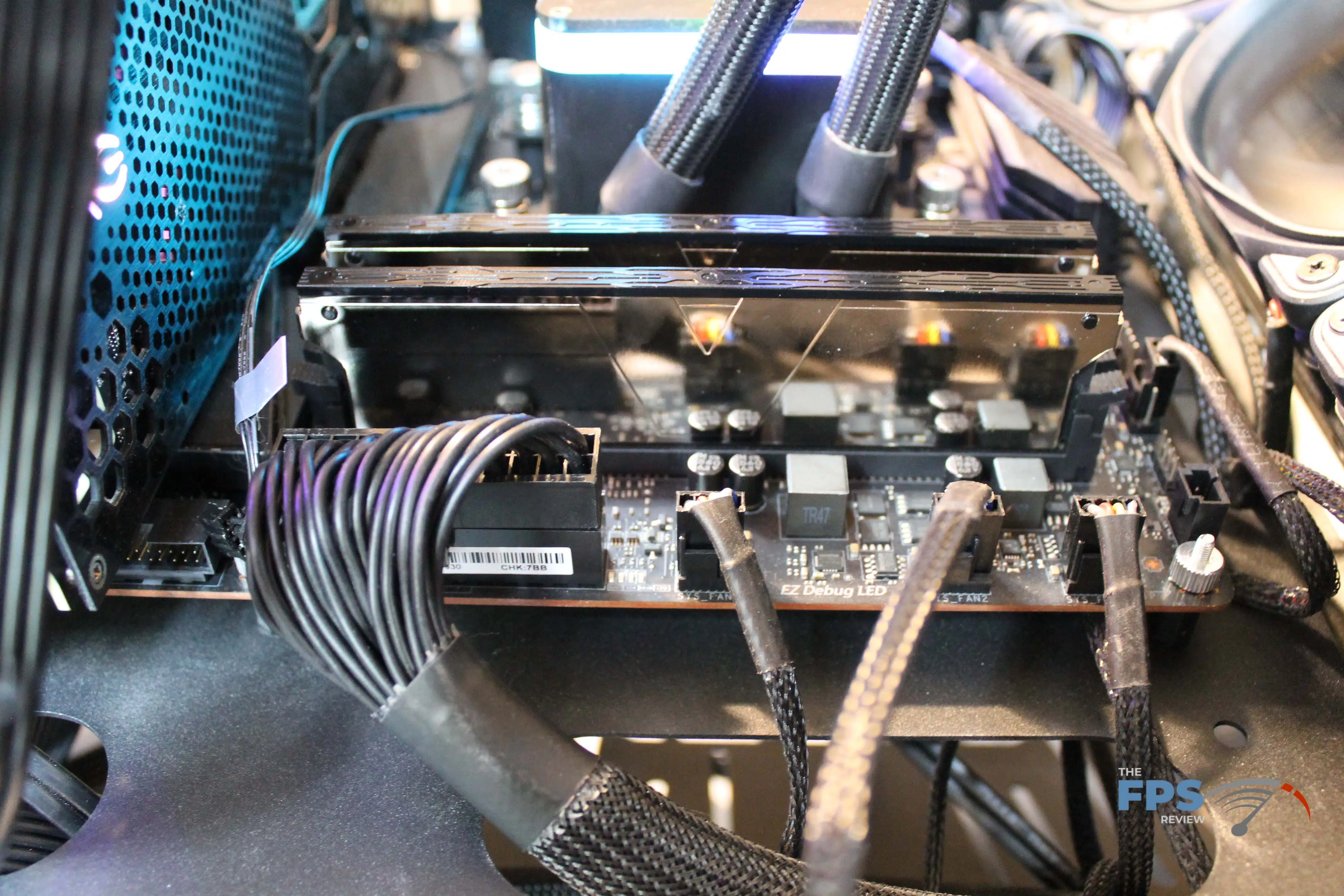
We installed the Skywalker Plus DDR4 64GB (2x32GB) 4000MHz Memory into our MSI MEG X570 UNIFY motherboard that is paired with a 5900X processor.
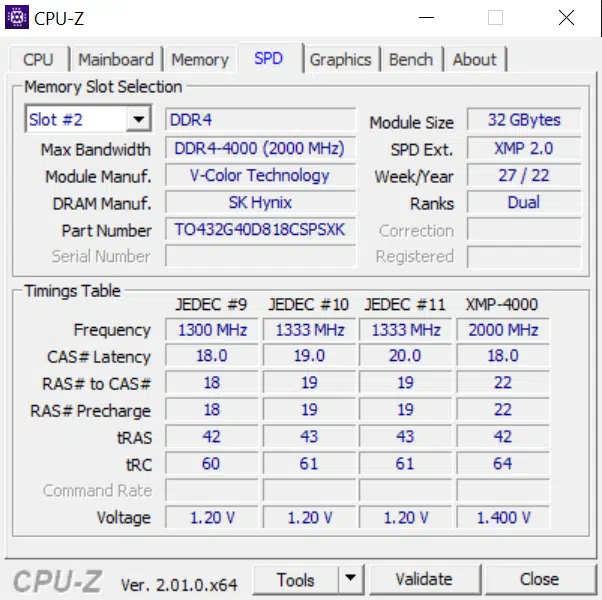
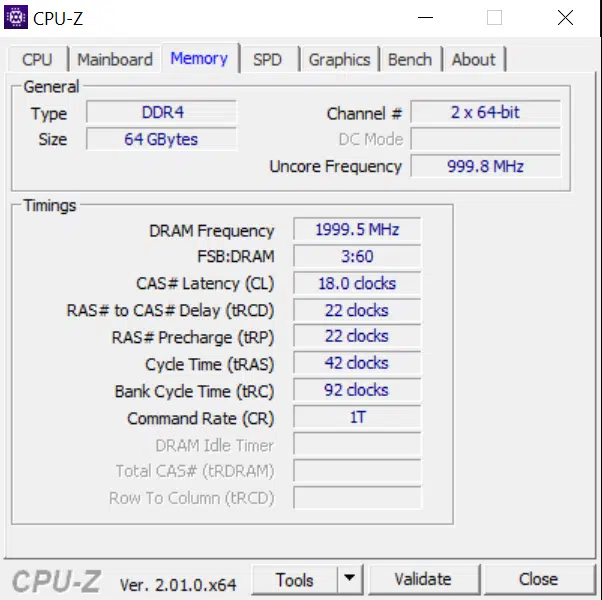
By default, the modules load up the base timings but throwing the XMP/D.O.C.P. switch bumped it up to PC4-32000 (4000MHz) at timings of 18-22-22-42. We were able to boot into Windows 11 and start benchmarking without an issue.
Test Setup
We will be utilizing our test system based on the 5900X CPU and the MSI MEG X570 UNIFY motherboard to test memory today.
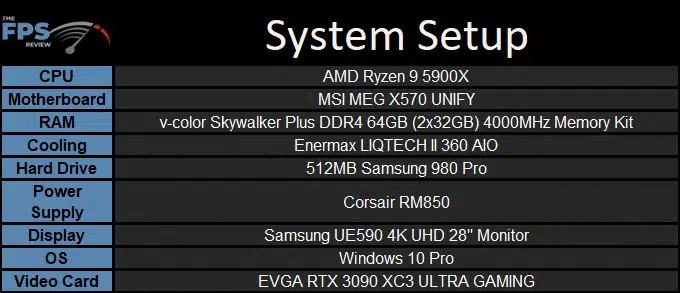
Our testing will include looking at the Skywalker Plus DDR4 64GB (2x32GB) 4000MHz Memory in its default and XMP/D.O.C.P. (4000MHz) configurations and then seeing how high we could go with an overclock on the modules. Note the FLCK was left at the default 1800MHz for the AMD platform.
Overclocking
From an overclocking perspective, we found some, but not a lot of headroom to drive a bit more speed out of them. As they are the middle of five parts, we’d expect that better-performing ICs would get binned into the faster products.
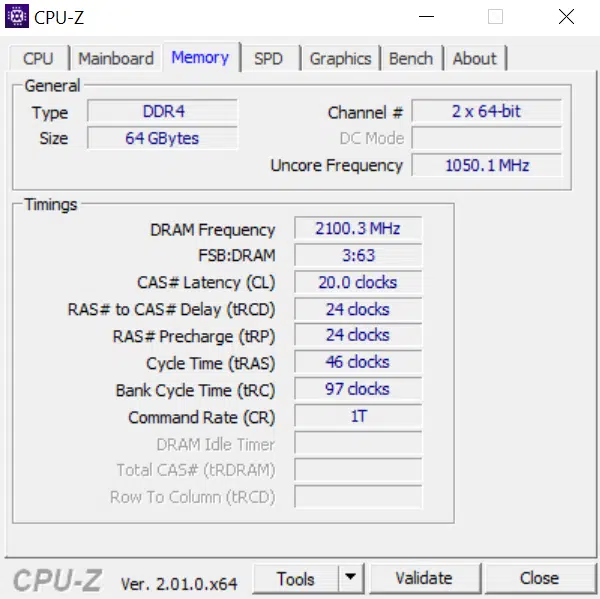
We boosted voltage to 1.45V and got to work, initially finding that a bump to 4200MHz was a no go at the standard timings. We loosened the timings up to 20-24-24-46 and were met with stability in our testing suite. Whether this trade-off of timings in exchange for a bit more speed is worthwhile will be shown in the performance graphs.
Discussion (4 replies)
Join Discussion →Nice writeup. You need a new mousepad for the photos - the scratches/marks on that one is detracting.
I can't really get a grasp of what these modules look like. In the photos on the mousepad, they look matte black with just a plain top. Installed it looks like a mirrored finish? The box has rainbows on it, and you mention the RGB pattern on the box, and the company name is v-color, so you might make an assumption that RGB is there (I mean, what doesn't have it anymore?) but it isn't clear if the modules have RGB along the top edge or not -- there's no mention, and it doesn't seem to appear in the photo. You do mention they are highly polished, so I can imagine the photography was difficult.
The modules look drastically different on their web site photos:
And the elephant in the room - it says Skywalker, but is there actually a Star Wars tie-in or something?
On their web site they offer custom engraving on the face of the heatsinks. That could be fun.
Hmm. Good point. I only mentioned the lack of RGB in the conclusion page, probably should have on first page (ahem.. may see that edit shortly).
On the photography side, there's a few color options - we have the silver ones and it is like photographing a mirror. So much so, you'll see that the "etching" on the v-color stock photos have the words and part numbers photoshopped in as opposed to attempting to take a picture of the etching. Take a look at either the installation or conclusion page (same picture) and you'll see the mirrored reflection of the motherboard's power connectors on the side of the memory. Ugh on the pad though - it's a lightbox and black plastic seems to scuff very very easily. Sigh.
The photography isn't bad - just hard to get an idea of what that product looks like. It's a challenging piece of equipment to portray accurately.
Believe it or not, taking a picture of the product outside might actually work well. I've often found outdoor shots can look very good due to the global illumination factor. Try a both in the sunlight picture, and one in the shade, and see what looks the best, might work well for shiny objects.