
Conclusion
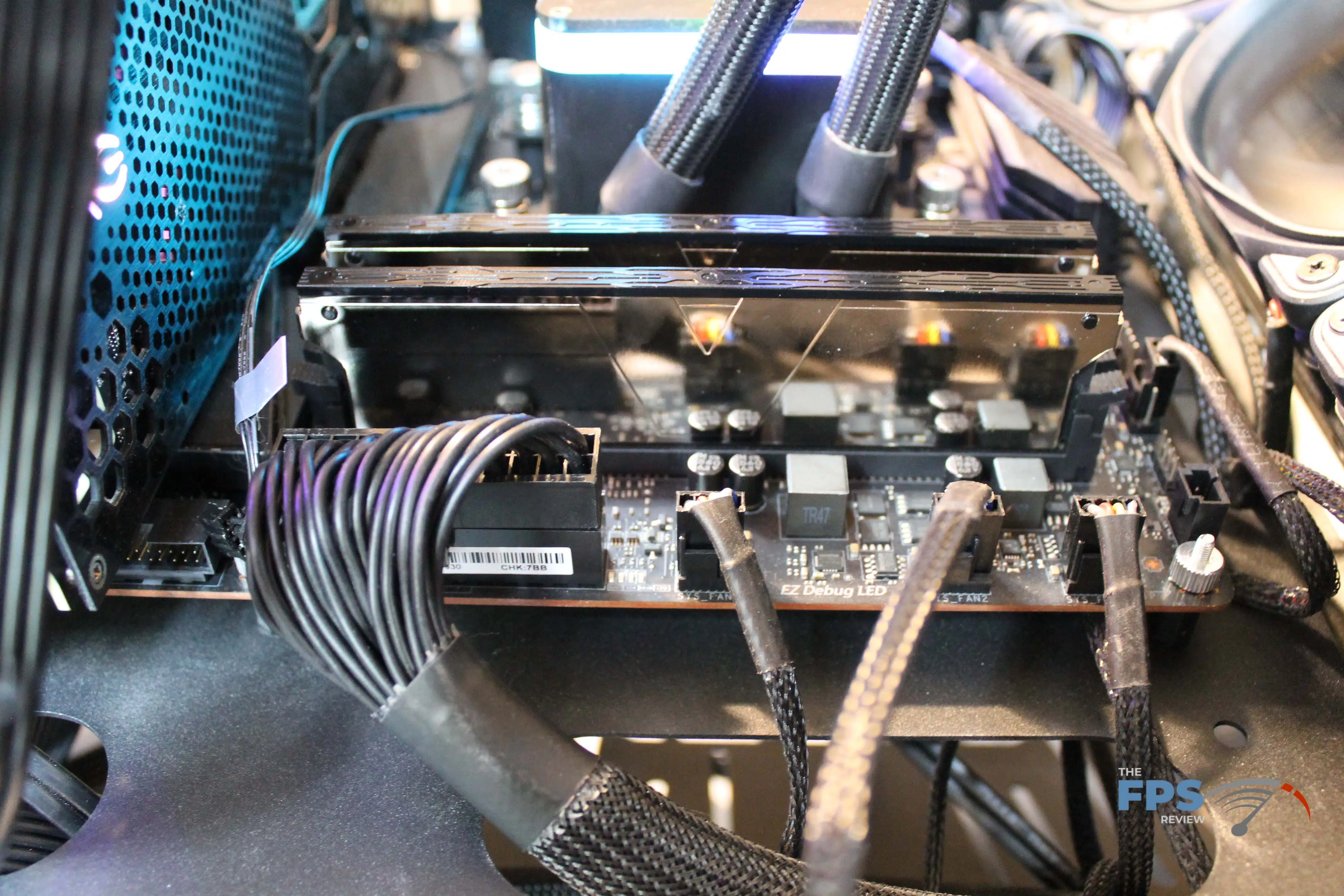
Today we reviewed the Skywalker Plus DDR4 64GB (2x32GB) 4000MHz memory kit, overclocked, and then compared it to the base DDR4-2666 memory spec to see how the v-color kit performs. The kit includes 2x32GB DDR4-4000MHz sticks of memory with an XMP/D.O.C.P. profile set to 18-22-22-42 at 1.4V.
The memory kit features a silver mirror-finished look that looks sleek and classy within your rig, especially if you eschew the RGB bling as part of your rig build.
Performance Summary
The Skywalker Plus DDR4 64GB (2x32GB) 4000MHz Memory performed exactly as advertised and was stable throughout all of our stock clock testing. Without active cooling, the heat spreaders were quite hot to touch (it’s a wonder what 1.4V will do to these things), but stood up to our test suite and delivered significant gaming performance improvements at 1080p over the base DDR4-2666 spec’d memory.
The Skywalker Plus DDR4 64GB (2x32GB) 4000MHz Memory did not have much in the way of headroom, even when pushing the voltage up to 1.45V. We were able to get an extra 200MHz out of it, albeit at more relaxed timings. From an overall performance perspective, overclocking did not make a material improvement in performance, though, that is likely more related to the Ryzen platform than it is the fault of the memory.
FCLK Impact on Ryzen Performance
One aside that we’d like to address is with using faster memory speeds on the Ryzen platform that do not allow for an even 2:1 ratio with the FCLK is that performance can become quite embarrassing when pulling the memory out of sync. We did a good bit of testing at various FCLKs with this memory, but ultimately, you would need to be incredibly lucky to get a CPU that’s willing to do a 2000MHz FCLK to fully unlock these modules. Our 5900X tapped out at 1900MHz and still wasn’t entirely stable, thus we excluded the data from the review.
Final Points
Pulling it all together, the Skywalker Plus DDR4 64GB (2x32GB) 4000MHz Memory kit is a kit that I wish was on the market a year ago when I was updating my daily driver as 2x32GB kits were expensive and difficult to find faster than DDR4-3200 speeds. The Skywalker Plus DDR4 64GB (2x32GB) 4000MHz Memory performs exactly as expected and is the least expensive 64GB kit of DDR4-4000MHz memory that we see with a cursory glance of the etail environment at the time of publication.
That being said, the Skywalker Plus DDR4 64GB (2x32GB) 4000MHz Memory is a fantastic value at its current price and is a great way to load your rig up with 64GB of high-performance memory.




Discussion (4 replies)
Join Discussion →Nice writeup. You need a new mousepad for the photos - the scratches/marks on that one is detracting.
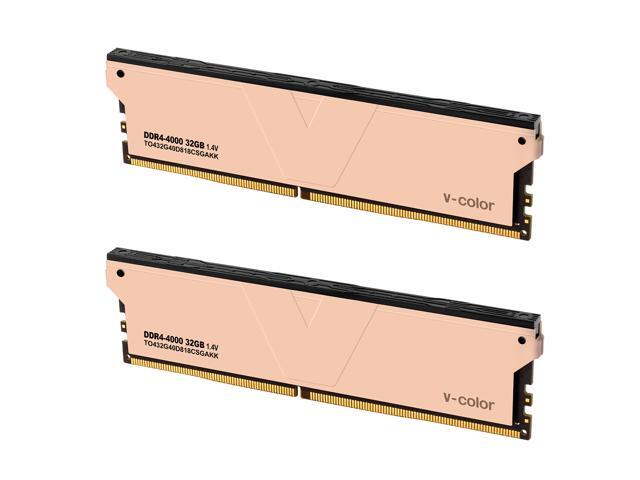
I can't really get a grasp of what these modules look like. In the photos on the mousepad, they look matte black with just a plain top. Installed it looks like a mirrored finish? The box has rainbows on it, and you mention the RGB pattern on the box, and the company name is v-color, so you might make an assumption that RGB is there (I mean, what doesn't have it anymore?) but it isn't clear if the modules have RGB along the top edge or not -- there's no mention, and it doesn't seem to appear in the photo. You do mention they are highly polished, so I can imagine the photography was difficult.
The modules look drastically different on their web site photos:
And the elephant in the room - it says Skywalker, but is there actually a Star Wars tie-in or something?
On their web site they offer custom engraving on the face of the heatsinks. That could be fun.
Hmm. Good point. I only mentioned the lack of RGB in the conclusion page, probably should have on first page (ahem.. may see that edit shortly).
On the photography side, there's a few color options - we have the silver ones and it is like photographing a mirror. So much so, you'll see that the "etching" on the v-color stock photos have the words and part numbers photoshopped in as opposed to attempting to take a picture of the etching. Take a look at either the installation or conclusion page (same picture) and you'll see the mirrored reflection of the motherboard's power connectors on the side of the memory. Ugh on the pad though - it's a lightbox and black plastic seems to scuff very very easily. Sigh.
The photography isn't bad - just hard to get an idea of what that product looks like. It's a challenging piece of equipment to portray accurately.
Believe it or not, taking a picture of the product outside might actually work well. I've often found outdoor shots can look very good due to the global illumination factor. Try a both in the sunlight picture, and one in the shade, and see what looks the best, might work well for shiny objects.