
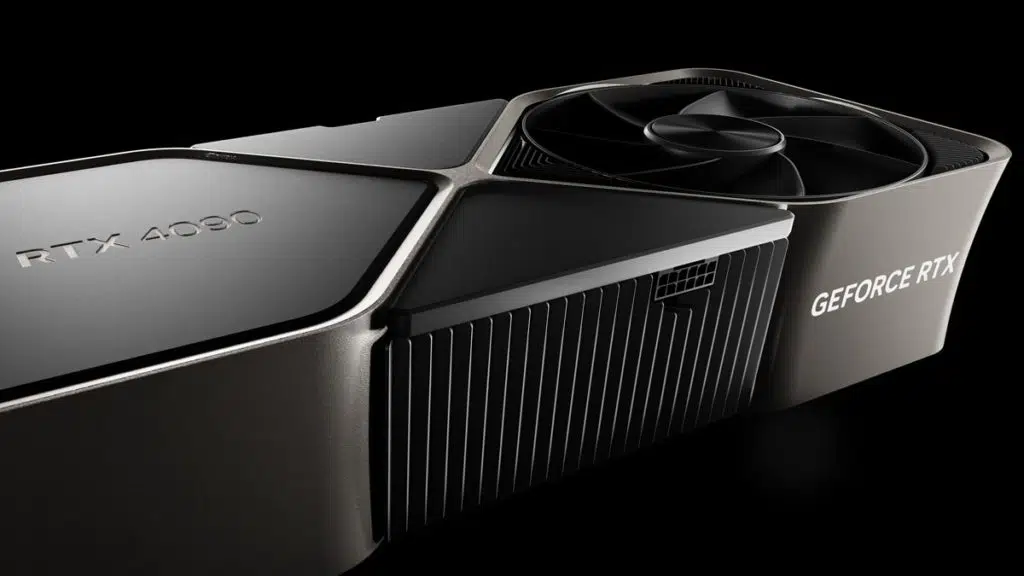
EVGA may have stopped making graphics cards but that hasn’t stopped it from updating its EVGA Precision X1 overclocking software. The latest build, version 1.3.7.0, now provides added compatibility for the newly launched GeForce RTX 4090 series graphics cards. EVGA terminated its relationship with NVIDIA just prior to the launch of the RTX 40 series graphics cards. Although a détente is possible between the two it is far more likely that EVGA’s engineers had already put in the work while the ADA GPU was still in development and EVGA decided to just go ahead with releasing an update for it. EVGA Precision X1 may not fully support all features found in custom AIB cards but it has, on some occasions, been seen to unlock higher power limits than some other overclocking software with the previous GeForce RTX 30-series graphics cards. It is also fully compatible with past GTX cards.
Key Features
- Brand new GUI that is faster and easier to use.
- Real-Time wattage monitoring (on supported EVGA graphics cards).
- Full support for GeForce RTX and GTX graphics cards.
- RGB LED Control supporting graphics cards and/or NVLink Bridge.
- LED Sync that syncs with other EVGA RGB components.
- Dynamically set independent voltage/frequency points for ultimate control.
- New OC Scanner for finding the best stable overclock.
- On-Screen-Display (OSD) shows your system vitals at a glance.
- GPU Clock, Memory Clock, and Voltage Control.
- Custom fan control and fan curve.
- Profiling system allowing up to 10 profiles with a hotkey.
- In-game screenshot function.
Discussion (4 replies)
Join Discussion →I stopped using Precision long ago when EVGA had that falling out with the guy who makes RivaTuner, who ended up teaming with MSI for Afterburner. I've been using Afterburner since, though the original reason I switched was cuz for a time EVGA made you have to get Precision through Steam, which was f*cking retarded. When I buy nVidia I buy EVGA cards, which have proprietary fan controllers that don't work with other programs. Well the main GPU fan does, but if your card has any other fans (my 1080 Ti has a second one), you can't control those if you don't have Precision. Still couldn't be bothered to go back to Precision.
I mostly use AB but I've seen X1 give a little more OC headroom with my EVGA cards (of course). I will occasionally for the h of it use it to max out the hybrid 3090 Ti. The most I've gotten out of it so far is 2175 MHz but it's almost pointless because at stock it happily holds 2040-2050 MHz and is so quiet and I've seen it do that consistently for over 6-10 hours straight. It only gains a few frames, or more, when OCd so not really worth it for the power draw and noise. I'll never get a non-AIO or non-liquid-cooled card again after this though.
My experiences with my EVGA 3090ti hybrid matches yours, Peter.
While I'm really not one for RGB bling, I found the setting in Precision X1 to make the fan LEDs on the radiator indicate relative GPU temperature at a quick glance (i.e., blue for cool, yellow for warm, red for hot - each at a user-specified thermal threshold). I built this system in a Lian Li 011DEX - a glass surround case - and the fans are visible. The fan LEDs have almost always shown blue so I must not yet be pushing the card to its potential. I figure, if I am to see the RGB, I might as well make them serve a useful purpose rather than just be aesthetic.
I tend to use this type of utility software more for setting fan profiles to balance noise vs. performance rather than for squeezing out the last bit of OC overhead. Usually during the first week of use, the software settings are adjusted to where they need to be and then promptly ignored until a future need arises. If I were more motivated and needing to pump up performance to the point where fan noise becomes a problem, I would then look into replacing the fans with quieter versions.
And I'll agree that the hybrid system is relatively quiet. My system also includes an Arctic Freezer II 360 AIO CPU cooler and the system as a whole produces noticeable, but thus far tolerable, noise. I haven't bothered to sort out which component produces and contributes the most noise. The only fans I have in the system are the three on the GPU radiator, the one on the GPU card, the three on the CPU radiator, and one small one on the CPU block. I haven't yet discovered a need for more case fans than these. As I write this, the CPU and GPU are reporting their idle temperatures as 27°C and 28°C, respectively (i.e., 80-82°F) with room temperature at 70°F.
A nice noise management feature on the hybrid 3090ti is that the fan on the card itself only spins up when required during demanding graphic output.
Same, I mainly used Precision and now Afterburner (and GWE in Linux) for making custom fan curves, and for the OSD functionality it gets via RTSS (that function is served by MangoHUD in Linux). I also use Afterburner for taking screenshots for non-Steam games, and on the rare occasion I need to capture game footage (I would use nVidia ShadowPlay but that sh1t is locked behind GeForce Experience).
Yeah, that kind of sh1t I'm okay with.