
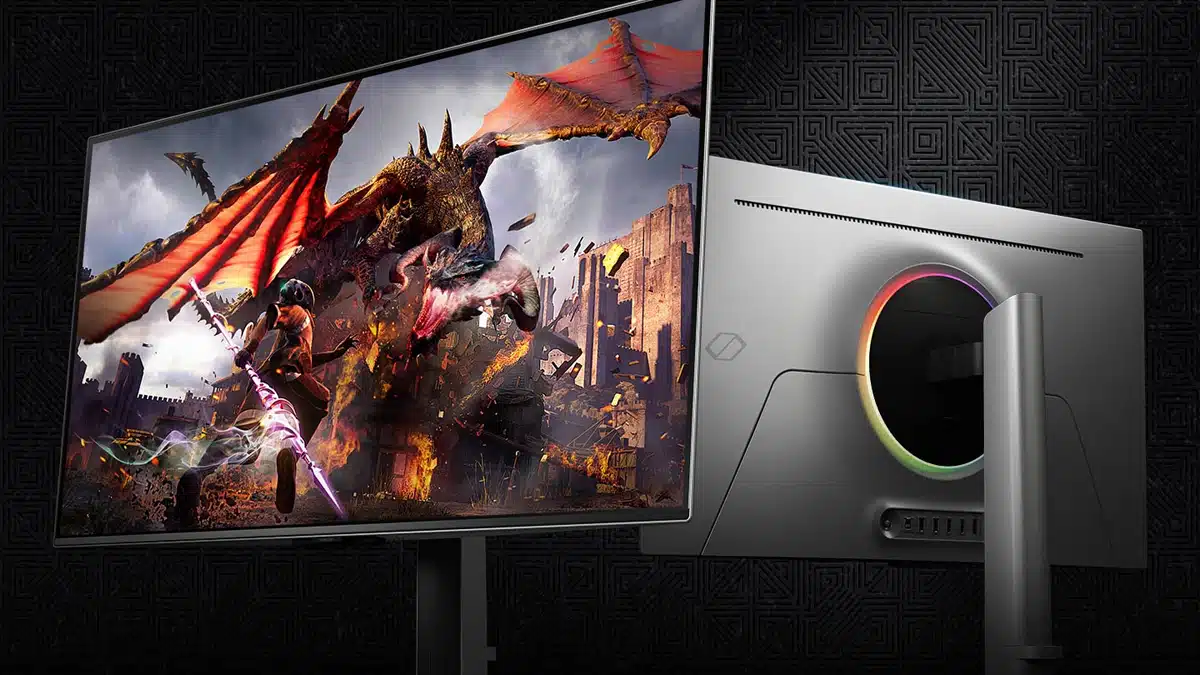
The Odyssey OLED G8, a new 32-inch 240 Hz 4K gaming monitor from Samsung that leverages an OLED panel for what the company says is unmatched picture quality, is the world’s first display to feature a Pulsating Heat Pipe for burn-in prevention, according to a new write-up for the display that Samsung shared today as it begins to take initial orders for the $1,299.99 item. Other highlights include the NQ8 AI Gen3 processor, which upscales select content using AI, while an AI Auto Game Mode has also been advertised for optimal image quality and sound.
Samsung on its burn-in prevention features:
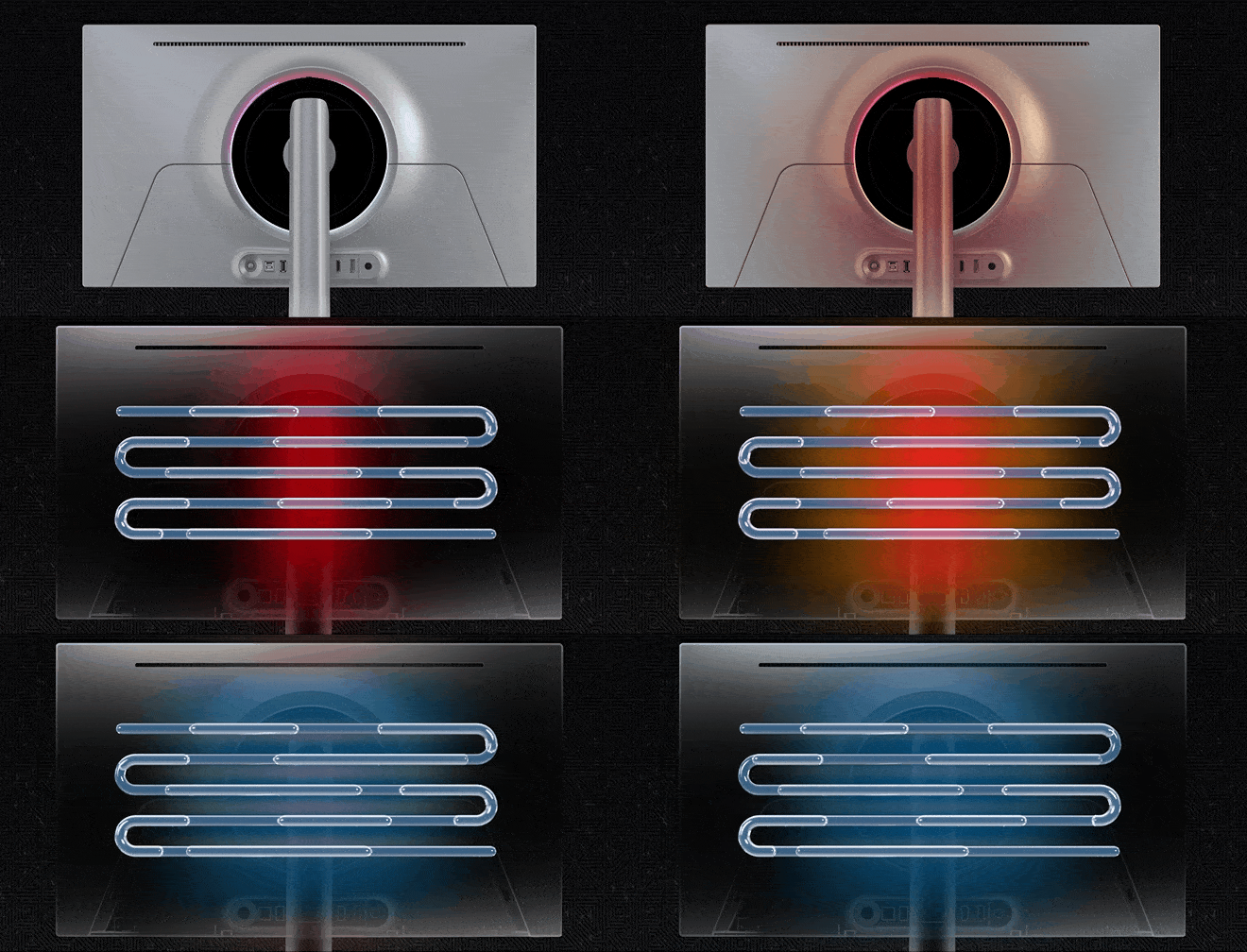
- “The Odyssey OLED G8 is built with Dynamic Cooling System, which evaporates and condenses coolant to diffuse the monitor’s heat five times better than the previously used graphite sheet method. So the Odyssey OLED G8 reduces temperature at the core.”
- “Also, with Thermal Modulation System, the algorithms predict surface temperature and automatically control brightness accordingly to reduce heat.”
- “The Odyssey OLED G8 is the first monitor in the world to apply a Pulsating Heat Pipe that prevents burn-in.”
A look at the heat pipe in action:
A promo trailer:
Samsung on the G8’s AI features:
The Odyssey OLED G8 is powered by an AI processor, the NQ8 AI Gen3, which upscales content to nearly 4K when using Samsung Gaming Hub and the built-in Smart TV apps. Users can now enjoy higher resolution in both gaming and entertainment content.
The Odyssey OLED G8 is also equipped with ‘AI Motion Enhancer Pro,’ which enables you to enjoy content at a higher level. AI technology captures the movement of small objects as they move across the screen. It then calibrates accordingly to provide a smooth and more realistic viewing experience during sporting events.
The monitor features AI Auto Game Mode too. Just put a game in the console, and set the genre to “Auto” in the game bar. AI Auto Game Mode will analyze the game title and automatically switch the setting to display the optimal image quality and sound for the genre of the game.
Discussion (7 replies)
Join Discussion →Pretty sure I saw that on OnlyFans first
Yep, I was going to say try explaining those search results to your significant other, or if a kid, to your mom.
I was going to say, there is a "that's what she said" joke in here somewhere...
More seriously though.
Judging on my experience with the LG C3, there really shouldn't be any need for any exotic new tech to limit burn-in. Pretty sure I'll get at least 5 years out of this one with regular desktop use, and that's about how long I go between monitor upgrades.
There's always the crowd that screams if something won't last forever.
So now the heatpipe can fail before the screen? I never knew cooking your monitor would stop OLED burnin. ;)
Nothing lasts forever.
My awesome Iiyama Vision Master Pro 510 22" CRT lasted me from 2001 until 2005 when it suddenly and unceremoniously let the magic smoke out. I tried to have it fixed by an electronics repair shop because I loved it so much, but while he was able to diagnose it, and said he could fix it, the problem was he couldn't find the parts needed. One of them had gone obsolete and become unobtainable even on the grey market. :cry:
I dumped like half my summer job income on this screen when I got back to school in the fall of 2001 after reading this review on Anandtech. As with every large computer purchase I ever make I always have some guilt after dumping a significant amount of money, but I never wound up really regretting it.
This is not my picture, but that damn thing was effing majestic for its time.
I used to play Counter-Strike at 1600x1200 vsynced at 100hz on the thing using my GeForce 3 Ti500. It was a spectacular experience. I could have gone higher res, but if I did I couldn't read the tiny chat text in Counter-Strike ?
Here is someone testing a survivor a few years back:
[embedded media]
I missed that monitor for several after it died in 2005. The LCD panels just weren't the same. But by the time G-Sync launched I no longer missed it. Variable refresh on a digital panel is so much better than a CRT with fixed refresh.
The funniest thing is, my poor dorm room desk at Umass Amherst used to literally curve under the weight of the monitor. The Anandtech review lists the weight as 73lb, but I remember it being heavier than that. (Maybe I just wasn't as strong back then as I am today, who knows)