

Notepad, the simple text editor for Windows that Microsoft introduced in 1983 to support the release of some of its then-new products, including the original Microsoft Mouse for DOS systems, has finally added spellcheck and autocorrect 40 years after its launch, according to Windows 11 users who say that the app has officially been updated by Microsoft with these overdue, but welcome, features in recent days. Microsoft began testing spellcheck in Notepad back in March, noting that the app now helps users more easily identify and correct mistakes with new features that include highlighting of misspelled words and more.
Microsoft on the new features:
- “With this update, Notepad will now highlight misspelled words and provide suggestions so that you can easily identify and correct mistakes. We are also introducing autocorrect which seamlessly fixes common typing mistakes as you type.”
- “Getting started with spellcheck in Notepad is easy as misspelled words are automatically underlined in red. To fix a spelling mistake, click, tap, or use the keyboard shortcut Shift + F10 on the misspelled word to see suggested spellings.”
- “Selecting a suggestion immediately updates the word. You can also choose to ignore words in a single document or add them to the dictionary, so they are not flagged as a mistake again.”
- “Spellcheck in Notepad supports multiple languages.”
A look at the updated Notepad:
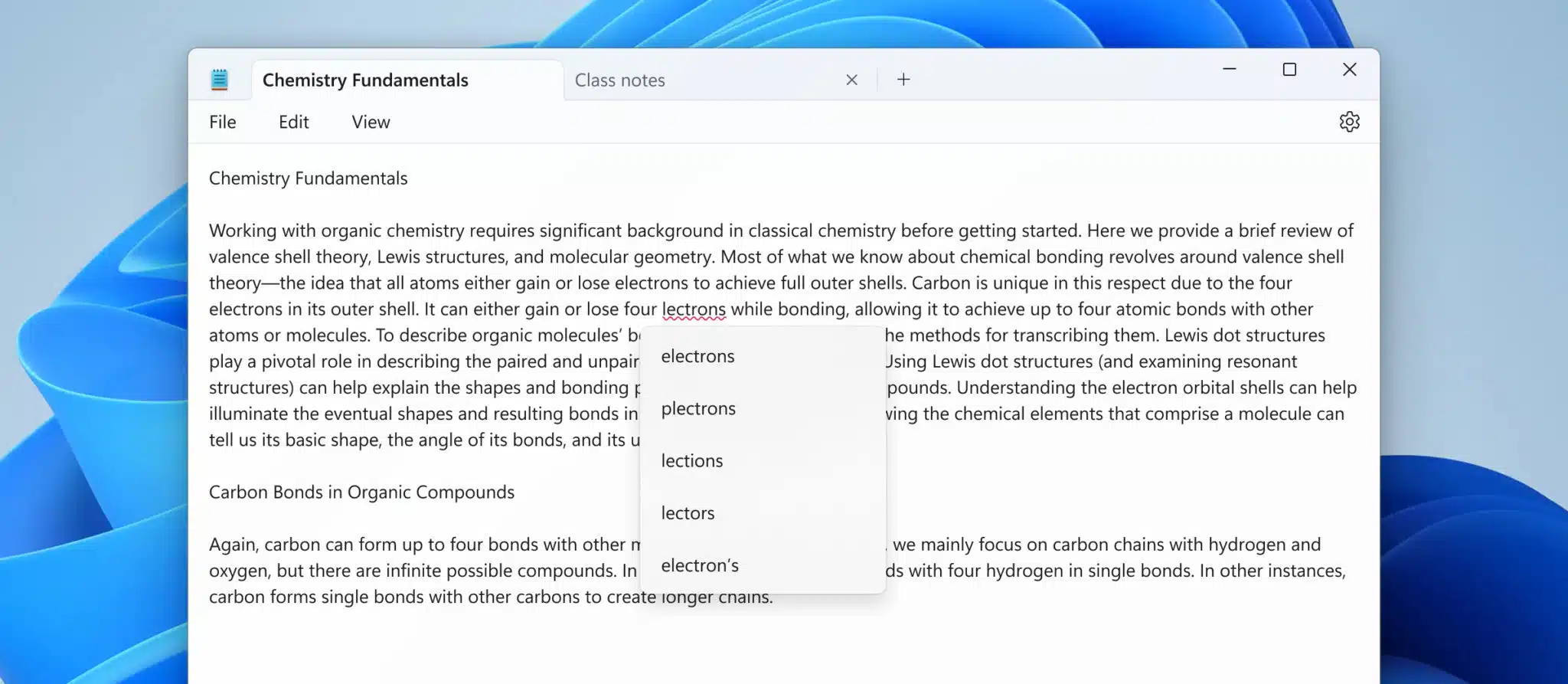
Microsoft said at the time for Windows Insiders in the Beta and Release Preview Channels:
This feature is enabled by default for some file types but is off by default in log files and other file types typically associated with coding. You can toggle this setting on or off globally or for certain file types in Notepad app settings or temporarily for the current file in the context menu. We’ve organized the settings page as well to make it easier to find and adjust Notepad app settings.
Discussion (5 replies)
Join Discussion →?
The headline should read microsoft finally makes notepad irrelevant 40 years after launch. It's only purpose was that it is lightweight and simple.
Features welcome by whom? Nobody writes essays in notepad, you edit ini files and scripts with it, spellcheck and autocorrect are perfect for that /s. Microsoft being completely out of touch yet again.
Used to do that but starting using Notepad ++ for that around 5-10 years ago making it even more irrelevant.
I don't know, or remember when, but when the first basic free version of Word was included in Windows, along with the release of Notepad ++, had pretty much made Notepad dead and buried for me. Before that though I did use it on occasion for simple tasks.
When you are using your own computer. When you just have to do something on a random PC it was very useful. I'm not going to install npp to make one edit.