
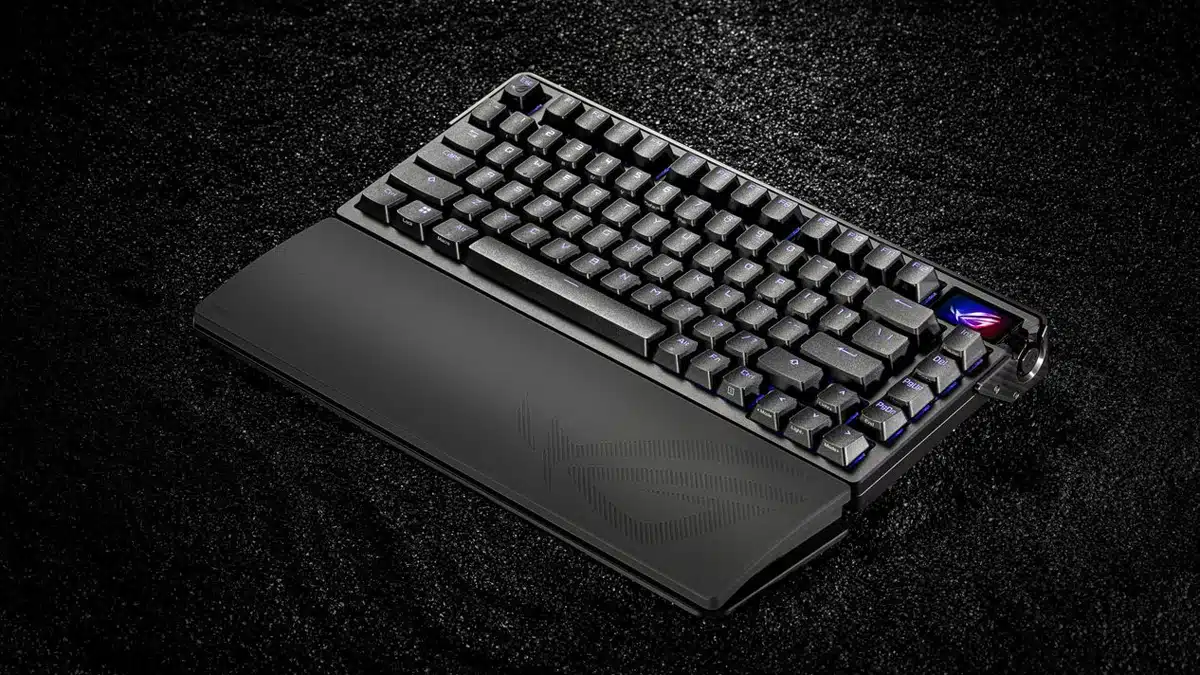
The Azoth Extreme, a custom 75% gaming keyboard that boasts a number of premium features, including a full aluminum alloy chassis and full-color OLED touchscreen with three-way control knob, is coming soon, ASUS Republic of Gamers (ROG) has announced. The new keyboard, which is said to feature superior build quality, includes support for the ROG Polling Rate Booster, an ROG-exclusive accessory that enables a true 8,000 Hz keyboard polling rate in both wired and wireless modes.
Key features include:
- Full aluminum alloy chassis
- Carbon fiber positioning plate Adjustable gasket moun
- Full-color OLED touchscreen with three-way control knob
- Extended wrist rest, magnetic feet Tri-mode connectivity with 2.4 GHz SpeedNova technology
- Hot-swappable pre-lubed ROG NX mechanical switches
- PC/Mac support
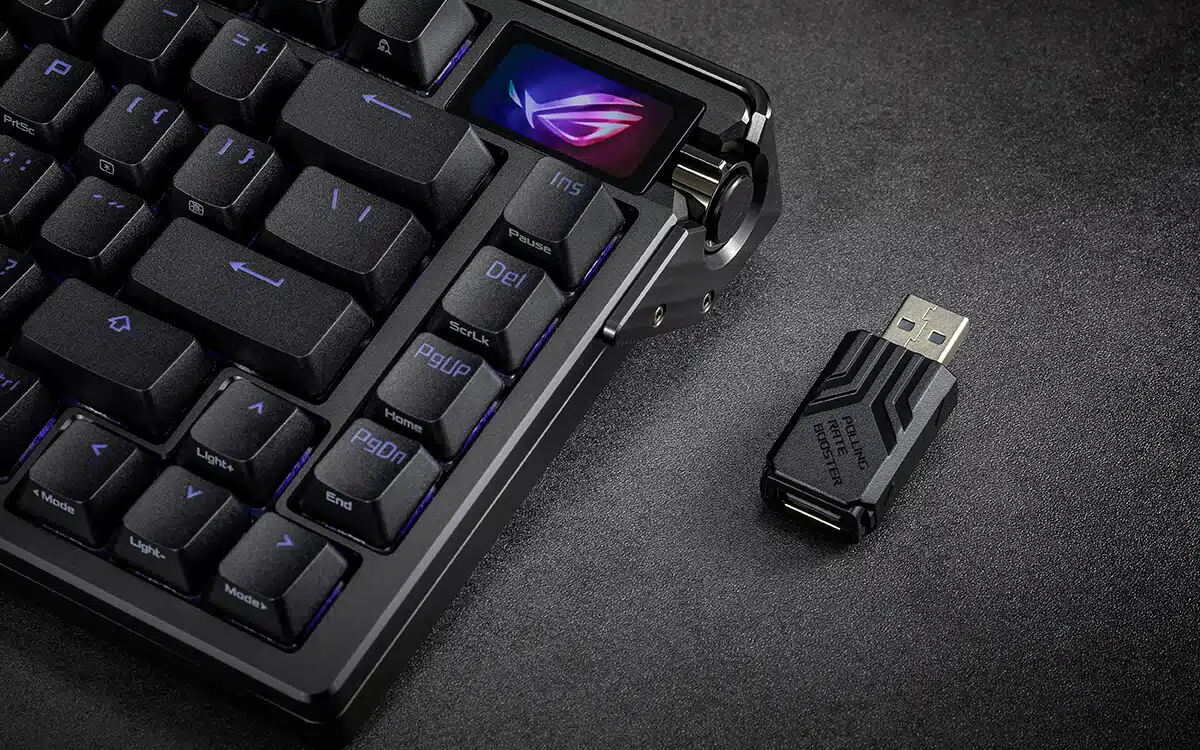
A close-up of the OLED screen and ROG Polling Rate Booster:
ASUS on the keyboard’s premium features:
[Superior build quality] The eye-catching ROG Azoth Extreme gaming keyboard boasts a premium aluminum-alloy chassis with a metal frame that undergoes an intricate 12-step manufacturing process that includes sandblasting, anodizing, CNC machining, and more. Additionally, the Azoth Extreme achieves an impressive 8000 Hz polling rate when used with the ROG Polling Rate Booster, while offering up to 1600 hours of battery life.
[Crisp typing and sublime acoustics] The ROG Azoth Extreme uses a carbon-fiber positioning plate instead of FR4, steel, PC, POM, or brass, which are commonly found in other gaming keyboards. Carbon fiber offers metal-like rigidity for crisp typing sensations; and its elasticity provides excellent shock absorption to effectively minimize vibrations while typing.
The Azoth Extreme utilizes three dampening layers, with two PORON layers and a silicone pad to absorb vibrations and minimize switch pinging and echoes to offer sublime acoustics.
[Adjustable gasket mount] An innovative gasket-mount design allows users to adjust the typing feel via a quick-flip switch found on the bottom of the keyboard. In Hard typing mode, the ROG Azoth Extreme delivers firm keystrokes with quick rebound that’s ideal for gaming. Alternately, Soft mode offers a more cushioned and bouncy feel to ensure comfort during extended typing stints.
[Full-color OLED touchscreen] The 1.47-inch full-color OLED display on the upper right of the ROG Azoth Extreme can show various types of information including keyboard connection status, Caps Lock, and PC/Mac mode indicators. Tapping and swiping on the high-resolution OLED screen allows users to view other various functions such as hardware info and the KPS feature that displays the user’s keystrokes per second.
[Additional features] The ROG Azoth Extreme has pre-lubed ROG NX mechanical switches that provide smoother keystrokes with better acoustics. Tri-mode connectivity allows users to connect devices via Bluetooth, low-latency ROG SpeedNova 2.4 GHz RF wireless, or standard wired USB; with Bluetooth enabling simultaneous connections and easy switching between three devices. A bundled extended silicone wrist rest that aesthetically matches the keyboard ensures typing comfort and retains its firmness over time. Lastly, the Azoth Extreme includes two pairs of magnetic feet of different heights, giving it three tilt angles to suit user preference.
Discussion (9 replies)
Join Discussion →Aaahhh, keyboards with screens. Takes me back to my days using a Logitech G15.
I still have one - utility is pretty limited though, these days, and it's usually easier to just get a small screen below your main monitor if that's something you're looking for.
And still no freaking ten key. I think I'm just old. But I love my 10 key.
I NEED a numpad and a normal layout for Insert | Home | Page Up | Delete | End | Page Down. Not a real keyboard to me if it is missing those.
Both of mine died. Well, the screens did. But I was over membrane keyboards anyways.
I keep a separate 10-key on the right side of my mouse, and like @DrezKill I need that navigation block right where it's always been.
So, tenkeyless (TKL) + separate 10-key works pretty well. These more compact layouts can work for some things of course, but productivity usually isn't one of them!
Here's some shots from Computex. The switch on the bottom is what controls the gasket mount to allow for customization of amount of key travel. I've got a video recorded somewhere (should look into publishing) that shows the differences between the modes. This is a pretty heavy keyboard.
I wont even consider any keyboard that doesnt have the full IBM Enhanced layout. All 104 keys in modern "windows key" configurations.
Well, I mean, I never use the scroll lock key, so fuck that one, but the other 103 I insist I have.
My current daily driver is my WASD Keyboards Code (v2? I cant remember) backlit board with Cherry MX Greens (I like the heavy clicky switches) and the optional milled aluminum case, and some cheap replacement double shot PBT keycaps from Amazon.
The aluminum case is a nicer addition than I expected. It is very solid, makes it more "thocky" and removes any flex while typing. I could also probably defend my home with it, just like the old school Model M's.
I am huge fan of this keyboard, but I also can't really believe how much money I actually spent on getting my keyboard just the way I like it...
I also am constantly surprised oat how fast I wear my spacebar (even the PBT ones) shiny. I wish I could buy just the spoacebar for this dolch set.
It's $500!! Man I'm all about paying extra for gamer bling. I buy a new gaming mouse every 4 or 5 months so I ain't judging anyone but $500 for a keyboard? If I could crap cash I would still have a hard time paying that much for a keyboard.
Wow, that makes mine feel cheap by comparison.
Today my WASD Keyboards Code V2 with green switches costs $130 + another $135 for the solid milled anodized black aluminum case. Then I paid another $30 for the set of YMDK Dolch-patterned backlit/shine through PBT keycaps on Amazon.
So, grand total for my keyboard setup is $295 today.
This is a little cheaper than when I bought it. Back then there was an option to have the keyboard come with the aluminum case pre-installed (which I can't seem to find now) and that combo cost me $305 + shipping ($334.58 shipped). So back then my total config cost me about $365.
Installing the case is really easy. Just a few screws, so that is not an issue.
As for the YMDK keycaps, I like their feel, sound and their appearance (at least when new) but they don't seem to wear well for PBT keycaps. I've had them installed since mid to late January, and the space bar is already worn a bit shiny where my fingers usually impact it during typing.
The keyboard and case are pretty much my endgame config. As far as caps go - however - I'm casually keeping ym eyes open for good alternatives.
Keycaps can be shocklingly expensive, presumably because injection molding them (if you have the double shot, not printed or dye suyb varieties) requires molding 104 different keys, either with different molds, or the same mold with different inserts. This is going to be labor intensive, and reduces the amount of economies of scale you can achieve. We are used toi plastic parts being mass prosduced and cheap, but for this reason, keycaps cannot meet this expectation, unless you are producing absolutely massive quantities of identical keyboards, which defeats the purpose of the "unique customization" hobby many have.
I wish I could just buy spare color-matched space bars as thats the only key that seems to be wearing shiny for me.
There are feequent group buys for keycaps on places like Drop (previously massdrop) but most of the good quality keycaps I can find from highly reputable vendors are - for some reason - double shot, but not shine through, and I really like my shine through keycaps (with minimal underglow)
Anyway, I digress. Back to work.