
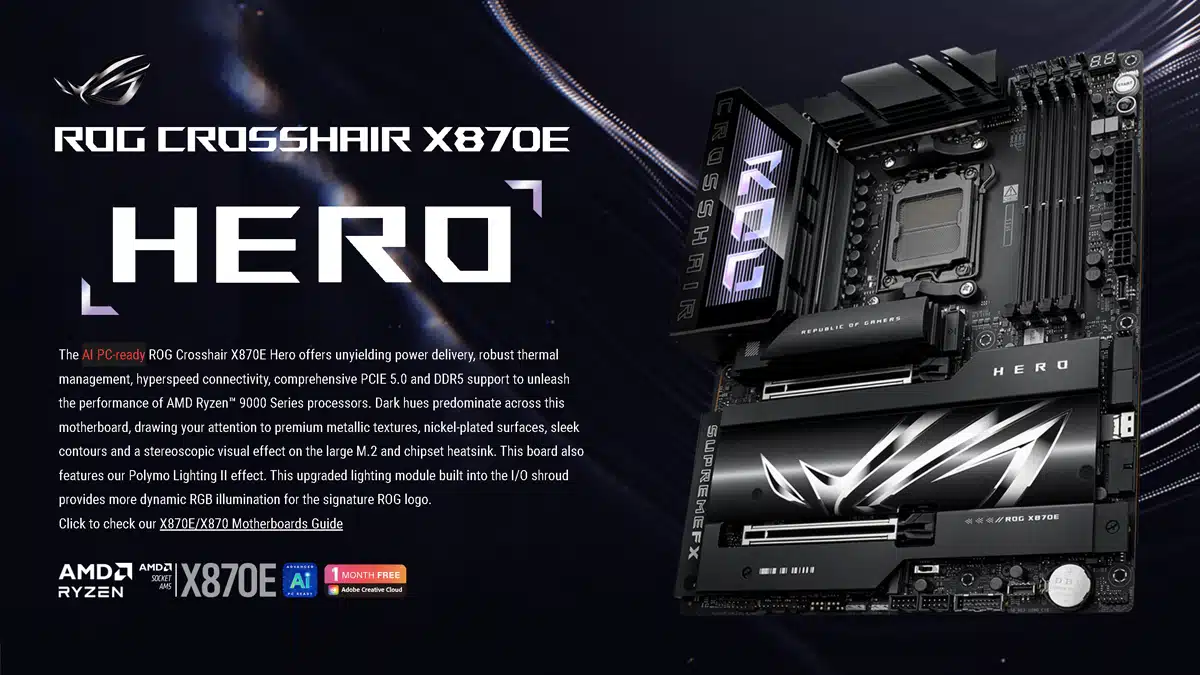
ASUS has introduced its first X870E/X870 AM5 motherboards for AMD Ryzen 9000 Series processors, and with it comes the specifications for at least nine models that will be available under the company’s ROG, TUF Gaming, Prime, and/or ProArt brands, including the ROG CROSSHAIR X870E HERO, a flagship, AI PC-ready motherboard that is said to be unrivaled for gaming immersion, featuring a robust power solution with 18+2+2 power stages, massive heatsinks integrated with the I/O cover, and other premium features for pushing the limits of Zen 4 and Zen 5 CPUs. NitroPath, a new DRAM technology, was also announced by ASUS today, advertised to increase DRAM overclocking performance on X870E motherboards by up to 400 MT/s.
Product links:
- ROG CROSSHAIR X870E HERO
- ROG STRIX X870E-E GAMING WIFI
- ROG STRIX X870-F GAMING WIFI
- ROG STRIX X870-A GAMING WIFI
- ROG STRIX X870-I GAMING WIFI
- TUF GAMING X870-PLUS WIFI
- ProArt X870E-CREATOR WIFI
- PRIME X870-P WIFI
- PRIME X870-P
Specs for the flagship ROG CROSSHAIR X870E HERO include:
| ROG CROSSHAIR X870E HERO | |
|---|---|
| Size | ATX |
| Memory | 4 x DIMM, Max. 192GB, DDR5 |
| PCIe | 2 x PCIe 5.0 x16 (@x16 or @x8/x8 or x8/x4/x4) |
| Storage | 3 x M.2 2280 (PCIe 5.0 x4) 2 x M.2 2280 (PCIe 4.0 x4) SlimSAS connector (PCIe 4.0 x4) |
| Networking | Wi-Fi 7 1 x Intel 2.5Gb Ethernet 1 x Realtek 5Gb Ethernet |
| Audio | ROG SupremeFX 7.1 Surround Sound High Definition Audio CODEC ALC4082 ESS ES9219 Quad DAC |
| Rear I/O | 2 x USB4 40Gbps ports (2 x USB Type-C) 8 x USB 10Gbps ports (6 x Type-A + 2 x USB Type-C) |
| Front I/O | 1 x USB 20Gbps connector (supports USB Type-C) with QC 4+ up to 60W 1 x USB 20Gbps connector (supports USB Type-C) 2 x USB 5Gbps headers (support 4 USB 5Gbps ports) 2 x USB 2.0 headers (support 4 USB 2.0 ports) |
| Aura | 3 x Addressable Gen 2 headers |
| Cooling | 1 x 4-pin CPU Fan header 1 x 4-pin CPU OPT Fan header 1 x 4-pin AIO Pump header 4 x 4-pin Chassis Fan headers 1 x W_PUMP+ header |
NitroPath DRAM technology is debuting on:
- ROG Crosshair X870E Hero
- ROG Strix X870E-E Gaming WiFi
ASUS on NitroPath:
- “NitroPath DRAM Technology boosts memory speeds through our exclusive layout routing.”
- “This cutting-edge design reduces noise interference via shorter gold finger pins and optimized signal pathways within the motherboard, increasing DRAM overclocking performance by up to 400MT/s.”
- “NitroPath DRAM Technology offers enhanced slot retention force, too.”
Those improvements include:
| DDR5 DRAM Latch Lateral Force (Latching) | ||
|---|---|---|
| Traditional Slot | NitroPath DRAM Slot | Improvement |
| 6.23 kgf | 7.46kgf | 20% |
| DDR5 DRAM Latch Lateral Force (Release) | ||
| Traditional Slot | NitroPath DRAM Slot | Improvement |
| 3.88 kgf | 4.84 kgf | 25% |
| DDR5 DRAM Slot Retention Force | ||
| Traditional Slot | NitroPath DRAM Slot | Improvement |
| 4.72 kgf | 7.42 kgf | 57% |
Highlights from today’s press event:
ASUS on the difference between X870E and X870:
Your most feature-rich, high-end options for your AMD Ryzen 9000 Series CPU use the X870E chipset. Armed with DDR5 support, PCIe 5.0 connectivity for graphics and SSDs, two onboard USB4 ports, and support for the latest CPU and memory overclocking refinements, these motherboards are ready to push your new CPU to its limits. Since X870E motherboards have two chipsets, they have more PCIe lanes to play with. On the ProArt X870E-Creator WiFi, for example, we put them to work with a Marvell 10Gb Ethernet port.
Discussion (4 replies)
Join Discussion →Looking real hard at that X870E Pro Art - has everything one would need.
If "Nitro Path" works as advertised, it could be quite interesting.
I'm still a little lost on how to best clock AM5 RAM though.
Is it better to go for the best 1:1:1 ratio you can get, and instead focus on timings, OR are there benefits to running asynchronous RAM speeds and going for max clocks?
It seems like DDR5-6400 at a 2133 fabric in 1:1:1 is achievable. Does it make sense to try to go beyond that?
It seems rather pointless on AMD right now, because:
I'd be leery of exceeding 6000C30 out of pure deference to stability. It's entirely possible to get memory above 8000MT/s on AM5, AMDs memory controller is surprisingly excellent (understanding that it easily runs at 3000MHz, so 1:1 between controller and DRAM at 6000MT/s), however the risk vs. benefit of pushing it higher just doesn't seem to be there, IMO.
The one benefit that I'd like to see explored with 'Nitro Path' would be the possibility of maintaining higher speeds / lower latencies with four DIMMs installed. That'd be the only real selling point of the otherwise super-enthusiast priced Strix-E and Hero X870E boards.
Nice looking board, but no Asus for me.