
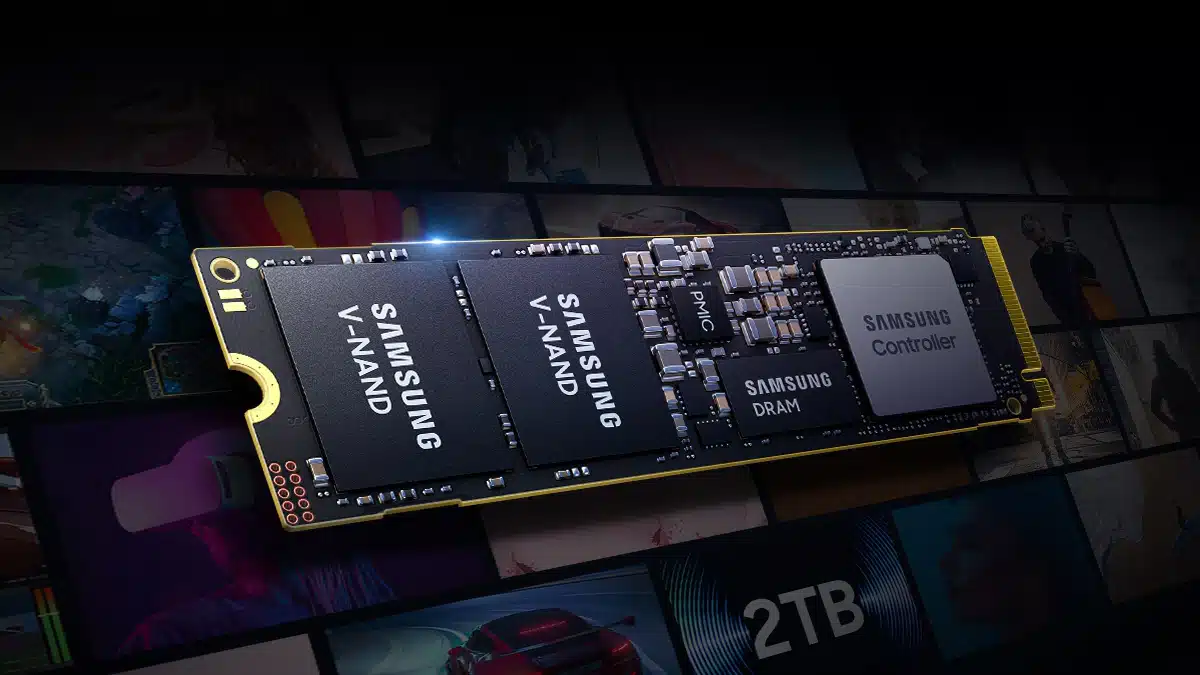
The PM9E1, a new PCIe 5.0 SSD that is said to be the highest performing and largest capacity of its kind in the industry, built on Samsung’s in-house 5-nanometer-based controller and eighth-generation V-NAND (V8) technology, is now in mass production, Samsung Electronics has announced. This SSD is said to deliver sequential read/write speeds of up to 14.5 GB/s and 13 GB/s, figures that amount to more than a 2x improvement versus previous-generation products, according to Samsung.
Samsung writes:
- “Key attributes in SSDs, including performance, storage capacity, power efficiency and security, have all been improved compared to its predecessor (PM9A1a).”
- “Thanks to the eight-channel PCIe 5.0 interface, the sequential read and write speeds of the new SSD have more than doubled compared to the previous generation, reaching up to 14.5 gigabytes-per-second (GB/s) and 13GB/s, respectively.”
- “This powerful performance enables faster data transfer even with data-intensive AI applications, allowing a 14GB large language model (LLM) to be transferred from the SSD to DRAM in less than a second.”
- “The PM9E1 offers a range of storage options, including 512GB, 1 terabyte (TB), 2TB and the industry’s largest capacity of 4TB.”
- “Additionally, the significantly improved power efficiency of over 50% allows for longer battery life which is ideal for on-device AI applications.”
A promo for Samsung’s aforementioned PM9A1a SSD:
Samsung added:
For stronger security measures, Samsung has applied Security Protocol and Data Model (SPDM) v1.2 to the PM9E1. The SPDM specification provides ‘Secure Channel,’ ‘Device Authentication’ and ‘Firmware Tampering Attestation’ technologies that can help prevent supply chain attacks involving forgery or manipulation of stored data in the product during production or distribution processes.
Starting with PM9E1, Samsung plans to expand its advanced SSD offerings to global PC makers and expects to launch PCIe 5.0-based consumer products in the future to solidify its leadership in the on-device AI market.
Discussion (9 replies)
Join Discussion →Samsung is always late to the game with a new generation interface, and then proceeds to be among the best performers of the generation (in the consumer space) once they do launch.
Will be interesting to see how much (if any) the 4k Random performance improves over previous gen.
I'd almost always choose a current previous Gen PCIe Samsung drive over most other manufacturers current Gen PCIe drives.
What I mean by that is that Is choose a Gen4 990 Pro over almost any Gen5 drive on the market. It was the same when Gen4 was new, and Samsung still only had Gen3 drives. Especially all of those uninspiring rebranded Phison reference design drives. The first drives on the market for a new gen usually have of sequential performance, but little else. And that performance tends to come at the cost of rather high power use and heat.
I'm mostly interested in two things:
As for the other metrics, that will depend on what sacrifices or improvements were made to the NAND flash. Entirely possible to blow us away, or for this new generation to be more of a side-grade depending on intended end use.
This might be the first generation of NVME drives I skip if there isn’t much increase in 4k random. I bought a 4TB 990 pro for games, and shifted my old game drive ( 2TB 980pro ) to an OS drive. I don’t need more space, and I don’t really know how I would take advantage of more drives.
I also don't know how most consumers take advantage of high sequential speeds, other than the novelty.
I mean, how often do you really copy large files back and forth between latest PCIe Gen drives anyway? Especially considering how limited PCIe lanes are on modern motherboards.
From what I've seen from some of the latest drives out there they will have to start putting large CPU like coolers on them.
99% of people would never know the difference between a gen 3 and gen 5 drive in their PC.
Shoot for most purposes I can’t tell the difference between Sata 3 and nvme on SSDs
I have always wondered how a a 4 drive raid 0 array of old 64gb Intel X25-E drives would compare to a cheap 256gb nvme drive
My experience with RAID0 has been that while it is great at boosting sequential speeds which tend to scale fairly well, random speeds can suffer.
That said, while it was a real screamer when new, even compared to later SATA drives the X25-E was on the slow side. Intel only speced it as "up to 250MB/s" sequential read speeds.
My 7200rpm enterprise hard drives are able to read above that sequential speed these days (though the old Intel SSD will kill any hard drive in seek times)
So, I'd bet you'd get pretty close to a gig per second in sequential reads, but worse 4k random performance than a modern drive.
That is - of course - if the SATA controller you use them on actually isn't blocking upstream. Many motherboards back in the day used to only give on board SATA controllers one or two PCIe lanes worth of bandwidth. Enough to max out one drive, but not sufficient to max out several at once. I think this got better over time though.