
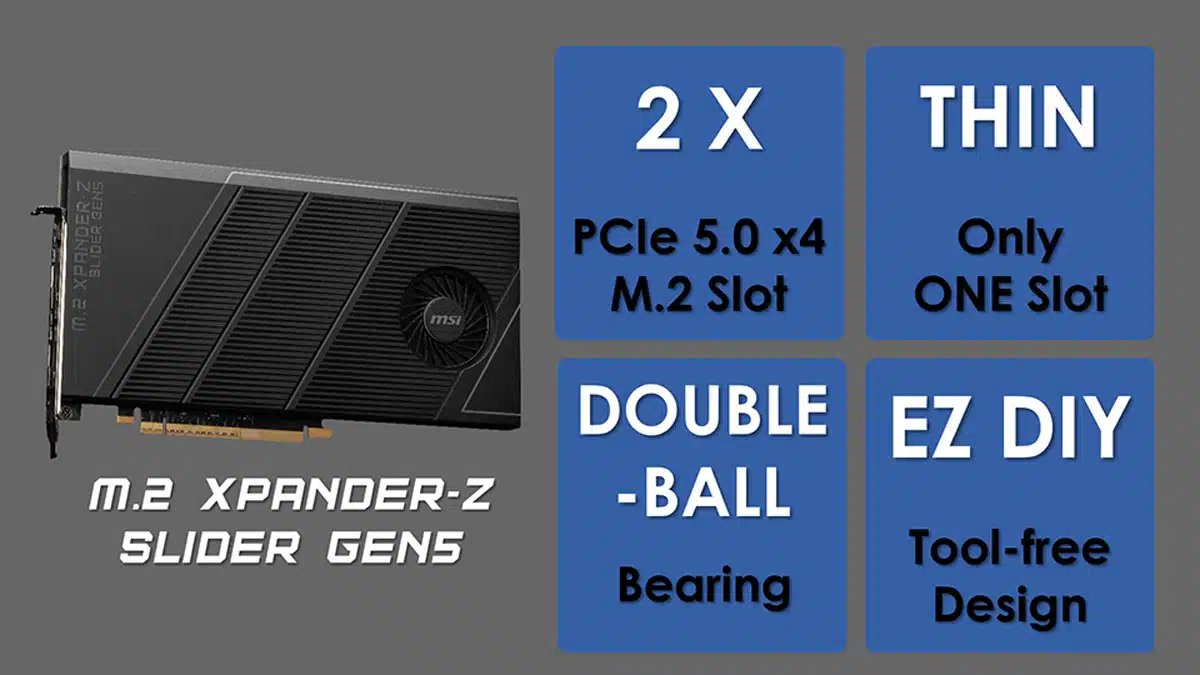
MSI has shared a how-to guide for the M.2 XPANDER-Z SLIDER GEN5, a new add-on card for storage expansion that is headlined by several features for allowing what the company says is effortless assembly. Chief among those would probably be EZ Slide—a feature that allows users to swap SSDs without having to remove the expansion card from the motherboard. See below for some of the marketing materials that MSI shared for the card, which comes included with MEG X870E GODLIKE and MEG Z890 GODLIKE motherboards for Intel and AMD’s latest processors.
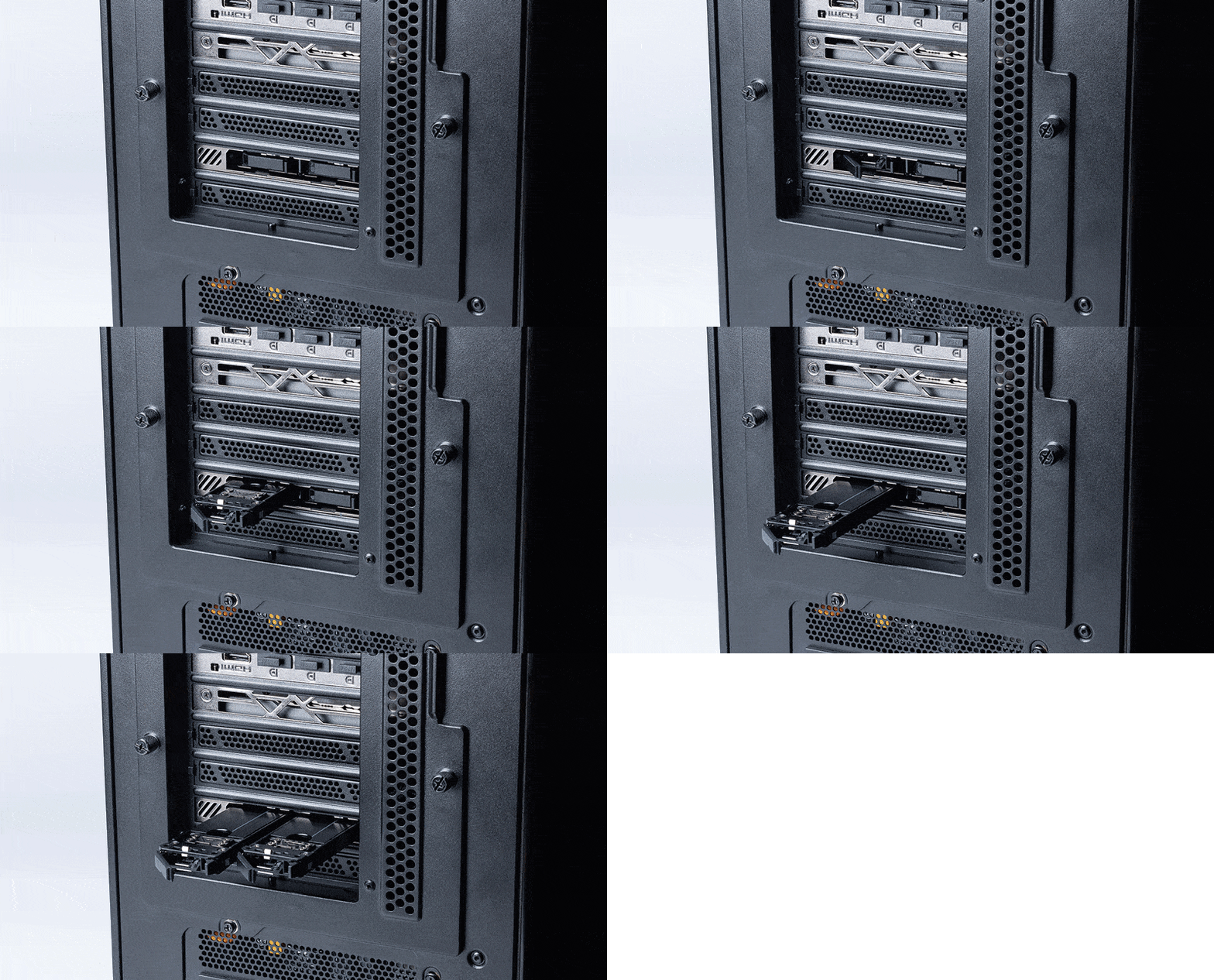
MSI keeps improving the assembly process and makes DIY effortlessly; the EZ DIY features have also been introduced to this add-on card. The Tool-free M.2 installation design ensures no screws and screwdriver during the process. The new EZ Slide design reduces the effort of the M.2 upgrade by removing and adding the M.2 SSD from the back side of the chassis. You don’t have to remove the expansion card from the motherboard or remove the thermal module to swap SSD now.2 There are two LEDs beside each M.2 slot on the I/O side, indicating the storage status for EZ Recognition.
Discussion (2 replies)
Join Discussion →That's actually pretty cool, but why the 16x design, when there are only 8x lanes being used by it?
Also, with only space for two drives, you must really value this easy swap system since a 16x slot should be able to hold 4 drives. You'd be sacrificing 8x precious lanes for this privilege.
Also, I presume this requires bifurcation. I wish motherboard makers would be much clearer in their specs as to which slots support bifurcation.
Heck, I wish they were much clearer in documenting their PCIe expansion all together. Which sots work at the same time without degrading other slots, etc. This is generally so poorly documented (at least without digging into details in the manual, and even then can be unclear) that it makes buying a motherboard when you desire these features nearly impossible.
All of that said, I can't help but wonder who this is for.
HEDT is pretty much dead (having been replaced by true workstation products that suck at client workloads), and consumer CPU's have insufficient PCIe lanes to use something like this without unacceptably degrading the GPU down below 16x.
Maybe some user who really cares about having lots of m.2 storage, but is OK with running integrated graphics?
Yeah that kind of irks me that they are using a 16x PCB for something that's only 8x. I mean, I know a lot of 8x slots are open ended meaning a 16x PCB can still fit in them, but also a lot of times the motherboard has crap behind that open ended slot preventing something 16x long from working. Sure, you can buy a 8x "riser" that can lift it a few mm higher to clear those obstructions, but... why?
I mean, I have absolutely no use for something like this anyway. I guess if you really needed to you could just take come cutters to the PCB and cut off the portion not being used so it'll fit in closed or blocked 8x slot.