
Conclusion
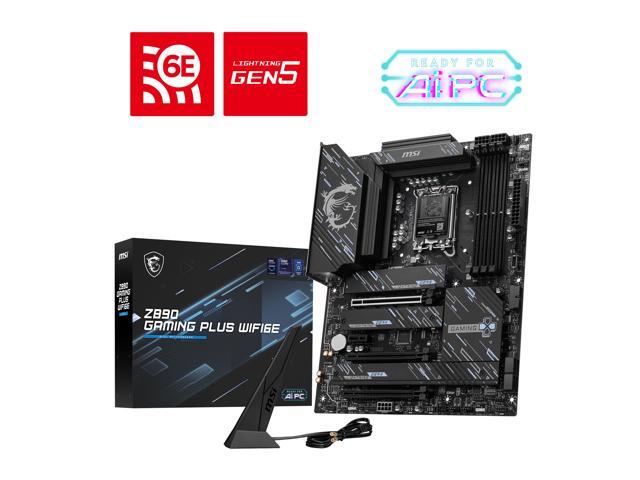
This review evaluated the MSI Z890 GAMING PLUS WiFi6E motherboard. This is a full-sized ATX board from the budget tier of MSI gaming platforms. This is a fully capable socket 1851 Intel platform, supporting very fast DDR5 CU-DIMMs, Gen5x16 PCIE and Gen5 M.2 drives. The connection choices offer a bit of legacy input at well. Testing revealed that the board is fully on level with other Z890 boards we have reviewed. It also demonstrated the capabilities of fast memory.
Installation and Use
Using the MSI Z890 GAMING PLUS WiFi6E gave us no issues. Installing components was uncomplicated. The board booted up without any issues. CPU and RAM installation had no space issues. The RAM latches are on the lower end due to the placement of the CPU power sockets being on the upper right. M.2 slots are all tool-less. They all use a rotary clasp. Slots 2 through 4 require a Phillips screwdriver for the heatsinks.
The NVME drive placement is somewhat of a challenge, however. We were obliged to use a dedicated GPU, and this covers slot number two completely. It would be usable if the NVME heatsink were very thin. Large GPUs may also interfere with slots number three and four. The smaller PCIe slot is essentially a no-go as it sits directly under a GPU placed in the primary PCIe slot. The primary PCIe slot uses what MSI calls the EZ PCIe Clip II. This clip has an extension on the top side, which makes it easier to reach to release the GPU. It works just fine.
First boot, BIOS navigation, and Windows 11 installation were without a single hitch. The BIOS is very similar, if not identical, to the other MSI motherboards we have reviewed in the recent past. Updating the BIOS was no issue using the “M-Flash” software in the BIOS. The Click X BIOS is very responsive and well-organised. All benchmarks ran without error. VRM temperatures were very unremarkable on this board during prolonged Cinebench R23. There were no thermal issues.
Final Points
The MSI Z890 GAMING PLUS WiFi6E is a budget-friendly motherboard that performs well and certainly checks off most of the boxes for an up-to-date board. As we stated earlier, MSI has moved the GAMING PLUS segment for AMD processors into the MAG tier. It is a bit surprising they have not done so here. Given the legacy components on this motherboard, we came away wondering how long this board will be available.
As the title states, the WiFi is 6E, not 7, the rear I/O supports P/S2 sockets (I still have three keyboards I could use in that socket), and alas, you have no Thunderbolt. If that is a deal-breaker in any way, MSI also has the Z890 GAMING PLUS WiFi available for 10 bucks more that has all those up-to-date features. Same board, same style, WiFi 7 and Thunderbolt. On the other hand, this motherboard supports the fastest memory I have ever used. The board ran the Kingston CU-DIMMs at 8400M/T without a single issue.
This motherboard is fully capable and has an extensive overclocking BIOS as well. On top of all this, the price is under $200, making this the least expensive gaming-branded motherboard in MSI’s Intel Z890 lineup. With all that in mind, we would have no second thoughts recommending this board.



Discussion (1 reply)
Join Discussion →Super Solid Board, have the wifi 7 version of it. No issues clocking 265KF and memory.