
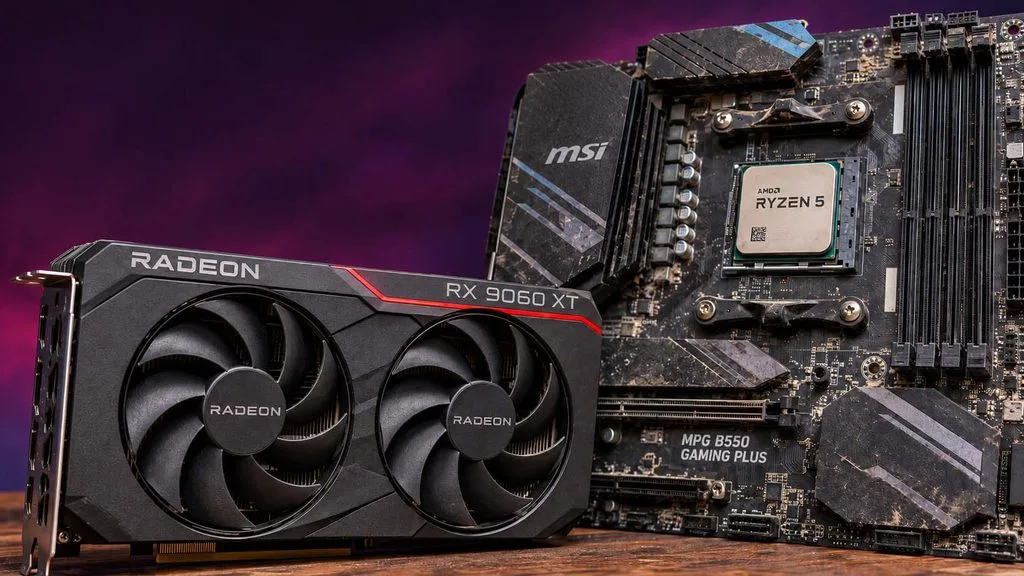
The most useful review this week isn’t about a new product at all. It’s about the GPU many of you are about to drop into an aging AM4 box. Hardware Unboxed’s latest scaling run shows NVIDIA’s CPU overhead problem reaching all the way down to the RTX 5060 and RTX 5070. Elsewhere we put AMD’s two 12- and 16-core X3D chips head to head, Philips makes Penta Tandem QD-OLED a lot more affordable, and Biwin’s DRAM-less Gen5 drive runs remarkably cool.
Budget PC GPU Scaling: Radeon RX 9060 XT vs GeForce RTX 5060 vs RTX 5070 on Older CPUs
Written reviews:
Video reviews:
- Hardware Unboxed: https://www.youtube.com/watch?v=JlJVLV8a8Zs
- Hardware Canucks: https://www.youtube.com/watch?v=7u1u6nf8-lk
Consensus summary: Hardware Unboxed and TechSpot paired the RTX 5060, RTX 5070, and RX 9060 XT 8GB with four CPUs, from the Ryzen 5 5500 up to the Ryzen 7 9800X3D. On the slowest chip, the Radeon outran both GeForce cards; NVIDIA’s lead only appears once the processor stops holding it back. In an older system, a Radeon is generally the better upgrade, with gains of 20 to 30 percent in some games. They also note the overhead issue applies to Intel CPUs of similar gaming performance. Hardware Canucks attacks the same question from the CPU side, running the Ryzen 5 5500, 5500F, and 5600 against a spread of current GPUs.
FPS Review take: DDR5 platform upgrades are painfully expensive, and AM4 refuses to die, as we saw when the Ryzen 5 5500F finally reached US shelves. If you’re keeping the old CPU, buy the GPU for the CPU you actually have, not the one in the review charts.
AMD Ryzen 9 9900X3D vs Ryzen 9 9950X3D
Written reviews:
- The FPS Review: https://www.thefpsreview.com/2026/11/05/amd-ryzen-9-9900x3d-vs-ryzen-9-9950x3d-cpu-review/
Consensus summary: Our head-to-head found the two chips essentially tied in games. Average frame rates differed by about 1 percent in most titles and by no more than 5 percent at most, and 1% lows typically differed by 1 to 5 percent, with the occasional 7 percent edge for the 9950X3D. The 9900X3D’s 6-core CCDs never noticeably held it back; boost clocks did more to separate the two. In multi-threaded rendering, transcoding, and content creation, though, the 16-core 9950X3D pulls substantially ahead.
FPS Review take: If your PC is a gaming machine first, save the money and take the 9900X3D. Our standalone Ryzen 9 9900X3D review and Zen 4 vs Zen 5 X3D gaming comparison show where it sits against the 8-core chips.
MSI MAG X870E TOMAHAWK MAX WIFI
Written reviews:
- The FPS Review: https://www.thefpsreview.com/2026/11/02/msi-mag-x870e-tomahawk-max-wifi-motherboard-review/
- TechPowerUp: https://www.techpowerup.com/review/msi-mag-x870e-tomahawk-max-wi-fi/
Consensus summary: Both reviews agree it’s an easy board to build on and live with. It has tool-less M.2 coolers, a reinforced primary slot with easy release, and a clean software experience, and its performance can match or beat some of MSI’s pricier MEG and MPG boards. Where they split is value. TechPowerUp calls it a go-to affordable X870E. We found its 14+2+1 VRM didn’t keep pace thermally with the B850 TOMAHAWK despite the bigger heatsinks, and at $339 we couldn’t recommend it over the B850 model.
FPS Review take: The B850 TOMAHAWK WIFI regularly sells for around $180, so the X870E version’s extra M.2 slot is an expensive way to get another drive bay.
ASRock X870 Challenger WiFi White
Written reviews:
- FunkyKit: https://www.funkykit.com/reviews/motherboards/asrock-x870-challenger-wifi-white-motherboard-review/
- The FPS Review: https://www.thefpsreview.com/2026/07/15/asrock-x870-challenger-wifi-white-motherboard-review/
Consensus summary: FunkyKit’s new review and our July review land in the same place. This is a roughly $215 X870 board that doesn’t act like a budget board, with a 16+2+1 80A Dr.MOS power stage, Wi-Fi 7, dual USB4, 2.5GbE, and four M.2 slots. Both noted the cost cutting shows up in convenience features: there’s no PCIe EZ Release (we needed a pencil eraser to work the tight clasp) and only two SATA ports. We also flagged that M.2_2 shares bandwidth with the rear USB4 ports. Performance met or beat ASRock’s pricier X870 Steel Legend and Riptide in our testing, and FunkyKit’s benchmark run with a Ryzen 9 9950X and RTX 5080 found nothing amiss.
FPS Review take: Four months later, a second reviewer reaching our conclusion is a good sign this board is the sensible white AM5 build pick. If you need more expansion, we also reviewed its sibling, the ASRock X870E Challenger WiFi.
Philips Evnia 34M2C8600P
Written reviews:
- Club386: https://www.club386.com/philips-evnia-34m2c8600p-review/
- eTeknix: https://www.eteknix.com/philips-evnia-34m2c8600p-5th-gen-qd-oled-280hz-monitor-review/
Consensus summary: Philips pairs a 5th-gen Penta Tandem ultrawide QD-OLED with a 280Hz refresh rate to undercut 360Hz rivals, and both reviewers think the trade-off pays off. Club386 measured the best color accuracy and brightness it has seen from this panel technology and would put it straight in its basket at £779. eTeknix highlights the feature list: Ambiglow, a built-in KVM, MultiView, and USB-C with 90W power delivery. Club386’s only real knock is QD-OLED’s usual power draw.
FPS Review take: It’s a shame for our US readers that Club386 reports the monitor isn’t sold here. It’s still a clear sign of where ultrawide OLED pricing is heading, and US buyers should watch for a similar 280Hz value tier from other brands.
UPERFECT GR14BU
Written reviews:
- Tom’s Hardware: https://www.tomshardware.com/monitors/portable-monitors/uperfect-gr14bu-portable-monitor-review
- TechPowerUp: https://www.techpowerup.com/review/uperfect-gr14bu/
Consensus summary: This 14-inch 2880×1800 OLED is a 120Hz touch display in a 590-gram aluminum chassis with a built-in kickstand. Both outlets find it sharp and practical with some rough edges. Tom’s Hardware calls it an incredible value at $299, ahead of Asus’ ZenScreen OLED MQ16FC in color, brightness, and specs. It also lists the misses: no Adaptive-Sync, no portrait mode with the kickstand, and cheap-feeling OSD buttons. TechPowerUp likewise calls it sharp, slim, and practical but quirky.
FPS Review take: For a handheld or laptop travel kit, a 120Hz OLED touch panel at this price is hard to argue with. Just don’t expect VRR.
Biwin M560 2TB
Written reviews:
Consensus summary: Tom’s Hardware’s verdict is “next-gen responsiveness without the heat.” The drive pairs Silicon Motion’s DRAM-less SM2504XT controller with Kioxia’s 218-layer BiCS8 TLC. It sat comfortably around 4W in testing, with peaks well under the 6.5W that good DRAM-less drives usually hit. That makes it a strong candidate for laptops, and an exceptionally cool one in PCIe 4.0 machines.
FPS Review take: Gen5 drives that don’t need a heatsink the size of a brick are exactly what small builds and laptops have been waiting for. We previously tested Biwin’s Black Opal NV7400 2TB if you want our take on the brand.
Sudokoo SK700V MACH
Written reviews:
Consensus summary: TechPowerUp found impressive cooling for a single-tower design. The cooler uses seven heat pipes and a 30mm-thick zero-RPM-capable LCP fan, and adds an integrated digital temperature display and a five-year warranty. The verdict is that it’s an intriguing option if your budget stretches to it.
FPS Review take: Single towers that punch above their weight are great news for compact builds where a dual tower won’t fit. The price is the question mark.
Cougar DuoAir
Written reviews:
- TechPowerUp: https://www.techpowerup.com/review/cougar-duoair-rgb/
- KitGuru: https://www.kitguru.net/tech-news/featured-tech-reviews/leo-waldock/cougar-duoair-review-glass-or-mesh/
Video reviews:
Consensus summary: The hook is two front panels in the box, glass and metal mesh, which swap in moments. TechPowerUp says the $80 case comes with five fans and a hub, runs quiet, and cools GPUs better than any case it has tested so far (Ed: Why did they thank Corsair for the review sample?). Its complaints are a too-short GPU support arm and tight cable space. KitGuru’s build and smoke tests focus on the glass-or-mesh choice and on how brightly the front ARGB fans shine through either panel.
FPS Review take: An $80 case with five fans that leads TechPowerUp’s GPU thermal charts is the kind of value that has become rare. Go with the mesh panel if your graphics card runs hot.
Ducky OK-HE
Written reviews:
- Hardware Asylum: https://www.hardwareasylum.com/articles/motherboards/ducky_ok-he-75
Video reviews:
Consensus summary: Hardware Asylum calls the OK-HE an impressive entry into Hall Effect keyboards. It highlights the Haimu magnetic switches, adjustable actuation down to 0.01mm, and 8,000Hz polling, on a gasket-mounted chassis with five layers of dampening and PBT keycaps. alexotos frames it around the $79.99 entry price, which is the real story for a Hall Effect board carrying Ducky’s name.
FPS Review take: Magnetic switches have gone from premium curiosity to the default competitive feature in about two years. An $80 Ducky is a good sign the price floor keeps dropping.
Logitech G Pro X3 Superstrike
Written reviews:
- Tom’s Hardware: https://www.tomshardware.com/peripherals/gaming-mice/logitech-g-pro-x3-superstrike-review
Consensus summary: Tom’s Hardware’s verdict is that the mouse is somehow better than the X2 Superstrike and also not worth the price. The new balance is a noticeable improvement. Battery life is up to a rated 135 hours at 1,000Hz, and 8,000Hz polling now works wired as well as wireless. The click haptics are weaker than on the X2, though, and at $200 the review suggests most buyers should grab a G Pro X Superlight 2, often found for around $100.
FPS Review take: We covered the X3 Superstrike’s $199.99 launch and wondered who it was for. “Only if you’re certain actuation latency is what’s holding you back” seems like the right answer.
Discussion
Join Discussion →No replies yet. Be the first to reply on the forum.