
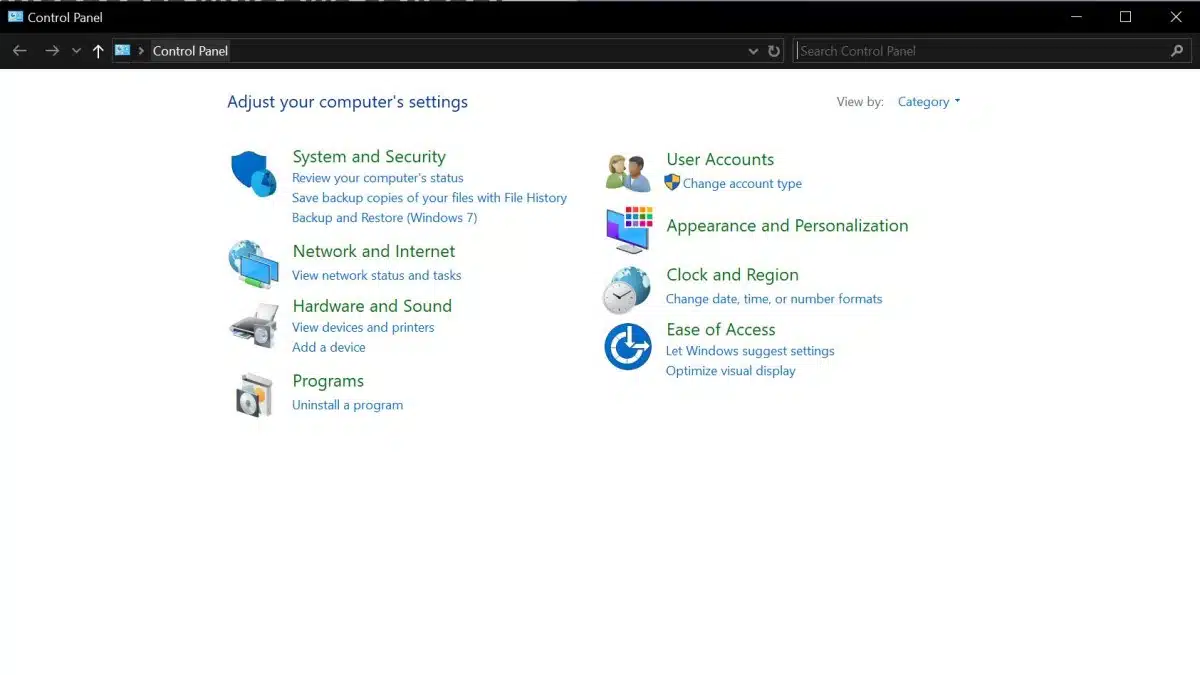
The end is nigh for Control Panel as Microsoft says that it plans to deprecate the 39-year-old settings interface. Regardless of how everyday users and IT personnel have accessed it, Windows Control Panel has been a staple for many over the decades to access essential links for making system changes. First introduced in 1985 with Windows 1.0 the interface would progressively be updated giving users a quick and easy means to configure their PCs as needed. Microsoft has long been making changes in how to find the aging, but still useful, interface and has now officially announced its end is forthcoming.
Per Microsoft (via support page):
“The Control Panel is a feature that’s been part of Windows for a long time. It provides a centralized location to view and manipulate system settings and controls. Through a series of applets, you can adjust various options ranging from system time and date to hardware settings, network configurations, and more. The Control Panel is in the process of being deprecated in favor of the Settings app, which offers a more modern and streamlined experience.”
Microsoft says in a tip for users that the interface is still included in Windows for compatibility reasons while it works to migrate more settings to the Settings App, users are advised to use the newer app as much as possible. This is likely so that users not yet familiar with the app can become more acquainted with it. Microsoft has not indicated exactly when it will remove the Control Panel from Windows 10 and 11 but this move could include other changes as well. From its push for AI via CoPilot, and Recall, to removing other apps like Paint 3D, Microsoft has been tweaking its current operating systems over the last few months. With EOL support on the horizon for Windows 10 more changes are likely to happen.
Discussion (19 replies)
Join Discussion →Well, at this point it is just a formality.
While I prefer the traditional Control Panel approach over the modern settings bullshit, they have increasingly made it more and more useless over time to the point where I don't think I've actually used Control Panel in years now.
I agree Zarathustra. Irks me to no end that you can't simply go to "Devices and Printers" anymore from the old Control Panel in Win11.. I can't stand their new "settings" interface.. Maybe it's just my old age showing.. Get off my lawn you young whipper-snapper!
Windows settings is a maze of trying to find the exact functionality you need to do. For example, I need to access the network adapter to tweak some ip4 or ip6 settings. Holy-hide-and-seek-Batman that thing is buried in multiple pages in Settings. This is not an optimal UI design. It is neither clean or modern. It seems to me they have more wasted space devoted to the Get Help and Give Feedback (which I bet they ignore).
Now I remember what the Windows Settings remind me of....the Windows phone. I used to have a Nokia Windows Phone and the UI is very similar.
Yeah, not a fan of the Settings app. My laptop has W11 on it and I agree with how its a ridiculous maze to look for links to advance settings. Looks more like a Jr. High report gone wrong with some hyperlinks thrown in as an afterthought when someone asked how they're supposed to get to the other settings.
Is this a joke? Like MS is actually thinking we enjoy having options scattered between two conflicting systems? You should've migrated all options from the control panel to the settings app BEFORE even thinking of launching it . And then we wouldn't be forced to use the control panel.
I was going to say let the witch hunts begin, but they started without me.
Now where did I leave my pitchfork and holy water? I've heard both can be used to some success when trying to get Windows (or windows programmers) to do as you wish.
Like others, I may be showing some of my age. in liking the Control Panel. I dont think you can put a link to a much used item on the desktop with settings, can you?
Not that I hate settings, I dont, does seem strange there is a dual system for so many things in windows (or maybe it just feels like it). IMO MS could put more work into Sound settings and functionality while depreciating the Control Panel can wait.
I came across some YouTube vids while prepping this story so yeah there is a way and you can even have it keep the icon for it. I haven't tried but evidently its a thing.
Ugh - Ignore this I thought you were asking about CP.
I’m pretty sure there are still settings Dialogs dating back to Win95, maybe older.
The Windows UI is an utter mess of legacy and revamp, like 5 times over.
It needs a nuke and rebuild, but it will never get it
Just another reason why my next gaming build will be Linux.
Yea where will they bury mpio in the settings menue I wonder.
The joke around the office regarding this:
Suddenly, everyone over the age of 35 will no longer be able to use their computer any longer, and everyone will be on the phone with their 14 year old niece/nephew/child to fix their computer.
You know, just like our parents did to us for setting the clock on the microwave, setting up a new TV, programming the VCR, etc.
Up to this day there are things you can do with the control panel that you can't do with settings.
I still use CP more than I should.
Windows used to be so easy to use once you learned the basics of how it worked. Everything after Windows XP has had an increasingly worse interface little by little. Simple things that could be done in one or two clicks are now buried in submenus that aren't exactly intuitive to reach or are completely hidden.
Microsoft has been doing this crap to all its products for years. I suspect they do it to make the OS look and feel different and less iterative than it really is. Microsoft jumped the shark the moment it decided to eliminate the start menu and provide a touch screen optimized interface for the Windows server product line.
I think it went downhill since windows Vista (or was it 7?), when they introduced the "By Category" view. I always used the "classic" view with small icons.