

Introduction
Intel’s next generation 13th Gen Intel Core processors are launching, and we have a full review of the Intel Core i5-13600K CPU. What has been dubbed as “Raptor Lake” Intel’s 13th Gen Core processors are the next evolution of Intel’s unique hybrid architecture consisting of performance cores and efficiency cores. The 13th Gen processors from Intel build upon the 12th Gen Core Processors (Alder Lake) and extend the architecture to include more efficient cores, more cache, and higher clock speeds with some other tweaks. Also, don’t miss our Intel Core i9-13900K CPU Review.
Intel has announced the lineup of 13th Gen CPUs, with complete specs, and frequencies as well as pricing. This is the official launch of product availability, and where we can show you benchmarks and performance in games. In this review, we will look at several synthetic benchmarks, including multi-core and single-core performance, and no less than 8 games worth of performance at 4K, 1440p and 1080p. Our CPU comparisons today are very comprehensive, culminating in 10 total CPUs, 4 from the Ryzen 7000 series, 1 from the Ryzen 5000 series, and 3 from the Intel 12th Generation series.


To fully learn what the 13th Gen Intel Core Processors bring to the table in terms of new features, please read page 1 of our Intel Core i9-13900K CPU Review. We are not going to go over the new features here, but we will briefly lay out the major plot points. Intel’s 13th Gen Core Desktop Processors bring double the Efficient-cores (E-cores) to each SKU, improving multi-threading performance quite a bit at each level. This is especially true for the i5-13600K which brings a lot more cores to the $300 CPU price point.
In addition, Intel has increased L2 and L3 cache sizes on every CPU, which is a good thing for gaming performance and office applications. Finally, Intel has increased core clock speeds on each CPU, bringing faster boost clocks which just helps everything. You will also continue to find support for both DDR5 and DDR4, as well as PCI-Express 5.0 and support for LGA 1700 sockets maintaining computability with Z690 motherboards for the previous Alder Lake generation.
Intel Core i5-13600K


The Intel Core i5-13600K has an RCP USD of $319. It is a 14 combined core CPU made up of 6 performance-cores and 8 efficient-cores for a total of 20 threads 14(6+8). It has 24MB of Intel Smart Cache (L3) and 20MB of Total L2 Cache. It has a P-core Max Turbo Frequency of up to 5.1GHz, and an E-core Max Turbo Frequency of up to 3.9GHz. It has 20 total CPU PCIe lanes and supports DDR5 5600 and DDR4 3200. The Processor Base Power is 125W and the Max Turbo Power is 181W.
| Intel Core i5-13600K | Intel Core i5-12600K | |
|---|---|---|
| Total Cores | 14 | 10 |
| Performance Cores | 6 | 6 |
| Efficient Cores | 8 | 4 |
| Total Threads | 20 | 16 |
| Max P-core Turbo | 5.1GHz | 4.9GHz |
| Max E-core Turbo | 3.9GHz | 3.6GHz |
| L2 Cache | 20MB | 9.5MB |
| L3 Cache | 24MB | 20MB |
| Turbo Power | 181W | 150W |
The direct competition for the Intel Core i5-13600K is going to be AMD’s Ryzen 5 7600X which has an MSRP of $299. However, the Ryzen 5 7600X only has 6-cores and a maximum of 12 threads. With thread support of 20 on the i5-13600K, it has a natural multi-threading advantage over the 7600X. It will be interesting to see how it lines up with the benchmarks today.


Our CPUs were in a nice box presentation. The CPU itself looks identical to that of the 12th Gen Core processor, Alder Lake. On the back, the pin pattern differs from the 12th Gen CPUs slightly, and there are some slight capacitor differences, but otherwise, they look very much the same. Installation into our MSI MEG Z690 ACE motherboard was easy and flawless. We did need to flash the BIOS on this motherboard to the latest version to support the CPU, thankfully we were able to use the flash BIOS button feature to do so to get CPU support.

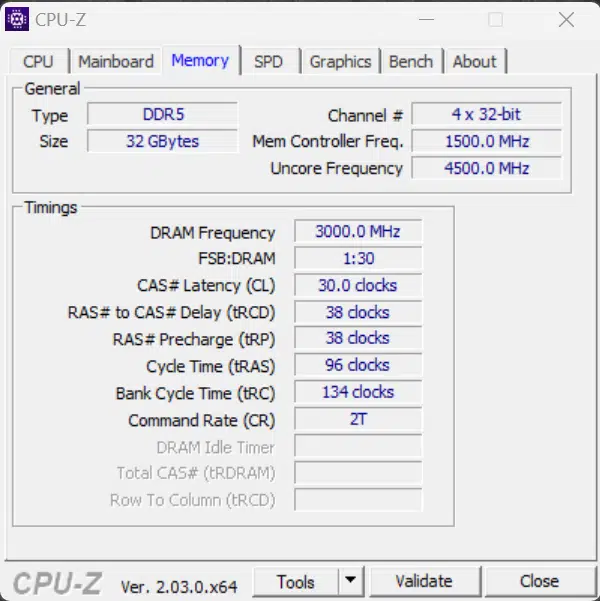

HWiNFO64 detects our CPU as Intel Core i5-13600K Raptor Lake-S 6+8 Stepping B0 SSPEC SRMBD with a TDP of 125W, which is the base TDP. It shows the correct turbo boost of 5.1GHz.

Discussion (13 replies)
Join Discussion →These CPU's are amazing... but the high core counts... seem odd.
IF you need high core count systems are you really gonna 'save' the 50-100 bucks and not just get the higher end part? I mean there are efficiencies and such and desktop consumers who see a 50 buck price difference as just TOO much of a hurdle... but lets get real. Those are starting enthusiests... and will they be doing something that need or warrants that many threads? Couldn't they have gotten the performance for gaming without the complexity of more threads and reduced cost even more? Even if only cost internally for the product stack?
I think, as you move down the stack - it's all about salvage bins and strategically pricing/marketing them. Not that these were specifically created for this mid-market segment.
I really like Intel's CPU. I want to REALLY like them. That power draw though. I can't. I can't do it.
It's kind of funny that all those Efficiency cores and the power is still what it is.
They are "Efficient" at consuming power.. :)
E-cores are cheap. Really cheap, as they're essentially re-worked, stripped-down Skylake cores. They lack HT which was one of the main sources of security issues for Skylake.
And for Raptor Lake, over Alder Lake before, the E-cores run a bit faster, have lower latency, and do not inhibit ring clock speed - which results in higher overall memory bandwidth and lower memory access latency for every core.
So those eight E-cores on the 13600K and 13700K are extremely helpful. They still have full-fat FPUs and so on, so you could think of them as being something like having a whole 9700K (at 10nm / Intel 7) bolted on to the side of the six or eight P-cores in these CPUs. They can handle any work assigned to them.
For the 13600K, you probably should stretch to the 13700K for the additional two P-cores. But just for gaming? Hard to make that argument depending on what other budget considerations are at hand.
I guess this depends on the comparison. There's a lot of elegance to be found in AMD's more traditional approach, but for those that do more with their systems than just gaming - and by more I mean they have all the stuff running that a desktop user and a gamer would have in the background - Intel's approach makes sense. The P-cores can handle the demanding gaming threads, the E-cores can handle everything else - effortlessly.
Hard to measure and hard to reproduce I know, as no reviewer would purposefully use such a methodology on a product launch review, let alone variability with all the additional variables and likely run-to-run variance casting doubt on the results. This is just how I look at it.
As long as Intel has been doing these bins, I expect they very much planned things this way. Intel needed to both head off AMD's gains with Zen 4 as well as provide an uplift in comparison to Alder Lake, thus providing a motive for folks with anything older to jump in this round.
Strong gaming performance, strong MT performance, and available inexpensive boards and support for less expensive DDR4 with Raptor Lake all put Intel pretty substantially in the value leader slot.
Zen 4 is leading in perf/watt at the very highest loads, but average loads are surprisingly 'normal' for both of them. For gaming and general desktop use, outside of say 3D rendering, both ecosystems are more or less equivalent.
Such a mixed bag with these new processors for gamers but this one is a bit more palatable than the 13900K. Still going to wait and see what AMD's next 3D offering is but it all adds up to more knowledge for the most informed purchase.
Yeah, if I were building a system from scratch right now, I could see going any direction really and coming out with a really solid system. Would probably come down to whatever I could catch on sale that particular day.
Hell no, just factor the cost of an AIO cooler and suddenly the value crashes to the ground.
Zen 3 is a much better value if only not as fast.
I'd have figured that in anyway :unsure:
Not a 'fan' of using HSFs except where necessary or in truly low-powered scenarios.
Bringing up this old thread due to my "downgrading" from a 13900K to a 13600KF. After moving into my new home and being in a designated main level bedroom/man cave over my basement man cave in my previous home where temperatures were not as noticeable I just wanted to have something that ran cooler which this does compared to my previous 13900K. The 13600KF is just as good as the 13900K at 4K with little to no drop off in FPS as this review suggests.
That's nice to see! Thanks for sharing!
So, I take this back. The latest round or two of air coolers have pushed more than adequate cooling down to US$50 to US$70. Obviously be mindful of voltages under load!