
Installation and Overclocking
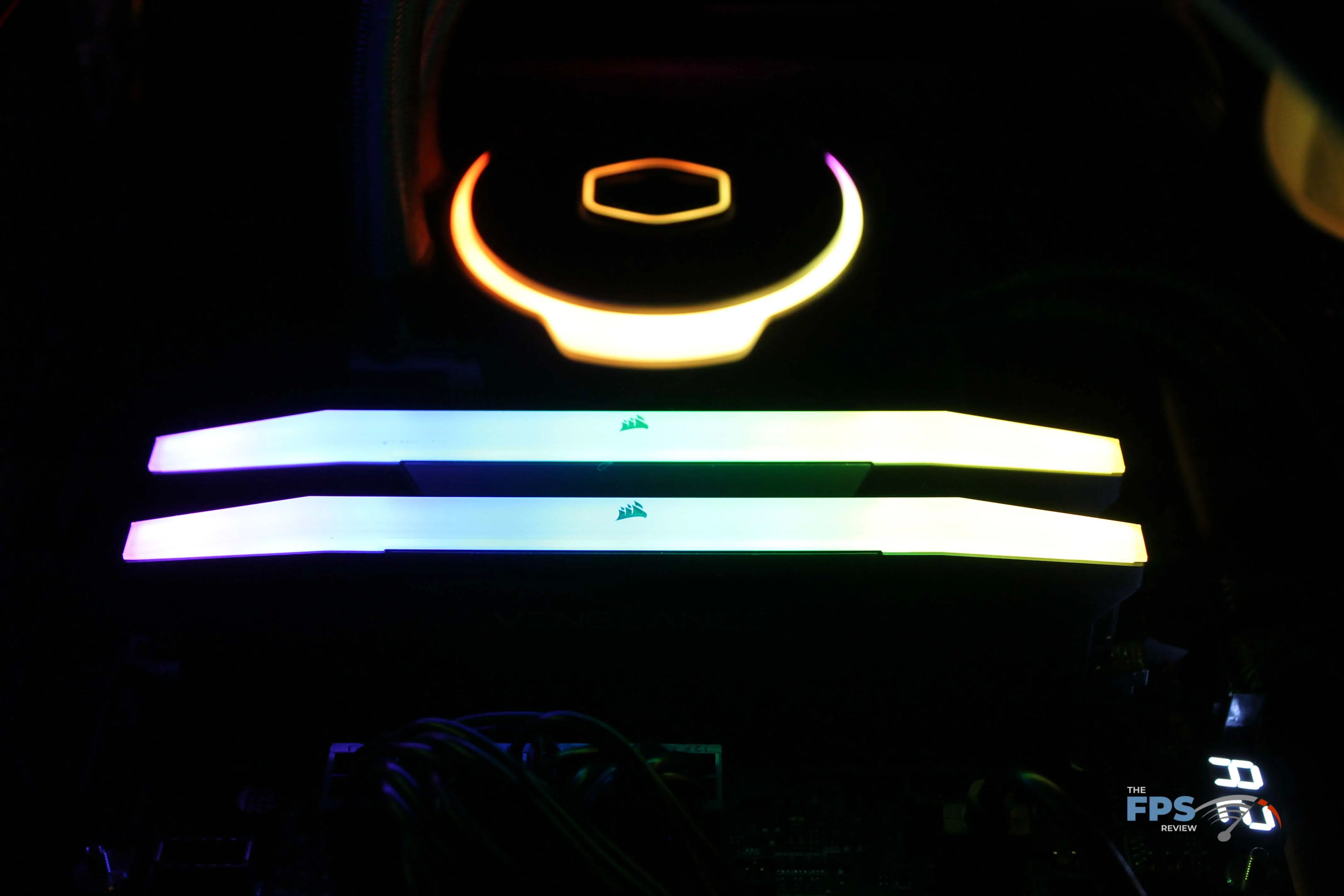
We installed the CORSAIR VENGEANCE DDR5 32GB (2x16GB) 6000MHz Memory into our MSI MEG Z690 UNIFY motherboard that is paired with a 12900K processor. The RGB entered a default pattern that paired with the other RGB bling on our test rig.
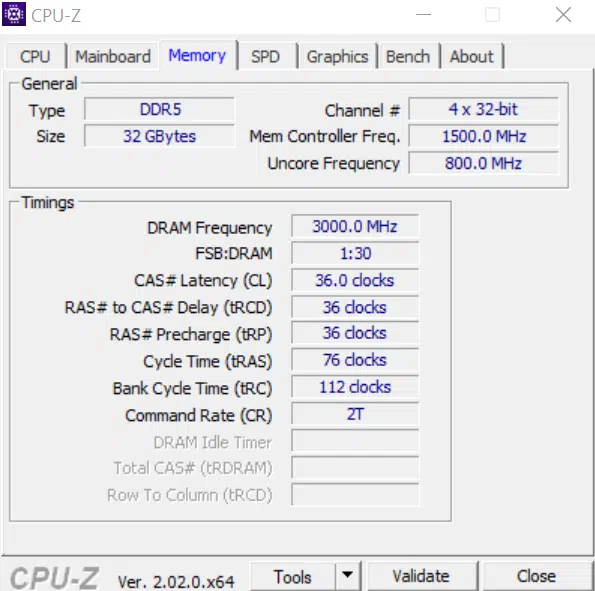
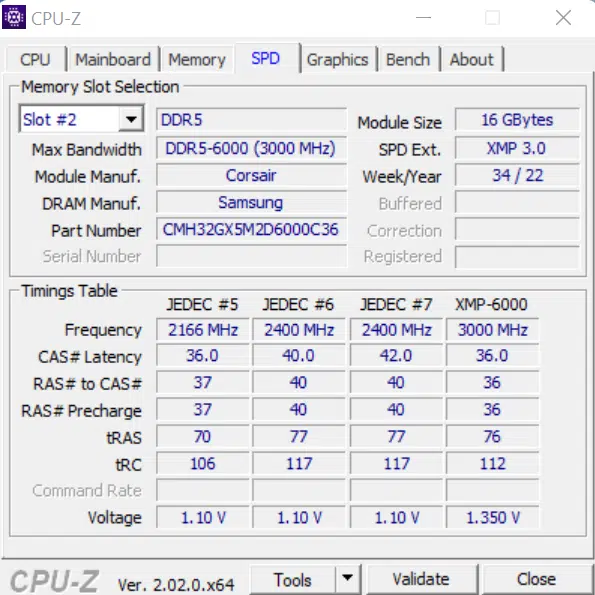
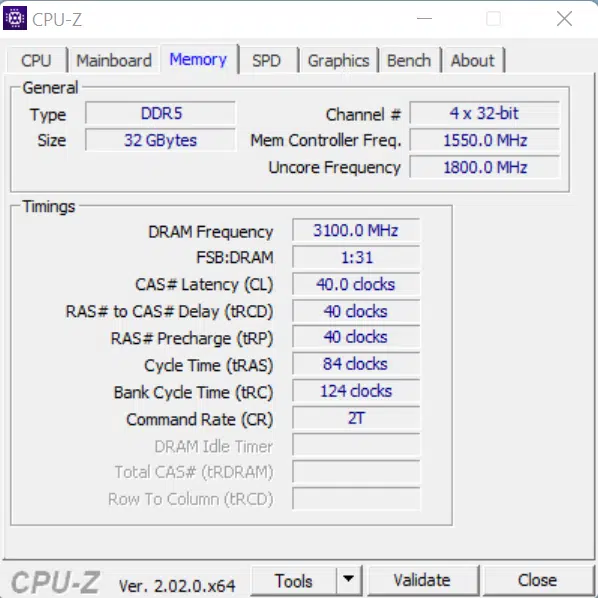
By default, the modules load up the base timings described above which is PC5-38400 (4800MHz) at 40-40-40-77, but throwing the XMP switch bumped it up to PC5-48000 (6000MHz) at timings of 36-36-36-76. We were able to boot into Windows 11 and start benchmarking without an issue.
CORSAIR iCUE Software
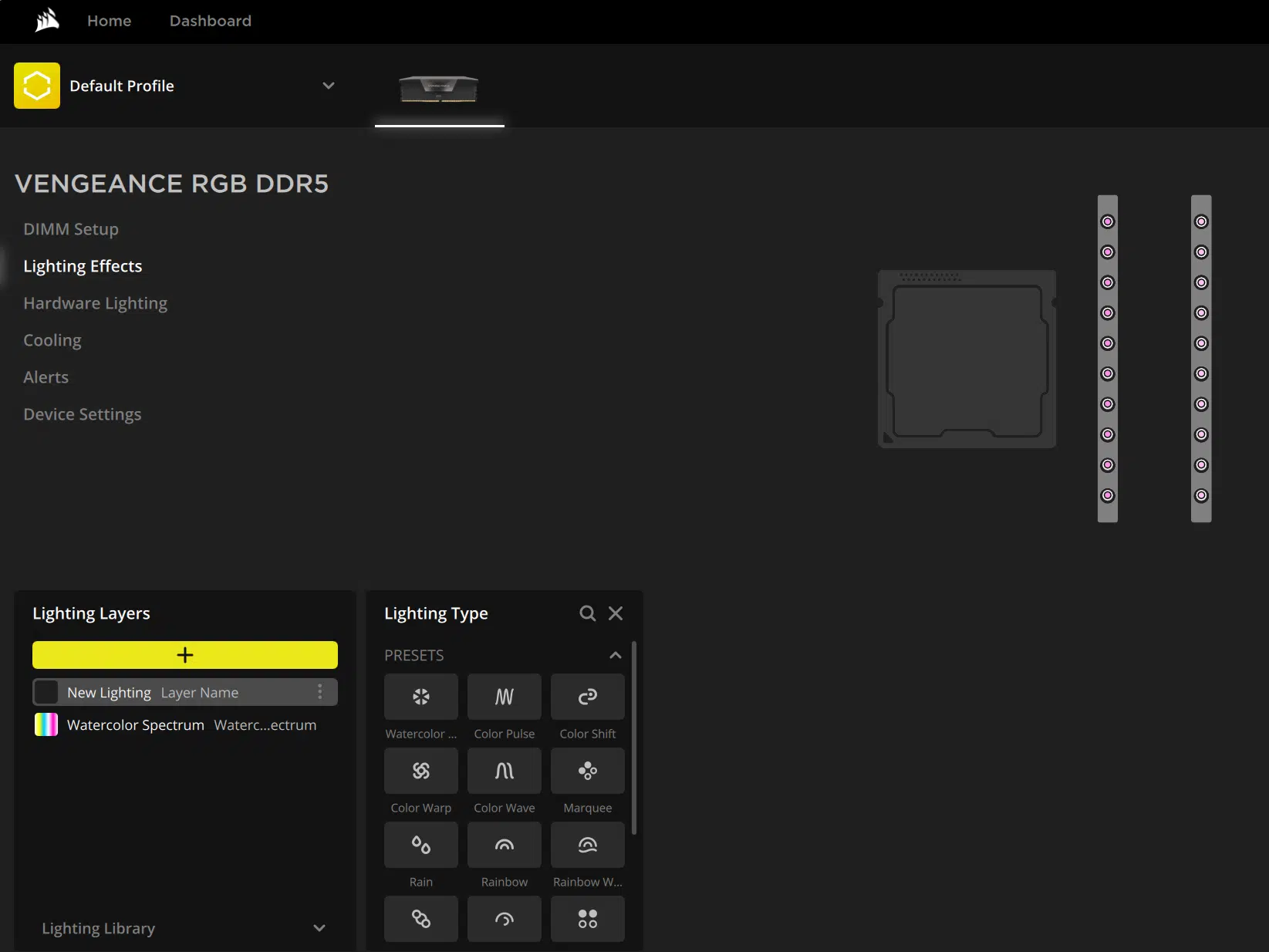
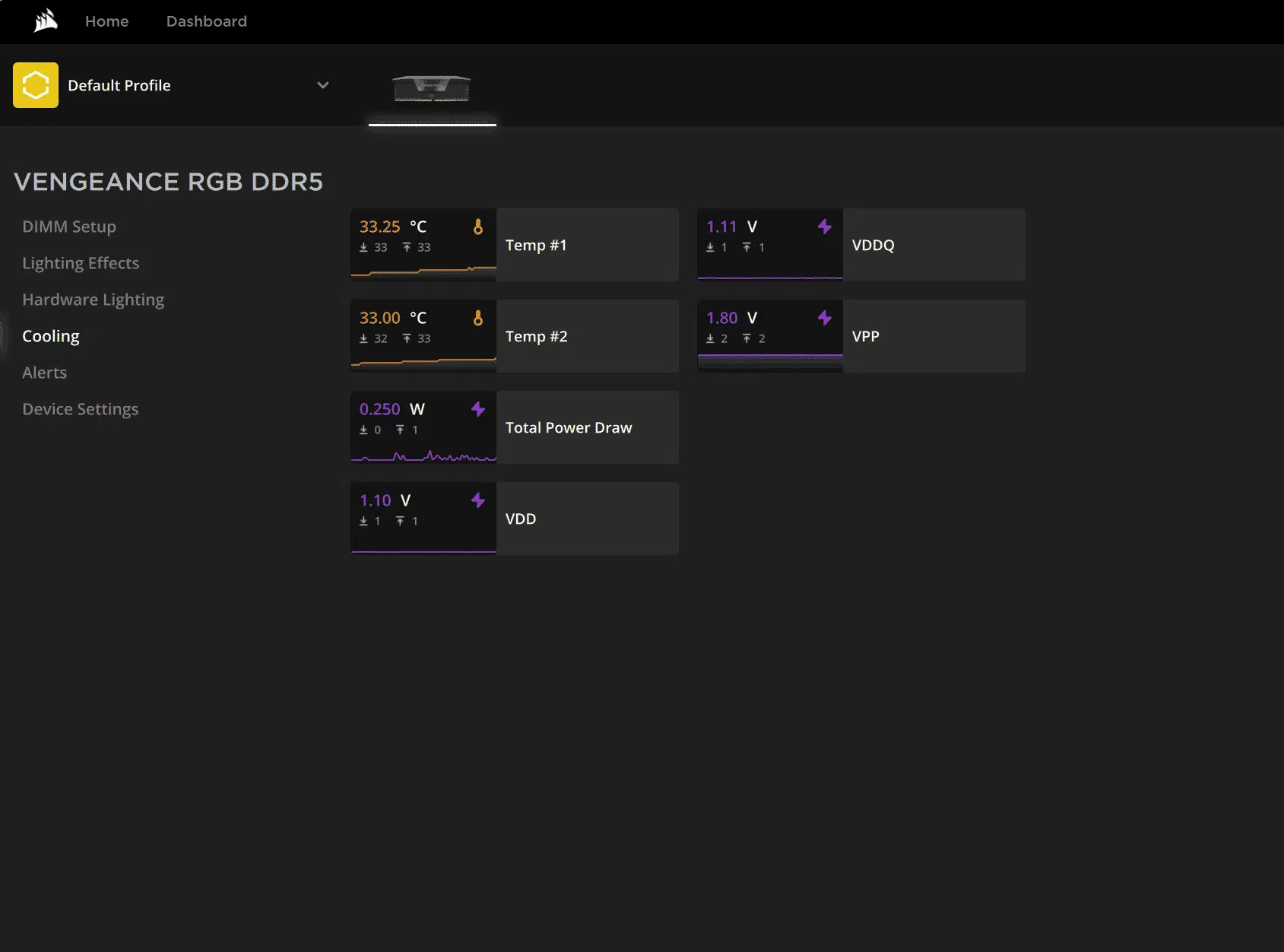
CORSAIR publishes its iCUE software to control everything that is in its universe. Some folks love it, some folks hate it. This reviewer noticed that the latest version (4) exceeds a 1GB download size. That being said, it’s also one of the most mature full system control software on the market, provided you stay in CORSAIR’s playground.
For the CORSAIR VENGEANCE DDR5 32GB (2x16GB) 6000MHz Memory, iCUE allows you to control the RGB LEDs in a variety of patterns and colors, presents temperature and voltage information, and allows you to set alerts for if it gets too hot in the kitchen.
Overclocking
From an overclocking perspective, there wasn’t a ton of headroom in these modules, but at least there was some. We were able to boost voltage up to 1.4375V (from the 1.35V used for the XMP profile) and started to gain some speed.
We were able to get into Windows at 6400MHz, however, that was not long for the world. Bumping it down to 6200MHz using the XMP timings of 36-36-36-76, we were able to run some benchmarks, however, it was still refusing to game and was failing PRIME95 fairly quickly.
Finally, we boosted the latency timings to 40-40-40-84 at 6200MHz and the test rig was completely stable. We declared victory and proceeded to benchmark at the overclocked speed.
Discussion (5 replies)
Join Discussion →I read through this review and thank you for it. One thing really stood out. Other than in one AIDA (is that right?) test the difference between 4800 and 6000 speed memory was.... meh... at best. I mean for the extra few bucks go for it... but if you had the 'slower' memory now... I wouldn't be running to Microcenter to get the newer faster any time soon.
So, on one hand, the suite of benchmarks that I ran were similar to what we do for Motherboard and CPU reviews, and very few of the tests were 100% focused on strictly memory performance. Perhaps it would be better to cut some of those out knowing that they are strictly CPU bound tests, however, it also gives context as to where the different memory speeds can make a difference.
I'd also consider that this is strictly looking at performance on an Alder Lake platform. We could see more substantial differences emerge with both Zen 4 and Intel 13xxx chips.
End of the day, the faster memory does help when you're looking at high FPS games (that are not GPU bound, such as the 1080p games or not graphically demanding games at higher resolutions). Looking to future generation cards, we may start seeing bottlenecks at higher resolutions as well, so this could come into play at 1440p or 4k at some point. For those that want the 360Hz refresh rate/response time, the memory choice absolutely matters.
For the most part, the performance numbers should be comparable to the Viper 6200 review that I did - same rig, same benchmarks (well, Blender is a different major rev and used Cinebench R23, and perhaps updated PC Mark), but even there where there should not be a substantial difference, there is - which could be related to the subtimings in the SPD/XMP memories that nobody digs to examine (I know I didn't on this pass). Maybe I'll tinker more on this at some point....
Upgrading to faster DDR5 from slower DDR5 doesn't make too much sense right now, at least not with Alder Lake as David mentions above. The basic reality is that DDR5 is both higher bandwidth than DDR4, and after the 'first word' that CAS latency affects, actually similar or lower in latency. This is due to having each physical channel split into two 32-bit channels, and due to just having higher bandwidth to begin with. The expected latency penalty just isn't there unless you're comparing the fastest DDR4, on a motherboard and with a CPU that can actually run it, against the slowest DDR5.
Where buying faster DDR5 makes more sense is less in terms of whatever XMP rating a certain kit is gifted, and more in terms of avoiding this first round of Micron ICs. These are apparently capped at 5400MT/s, whereas the Samsung ICs can go north of 6000MT/s easily, and the Hynix M-die and A-die have been pushed north of 7000MT/s and 8000MT/s, respectively, and easily hit low to mid 6000MT/s speeds on most boards.
Also, a word on timings. I absolutely understand why David didn't try to editorialize this rabbit hole, because it's a right mess, and few will want to put in the effort required to eek more performance out. What I can say is, there's still quite a bit of memory performance, that is increased bandwidth and lowered latency, to be gained by tightening timings. And when I say 'effort', understand that there are several dozen timings that take integer values and range from say 4 to 200, or say 8000 to 250000. Then there are at least a half-dozen voltages related to the memory controller on the CPU as well as the memory itself that need to be dialed in to a sweet spot, meaning that at any particular combination of timings and clockspeed, these voltages may need to be adjusted up or down.
The current picture we have of DDR5 is that it's basically black magic. About the only sweeping thing I can say is that most folks should be able to pick up a kit rated for 6000MT/s using XMP / EXPO, and be able to just run that without issue on an Alder Lake system. From what has been publicly released about AMDs Zen 4 on AM5, the same should apply. Last, it looks like Raptor Lake (Intel 13th-gen) will work a bit better and could see higher memory speeds and lower latencies.
Any hynix kits on the horizon?
This one is hynix based - https://www.thefpsreview.com/2022/08/01/patriot-viper-venom-rgb-ddr5-32gb-2x16gb-6200mhz-memory-kit-review/
Don't currently have any other kits in queue (do have a couple coolers), but that may change as EXPO based kits hit the market.