
Test Setup
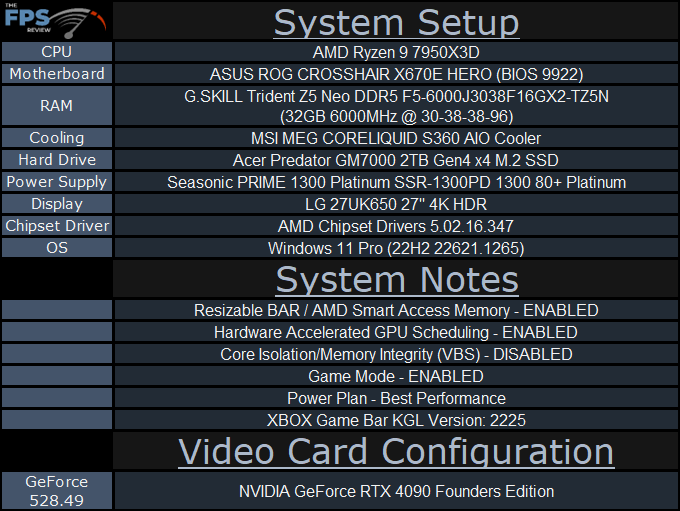
Ryzen 9 7950X3D Review System Setup
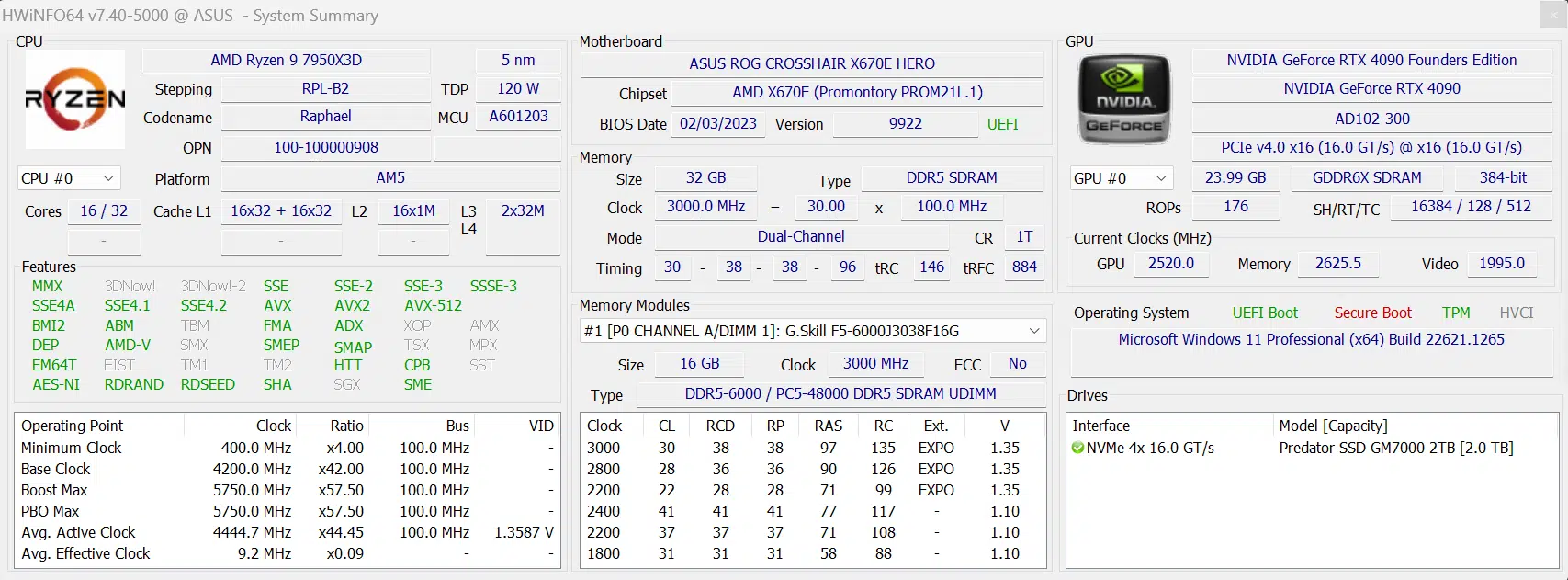
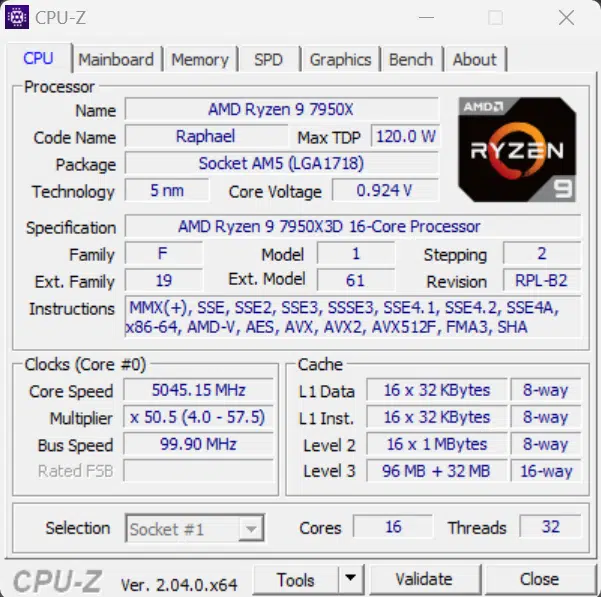
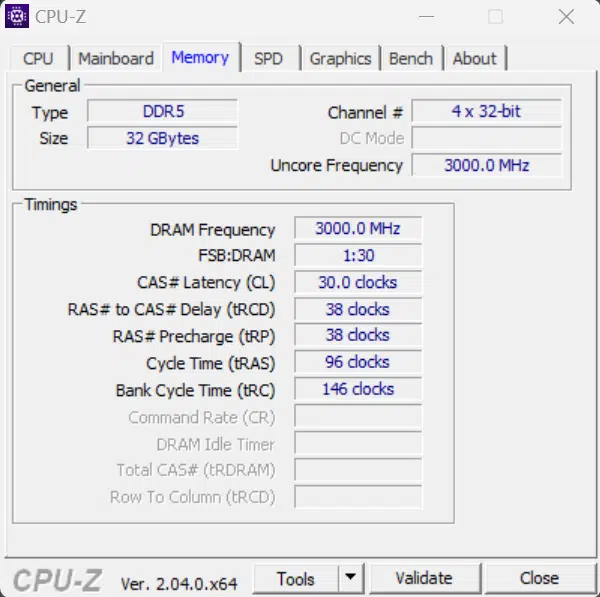
We are using three platforms for testing, an AMD AM5 platform, an AMD AM4 platform, and Intel Socket 1700 platform. The comparison CPUs we will be using are an Intel Core i9-13900K, AMD Ryzen 9 7950X, and AMD Ryzen 7 5800X3D. We also updated XBOX Game Bar to version KGL 2225 for all platforms and CPUs prior to testing. Game Mode is Enabled. Windows was updated to the latest version. The MSI MEG CORELIQUID S360 AIO cooler was set up with MSI Center and set to “Game Mode” for cooling performance on each platform.
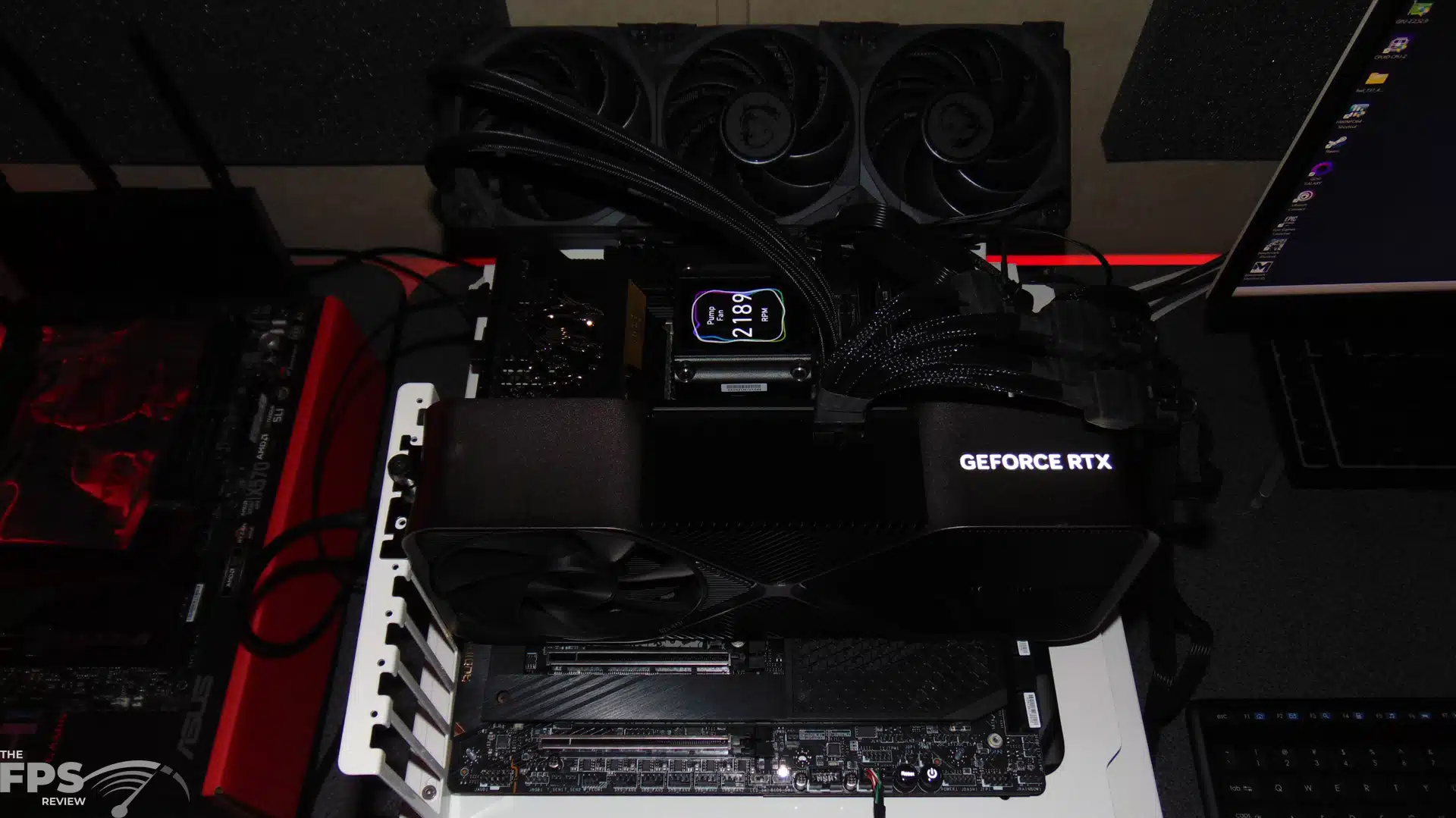
The AM5 platform is shown in the table above, where we are using an AMD-provided test platform ASUS ROG CROSSHAIR X670E HERO motherboard with the AMD-provided BIOS 9922 and AMD-provided G.SKILL Trident Z5 Neo DDR5 at 6000MHz and CL30 running in EXPO I and an MSI MEG CORELIQUID S360 AIO cooler. We are using the new AMD-supplied Chipset driver 5.02.16.347 which was installed for the AMD Ryzen 9 7950X3D and AMD Ryzen 9 7950X.
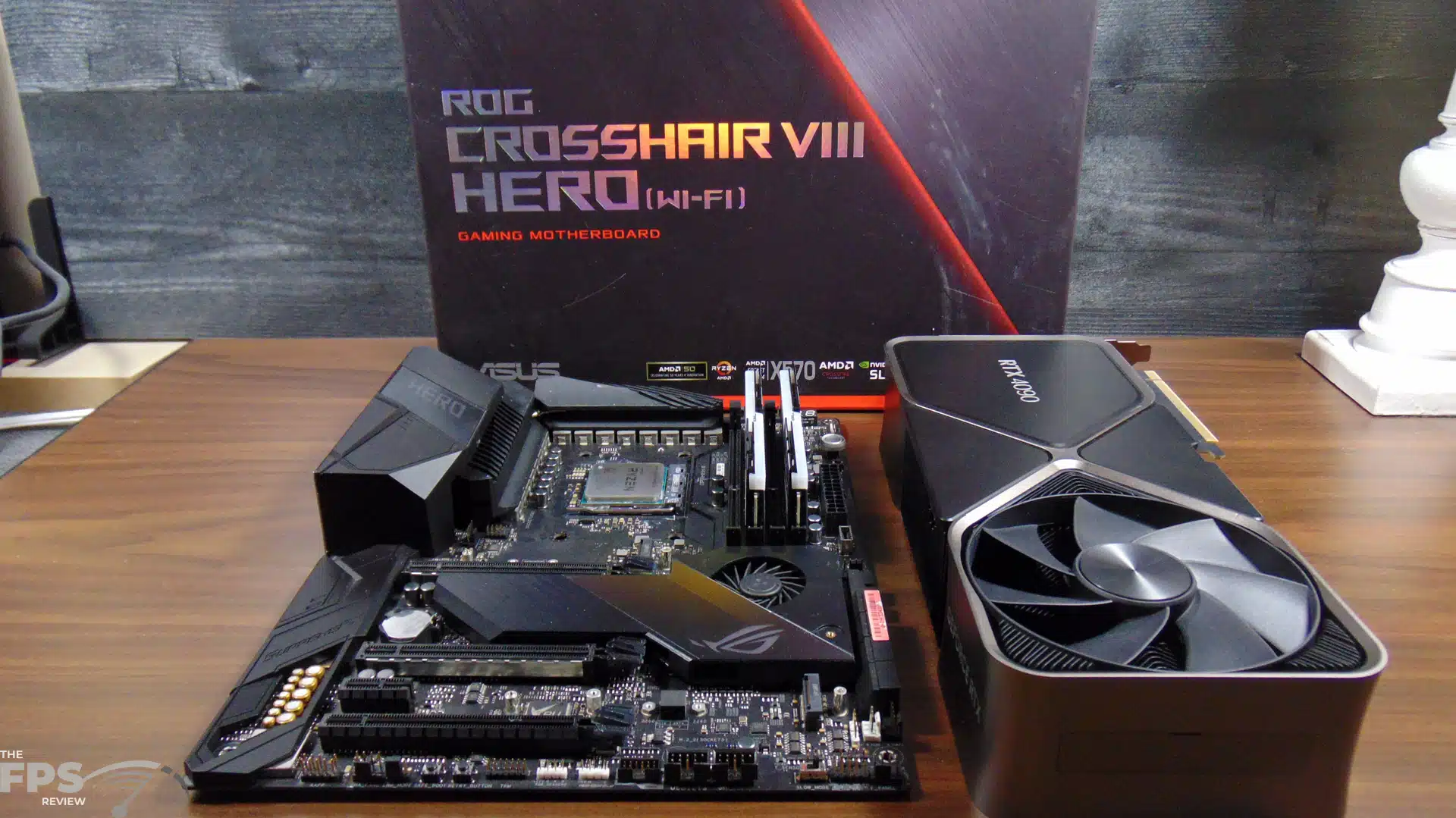
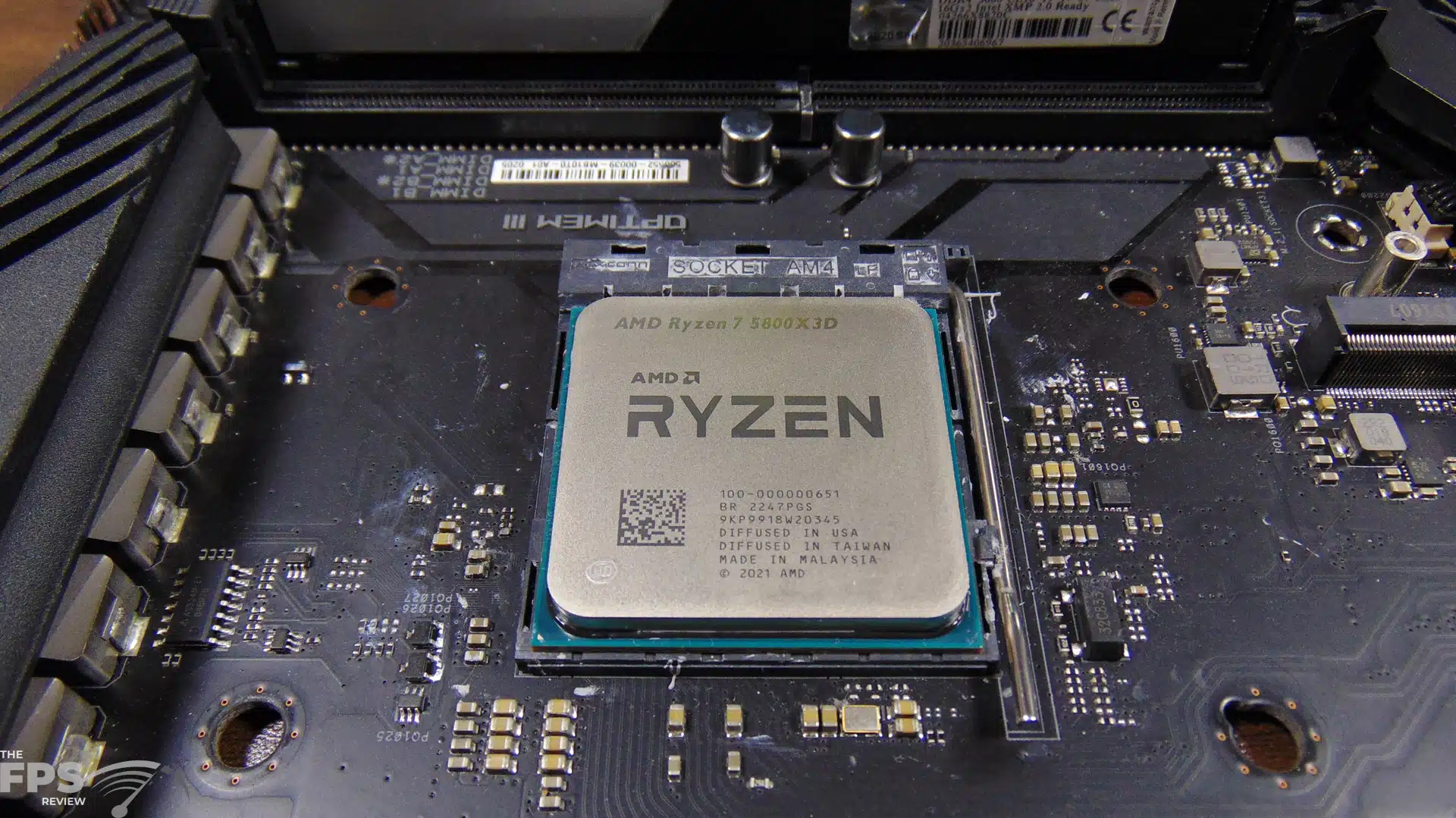
The AM4 platform consists of an ASUS ROG X570 Crosshair VIII Hero Wi-Fi with BIOS 4402 dated 2/8/2023 and 32GB of G.SKILL Trident Z Neo 3600MHz DDR4 at CL16 and the same MSI MEG CORELIQUID S360 AIO cooler. AMD Chipset driver 4.11.15.342 is installed.
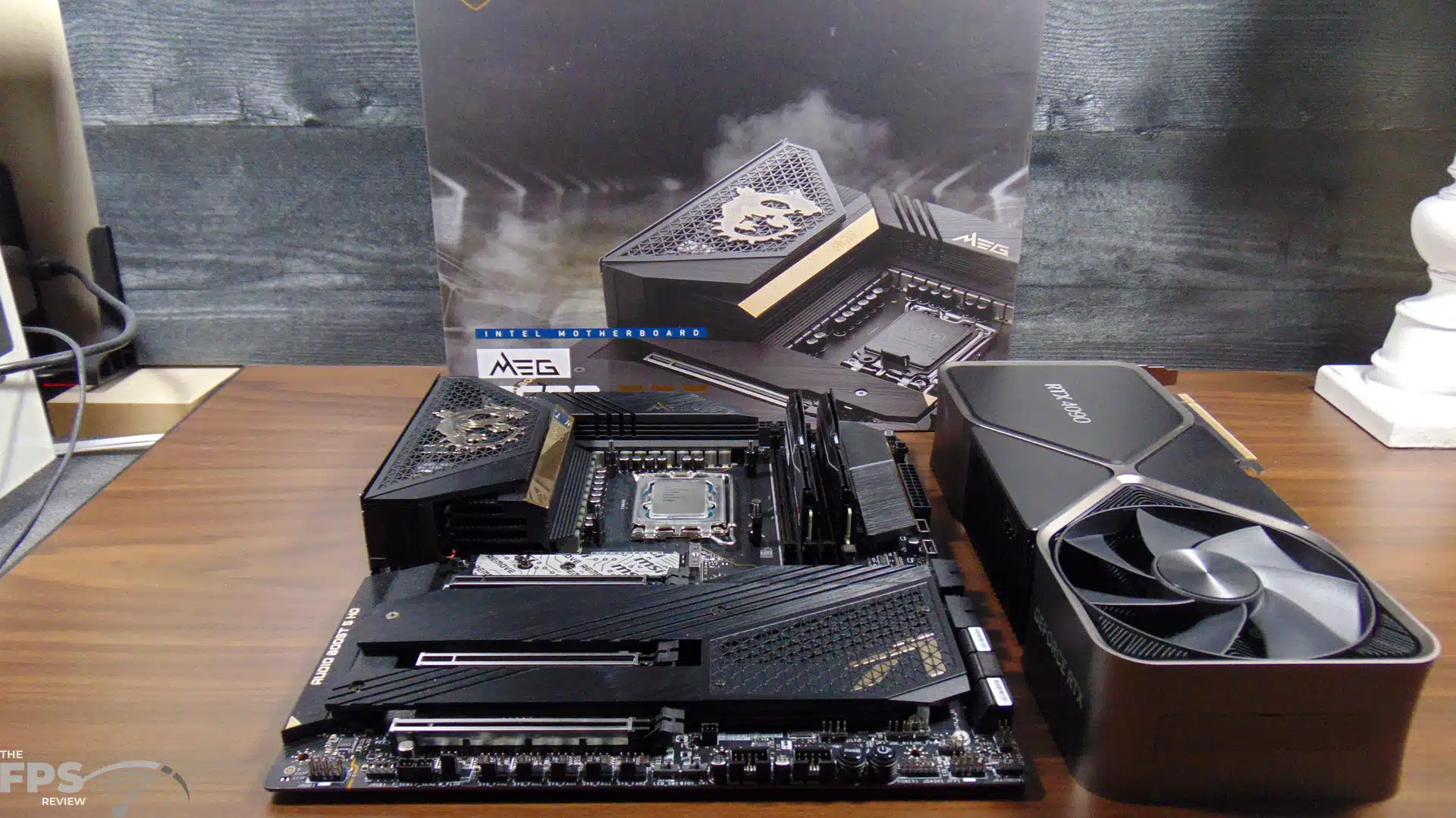
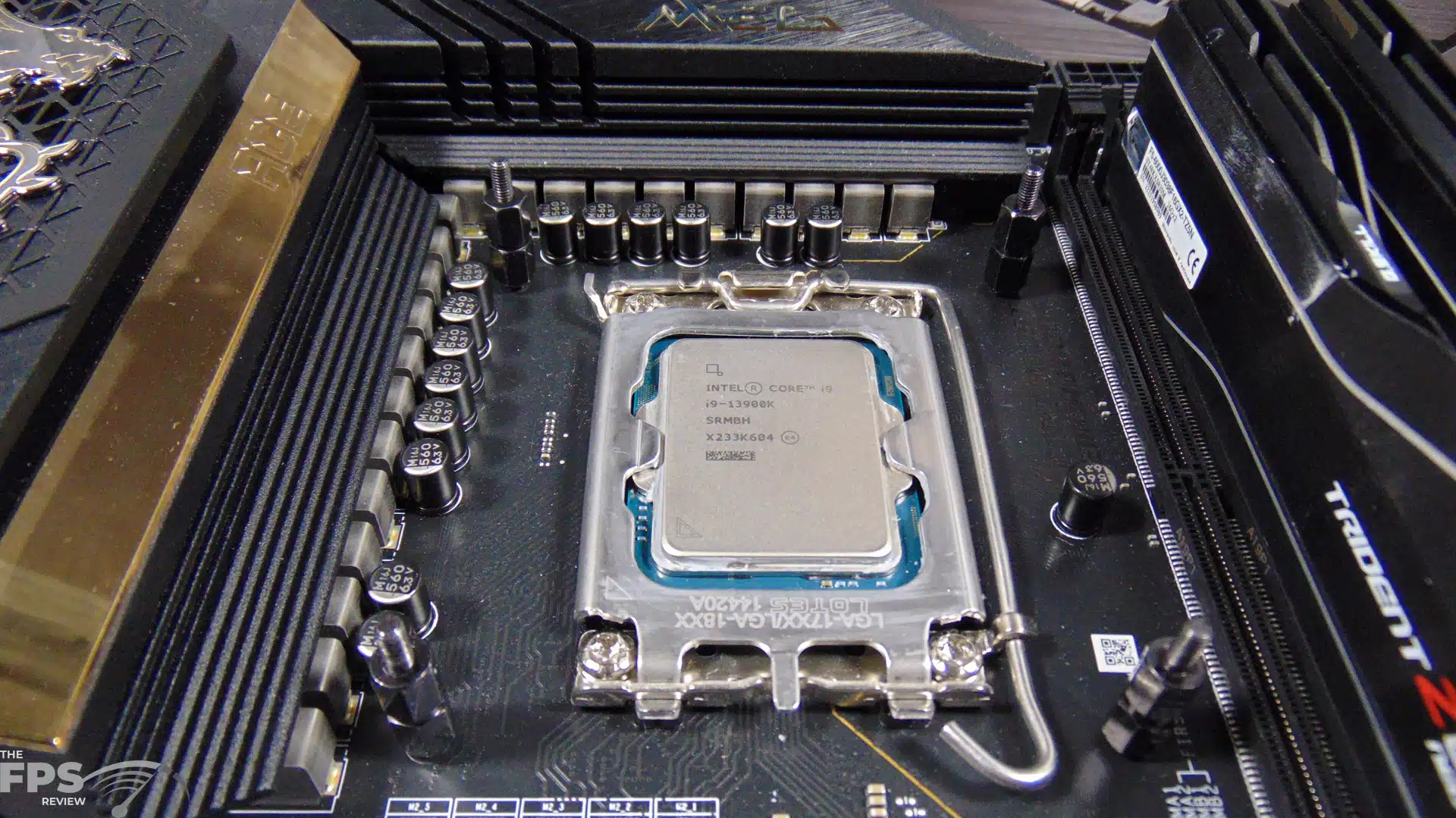
The Intel Socket 1700 platform consists of an MSI MEG Z690 ACE motherboard with BIOS 7D27v19 dated 1/17/2023 and the same AMD provided G.SKILL Trident Z5 Neo DDR5 at 6000MHz and CL30 and the same MSI MEG CORELIQUID S360 AIO cooler. Intel Chipset driver version 10.1.19199.8340 is installed.
An NVIDIA GeForce RTX 4090 Founders Edition with driver GeForce 528.49 was common on all platforms for testing.
Discussion (19 replies)
Join Discussion →Thank you Brent for the wonderful article. Kinda glad I stuck with my 7700X for my office machine. It's a very nice CPU for what I use it for. Going with the 7800X3D wouldn't be that much of a bump at all it would seem.
We don't know how the 7800X3D will be yet. Considering it only has 1 CCD to worry about, it could be much more efficient, with less latency, and just the bees knees ?♂️ My prediction will be it will be very power efficient. I do worry about the frequency difference, however, for productivity.
Seems like if you're already on a 5800X3D it's not much, if at all, an upgrade. At least for gaming at 1440 or 4K.
Thanks @Brent_Justice for the great review and now I can't wait until the one for the 7800X3D.
I forgot to bring this up in the review, so I'll add it here:
This CPU may potentially not be a good CPU for multi-tasking while gaming, for example, streamers or content creators recording gameplay and streaming at the same time. Since it parks cores while gaming, this could potentially reduce the multi-tasking ability while gaming. Streaming and recording performance could be affected. The entire point of a 16-core CPU could be compromised under such circumstances. My addendum to this is that I have not tested this scenario, and I have no proof that this is true. It is a theory and subject worth discussing.
Really looking at this cpu/motherboard/ram upgrade requirement to come from a previous gen... this gen just feels like a skip for me. My 5900x is trucking along just fine and not feeling like a bottleneck at 1440p at all.
The power usage is the most impressive part but other than that it is a bit of a meh. Why spend the cash to help AMD and MS beta test this scheduler stuff in win10/11? Much like with e-cores of 12th gen Intel last year.
Power usage is impressive, but are we really impressed? It's turning off cores, and running at lower frequencies, and is capped at a lower temp of 89c, and has a lowered TDP, should a lower power profile really surprise or impress under those circumstances? If it could maintain the same clock as 7950X, and keep all cores running at the same time, and still have less power, I'd be more impressed by that.
Minimum FPS always determines playability. In games that benefit from the added cache, the 5800X3D showed much of its benefit in min FPS. We can't draw a conclusion on Zen4 X3D without mins.
I wonder how much MS paid AMD to gimp their CPU by making it rely on XBox Game Bar. Inexcusable.
I think this will depend significantly on what 'streaming' means. The combination of layout tools, audio tools, endpoints, GPU hardware and GPU acceleration used, all would factor in.
For the 'pros', having only eight cores enabled while streaming is probably not going to be an issue. They'll have a workflow set up that leverages hardware processing before (audio equipment with DSPs for major processing steps, to limit VST use in OBS, for example), and after (using an external/secondary box for recording and streaming live). For these folks quality, ease of use (though not necessarily setup and troubleshooting), and reliability are paramount.
If there's a limitation to be found, I expect it to be found first by those trying to do all of this on the same box, 'in the box'. I'd balance that with the knowledge that a 7600X is plenty fast for 'gaming', so a 7950X3D with one CCD disabled or the future 7800X3D will both probably have enough grunt to spare, especially if GPU encoding is leveraged properly.
Since AMD is able to keep performance up while reducing power usage - well, that's impressive. They did so while adding cache and increasing complexity.
Granted there's a pretty clear line drawn from decreased clockspeeds and voltages to lower power usage, and it looks like the 3D V-cache CCD is being binned for lower leakage, which should result in better efficiency at lower clockspeeds. So not inexplicable, but going in the right direction.
No need for conspiracy theories - AMD has been open about working with Microsoft to implement appropriate scheduling behavior for games on their dual-CCD parts that have one 3D V-cache-bearing die. From the benchmarks we've seen, while not perfect at launch (what is?), the solution is certainly working as intended, when it's working as intended.
Also note that AMD needs a software-based solution, since their scheduler isn't implemented in hardware (like Intel's P+E core solution), and that Intel still needed to work with OS developers to ensure that the P+E core arrangement was also supported.
For a personal example, while trying to run the FSPR Handbrake benchmark, I found that my 12700K running on Windows 10 last year would not properly schedule the Handbrake encode. This resulted in performance over an order of magnitude slower than expected, and I begrudgingly upgraded to Windows 11. I believe that this functionality has been backported to Windows 10 since, but as I've made 11 work for my needs, I haven't gone back and tested it.
As for 'why the Xbox Game Bar', well, I guess we should ask, how else should they have done it? How should it be exposed to gamers?
The AMD Chipset driver is required - that seems to be a good place for it.
I go to AMD Adrenalin software for my AMD video card settings. AMD has Precision Boost Overdrive for CPUs. None of that requires any XBox bullshit from Windows.
I'm still keeping an eye on this one but I'm not as enthusiastic about it as I was before. Here's hoping some updates, wherever they need to be, help it reach more of its potential. Since most of my builds end up running close to 10 years a pop I was hoping this, or the 7900X3D would be the platform to build my next with. The 7800X3D is sounding promising but I just don't know. Meanwhile, prices to do something with a 13900K keep dropping.
There's not an urgent benefit for you to upgrade from your 5800X3D. At least according to current benches. A couple titles it's better, but for the most part at 1440 and 4k there isn't much of a difference.
Unless productivity apps are more important to you. In which case, yeah, a huge improvement.
It's all good. I was thinking of a completely new build to replace the 4930K rig with but the intent is that whatever comes next is built to perform as needed for the next 7-10 years.
Here's the house layout:
1. 5800X3D is the main rig in the living room.
2. 3700X is in the bedroom
3. 4930K is in the cave.
Basically whatever comes next will push 5800X3D to the cave and it'll go in the living room as the new main rig. GPU-wise, the jury is totally out until we hear more about what's next.
@Brent_Justice Thanks for the great review. I noticed on page 2 that your screenshot of the Xbox Game Bar overlay menu is from a camera. Yeah, I ran into the same issue as well. You can't take screenshots of the Game Bar. Pretty annoying. Gotta grab your phone or another camera and literally take a picture of your display's screen.
I agree 100%. I'm kinda disappointed only one CCD gets the 3D cache. The CPU I would most likely get for myself would be the 7900X3D, but that has the same issue as the 7950X3D, with the 3D cache only being on one CCD. I don't like asymmetrical designs. Intel can f*ck off with their big.LITTLE P-core/E-core bullsh1t. Like I think most enthusiasts, I'm excited to see how the 7800X3D turns out. Although Brent brought up a good point in his review, the 3D cache has far less impact compared to the regular 7950X than the 5800X3D did compared to the 5800X. We still need to see how the 7900X3D and 7800X3D turn out, but I think overall the 3D cache matters a lot less for Zen 4 than it did for Zen 3. I don't think the price jump over the non-3D CPUs is worth it, at least for the 7950X3D.
I usually keep Xbox Game Bar disabled, but I guess if I had one of these Zen 4 X3D CPUs I would have to re-enable it.
AMD software to make sure the OS and applications are using the right CCDs appropriately reminds me of AMD's Dual Core Optimizer software back when they came out with their first dual-core CPUs. I had to use that software on my Opteron 165 system. I remember back then also having to disable one of the cores for some games, cuz games at the time would get confused when they saw two cores (or two physical CPUs), which would result in worse performance, crashes, or odd behavior.
TechPowerUp said in their review: "It seems that the game detection failed in some titles like Spider-Man and God of War, which post higher numbers when we override the AMD software and use the 'prefer cache' BIOS setting. If you encounter such a case, it's really easy to fix though. Press Win+G to open Microsoft Game Bar overlay, click on settings and tick the 'remember this is a game' checkbox. Done! No fiddling with executable names or the registry. Still, I suspect that a vast majority of people will not be aware of this solution, or even the fact that the game detection might not work on all games, that's why AMD must ensure they track down these cases and fix them quickly."
So I assume you can do the same thing with a new game that is not in the KGL game list, and just add it yourself.
I heard rumors that Zen 5 is gonna be quite the difference in CPU architecture, while Zen 4 was still basically just an upgrade of the Zen 3 and 2 design. Maybe you should wait to check out the Zen 5s, if you want to build a system to last 10 years. I hope all Zen 5 CPU models get 3D cache, and on all CCDs. My current system is the first one that I kept using for almost a decade (gonna be 9 years old this coming Fall), usually I move to a new system after about 4 years. I didn't plan things that way though, it just kinda happened cuz I'm broke! LAWLZ