
Overclocking the GIGABYTE GeForce RTX 5080 WINDFORCE SFF 16G
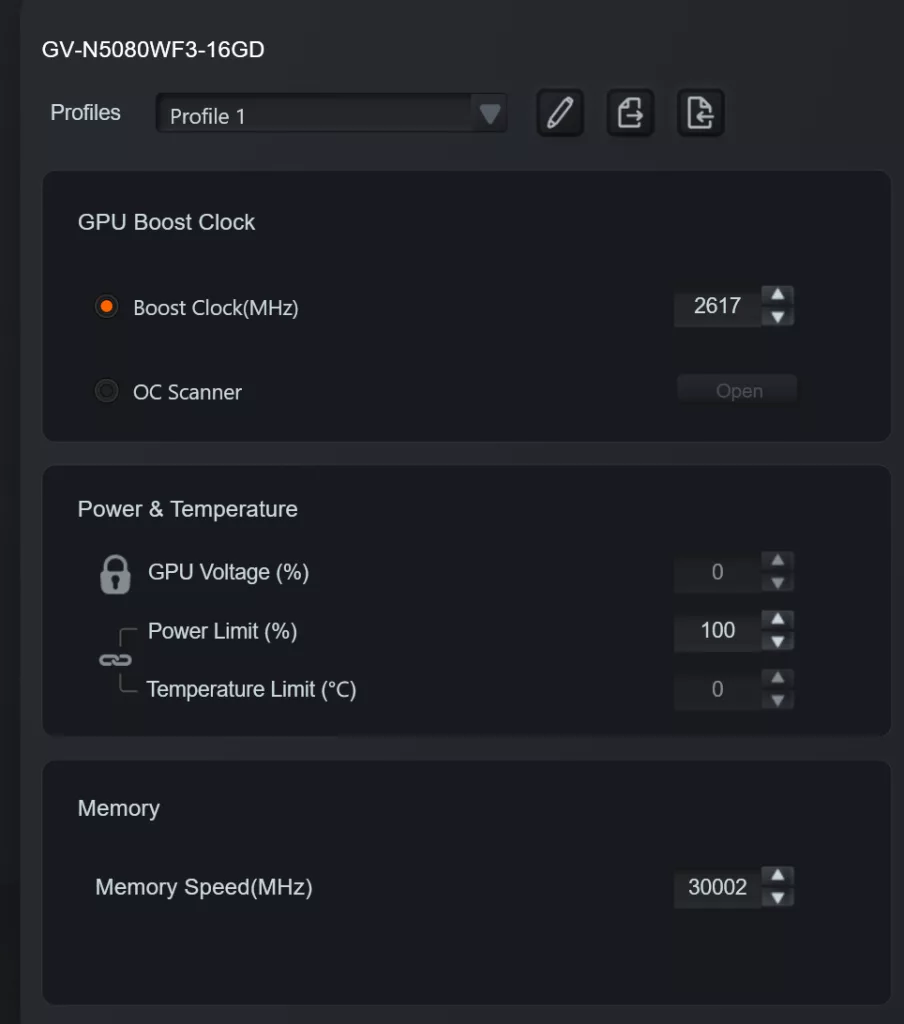
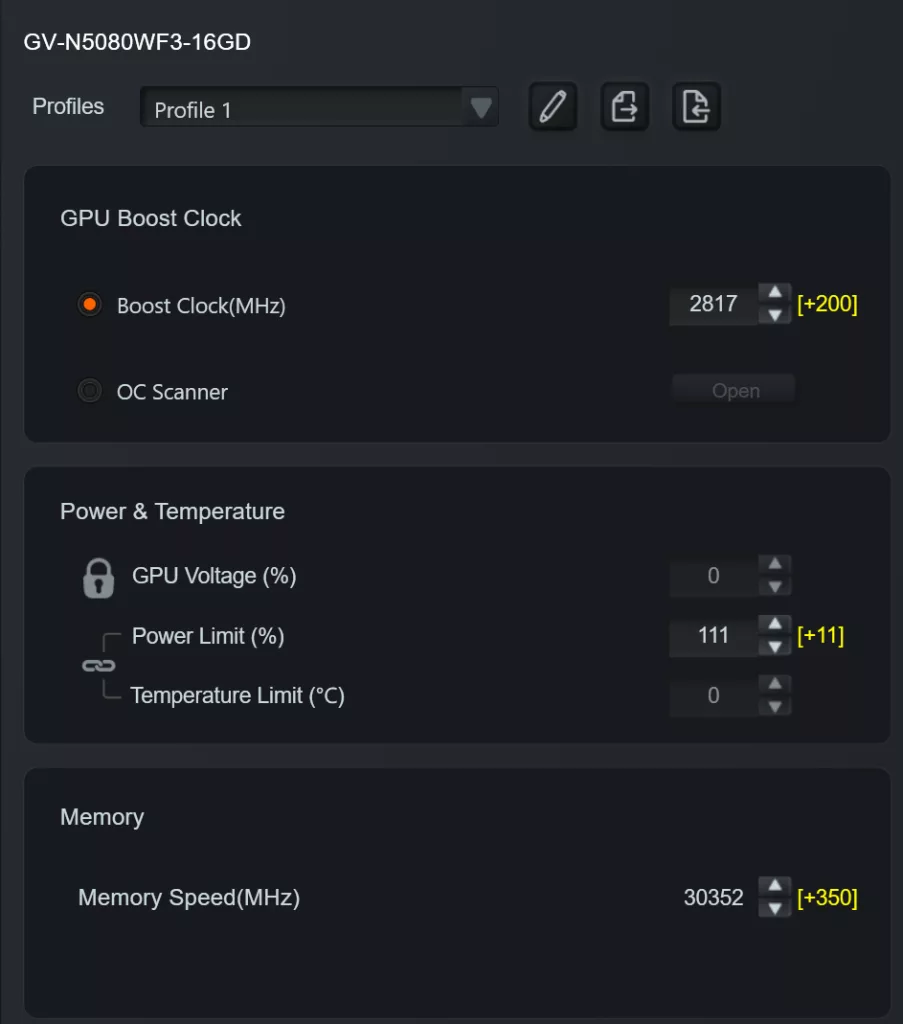
To perform overclocking, we used the GIGABYTE Control Center software (Ver. 25.06.04.01), which is found on the video card support page. Opening the RGB Fusion tab will direct you to the Performance tab. The manual selections are limited to GPU Boost Clock Frequency, Power Limit, and Memory Frequency. All other selections are locked. If you choose to change the fan cycle, this is done on a separate page. We left the fans set on factory automatic and had no issues. There was no fan noise at default or overclocked. Our games all ran without issue at these settings.
Due to obtaining this card from a private owner, we did not choose to push the clocks to an extreme level for fear of damaging the card and all that entails. We arrived at very conservative increases, which did improve the performance of the card. We have a fairly large library of NVIDIA 5000 series video card reviews at this point. The cards are capable of robust overclocking; we are certain there is more performance in this card. Our final settings were: GPU Clock- +200MHz, memory clock- +350MHz, and power limit +11%. Of note, we used the GIGABYTE Control Center for adjusting the card. We were able to push the power limit to +11%, which is very generous for a “reference-based” card. We also evaluated the settings on Afterburner, and the power limit was not adjustable. So GCC would be your go-to to get the most out of this card.
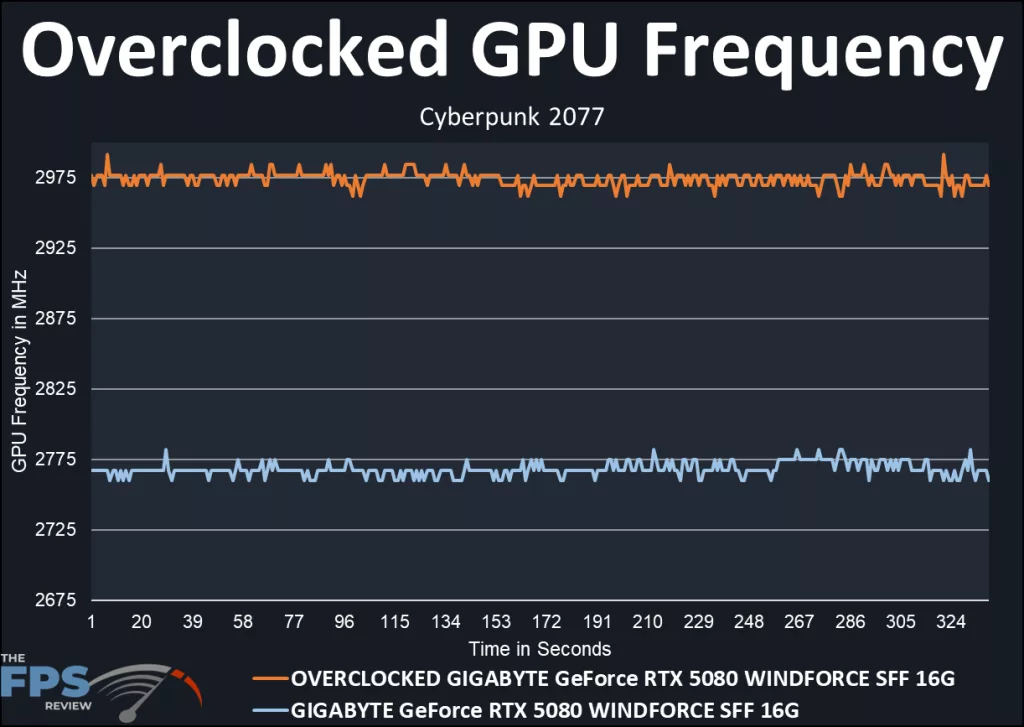
The graph above demonstrates the gain made by our overclock. The GIGABYTE GeForce RTX 5080 WINDFORCE SFF 16G arrives out of the box at the factory default of 2617MHz. In our benchmark, the default card boosts to an average of 2767MHz or 5.7% over default. When overclocked, the Boost clock reached an average of 2975MHz or 13.6% over reference. Not a bad result, right there.
Discussion (2 replies)
Join Discussion →Love that manufacturers jumped into the SFF pond with powerful cards such as these. While they can reach their limits at 4K, they tend to shine at 1440p.
I have been questioning nvidia cards length since the 4000 series (except for the 4090), as the PCB is rather short in comparison.
My case is barely enough to fit a RTX3070Ti, fitting a RTX5070Ti was out of the question, much less a 5080. Thankfully we now have options.