
Conclusion
In today’s review we have put the new AMD Ryzen 5 7600X through its paces with synthetic benchmarks, system benchmarks, and specific CPU benchmarks, and then threw a bunch of games at it. We tested at 4K, 1440p, and 1080p for the full gameplay experience that each CPU provides, using a fast GeForce RTX 3090 Ti FE video card.
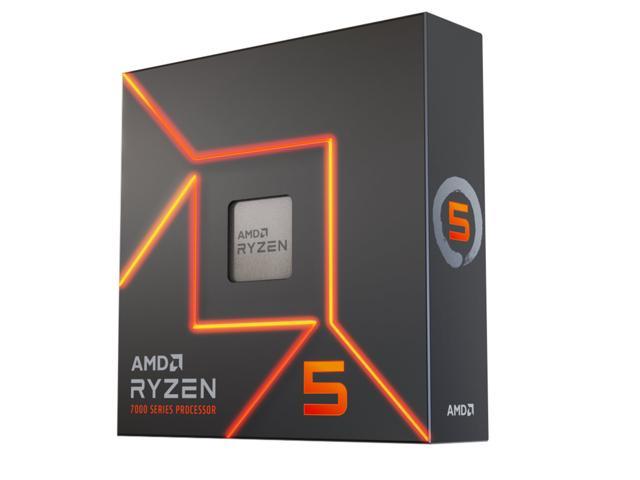
The AMD Ryzen 5 7600X is a new $299.99 6-core/12-thread CPU from AMD that can boost up to 5.3GHz, replacing the previous Ryzen 5 5600X. The new Ryzen 7000 series CPUs are based on the new Zen 4 architecture on a 5nm TSMC process. These new CPUs usher in a brand new platform from AMD to base this generation, and future generations off of. We have PCI-Express 5.0 support, DDR5 memory support, new chipsets like X670E, and a new AM5 LGA1718 socket with higher power delivery. All of these platform choices push the industry forward and will keep future generations marching forward.
Performance
Starting with the system benchmarks, and PCMark 10 we found the AMD Ryzen 5 7600X to come very near the top of the chart, only third from the top. It was actually faster than the Intel Core i7-12700K and almost as fast as the Intel Core i9-12900K in PCMark 10. It was 17% faster than the previous generation Ryzen 5 5600X. More telling is the PCMark application test, where Microsoft Office was tested and the Ryzen 5 7600X was second to the fastest CPU in office applications. It beat the 12900K in performance and was 25% faster than the previous generation Ryzen 5 5600X. Continuing system benchmarks in Geekbench 5 the Ryzen 5 7600X was faster than the 8-core CPUs from the previous generation. It was 42% faster than the Ryzen 5 5600X. However, the i5-12600K did outperform it. In single-core testing though, the Ryzen 5 7600X soared toward the top, beating even a 12900K and was 34% faster than the 5600X.
Next, we moved on to specific CPU testing in AIDA64. In the PhotoWorxx test, we found the Ryzen 5 7600X to perform much better than its predecessors, it improved upon the 5600X by 54%. However, it is beaten by all the Alder Lake CPUs, including the 12600K. In the CPU AES testing, the Ryzen 5 7600X was 35% faster than the last generation 5600X and did outperform the 12600K. In CPU SHA3 testing the Ryzen 5 7600X outperformed the 5600X by 49% and was faster than the 12600K. In FPU testing the Ryzen 5 7600X was faster than the last generation by 25-31% and was also faster than the 12600K.
We also specifically looked at memory bandwidth. Our findings are that the AMD Ryzen 5 7600X has a greater write speed than it does memory speed in terms of bandwidth. It’s also slower in read bandwidth compared to the Ryzen 9 7900X. The Ryzen 5 7600X had a read speed of 58GB/s, which was faster than DDR4 but not as fast as we’d expect. Its write performance though was at 80GB/s, and as expected. We suspect it has something to do with the way the core complexes are laid out architectural-wise, similar to how the 5600X and 5800X has a much lower write bandwidth than read bandwidth. We also looked at memory latency and the Ryzen 5 7600X had a latency of 65.2ns. This isn’t the highest, but it is among the high latency numbers associated with DDR5 on the Intel Alder Lake platforms. The Ryzen 9 7900X had a better latency, but overall the latency is within that of the Alder Lake platform with DDR5. The simple fact is that DDR5 hasn’t quite yet reached the latency of fast DDR4, but it’s not far off.
Moving on to rendering performance in Cinbench R23 the AMD Ryzen 5 7600X was faster than the previous generation 5600X by 37%. However, it was beaten by the Intel Core i5-12600K which was 15% faster than it. In single-core performance, the Ryzen 5 7600X was 28% faster than the 5600X, and this time edged out a win over the 12600K. In Blender, the Ryzen 5 7600X was between 34-41% faster than the Ryzen 5 5600X. However, in every scene, the Intel Core i5-12600K was faster than the 7600X by 8-9%. In V-RAY 5 the Ryzen 5 7600X was faster than the previous 5600X by 39% but again was beaten by the 12600K by 3%. Finally, in HandBrake, doing video transcoding/encoding the Ryzen 5 7600X did improve upon rendering time versus the 5600X by a good three minutes. However, once again, the Intel Core i5-12600K was a good 1.5 minutes faster.
Now we move on to gaming, and let’s just say unless you are playing Microsoft Flight Sim 2020, everything else at 4K is GPU bound even with a GeForce RTX 3090 Ti FE. However, we did experience that at 1440p the CPU can make a difference in performance. Naturally, the greatest differences were at 1080p.
In F1 2022 the Ryzen 5 7600X improved performance over the 5600X by 11-12%. In Dying Light 2 the Ryzen 5 7600X improved performance over the 5600X by 17%. In Far Cry 6 the Ryzen 5 7600X improved performance over the 5600X by 15-28% from 1440p to 1080p. In Watch Dogs Legion the Ryzen 5 7600X improved performance over the 5600X by 14%. In Cyberpunk 2077 the Ryzen 5 7600X improved performance over the 5600X by 7%. In Microsoft Flight Simulator 202o the Ryzen 5 7600X improved performance over the 5600X by 29-49%. In Crysis Remastered the Ryzen 5 7600X improved performance over the 5600X by 4-16%. Finally, in Shadow of the Tomb Raider, the Ryzen 9 7900X improved over the 5900X by 17%.
Power and Temp Discussion
There is no question that power has increased this generation on AMD Ryzen 7000 series. AMD has increased the TDP to 105W on the Ryzen 5 7600X versus 65W on the Ryzen 5 5600X. In addition, the TDP is not the maximum Wattage, it is just an indicator. The actual SOC power from the socket can and will be higher, potentially up to 142W for this CPU. However, in our testing it did not climb that high, staying at around 117W when fully loaded. When compared to the Intel Core i5-12600K at 120W, we find the power at full-load to be similar between them. Considering that in many of the render benchmarks the Core i5-12600K is faster, and uses a similar power draw compared to the 7600X, we can say the Intel Core i5-12600K is power efficient. This was a conclusion we made in the Core i5-12600K review with the 12600K in particular, and this still holds true.
AMD is utilizing a higher power curve this generation, and that does allow higher frequencies to be maintained. We experienced the full boost clock speed of the CPU while gaming, and on all cores, it was around 5250MHz across all cores at full tilt. This CPU can sustain above 5GHz on all cores.
The TjMax temperature that these CPUs can run at safely 24/7 is 95c. The CPU will try to reach this thermal limit, and it will not throttle. You will most likely hit a thermal wall before you hit a power wall. Our CPU only hit close to 86.8c at full tilt. Therefore it did stay well under the 95c temperature, and thus was performing at the top of its game. In addition, the power and temperature of the CPU are much lower when you are not running it fully loaded, like in gaming.
Overall Summary of Performance
Let’s make this very clear from the start, the AMD Ryzen 5 7600X is a big improvement over the last generation Ryzen 5 5600X. Our results show major uplifts in performance in many aspects of its performance over the previous generation. It has real-world application in improving office types of workloads, including Microsoft Office itself. We saw 17-25% better performance in overall system application performance and office workloads.
It seems to have a very strong single-core/single-thread performance gain over the previous generation. This pushes it to the top of the charts in Geekbench single-core and Cinebench R23 single-core testing. We even saw faster performance than an 8-core 5800X in Geekbench and Cinebench R23. In all the AIDA64 CPU testing, save for PhotoWorxx, the Ryzen 5 7600X seems to outperform the Intel Core i5-12600K. It looks like the 7600X is very strong with encryption and FPU performance.
When it comes to rendering performance though and content creation, it is a mixed bag, largely with the Intel Core i5-12600K taking the lead over the new 7600X. This was seen in Cinebench R23, Blender, V-Ray, and even video encoding on the CPU. Compared to the previous generation 5600X it was big gains, but compared to the competition, the competition was competing hard.
Finally, we move into gaming territory, and let me tell you, the performance of the Ryzen 5 7600X over the Ryzen 5 5600X is amazing, and worth it. We saw huge gains over the last generation 5600X in gaming performance across every game at 1440p and 1080p. The Ryzen 5 7600X certainly upgrades performance in games compared to the Ryzen 5 5600X. Compared to the Intel Core i5-12600K though, it’s not so clear who is the winner here. Both CPUs trade blows with each other depending on the game and resolution. We find some games where the 7600X is faster at 1080p, and others where the 12600K is faster at 1440p or 1080p. It just really depends on the game. The best we can say here is that both CPUs are duking it out with each other, but neither one really takes the crown over the other. The only exception is Microsoft Flight Sim 2020 where the 7600X wipes the floor with the 12600K.
Final Points
Overall we come away with our experiences testing the Ryzen 5 7600X as sort of a mixed bag. On one hand, it is much faster than the Ryzen 5 5600X and has proven to offer much better game performance compared to the 5600X. On the other hand, the Intel Core i5-12600K sure gives the 7600X some hard competition. We found that it trades blows in gaming performance, and just outright has better performance in rendering and encoding performance. We would have hoped the 7600X would at least match the 12600K in these rendering benchmarks, but it did not.
Here’s the rub, the Intel Core i5-12600K has a pricing of $289.99 (RCP) and you can currently (September 2022) purchase a 12600K as low as $277.99-$279.99 on Amazon and Newegg right now. The new Ryzen 5 7600X has an MSRP of $299.99, and we are unlikely to see any price drops for a while. That means the 12600K right now is cheaper, and it often performed faster than the Ryzen 5 7600X and just trades blows with the 7600X in gaming performance. Since you have to splurge for DDR5 for both platforms anyway, ultimately the 12600K is cheaper and competitive. It puts the 7600X in a hard place.
The Ryzen 5 7600X is a great upgrade from a Ryzen 5 5600X, it does provide a great uplift in gaming and general computing. We think AMD did an amazing job bringing that uplift in performance from the Zen 3 architecture and finally getting us over that 5GHz hump on a Ryzen CPU of this caliber.
If you are searching for a CPU around this $250-$300 price point, you might want to consider the Intel Core i5-12600K as stiff competition with the 7600X. The Intel Core i5-12600K can potentially be found at a cheaper price, and if that is the case, the 12600K would not be a bad purchase, just remember though it does not have an upgrade path. If price is your ultimate concern, the 12600K is an option to consider.
Overall, the 7600X is a great improvement over the previous generation and provides a good performance uplift, but it does seem like it’s not quite enough to totally overcome the 12600K. The 12600K is still in there, still making an argument for itself, especially at current pricing. It’s a tough spot to compete in for sure and in this price segment every little bit of savings help.



The 7600X is great, but could it be a little greater if it were $20 cheaper or just a little bit faster? We think so. At the end of the day, you also have to look at future platform support. The 12600K is on its last socket and chipset support, a year from now there will be no upgrade path except a new motherboard. Whereas with AMD AM5, you’ll have that for at least the next generation, and maybe the next. Just something to consider when you are looking at your choices.
Discussion (13 replies)
Join Discussion →My opinion. If you're currently on Zen2+ or Zen3 on anything less than a 5800X3D, and all you do is game, then the 5800X3D is the best bang for the buck upgrade. That CPU is a gaming powerhouse.
I kind of have mixed feelings about these mid-tier Zen4 CPU's. At least from a gaming perspective. It would cost significantly more to build a 7600X system, for inarguably less gaming performance, than it would be to build a cheaper 5800X3D system. Especially with AMD saying they were going to continue development of X3D AM4 parts.
They kind of put themselves in a tough situation with their product stack.
Yes, for gaming, I agree.
The question one has to ask is what is their intention and use case. What workloads will they need? If all you do is gaming on the PC, then you have your answer. However, if you do much more, or throw other certain kinds of workloads at the CPU, then perhaps there is value. It depends on your needs.
Yar, tough sell to migrate from AM4 to AM5 currently (though if I was building new I'd for sure go AM5).
Looking forward to see how the 7000X3D's perform, but think I won't be migrating until the second revisions come out.
It's nice to see that these lower cost 6C/12T chips can still keep up in gaming, at least if you aren't trying to do TOO much in the background (like encode streams)
I bet these will find their way into a lot of decent gaming machines.
I'm betting they won't find their way in to much of anything until cheaper X670 boards come out, or B-series is released. The value isn't quite there yet. Especially with DDR5 costs, PSU and cooling requirements.
Yep, I think the single chip B650/E will be the way to go. All those extra USB and PCIe connections on the expensive X670/E will be limited by the bridge between the 2 chipsets.
B650 + 7_00X3D will be the best early AM5 for gaming.
If you game at 4k you are better off getting a 5600X.
BTW thanks a lot for using settings one would actually use for gaming. Not Low/mid 720p/1080p settings like many reviews out there.
I think both have value.
Using minimum settings and low resolution you see the potential performance a CPU might have if you have a really fast GPU.
This is valuable for theoretical comparisons and to get an idea how "future proof" the CPU is.
Benchmarking a CPU at real world settings is easier to understand for those who don't get the fact that they will in all likelihood be GPU limited, and helps minimize the arguing over irrelevant performance differences no one will ever actually experience in their CPU due to this GPU limitation.
Honestly, if I had to pick just one, I'd pick the CPU benchmark at minimum settings and low resolution. Using that and GPU benchmarks I can project what my performance will be in almost any combination of hardware. if I only have the latter, I can only really predict how it will perform in that one CPU/GPU combination.
So yeah. I like to see both, but if I had to pick just one, I'd pick the "everything graphical at minimum settings and resolution using an overkill top end GPU" just to try to isolate the CPU performance, because that is honestly more useful.
If I have that CPU isolated data I can look at a CPU benchmark and at a GPU benchmark separately and just pick the minimum framerate of the two, and know that is likely a reasonable prediction of how they will perform together. This is of much greater value to me than real world benchmarks on a system with a GPU I may or may not ever use.
I also see value in both results, low rez, and high rez, for both reasons. That's why I include 1080p, 1440p, and 4K, I think it's all relevant, and important to see scaling between resolutions, comparing CPUs. I'm rather excited about the fact that we represent that, that way anyone reading can hone in on the resolution they take value from, and make up their own mind. I think it gives an overall bigger picture of CPU performance, and I'm very happy people get value out of that in our reviews.
More than the resolution, my issue is low settings. Normally I see cpu benches even at 720p low and those exacerbate the impact of the mobo/cpu.
I recall asking Kyle at several times to do hi-res/high settings on the CPU/Mobo reviews as it would reflect a more real world scenario (which was policy). Never happened.
Thankfully you got all my bases covered.
That's why you look at both the GPU and CPU reviews, and - if you have CPU reviews run at low settings, and GPU reviews with overkill CPU/Platform to avoid it being the limiting factor - you can just take the minimum framerates of each review, and use that as a pretty reasonable predictor of what the combination of that CPU and GPU will look like.
The theory is to make the component under review the bottleneck to see what it is truly capable of so you can understand that particular component, rather than having the results confounded with the system as a whole.
Or just give the reader all the info you can in each review and let them decide what's important to them :p
I'll never argue against more information :p