
Introduction
Does DDR5-8000 EXPO actually make a difference on the AMD AM5 platform with AMD Ryzen CPUs? The sweet spot for AMD Ryzen CPUs is the DDR5-6000 using the EXPO profile, but what if we upgrade to DDR5-8000 EXPO memory? Would there be a difference, and how much? We are going to test a GSKILL Trident Z5 Neo RGB DDR5-8000 EXPO kit of memory, and compare it against DDR5 defaults, a lower-timing DDR5-6000 kit, and overclock the DDR5-8000 kit a bit. We’ll test both synthetic benchmarks, content creation, and gaming performance.
We are specifically testing a G.SKILL Trident Z5 Neo RGB DDR5 8000MT/s EXPO memory kit (F5-8000J3848H16GX2-TZ5NRW). This memory kit has one single EXPO profile, and that is 8000MT/s at CL38 on AM5. In G.SKILL’s DDR5 memory lineup, G.SKILL has a plethora of well-known series of DDR5 RAM, with probably two of the most well-known series in the flagship Trident series and the Ripjaws series. Among the Trident series are sub-series of memory modules, such as the Z5 CK RGB and Z5 CK, Z5 Royal, Z5 Royal Neo, Z5 Neo, and Z5. These different series have some with RGB and some without, and some in white and some in black, and vary in heatsink color and style.
Today we are focused on the G.SKILL Trident Z5 Neo RGB series, which are built for the AMD AM5 platform and have EXPO memory profiles for easy overclocking. G.SKILL has a lot of different capacities, timings, and speeds offered in this series. The frequencies supported span from 5200MT/s models up to 8000MT/s at the top in this series, and it is the 8000MT/s top-speed DDR5 we are looking at today. Under the 8000MT/s supported DDR5 kits G.SKILL has three options: a 48GB kit, and then two 32GB kits in either black or white, and we have the white-themed one. Note that the 48GB kit has higher timings at CL40, while the 32GB kits use CL38 timing and a higher Voltage at 1.45V.


G.SKILL Trident Z5 Neo RGB DDR5 8000MT/s EXPO Memory
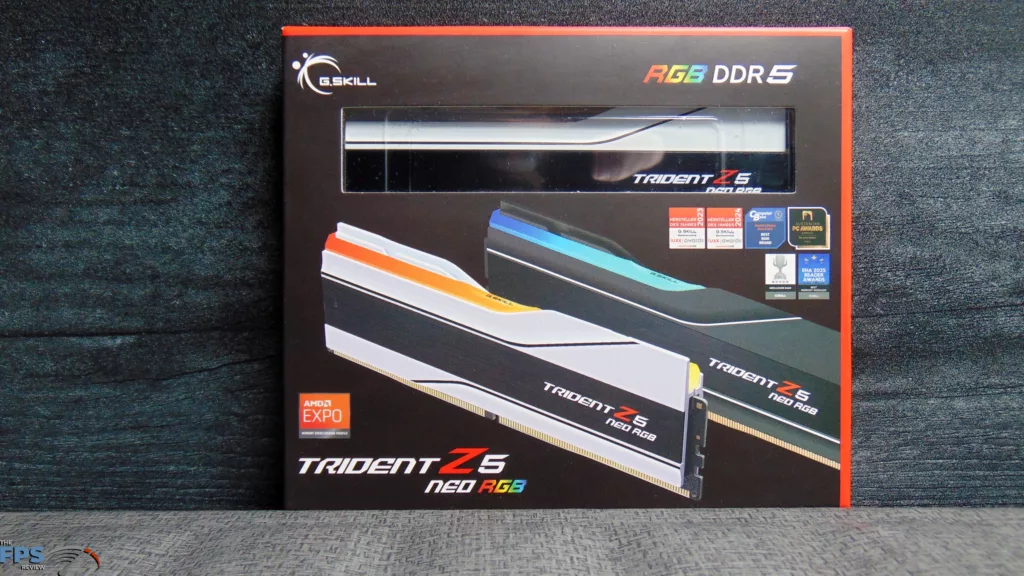
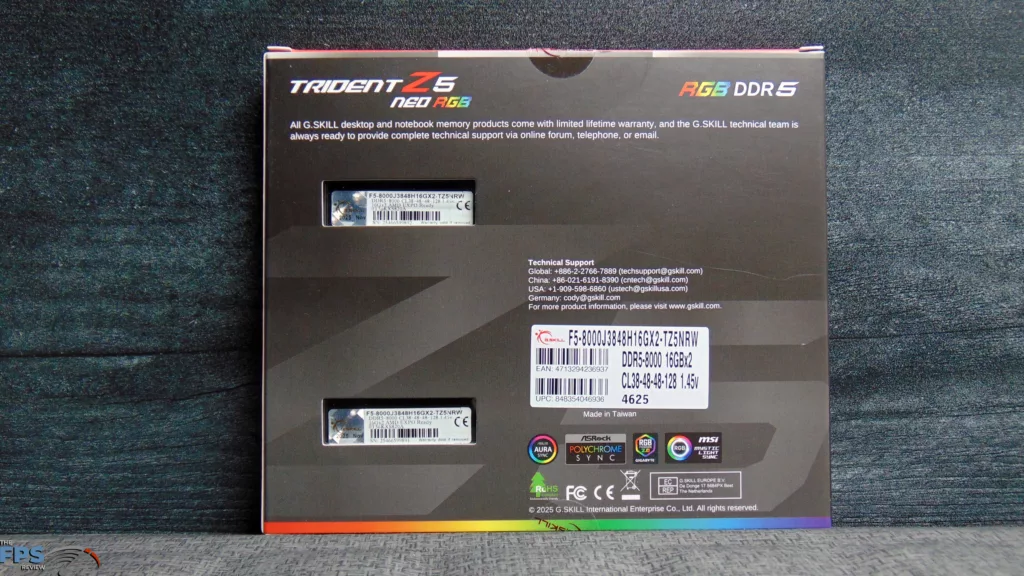
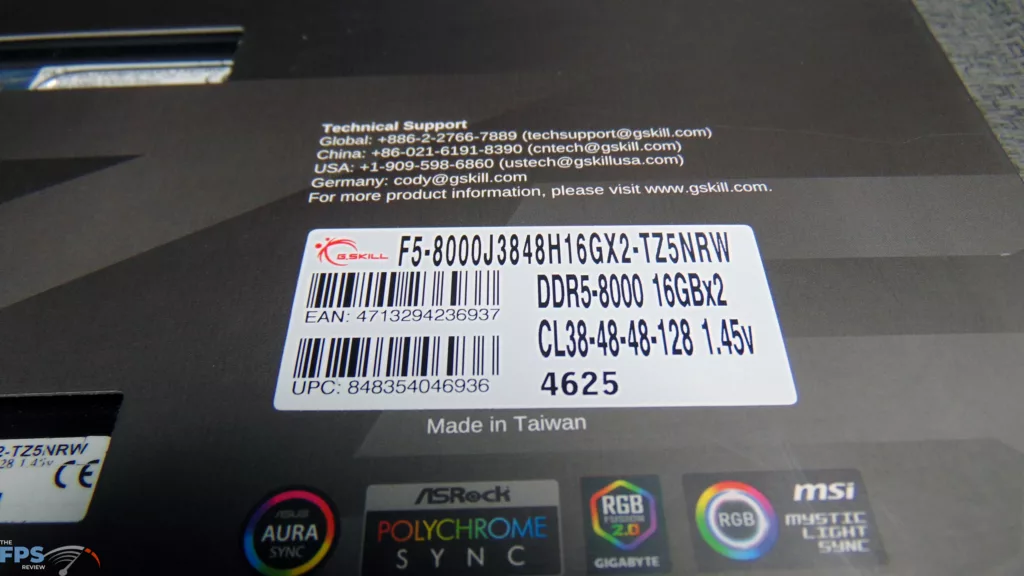
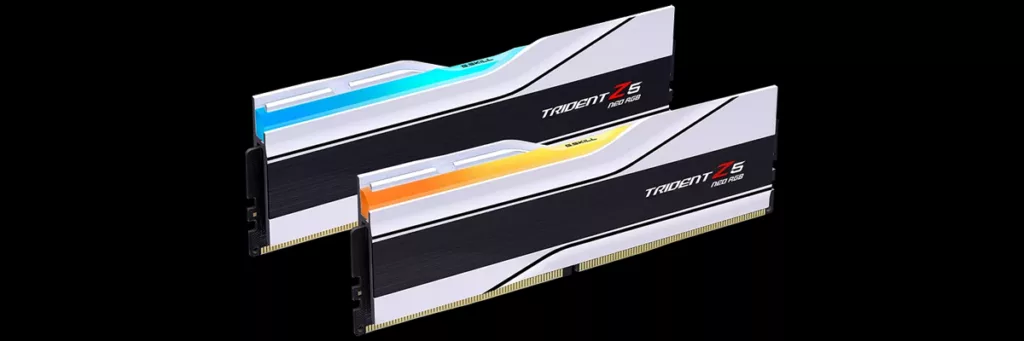
The G.SKILL Trident Z5 Neo RGB 8000MT/s 32GB EXPO Memory Kit (F5-8000J3848H16GX2-TZ5NRW) is designed for ultra-high overclocked performance on DDR-5-enabled AMD platforms. Its main memory timings are CL38-48-48-128 at 1.45V when enabling the EXPO profile, else the default performance without EXPO enabled is 4800MT/s at CL40 and 1.10V. The Trident Z5 Neo RGB uses hand-screened DDR5 DRAM ICs to allow these high tolerances. The design features a brushed-aluminum inset into a matte black or white body with precision CNC highlight stripes and topped with a translucent light bar for RGB lighting. Each memory kit is tested under G.SKILL’s validation process. This G.SKILL memory product comes with a limited lifetime warranty.
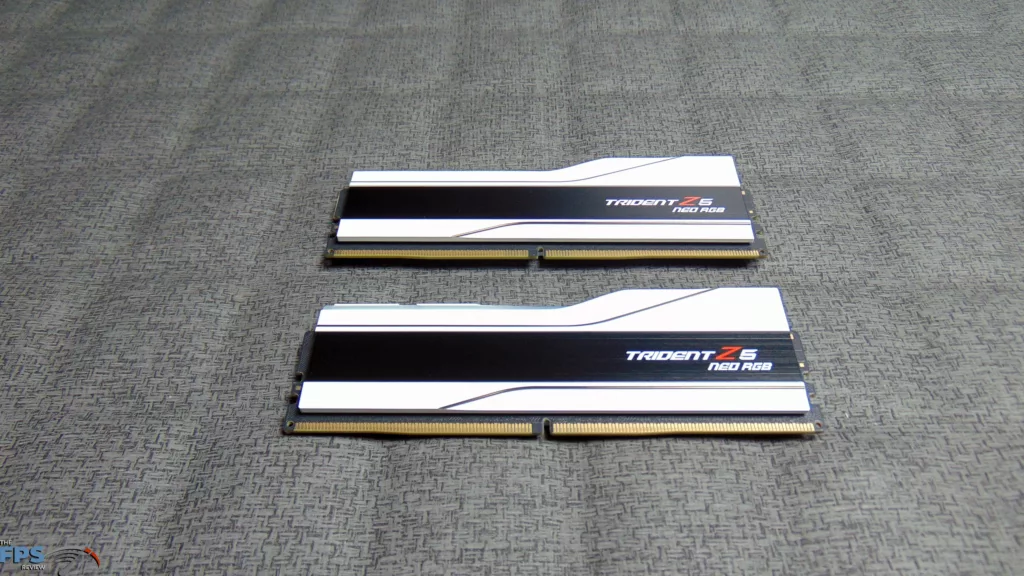
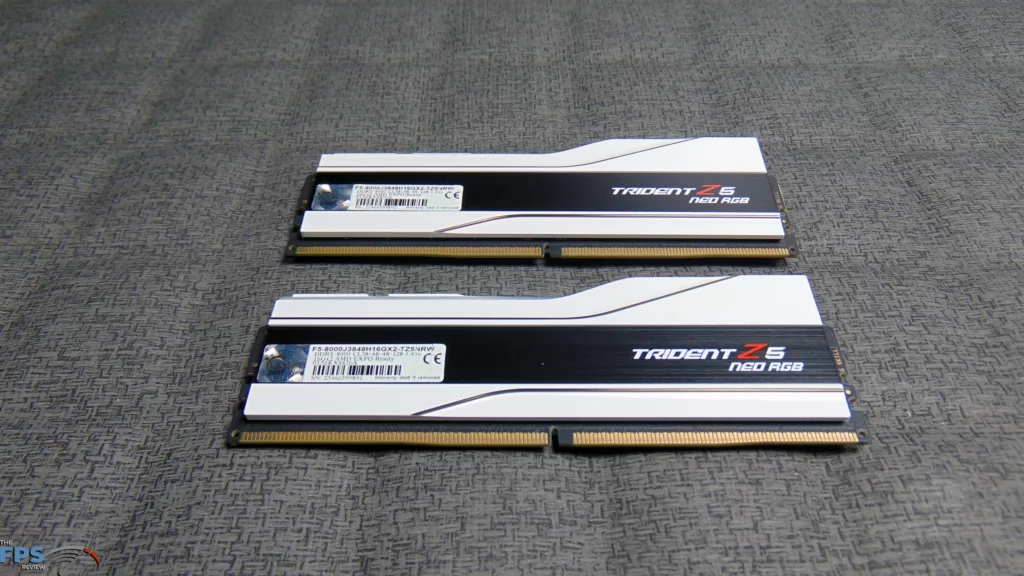
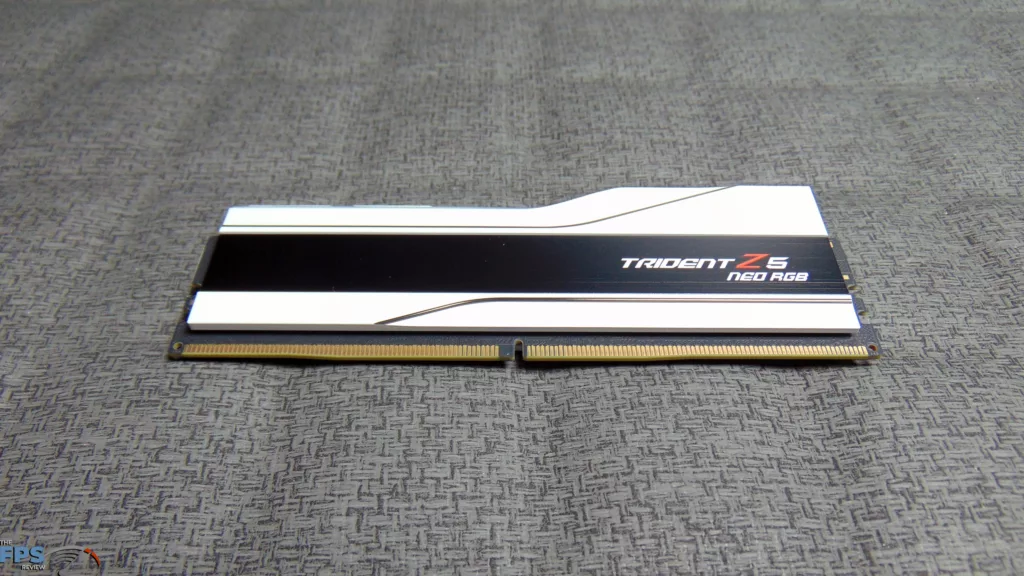
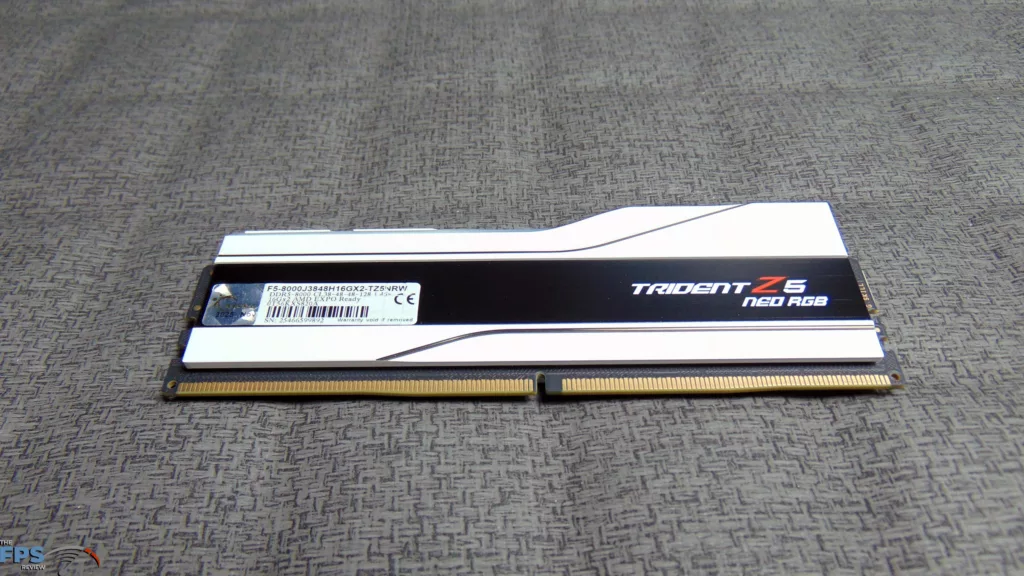
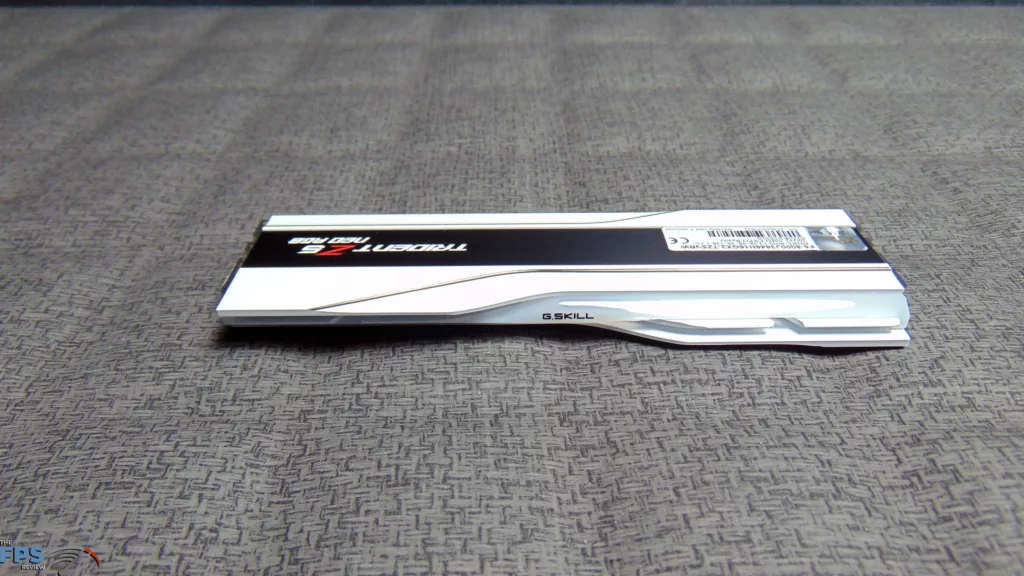
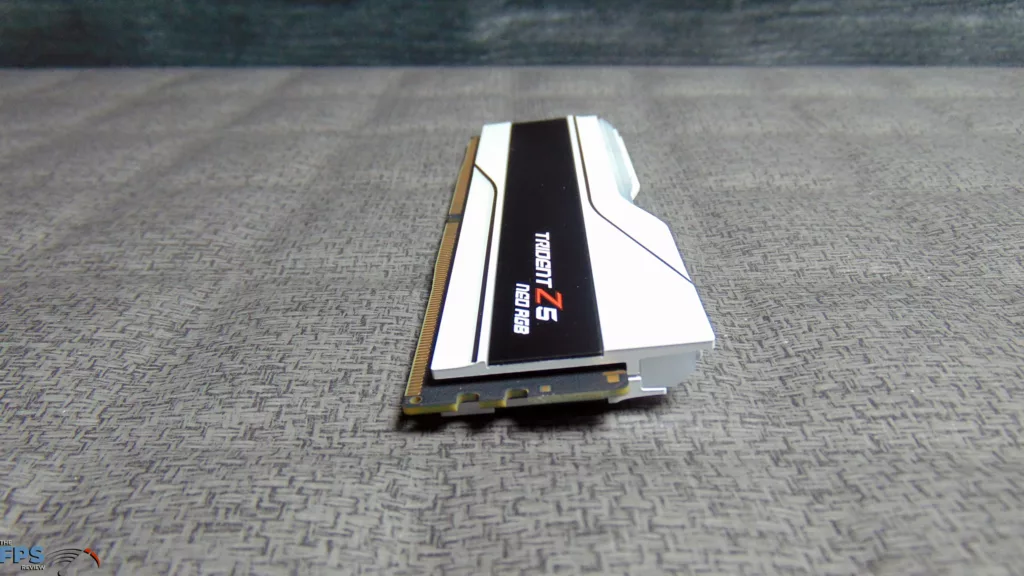
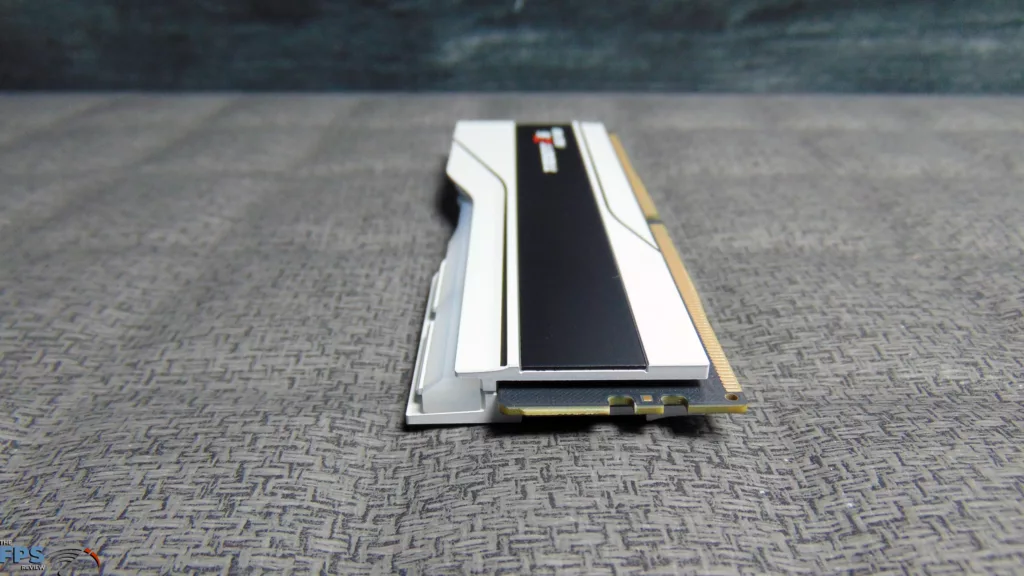
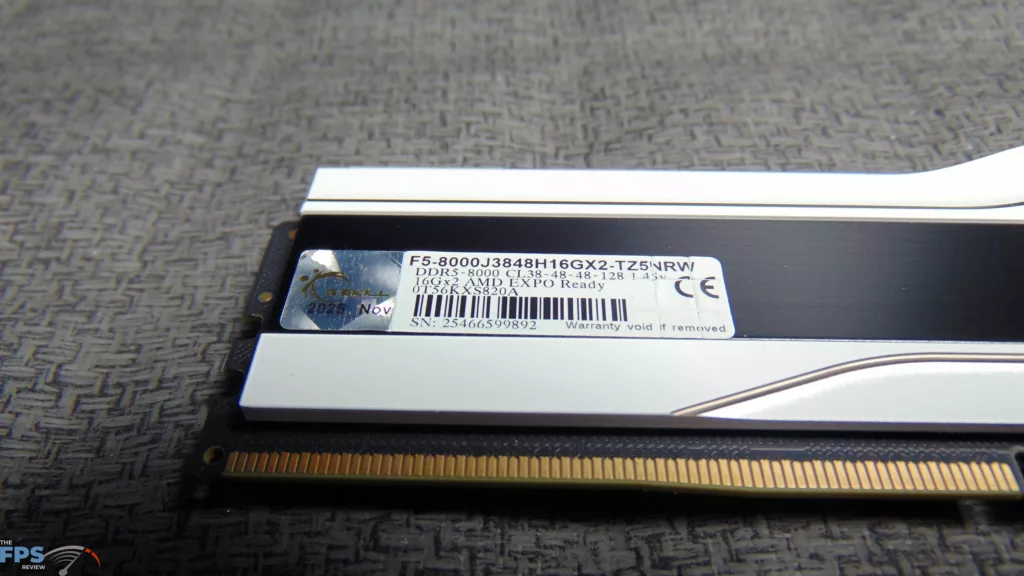
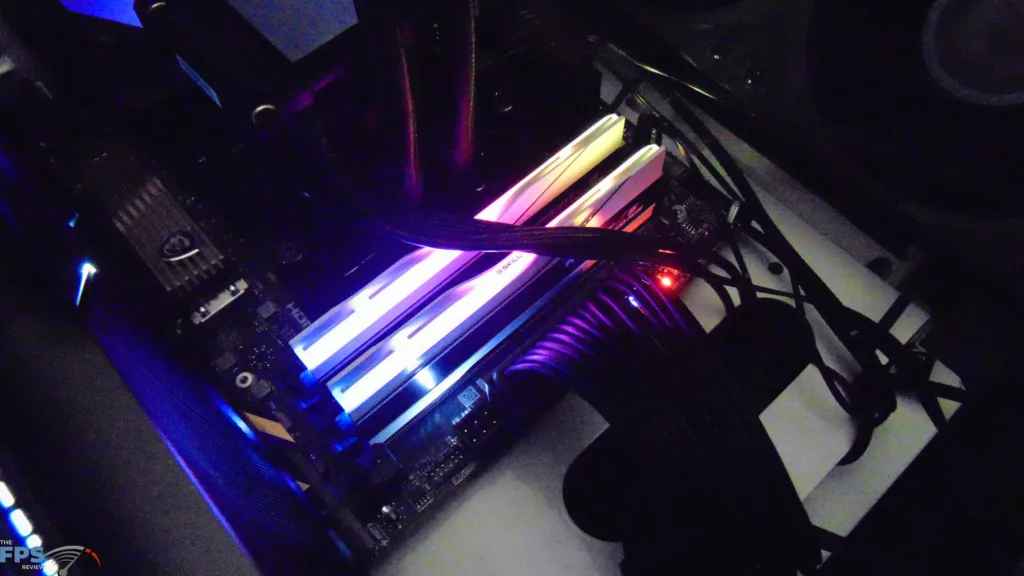
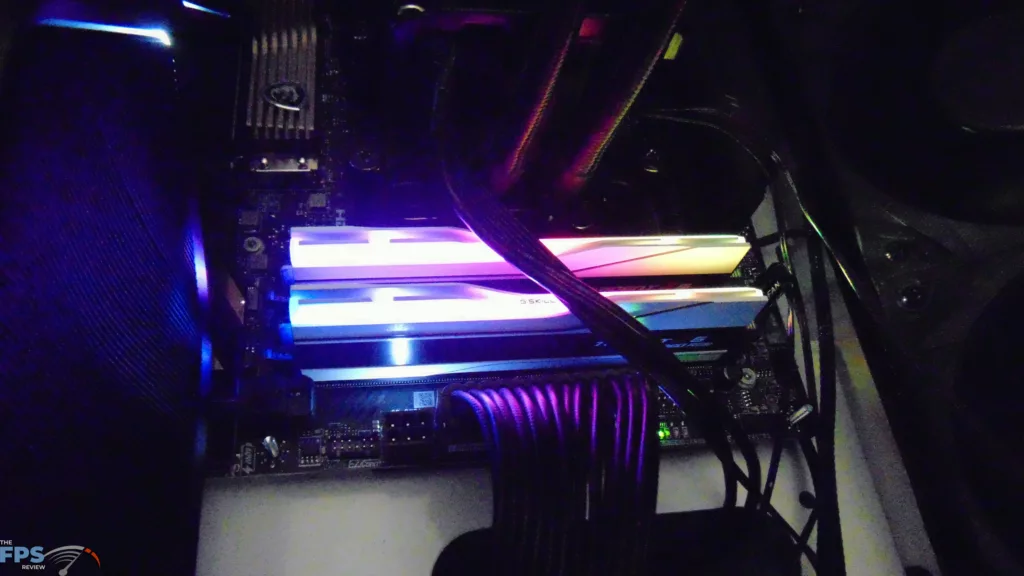
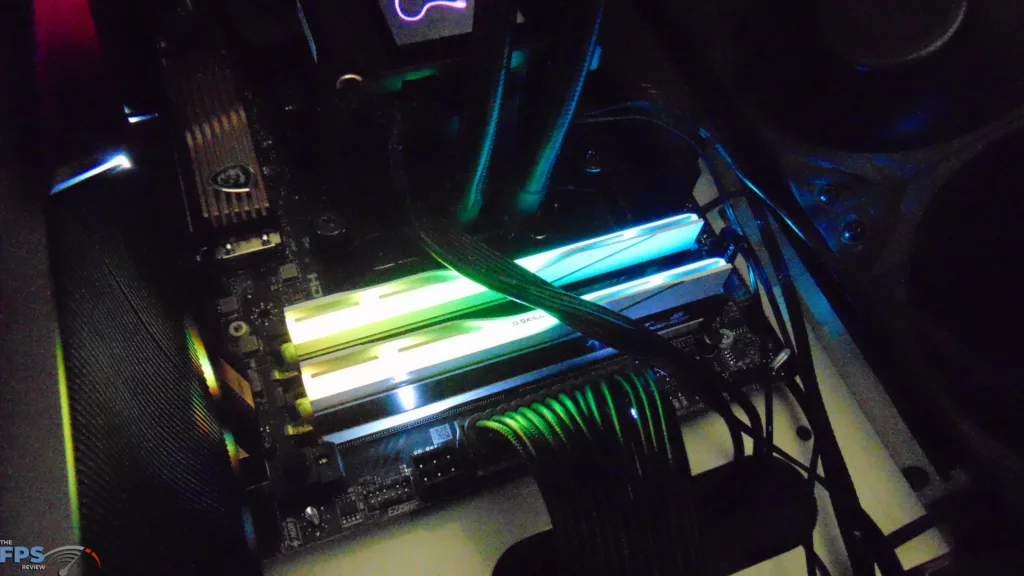
This is a 32GB kit, so a 16GBx2 configuration in dual-channel mode. These are unbuffered non-ECC memory modules, and timings in EXPO are 38-48-48-128 at 8000MT/s and 1.45V. The SPD Default is 4800MT/s at 1.10V. This kit uses SK Hynix DRAM modules. Supported CAS Latencies are 42, 40, 36, 32, 30, 28, 22. This RAM kit does have an RGB lightbar, and it can be controlled via software.
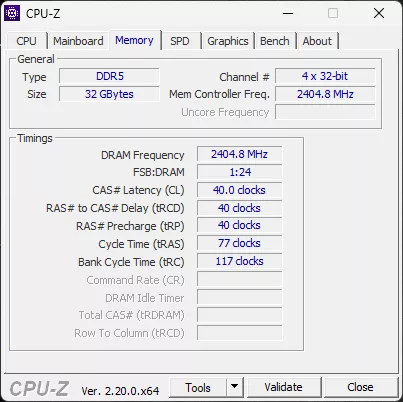
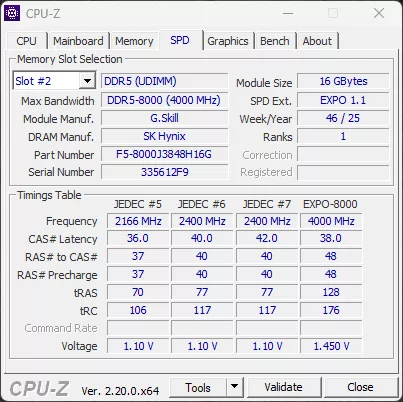
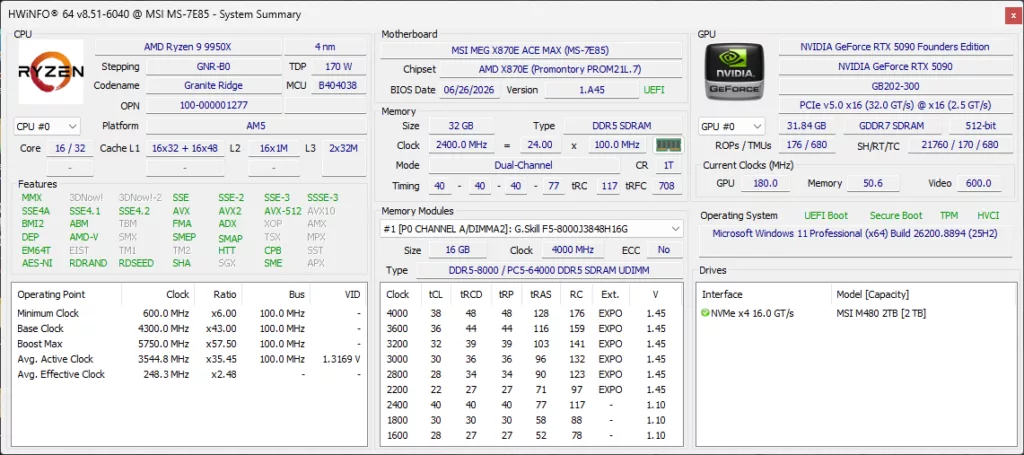
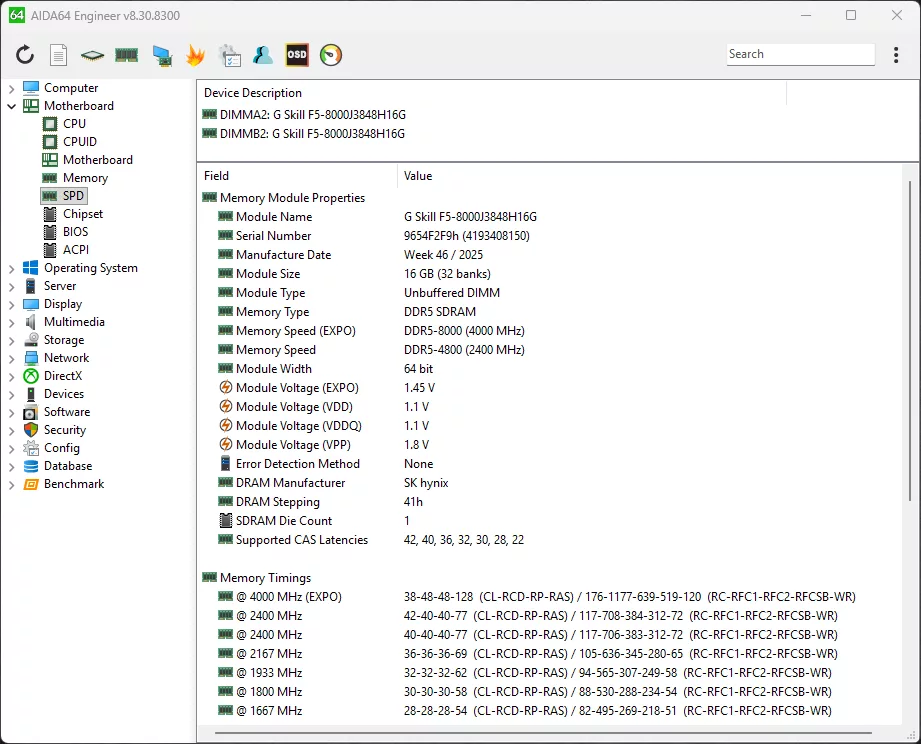
The primary and singular EXPO Profile runs at 8000MT/s CL38-48-48-128-176 at 1.45V. There are also multiple JEDEC speeds supported, so we will list some of them all out for you here. There is official support for: 4800MT/s @ CL42-40-40-77, 4800MT/s @ CL40-40-40-77 (Default), 4333MT/s @ CL36-36-36-69, 3866MHz @ CL32-32-32-62, 3600MT/s @ CL30-30-30-58, and 3333MT/s @ CL28-28-28-54. There are more, as you can see in the HWiNFO64 screenshot, in fact going all the way down to 4200MT/s @ CL22 timings at 1.45V. If you want to hit 6000MT/s, that can be done at CL30 at 1.45V, which is the “sweet spot” for AMD Ryzen CPUs. There are other RAM kits that do have lower timings at 6000MT’s such as CL28 or CL26, and new ULL memory as well that exists.
Enabling EXPO 8000MT/s
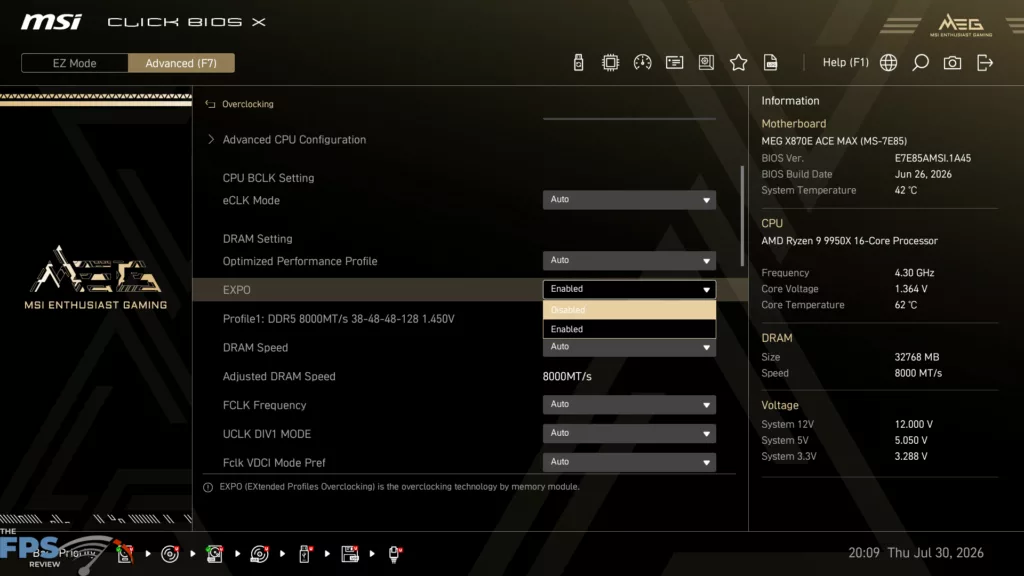
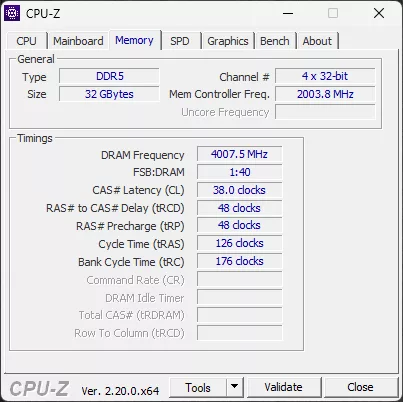
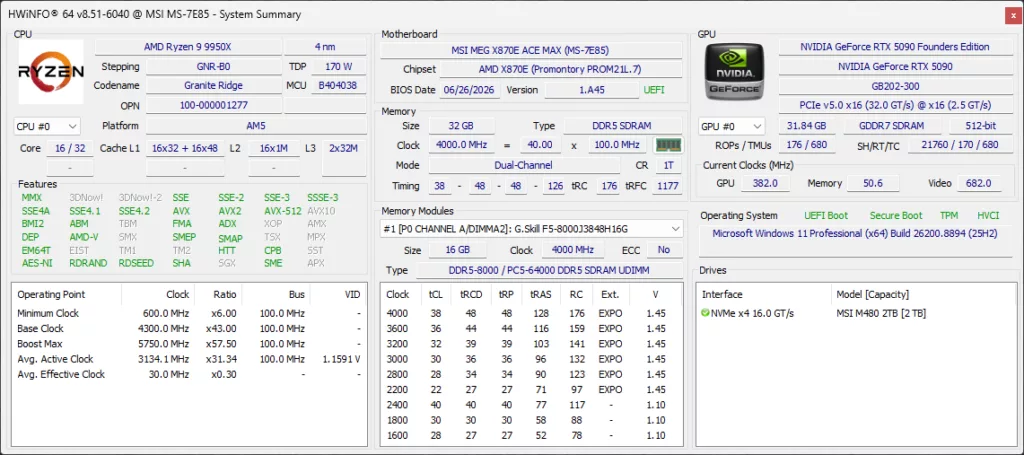
Enabling EXPO on the G.SKILL Trident Z5 Neo RGB DDR5 8000MT/s EXPO Memory kit is very easy; we go into the BIOS on our MSI MEG X870E ACE MAX motherboard and navigate to the EXPO drop-down box. We simply enable the only EXPO profile present. We are then rebooted and greeted with 8000MT/s at CL38-48-48-126-176 at 1.45V. The memory controller frequency is, however, halved down to 2000MHz because the ratio has increased to hit IMC and FSB with memory frequency speeds. In default mode, the memory controller runs at the same 2400MHz as the DRAM frequency. This is the nature of AMD Ryzen CPUs on the AM5 socket and how they operate. When running DDR5-6000 (the sweet spot), the memory controller runs at the same 3000MHz as the DRAM frequency. Therefore, running at 8000MT/s does decrease the memory controller frequency quite a bit. It will then be up to brute force your way up in DRAM frequency to make up for that loss.
Overclocking to 8200MT/s
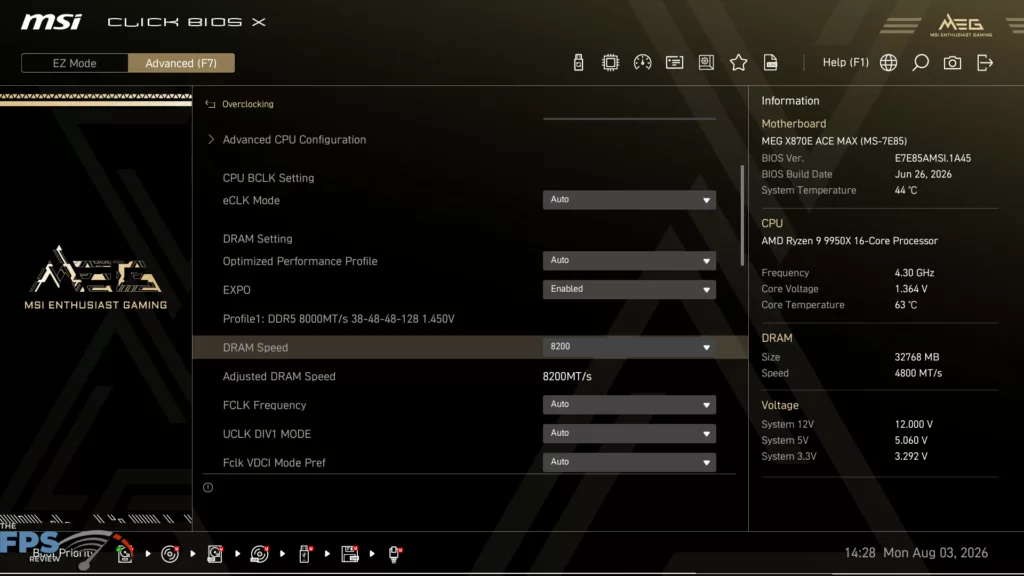
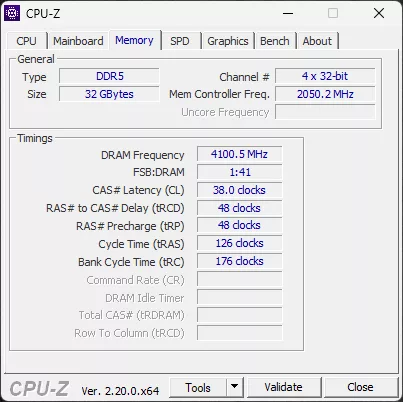
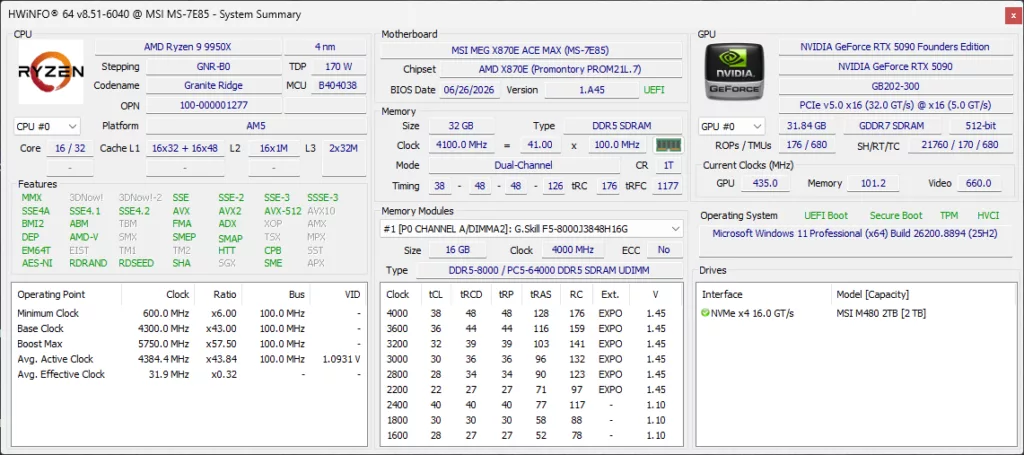
In our overclocking attempts, we wanted to simply see how high we could push the frequency of the DRAM WITHOUT changing Voltage, or timings. In other words, what is the max potential of the DRAM modules at the current 1.45V and timings, in frequency. By using the DRAM speed drop-down menu, we cranked it up till it crashed, then backed it down, and well we could only increase it slightly, by one level up to 8200MT/s before it would crash. At 8200MT/s, it was stable in all synthetic tests and gaming. Operating at 8200MT/s, the timings remain the same, the Voltage is the same, and the memory controller frequency gets a slight boost up to 2050MHz, but they are still on a higher ratio. This was the limit of this RAM kit without adjusting the voltage or messing with timings.
A G.SKILL Trident Z5 Neo RGB DDR5-6000 CL28 Kit For Comparison
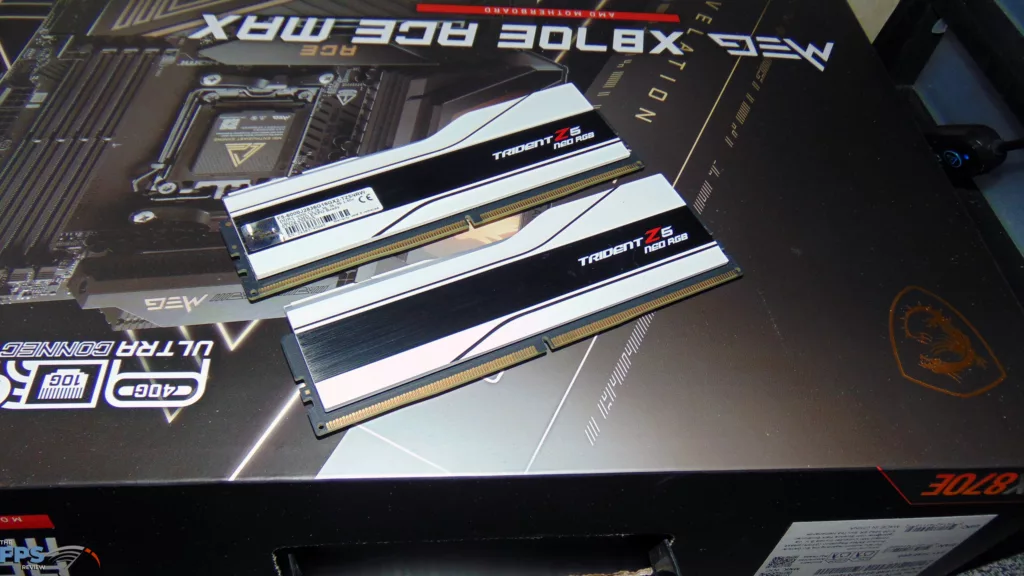
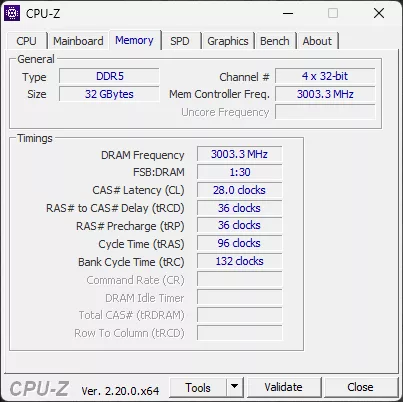
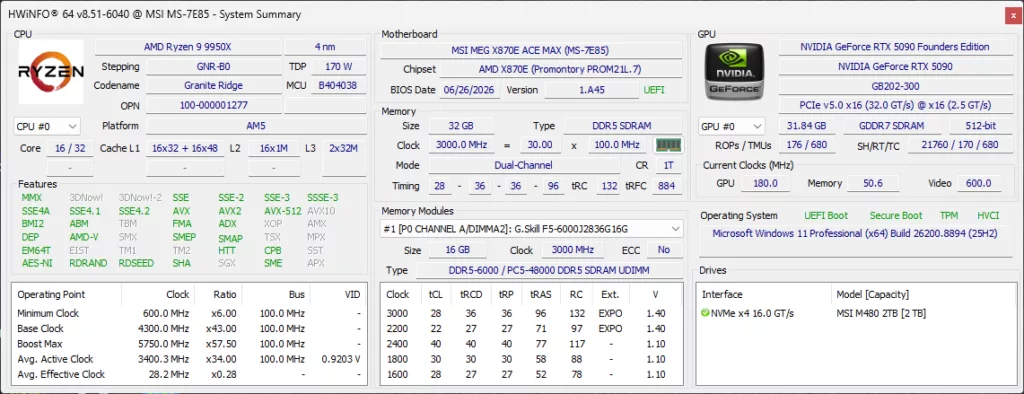
In our review today, we are going to throw in a lower-latency DDR5 RAM kit, hitting at the “sweet spot” most gamers go for with AMD Ryzen at 6000MT/s. This is a G.SKILL Trident Z5 Neo RGB DDR5-6000 CL28 memory kit (F5-6000-J2836G16GX2-TZ5NRW) that runs at 6000MT/s @ CL28-36-36-96. This is the RAM kit we use for all of our video card, game, and CPU testing. This will provide a good benchmark or baseline that most gamers are familiar with, and this is a pretty low-latency kit, sitting below the CL30 mark. You can see that the memory controller frequency runs at 3000MHz, the same as the DRAM frequency.
Discussion (6 replies)
Join Discussion →Only once did you call the ram DDR6 in the conclusion so well done!!
lol - fixed
It's less errors than an AI would make doing that sort of summary! ;)
.........and the memory cost more than the rest of the setup, less the gpu,.....well there's the nvme, too.
I don't see how anyone starting up a build can afford it.
No AI was used in my writing, or at all.
Yea that's the rub... like I have a 64 gig setup before all this went sideways... I built everything in my sig but the GPU (did that this year.) Feel like my system today would be closer to 10k than the 6 I used to build it out. (Thanks to the video card... well 5 because I sold the old video card.)