
Conclusion
In today’s review we have put the new Intel Core i9-13900K through its paces with synthetic benchmarks, system benchmarks, and specific CPU benchmarks, and then threw a bunch of games at it. We tested at 4K, 1440p, and 1080p for the full gameplay experience that each CPU provides, using a fast GeForce RTX 3090 Ti FE video card.
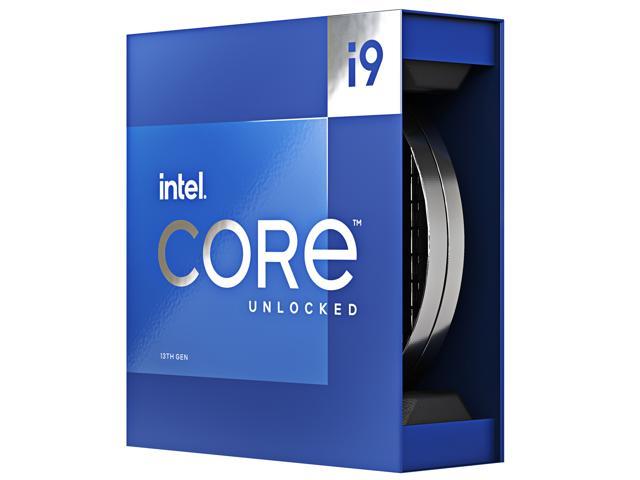
The Intel Core i9-13900K is Intel’s new 13th Gen Core processor, codenamed Raptor Lake, and provides improvements versus the previous generation Alder Lake CPUs. The Core i9-13900K is 24 (total core) CPU composed of 8 P-cores and 16 E-cores culminating in 32 Total Threads for RCP USD $589-$599. It has a maximum Turbo Frequency on the P-cores of 5.8GHz, an Intel Turbo Boost Max Technology 3.0 Frequency of 5.7GHz, and a Max Turbo Frequency of 5.4GHz. The E-cores can clock up to 4.3GHz. It has an Intel Smart Cache (L3) of 36MB and an L2 cache of 32MB. The Processor Base Power is 125W and its Maximum Turbo Power is 253W. It supports DDR5 or DDR4, and PCI-Express 5.0. With Raptor Lake CPUs you can run them on previous-generation Z690 motherboards, or the new Z790 motherboards, the socket remains the same.
Performance
The Intel Core i9-13900K started off strong in system benchmarks, pulling ahead in PCMark 10 overall score. This was followed by the application testing, where in MS Office the 13900K came out on top and was 3% faster than the Ryzen 9 7950X. In the 3DMark CPU Profile testing, Max Threads the 13900K matched the performance of the 7950X. When it came to 1-thread testing the 13900K beat the 7900X and 7950X by 9%. In Geekbench 5 the 13900K continued to be faster than the 7950X by 7%. In single-core testing the 13900K lost a little to the 7950X and 7900X.
In AIDA64 CPU AES encryption performance the Ryzen 9 7950X dominated performance over the 13900K, and the 13900K was on par with the 7900X. In CPU SHA3 the 7950X was faster again, but the 13900K make up some and was faster than the 7900X. In CPU FPU Julia both the 7900X and 7950X were faster, and the 13900K was right under. The same pattern was true in CPU FPU Mandel. Memory bandwidth proved to be very high on Raptor Lake, with a good read and write bandwidth. The latency was a little high, but not out of line with the others.
The Core i9-13900K really shined in Cinebench R23 providing a really high score and was 6% faster than the Ryzen 9 7950X. In single-core testing the 13900K won again, by 11% over the 7950X. In all three Blender tests, the Ryzen 9 7950X always edged out with slightly better performance over the 13900K. However, the 13900K was no slouch and nearly matched performance. We also saw the same be true in V-RAy 5. HandBrake showed us a side of the 13900K we didn’t expect, video encoding, and transcoding performance gains. The Intel Core i9-13900K smashed our video encode performance, and allowed one of the best results we’ve ever seen. It seems the 13900K might be the CPU for you if you do video content creation.
When it comes to gaming, the Intel Core i9-13900K continued to evolve upon the dominance of the 12th Gen Alder Lake generation started. While 4K is mostly GPU oriented, there are some games where we actually did see differences in performance between the CPUs. At 1440p it was common that there were framerate differences, and some were quite big. Certainly, 1080p has the most drastic differences, but it is important that we are finding differences at 1440p now between CPUs.
When it comes to gaming, it is quite clear that the Intel Core i9-13900K does provide faster overall performance compared to the new Ryzen 7000 series CPUs south of 4K. The Ryzen 7000 series CPUs boosted performance a lot over its previous generation, but the new Intel Core 13th Gen CPUs are pushing it even more. What’s really interesting to see is that the Intel Core i9-13900K can offer the same or better performance as the Ryzen 7 5800X3D. The Ryzen 7 5800X3D used to be THE chip for gaming performance, but the 13900K actually matches or beats it now. Intel is giving AMD some real competition in gaming performance here.
Power and Temp
These performance gains don’t come without a cost, however. In order to push the performance to new levels and compete with AMD Intel had to push power to new extremes. At nearly the power of a GeForce RTX 3090 video card, the Intel Core i9-13900K at 330W is a mighty hard pill to swallow. In addition, that 100c temperature when pegging the CPU is also hard to swallow. The community was weary of AMD’s claims of 95c on its CPUs, so what will be the response now with Intel’s chips being even hotter and demanding so much power to eke out that performance? Are the power demands and temperatures really worth the uplift just to win by a few percent?
Final Points
The Raptor Lake, 13th Generation Intel CPUs were about three primary things. First, Intel doubled down on the E-cores at each SKU, giving each SKU more cores and more threads for multi-threaded workloads on every SKU, down to the 13600K where it got a nice bump from 16 threads up to 20 threads now. The next thing Intel did was to increase L2 and L3 cache sizes across the board, which helps many things, including gaming performance. Finally, Intel boosted the turbo frequencies way up on the P-cores and E-cores. It took the 13900K up to 5.8GHz and the E-cores up to 4.3GHz.
These things combined have helped the evolution of this architecture and pushed the Intel Core i9-13900K into providing fierce competition with AMD’s latest Ryzen 7000 series CPUs. The Intel Core i9-13900K can provide better performance than the Ryzen 9 7950X or 7900X in certain workloads. It does really well in certain things. It also does really well in gaming performance. We might even say it is currently the fastest CPU for gaming right now. It comes at the cost of power and cooling and possibly noise.



If you are willing to bare that burden, then it can be a great CPU for those tasks. If you are unsure about the power demand and temperatures, AMD’s Ryzen 7000 series CPUs provide excellent performance at more reasonable power demands. The choice is yours, but one thing is for sure, Intel and AMD are going at it strong in 2022 and the enthusiast PC user and gamer is the one that benefits the most.
Discussion (16 replies)
Join Discussion →Brent, very well done with the review! This thing is a power monger (both in terms of performance and consumption!).
I'm torn though and not liking the current "Trend" from AMD and Intel with their strategy on becoming the performance king. Throwing more power a the device shouldn't be the way to achieve this.
I'm inclined to make my next CPU decision based on Performance per watt. I can deal with slower performance if it means I'm not going to be spending an arm and a leg with the Electric Company.
Nice review enjoyed reading it. Would have loved to have seen some 5900x and 5950x cpu comparisons since you had the previous gen intel ones. But chart space is a thing. :) Gotta make it so eyeballs can read it!
Looks like I'm keeping the 12700k a while longer, this thing runs hot enough as it is, don't need a bigger heater.
If the AMD GPU's don't make for a good upgrade I might just upgrade my AMD machine with a 5800X3D and leave it at that.
That's the most cost effective upgrade you can do strictly for gaming. Obviously not a slow CPU in any desktop task of course. But that's if you have a need for it; the 12700K ain't slow by any means!
Alas, my poor Haswell-E...
I think both AMD and intel dropped the towel on power efficiency (and nvidia too for that matter). To think that all of them at some point touted power efficiency for their next gen products. At least nvidia delivered with Maxwell and Pascal.
Think of it another way - compare a modern V8 that's more powerful (more torque and horsepower) across its RPM range than a similarly displacing V8 from thirty years ago, and then note that said modern V8 is not only more efficient when putting power down, but has cylinder deactivation and is more efficient at idle. Or, can be made significantly more powerful than the older V8 peak to peak tuned, but again peak to peak, the newer V8 uses more fuel. Because it can, not because it needs to.
We're seeing massive leaps in efficiency, and we're also seeing companies be able to push their parts closer to the limit stock.
Hey, I'm right there with you with my Ivy Bridge E. I was thinking of saving up for one of these this summer but now after seeing the gaming performance I'm rethinking it.
I do need to upgrade but I think I'll wait for the Ryzen 7000 3D versions. The only thing I know for sure is I'd like something that can last around 7-10 years as this has and since I've already got a rig with a 5800X3D it doesn't make sense to build another with the same, especially seeing it within a couple of frames of this processor at 4K gaming. Those 3930/4930/5930 K processors are still amazing after all this time but definitely getting long in the tooth.
I think this is closer to the truth.
The flip side of that coin is that stock power goes up when companies hit walls on other means to generate performance increases.
If you can't engineer it in more performance as part of the architecture, or throw more cores at it, then you hope like hell you can just push more power through it and boost the clocks.
It will continue to go up until people stop buying them. For the mass market - you aren't going to see 280W 13900K's in the average desktop computer in a cubicle for a call center, or in a POS cash register, or a laptop. All the chips in that market will continue to get more efficient -- because the cost of cooling is an overhead item they can cut out as the technology does get more efficient - the performance boosts just aren't as pronounced when the technology to run it has been fast enough for more than a decade now.
That part the V8 analogy still carries through - you don't see big Hellcat-driven minivans mass produced at the car lot, you see smaller displacement and more fuel efficiency and more gears in the transmission, while staying around a hp/torque level that seems "good enough" for the size of the car. The speed limit on the highways haven't changed in a long time, after all (but Americans have gotten fatter - hence turbochargers becoming more common ---- that's a bad joke, but only because part of that is at least true).
Those big, power hungry chips really only have two markets: big workstations that do serious work (pro content creation, engineering CAD, simulations, etc) - and gamers/enthusiasts. And in those markets - they won't really care about power until they start tripping breakers. And even then, good odds on them just saying "Oh well, I'll call the electrician" and still not caring.
Great review. This just drives home the point, if you use your rig for gaming primarily, and that's done in 4K, jumping up to the 13th Gen isn't really worth it since you are more GPU bound.
IMO the current price/performance cpu for 4k would be a 5800X3D. Might go as low as a 5600X if in a budget.
If you're on Intel... 7th-gen maybe, or have an AMD board that cannot take a 5800X3D, then it's a good upgrade if you also have a higher-end GPU. Especially keeping in mind that GPUs drive higher average framerates, while CPUs drive minimum framerates.
Well I went against my thoughts and got a 13900K as my buddy wanted my 12900K and offered me a fair deal. I thought about just going with a 13700K or 13600K, but I wanted to stick with an i9. Honestly when gaming this chip only gets about 5 degrees Celsius hotter than the 12900K using a NH-U12A cooler which isn't bad at all to me. Goes to show you what a good air cooler and a high airflow case can do to even a hot running chip.
This... is entirely relative to the load. Granted, that only matters if you do something that would benefit from more cooling - gaming and general desktop usage aren't going to really tax these CPUs.
Agreed, but I was just comparing it to my 12900K and what temps I had with that chip doing the same games/work loads. I'll probably never push this chip to its limits, but I never really did that with the 12900K either, just on occasion. I'm just impressed with the NH-U12A on how it has been effectively cooling this chip so far. I had some doubts, but it shows that air cooling isn't dead.