

Introduction
CORSAIR is launching its new MP700 PRO PCIe Gen5 NVMe 2.0 SSD, completely designed from the ground up for extreme performance, but also silent active cooling in an appealing aesthetic. The CORSAIR MP700 PRO 2TB with Air Cooler PCIe Gen5 x4 NVMe 2.0 M.2 SSD is CORSAIR’s new offering to provide fast SSD performance on the PCI-Express 5.0 interface and high endurance. The MP700 PRO uses the Phison E26 controller with high-density 3D TLC NAND with a DRAM cache on board. The MP700 PRO offers blazing-fast Gen5 performance up to 12,400MB/sec sequential read and 11,800MB/sec sequential write speeds with a stylish, quiet, and capable air cooler.
In today’s review, we take a look specifically at the new CORSAIR MP700 PRO 2TB with Air Cooler (CSSD-F2000GBMP700PRO) model with an MSRP of $339.99 (though prices are lower at the time of writing). CORSAIR is well known for its storage options, comprising of the PRO series of SSDs for enhanced durability and performance. The previous generation CORSAIR Force MP600, MP600 PRO, and PRO XT were well known for their performance at the time for Gen4-based SSDs. The new MP700 PRO is CORSAIR’s fastest option yet for SSD storage and provides performance at the top end of the Gen5 NVMe SSD generation with high endurance.

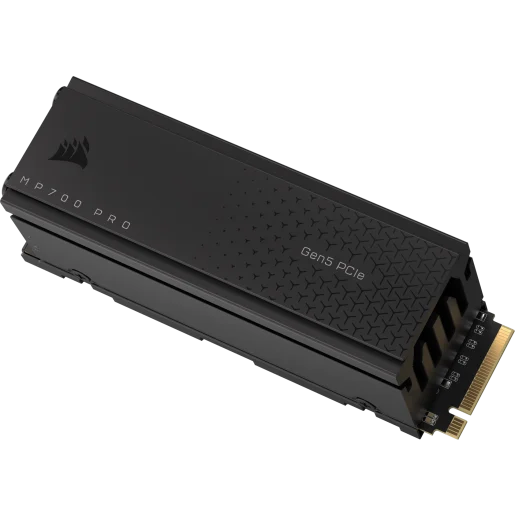

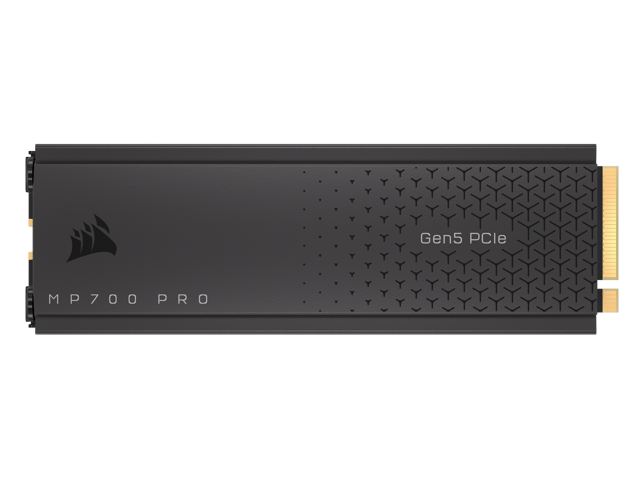
The CORSAIR MP700 PRO is a generational upgrade over the CORSAIR Force MP600 Gen4 SSD which we have reviewed all the way back in 2021. The CORSAIR MP700 PRO is also an upgrade over the previously released MP700, offering more performance and endurance. We will be comparing the new CORSAIR MP700 PRO with Air Cooler 2TB model today to a 2TB CORSAIR Force MP600 in our graphs so that you can see what moving from the last generation MP600 Gen4 to the new MP700 PRO Gen5 looks like. We will also be including comparisons to a previously reviewed PCIe Gen5 NVMe SSD for comparisons, and talk about that comparison.
CORSAIR MP700 PRO SSD with Air Cooler
When browsing the M.2 Solid State Drives section on CORSAIR’s website, you will find the newest offering listed at the top, the MP700 PRO with Air Cooler as well as the MP700 PRO without a heatsink. CORSAIR will offer the MP700 PRO without cooling, i.e. a bare SSD that you can attach your own cooling to or use your motherboard’s M.2 heatsinks. There will also be a special water-cooled capable build of the MP700 PRO called MP700 PRO Hydro X Series.

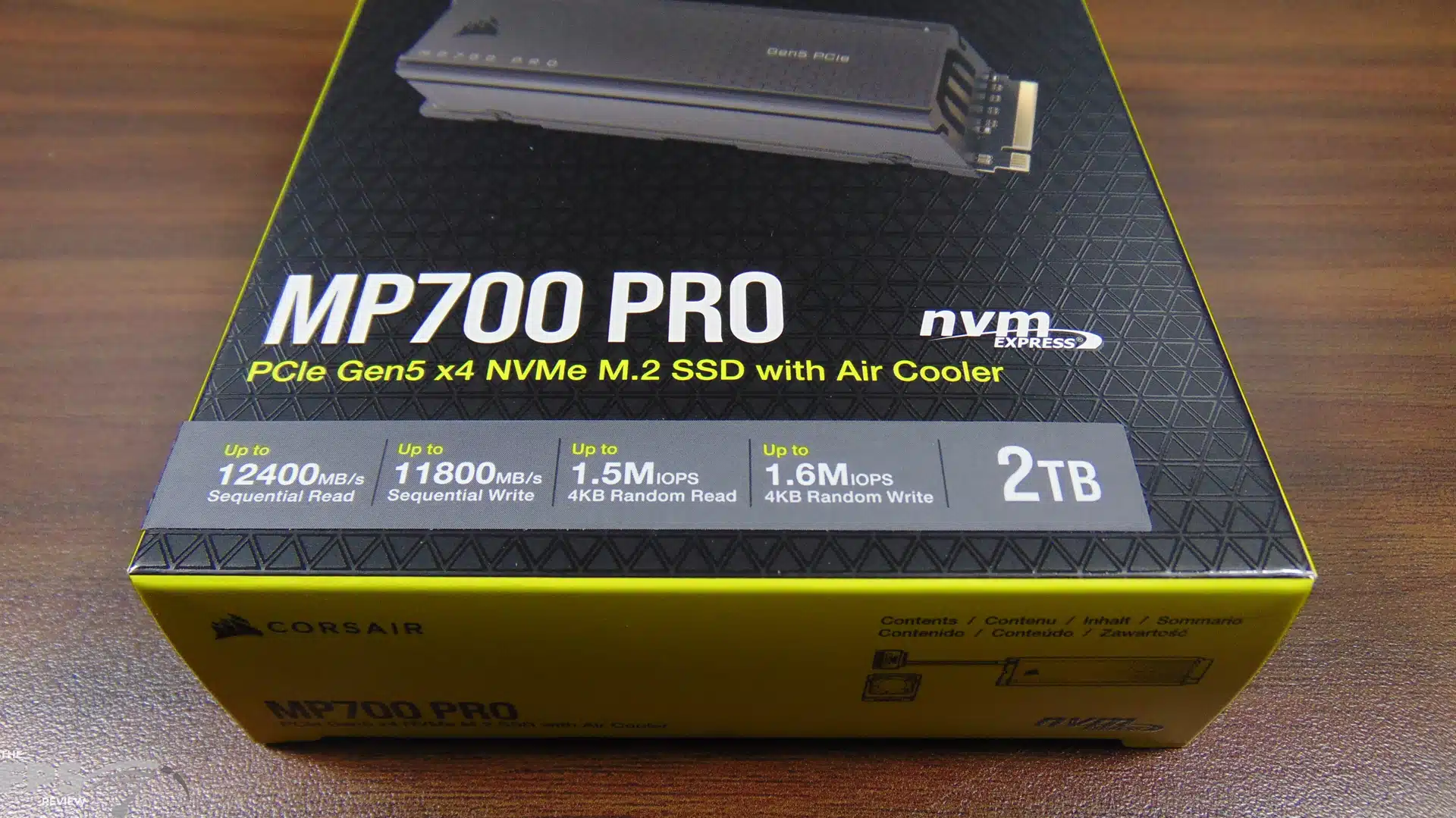

The MP700 PRO with Air Cooler will have two capacities available, a 1TB model capacity with an MSRP of $199.99 and a 2TB model capacity with an MSRP of $339.99. The bare drives without cooling will have a 1TB model capacity at $189.99 MSRP and a 2TB model capacity at $319.99. The MP700 PRO Hydro X Series will only come in a 2TB model capacity at $339.99 MSRP.
We are reviewing the MP700 PRO with Air Cooler 2TB model capacity that has an MSRP of $339.99. We have also found, at the time of writing, pricing may be about $15 cheaper on both Corsair.com and Newegg, so current online pricing is less than MSRP, which is great news, so keep an eye on deals as you will be able to get these SSDs at cheaper than MSRP pricing making them very appealing.
The CORSAIR MP700 PRO uses the new Phison PS5026-E26 controller and 3D TLC NAND flash. It is based on the PCI-Express 5.0 NVMe 2.0 interface and works on the latest Intel Z790 and AMD X670 platforms at PCIe Gen5 x4 speeds. CORSAIR is offering three cooling types, as we discussed above, one with air cooling, one that is bare, and one that can be water cooled. These are standard 2280 M.2 form factor. They are also backward compatible with PCIe Gen4 and Gen3 motherboards. CORSAIR also offers a five-year warranty on these SSDs.
The Phison E26 controller is a popular choice for Gen5 gaming performance and high-performance PCs. The Phison E26 is an 8-channel controller optimized for the PCIe Gen5x4 interface and is NVMe 2.0 compliant. It supports ONFI 5.0 and Toggle 5.0. It supports 14GB/s performance and capabilities up to 4TB and flash transfer rates up to 2,400MT/s. It supports LPDDR4 and DDR4 with transfer rates up to 3200Mbp/s. It supports Phison’s ECC LDPC engine and coding scheme as well as AES 256, SHA 512, RSA 4096, and TCG Opal.


Both the 2TB or 1TB CORSAIR MP700 PRO have a DRAM cache on board, the 2TB model has 4GB while the 1TB model has 2GB. Both capacities support dynamic SLC caching, TRIM support, SMART support, and garbage collection. According to CORSAIR the power usage of the 2TB model is 11.5W while the 1TB models are around 11W. The MTBF is 1.6M hours.
The sequential and random read and write performance, and the endurance of each SSD differs between the capacities (1TB or 2TB), not the difference in cooling solution. For example, the 2TB MP700 PRO with Air Cooler, or without, has the same performance, but the 1TB models do not. The capacities denote the differences, and the 2TB models of each one have the highest performance. The 2TB model has up to 1,400 TBW endurance and the 4TB model will have up to 3,000 TBW for incredible endurance.
The 2TB MP700 PRO (either with Air Cooler or without) has a sequential read of up to 12,400MB/s and a sequential write of up to 11,800MB/s. It has a 4KB random read of up to 1500K IOPS and a 4KB random write of up to 1600K IOPS. By contrast, the 1TB models of the MP700 PRO have a sequential read of up to 11,700MB/s and a sequential write of up to 9,600MB/s. It has a 4KB random read of up to 1400K IOPS and a 4KB random write of up to 1500K IOPS. What also makes the 2TB MP700 PRO special is the up to 1,400 TBW endurance rating, which makes it a good value for such a fast SSD. The 4TB model will have up to 3,000 TBW endurance for an incredible value.


What makes the CORSAIR MP700 PRO with Air Cooler unique is the cooling configuration. CORSAIR spent a painstaking amount of work and time on perfecting this cooling solution so that it can provide great cooling, but also not have to be extremely large or loud. The SSD is covered on both sides by the heatsink assembly, and the top portion extends out, so it is thicker than a Gen4 SSD, but not enormous, it is a tolerable and workable height that will fit well even in small form factor builds.
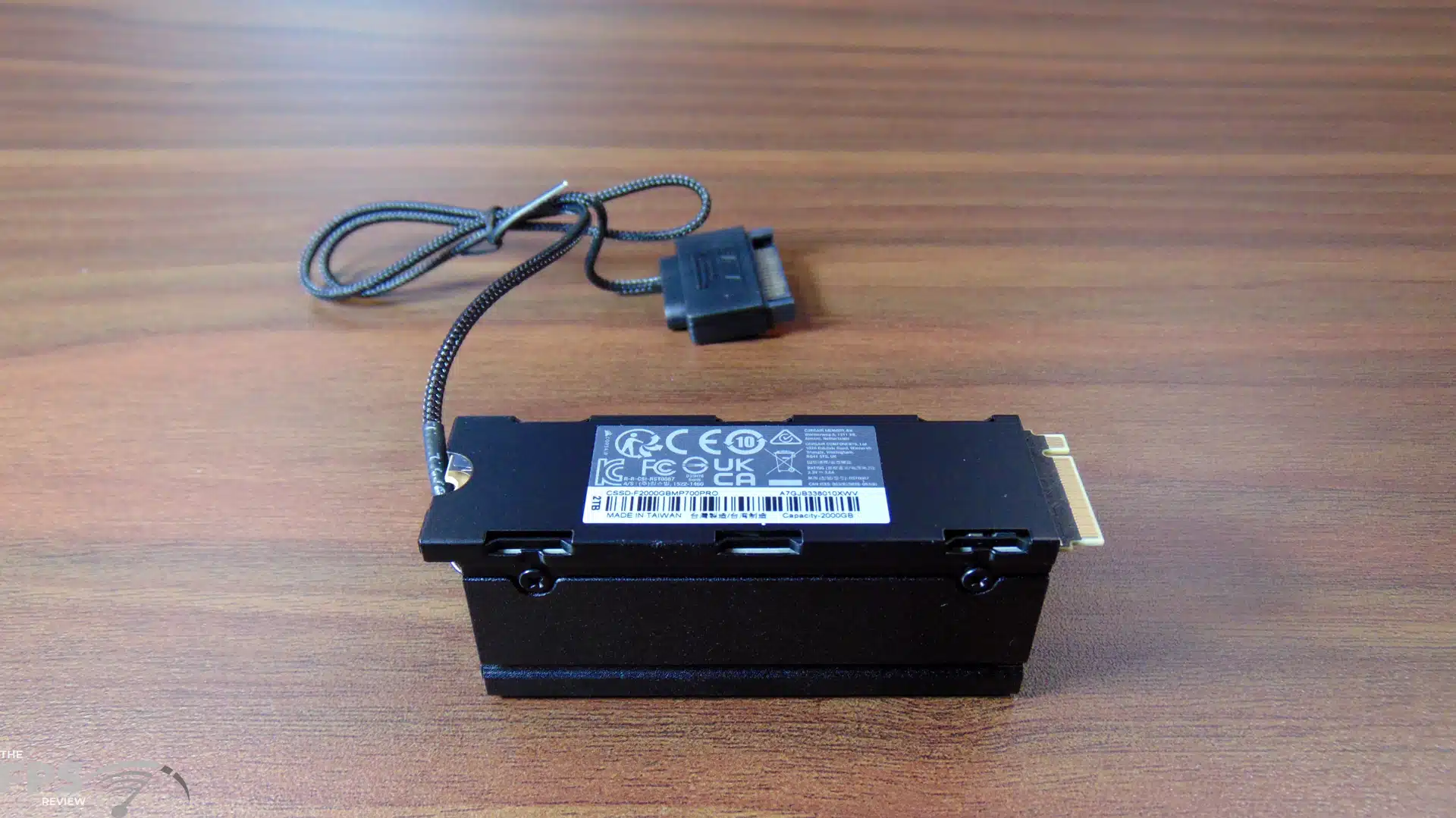
CORSAIR uses an active fan at the end of the SSD to push air down the heatsink channel, cooling the entire length of the heatsink fins. We have seen other implementations of active fans, typically at the top of the heatsink, pushing air downwards. This approach, with the fan at the end, pushing air across the heatsink fins seems to be more efficient and prone to less noise since it has a big chamber to push air across, instead of downwards.
This does mean, of course, that this SSD requires SATA power to run the fan, and you do want that connected to keep it at full performance from throttling. CORSAIR has also made the design easy to disassemble with easy-access screws. This is helpful if you wish to take the fan out and clean it, or if you need to replace the fan. This design is very clever, oh, and it looks cool too, pun intended.


When installed, the CORSAIR MP700 PRO with Air Cooler 2TB Gen5 NVMe SSD looks sleek and great in our system. The color is appealing and fits in well with any build, and the patterned texture visual on the top of the heatsink adds a professional flare to the overall look. Installation was simple, we had no clearance issues with the heatsink assembly or the fan cable when installing. The cable length is long enough to reach around the edge of the motherboard to the backside for power. We had no clearance issues with our AIO even with the tubes on the underside nearest to the SSD.
Discussion (16 replies)
Join Discussion →I find it odd I guess that a PCIE 4 drive was able to come out on top in any metric. the Adata drive ruling the roost in professional applications.
You could buy 3 Gen 4 2TB drives for the price of this one drive and not need to worry about cooling.
Fast but really pricy.
It's all about the IOPS.
For single user scenarios (like those of us buying for gaming machines), does anything matter besides Queue depth 1 and thread 1 and random access latency? PCMark 10 Average access time and Crystal Disk Random Read and Write Q1T1 seems to be the most important measurements.
Write endurance and both burst and sustained write speeds have their place as well, I'd think?
Burst and Sustained matter, but does Gen 4 vs Gen 5 matter much? 7.5GB /sec vs 12GB /sec is a difference that may not make a difference. If you're reading 1MB, the actual read is going to be around .0001s (100 micro seconds), which means the drive latency starts to become a very sizeable chunk of the transaction. For a typical game load, do we know what the average file size is? How often does the drive really get to stretch it's legs at 12GB /sec?
Agreed that write endurance is also important, but for a single user case on larger drive (say 2TB+) it might take months to years to get a single drive write. Depends on what you're doing with it. My 2TB 980 pro steam drive probably doesn't have a single complete drive write on it yet.
Main reason it makes a difference is that the CPU is operating on the scale of nanoseconds, relative to main memory. So faster sustained rates and/or lower access latency both help in their own ways, if a particular application is regularly reaching back to non-volatile storage.
Lets take 3 theoretical drives, using flash latencies from a google search of "Flash Read Latency".
Drive 1: Gen 3 drive of entirely low latency 3d SLC. 8 microsecond (us) read latency, 4,000MB /sec max transfer
Drive 2: Gen 4 drive of entirely 3d TLC. 75us read latency. 7,5000MB /sec max transfer
Drive 2: Gen 5 drive of entirely 3d QLC. 125us read latency. 12,000MB /sec max transfer
For a 4k file the drives will complete the operation in:
Drive 1: 108 us (8us latency, 100us transfer)
Drive 2: 128 us (75us latency, 53us transfer
Drive 3: 158us (125us latency, 33us transfer)
for a 1MB file:
Drive 1: 258 us (8us latency, 250us transfer)
Drive 2: 208 us (75us latency, 133us transfer
Drive 3: 208us (125us latency, 83us transfer)
For a 10MB file
Drive 1: 2508 us (8us latency, 2500us transfer)
Drive 2: 1408 us (75us latency, 1333us transfer
Drive 3: 958us (125us latency, 833us transfer)
If we're dealing with mostly 4k files, we'd prefer the the Gen 3 drive.
If we're dealing with files >700k<=1MB or smaller, we'd prefer the Gen 4 drive (or maybe even the Gen 3 if we had some 4k files in there)
If we're dealing with files >1mb, we'd prefer the Gen 5 drive.
Now, back in the day of Anadtech's SSD articles (2009 ish), a huge portion of day to day usage was 4kb, especially for OS drives. If that's the case, and you cared about performance over space, you'd take the lower latency flash over the new generation of PCIE drives every day.
I would say one good gauge of that:
A system only has so much RAM and VRAM - loading files that total beyond the size of both of those capacities would be .. somewhat dubious. So, gigabytes would be reasonable assumption, tens of gigabytes plausible but your starting to stretch it, and once you are talking hundreds of gigabytes, well... install sizes aren't much larger than that and you'd have to be loading files multiples of times to hit that and your just doing something really wrong at that point.
So I think "short" sustained reads would be a good metric - say upwards of 100Gb... but on these drives that should only take a few seconds at best. In the real world, though, none of that is really going to be a sustained sequential read - games are usually made up of hundreds of small files, even if you are hitting a couple dozen GB total, that's split across hundreds of smaller files.
So looking at it another way:
Just an example - my secondary SSD currently has 173 GB worth of games installed across 11 titles. So that's an average of 15.7 GB per title. That doesn't sound too bad, fairly reasonable for an average. That 173 GB is split up across 20,350 files.... so each file is, again on average, 8 MB... (some dirty math there, 0.008 GB, which isn't exactly 8 MB, but ok). Many of those files will be very small, some will be much larger, but ... your still looking at touching a lot of small files during a game load. Even if you are doing something like a WAD or PAK, those are just compression methods and it's still going to read inside the file like an external file system.
Those are averages, but I would say it supports the point that latency means much more than sequential.
There was an article I read about one of these new drives, getting within 8 degrees of throttling just playing starfield using something like 2.4gb a second rather sustained.
Hmm, if they are warming up that fast even with the heatsink, might be time to go back to a case with a fan on the door again.
Edit
I also checked my steam drive. 10 games, 256GB, 142,780 files. That's 1.79MB average per file
The earlier numbers really show why I’m so frustrated with current “performance” drives. I really don’t need a 4tb drive for my game drive, and I don’t need a 1tb drive for my OS.
Instead of a 4tb TLC Samsung 990 pro, give me a 1.5 TB latency Optimized SLC gen 5 drive for games, and instead of 2TB 990 pro, give me a 768 GB latency Optimized Gen 5 drive for OS.
Heck, if all the better they could manage is 256GB SLC drives, give me 256GB SLC and 16GB DRAM cache and I’ll figure out how to use them … say raid 0
We get what's cost effective to be mass-produced - I know you know that, but that's why we get the kind of flash ICs and ultimately drives, same for DRAM ICs, and for no longer getting Optane ICs.
It’s not like SLC doesn’t exist anymore - it is being mass produced and used as cache paired with slower flash and is used in the enterprise for things like database flash cache.
To a certain degree, even if we don’t get the “good” stuff, TLC/QLC can be SLC if the controller just writes a single bit instead of 3/4 to the cell. Sure, it wouldn’t be latency optimized so it would be more like 25us, but given the option in Samsung magician I’d convert my drives to SLC.
I just find it hard to believe there isn’t a decent sized consumer market for pure SLC drives.
Windows 10 still runs fine enough off spinners if you're just doing office stuff...